
Marvel: free prototyping and team collaboration inside the browser
Summary
Marvel is an online design and prototyping platform that runs in a browser, keeping wireframes, clickable prototypes, user testing and developer handoff in one place, with team collaboration alongside. The free plan has no time limit, and paid tiers differ by project count and parallel testing slots.
Recommend- Name
- Marvel
- Version
- 20261013
- Open source
- Proprietary
- Operating system
- WebiOSAndroid
- Website
- https://marvelapp.com/
- Updated
- 2026-10-17 16:00
Turning a design into something clickable, then handing that to development, usually means carrying it back and forth between several tools. Marvel puts the whole chain in a browser, with wireframes, prototypes, handoff, testing and comments each keeping their own entrance and the data existing only once.
A workbench opened in the browser
Marvel is an online design platform that runs in a browser. The company sums it up as fast prototyping, testing and handoff for modern design teams, and says wireframes, designs and prototypes can all be finished in one place, from low fidelity through to high. It began in 2013 as a side project, and the company says more than two million individuals and teams now use it.
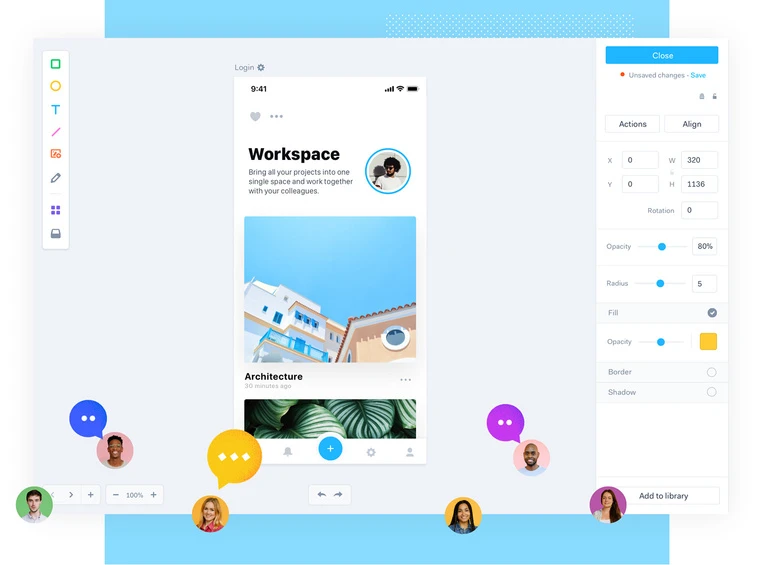
Open a project and the interface splits into two layers. On the left sit the toolbar and the canvas, where each screen is laid out; on the right is the properties panel, holding position, size, corner radius, fill and opacity. Whichever layer has focus, the panel follows.
Wireframe, design and prototype in one place
Design capability is built in. When adding a screen you can choose to draw in the built in editor, so there is no need to open a separate drawing program; both wireframes and finished screens can be drawn, and a page switcher moves between several designs. A finished design automatically carries the code, annotations and assets that handoff needs.
Prototypes are built from hotspots. A hotspot is a clickable area drawn over a screen: drag out the region, point it at a target screen, and it becomes one tap of navigation. The official walkthrough is to hover the first screen, enter prototype mode, drag out the hot region and pick the target, after which playing it shows the jump. None of this needs code, and the company says a static design becomes an interactive prototype in minutes.
Handing the design to development
Handoff takes the delivery stage. The company describes it as turning designs and prototypes automatically into development specifications, code and assets included, displayed right beside the interactive prototype; the project itself serves as the specification document, which removes annotation work and repeated exports of offline documents. What comes out includes CSS as well as the style descriptions needed on the iOS and Android side, and can be taken away packaged with the assets.
Sharing is the other route. A prototype can be published as a link and sent out, or only one flow shared: copy a section on its own into a link, and whoever opens it sees nothing but that section, which the company says lets stakeholders and developers focus on what needs confirming.
User testing and collaboration
User testing runs by picking a prototype, having the platform generate a dedicated link, and sending it to participants, who open it on a computer or a phone and begin; the session records the screen, the sound and the front camera. How many tests can run at once depends on the plan, with three for the individual plan, ten for the team plan, and the enterprise plan by arrangement.
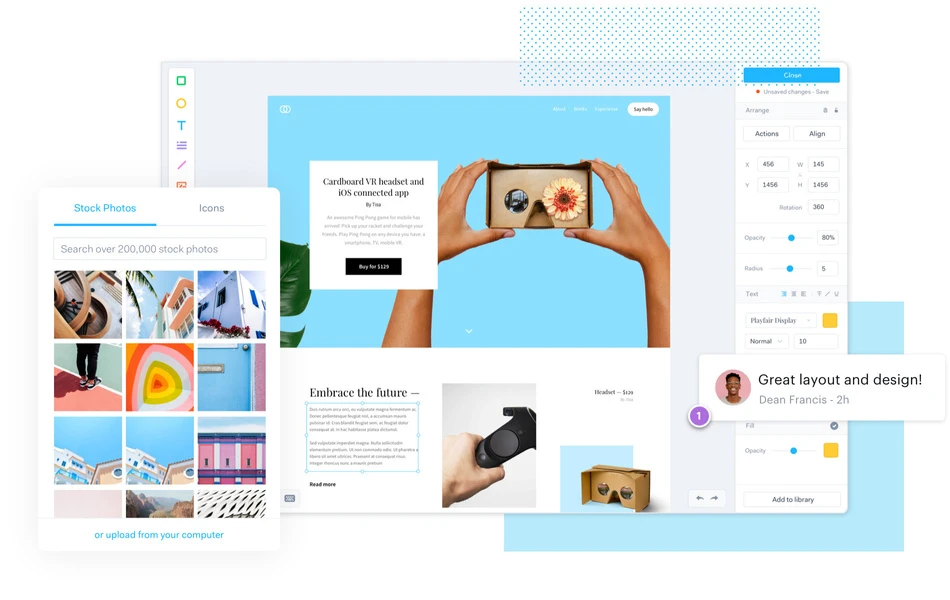
Collaboration turns around comments. They come in public and private form, private ones visible only to team members, which suits talking in parallel with an outside client or contractor. People join a project by role: team members see every project in the account, while contributors see only the ones they were invited to. A comment lands at a specific spot on a screen and stays attached to that spot after the design changes.
Plans and prices
The free plan has no time limit and gives one user and one project; the FAQ states plainly that there is no countdown, so it can be used until the day you decide to upgrade. The individual plan works out at twelve dollars a month billed yearly, with unlimited projects, three parallel user testing slots, the ability to export prototypes and designs, and the Marvel badge removed from the page. The team plan is forty two dollars a month billed yearly, starting at three people, with the testing slots raised to ten and priority support added.
The enterprise plan is quoted on request, with no ceiling on users, projects or tests, and supports invitation only projects, finer security settings and single sign on, as well as invoices and bank transfer. Students and teachers get thirty per cent off a yearly plan, and registered non profits fifty per cent.
Who it suits
A product designer working alone can finish wireframes and a prototype here and then produce a handoff document. A small team of two or three can use the team plan to bring comments, testing and project permissions into one place. A project that has to move across companies can keep private comments and invitation only projects to separate outside collaboration from internal discussion. And anyone who prefers to confirm the result on a phone can open the prototype through the mobile app.
Item
Official information
What it is
An online design and prototyping platform in the browser
Core abilities
Wireframe and design, prototype, handoff, user testing, collaboration
Platforms
Web, plus iOS and Android apps
Free plan
No time limit, one user and one project
Individual plan
Twelve dollars a month billed yearly, unlimited projects, three tests
Team plan
From forty two dollars a month billed yearly, three people up, ten tests
Enterprise plan
Quoted on request, unlimited users and projects, single sign on
Choosing a design tool usually comes down to how many tool switches you want to avoid. When wireframe, prototype, testing and handoff share one design, what gets saved is not only the importing and exporting but the realignment after every change.