
Penpot: an open source design platform on open standards, with design variables in 2.18
Summary
An open source online design platform built on open standards. The interface opens in a browser and layout uses the native grid and flex model of the web, with components, design variables and shared libraries, or a deployment on a server you control. The free tier is complete.
Recommend- Name
- Penpot
- Version
- 2.18.3
- Pricing
- Free
- Open source
- Open source
- Operating system
- WindowsmacOSLinux
- Website
- https://penpot.app/
- Updated
- 2026-10-12 11:00
The distance between a design file and the finished page usually hides in whether both use the same layout rules.
Open the browser and start work
Penpot is an open source design platform. The front page frames it as an open source design tool for teams that need to collaborate, and the about page adds that it is a web based design tool meant to connect designers and developers. In practice the most immediate difference is that opening a browser gets you into the project: no heavy client to install first, and no environment to rebuild when you move to another machine.
The mission is stated plainly: provide an open source platform that follows open standards, and push collaboration between design and development further. That sentence explains the choices made about file formats and layout rules, because a design has to be easy for the next stage to pick up before collaboration means anything.
Being in a browser has a cost as well, and it is worth naming. A canvas with hundreds of frames, images and components leans on the machine and on the connection, and a project that stays open all day behaves differently from one opened for a review. Teams that work with large files learn to split them, and that habit is a design decision more than a technical one.
Layout by the rules of the web itself
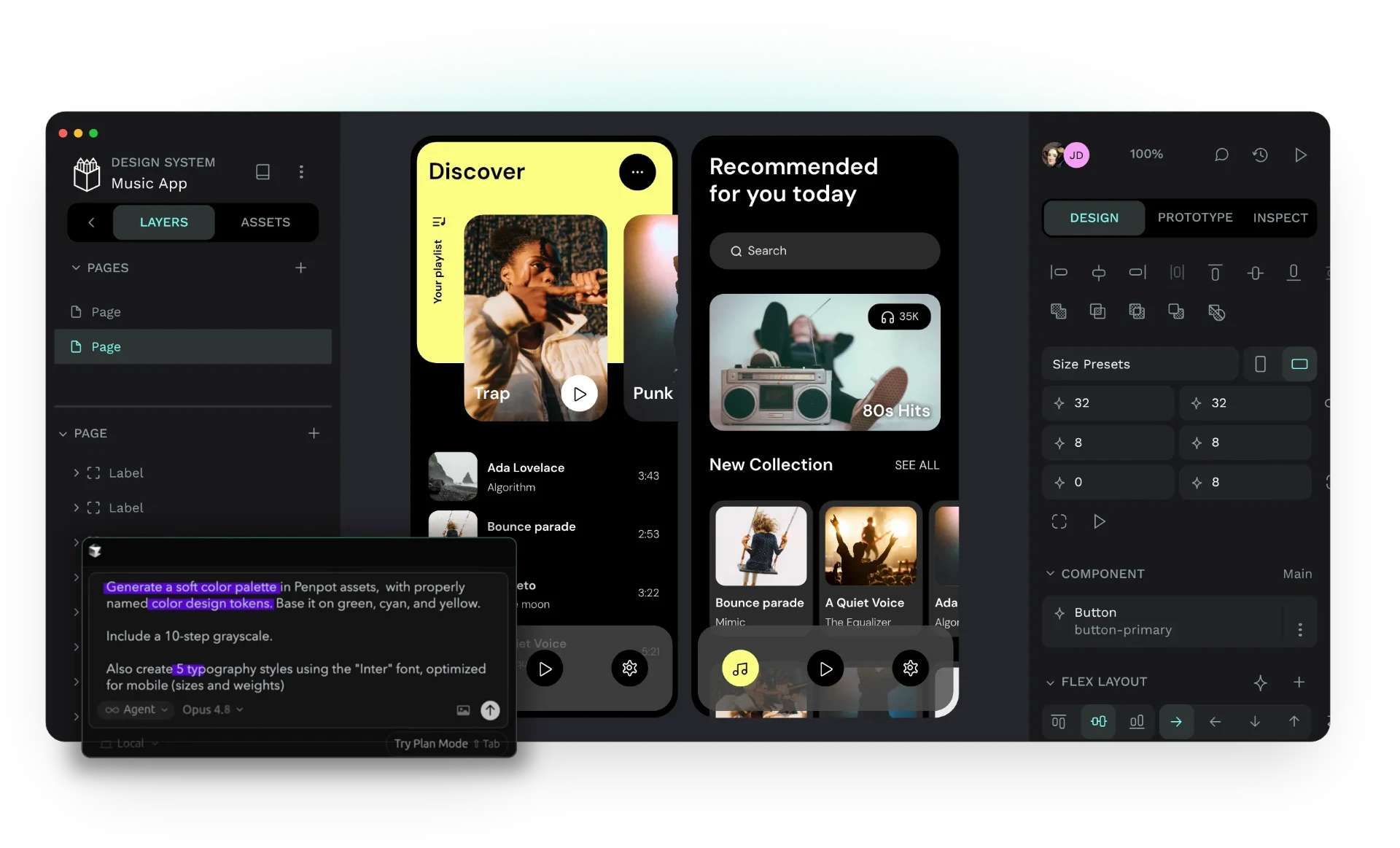
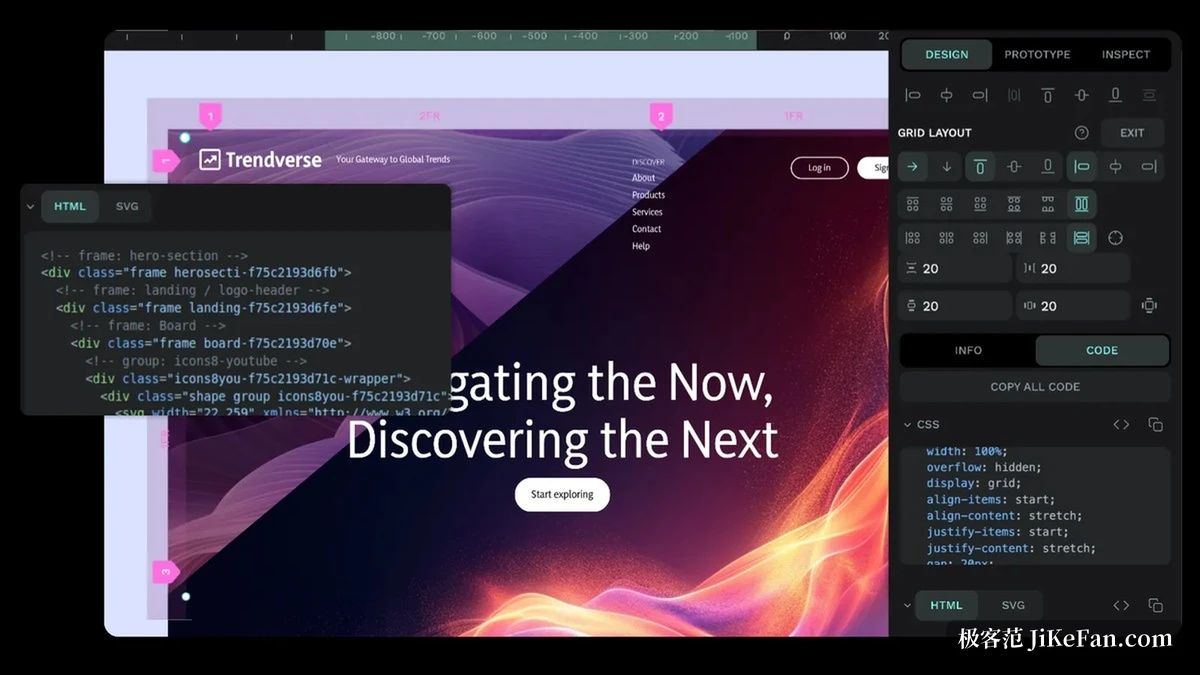
The layout model is where this tool differs. The front page states support for designing interfaces with CSS grid and flex layout, the same set of rules the front end actually uses. Spacing and alignment in the design file can therefore match the final code, and one layer of manual conversion drops out of the handover.
On the design system side, the project offers components, native design variables and shared libraries. Design variables pull values such as colour and type size out into reusable entries, so a change in one place reaches everywhere; components and shared libraries keep several pages consistent. For an interface maintained over years, that combination saves far more than adjusting page by page, and wireframes and interactive prototypes cover the range from structure to demonstration.
Ability | Official notes |
|---|---|
Form | an open source design tool that runs on the web |
Layout | CSS grid and flex layout |
System | components, native design variables and shared libraries |
Prototypes | wireframes and interactive prototypes |
Collaboration | designers and developers working together |
Where the data lives is up to the user
Deployment is the other point the project keeps raising. The self-hosting page states that the platform runs in a private cloud, on local hardware or even in an isolated network, with the location of design data and the access permissions entirely under the user s control. For a team whose data should not leave the internal network, that usually weighs more than a feature list, and it is only possible in an open source form.
The pricing page says the same thing in the project s own words: the free tier is complete, with no limits on numbers and no features held back; paid tiers exist for large organisations and cover governance and process needs. The code is published under the Mozilla Public License 2.0 in a public repository, so the source can be obtained, built and deployed, and the design work belongs to whoever made it.
Two consequences follow from that combination, one good and one to plan for. Nothing forces a migration when a vendor changes its terms, and nothing forces an upgrade either, which means the version an instance runs on becomes a decision someone has to own. Self-hosting is cheap to start and is a service to maintain, so it is worth deciding early who does that.
Putting the standards for files and layout in the user s hands is what gives collaboration stable ground.
A few suggestions. Settle the base entries of the design variables and component library first, and the pages added later will go far more smoothly. When migrating an old project, check first whether the layout rules match the front end, so the handover stage does not redo the work. If data has to stay inside the network, try a self-hosted deployment early and plan accounts and permissions along with it.