
LiYing automates the ID photo darkroom, from background swap to sheet layout, offline
Summary
An automation program for studios that shoot ID photos: it finds the face, corrects the angle, replaces the background with red, blue or white, crops to standard sizes and lays the shots out on photo paper, all offline on the local machine.
Recommend- Name
- LiYing
- Version
- 3.3
- Pricing
- Free
- Open source
- Open source
- Operating system
- WindowsLinux
- Website
- https://github.com/aoguai/LiYing
- Updated
- 2026-10-10 12:01
Hand it a single-person portrait that meets the usual requirements, and face detection, angle correction, background replacement, size cropping and paper layout run as one chain, entirely on the local machine.
The post-processing routine in a studio that shoots ID photos is almost fixed. First straighten a portrait that came out tilted, then swap the background for red, blue or white, then crop to one inch or two, and finally arrange the shots 3x3 or 2x2 on 5 inch or 6 inch paper, add crop marks and send it to print. A single photo is not complicated. The trouble is repeating the same moves every day.
LiYing is an automation program written by a developer called aoguai that moves this whole chain onto the local machine. It is open source on GitHub under AGPL-3.0, and the repository says the project began as a way to lighten the workload at his parents photo studio. What it handles is ID photos, so the input needs to be a single-person portrait that meets the usual requirements.
Six steps, one pipeline
The official workflow is split into six steps: load the image, smart angle and correction, skin retouching, background replacement, size adjustment and automatic layout. Detection is handled by two models working together: YOLOv8n-pose locates the body and YuNet finds the facial landmarks, and together they decide whether the framing of a given photo is usable. Angle correction builds on those landmarks. Once the tilt of the shoulders and the eyes is measured, the whole image is rotated upright, with no need to drag a grid line by hand.
The new background colour is up to a segmentation model
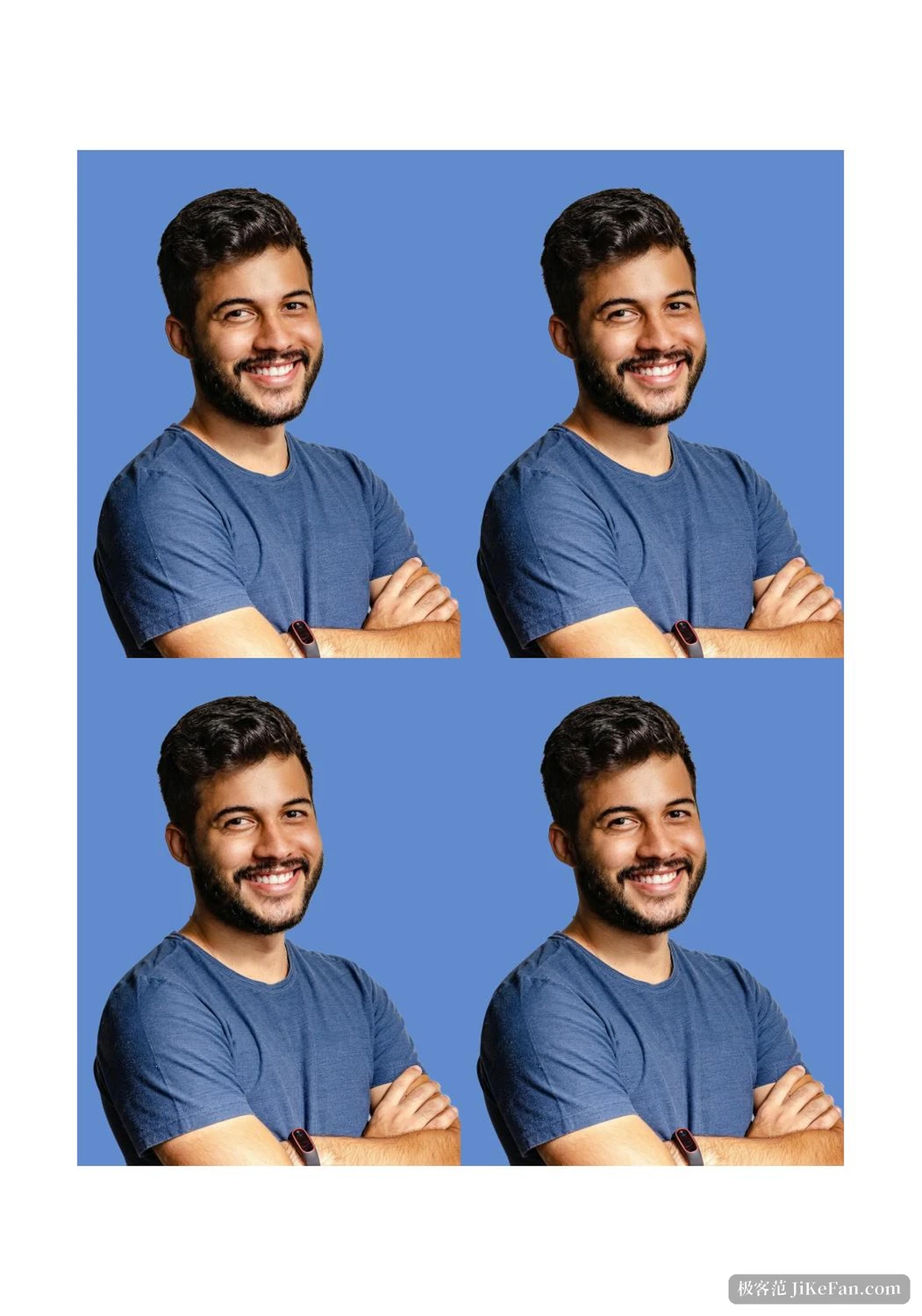
Background replacement uses the RMBG family of subject segmentation models, with both 1.4 and 2.0 supported. The segmented subject can be composited onto any RGB colour. Red, blue, white and the dark tones common on official documents are all written into the colour configuration, and any other colour is a matter of filling in channel values. It can also output a result with a transparent channel, so if the photo goes on to another image program for further work, that step saves the trouble of cutting the subject out again.
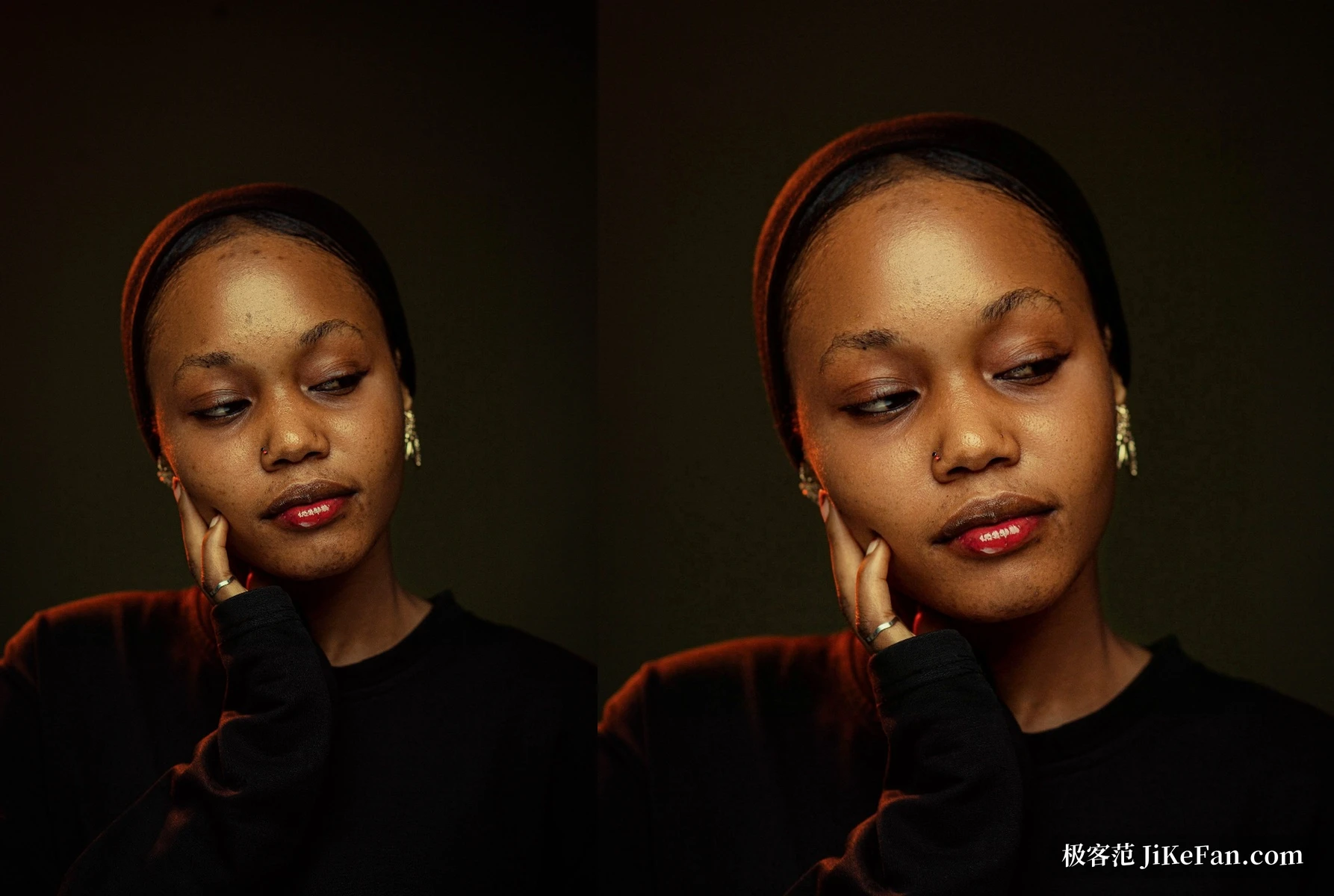
Skin retouching is controlled by the --skin-retouch switch, with smoothing at 0.7 and whitening at 0.8 by default, both adjustable on their own. In the comparison below the left side is the original and the right side is the default setting; the highlights and the texture on the face are both still there.
Sizes live in a configuration file
Crop sizes are not hard-coded but kept in a CSV file under the data directory, with one copy in Chinese and one in English. The common specifications are covered: one inch, two inch, small one inch, small two inch, passport and visa can all be picked directly, and when something is missing you add a row following the template. Cropping is not simple scaling either. It has to keep the position and the proportion of the person inside the frame within the rules, and the framing is fine tuned by two parameters, the size of the face and the headroom above it; the first decides how much of the frame the head takes up, the second how far down the face sits.
Filling a sheet of paper
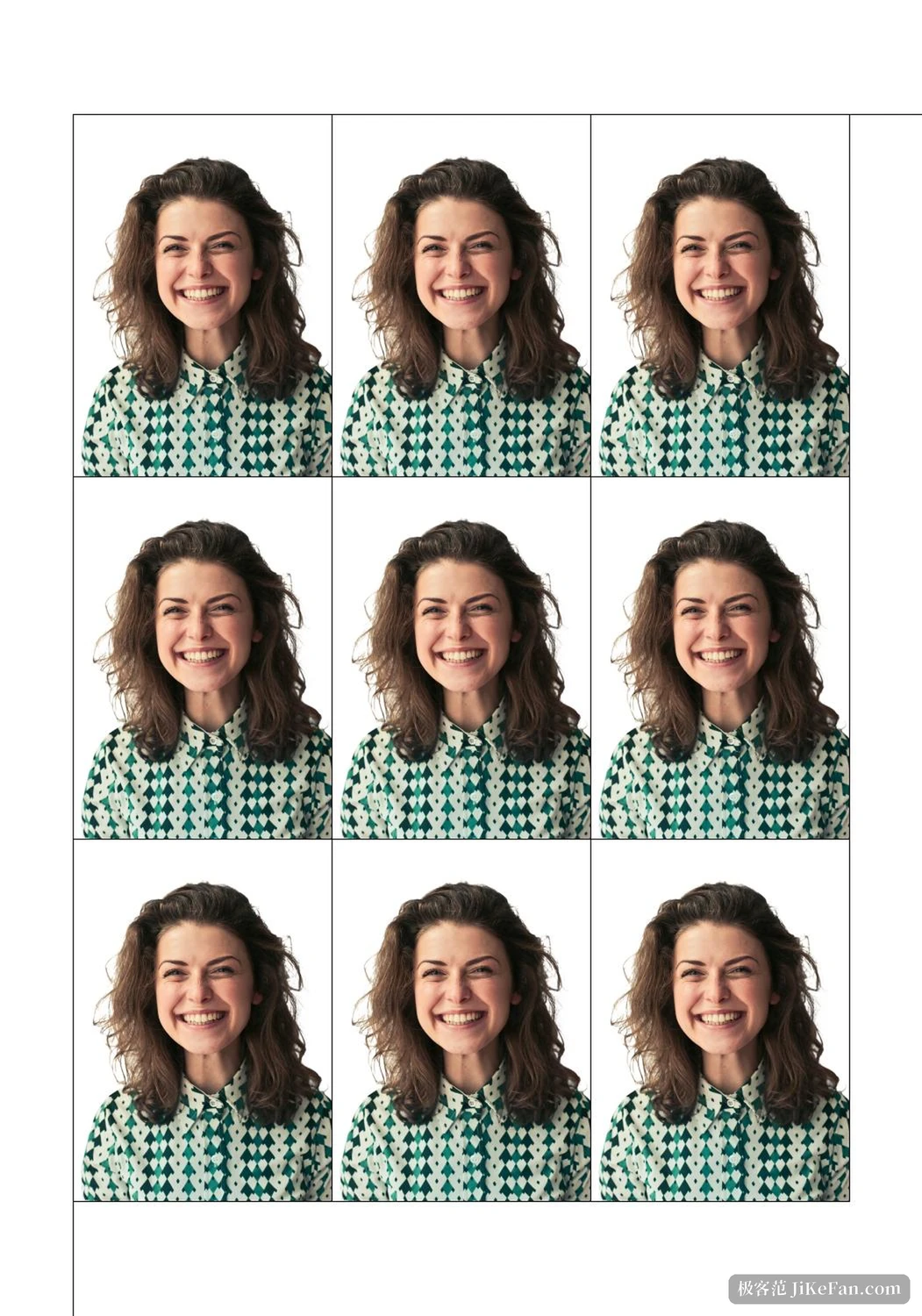
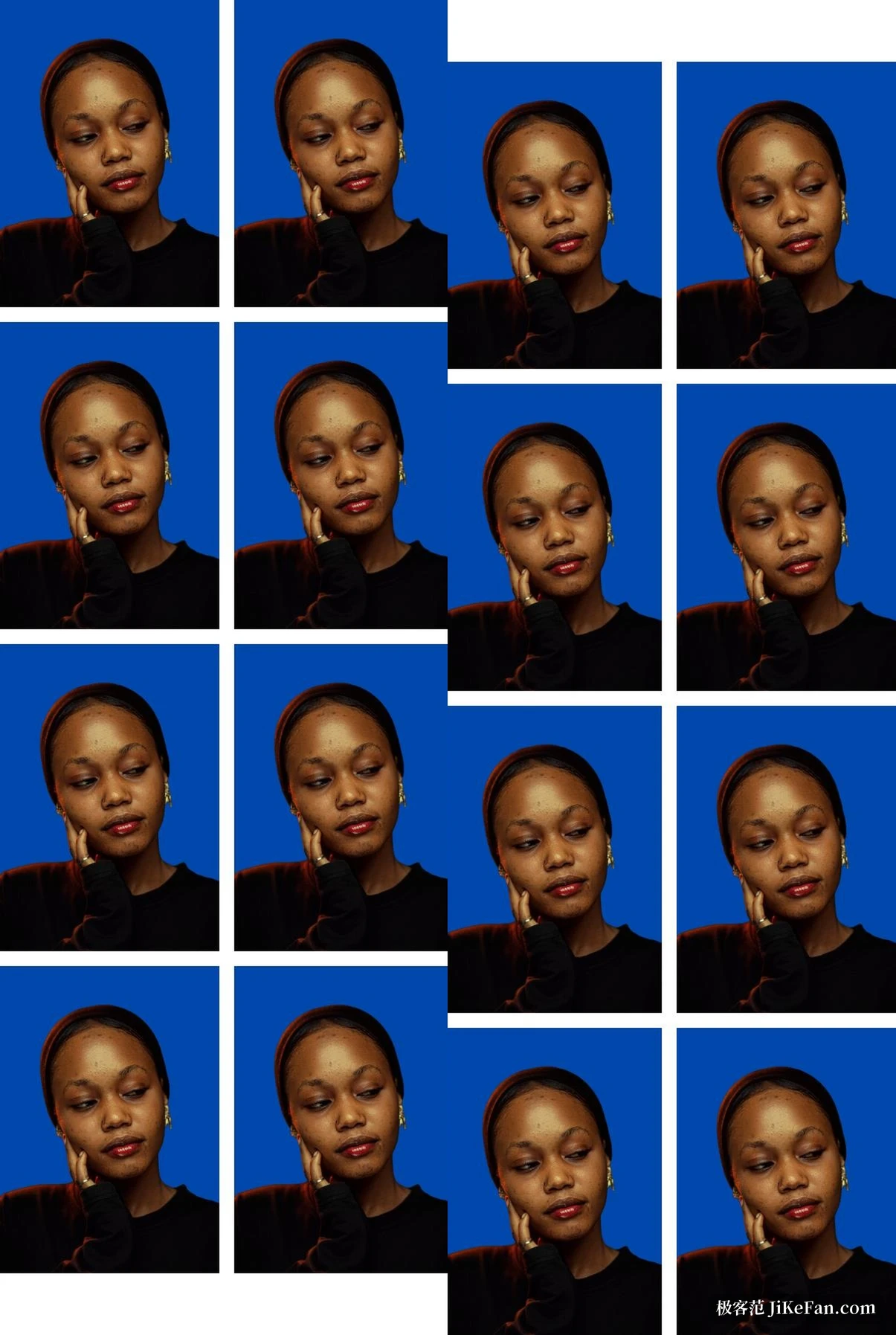
The layout step saves an obvious amount of manual work. Processed single photos go onto the paper in a chosen number of rows and columns: one inch 3x3 onto 5 inch paper, two inch 2x2 onto 5 inch paper, one inch 4x2 onto 6 inch paper, and the counts are yours to set. The gap between photos and the position of the whole block on the sheet are adjustable too, with nine anchor points from top left to bottom right, so two layouts can fill one sheet at once and use the empty margin as well. Crop marks can be switched on, and once printed you cut along the line.
Three ways to run it, all local
Windows users can take the bundled package, which already carries an embedded Python runtime and opens a graphical interface at a local address. The command line version has finer parameters and suits being called from your own batch scripts. The Docker deployment puts port mapping, model directory mounting and graphics card passthrough into the orchestration file, which suits a machine that stays on. The whole process needs no network, and a customer photo never leaves the computer, which matters for a shop handling a hundred portraits a day. Graphics acceleration is optional: with CUDA and cuDNN installed the program prefers the card for inference, and without one it does not stall but falls back to the processor.
What to know before you start
The model files do not travel with the program and have to be fetched separately and put into the right directory, which is unavoidable on the first setup. Detection and matting results also depend on the photo itself, and the author is blunt about it in the documentation: the project targets ID photo processing, the input should be a single-person portrait meeting the usual requirements, and unexpected results from a busy background or a group shot are normal. Some users report errors on individual photos, and swapping the combination of size and background parameters usually gets past it.
About the licence
AGPL-3.0 goes a step further than the common permissive licences: if a modified version is offered to others as a network service, the changes have to be published as source under AGPL as well. Using it in your own shop to process photos does not fall under that clause.
From detection and correction through background replacement to cropping and sheet layout, LiYing folds the repetitive part of ID photo post-processing into a single run, all on the local machine. It does not solve the shooting and it does not do fine retouching; it takes over the part that never changes.