
Infinite Painter: over a hundred brush settings and thirty layer blend modes
Summary
Infinite Painter is a painting app for tablets and phones with hundreds of brushes and more than a hundred adjustable brush settings, full pressure and tilt support, thirty blend modes across layers, and export to layered PSD files.
- Name
- Infinite Painter
- Version
- 7.2.4
- Pricing
- Paid
- Open source
- Proprietary
- Operating system
- AndroidiOS
- Website
- https://www.infinitestudio.art/
- Updated
- 2026-10-11 11:18
The hard part of painting on a mobile device is not whether you can paint. It is whether there is enough room to change your mind halfway through.
Brushes are the foundation of an app like this
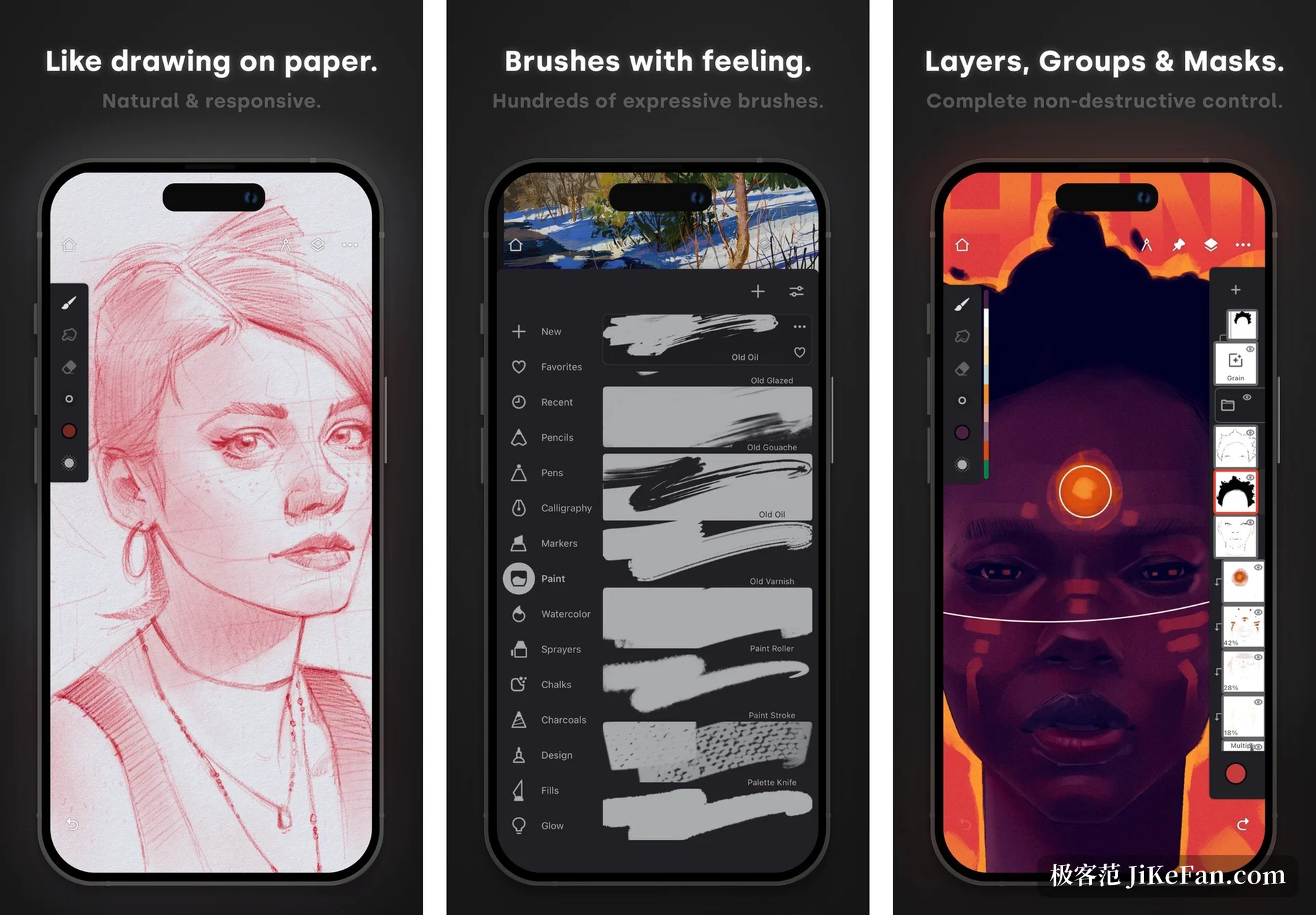
Infinite Painter is a painting, sketching and drawing app built for tablets, phones and Chromebooks, published by Sean Brakefield. The brush system is the part mentioned first: hundreds of brushes are built in, backed by more than a hundred customisable brush settings, with a simulated interaction between brush and canvas, and colour mixing able to sample what lies on the layer below. For a painting app, the number of parameters decides whether the result can be tuned to a personal touch, which is why the two figures are usually read together: enough brushes answers whether a mark exists, fine enough settings answer whether it feels right.
Input is taken seriously as well. For pressure sensitive pens it offers complete pressure and tilt support: pressure decides how thickness and density respond to force, tilt makes side angle strokes possible, and the two together build the bridge between stylus painting and traditional media. One practical touch on the page: finger input and pen input can be assigned different functions, which cuts down the interference caused by a palm or a stray finger while drawing.
Layers, guides and getting work out
Layers carry the room for revision. The listed configuration is thirty blend modes, masks can be attached to layers, adjustments and groups separately, there are gradient maps, colour curves and filter layers, and several layers can be transformed at once. The page also describes a smart layer mechanism similar to professional image software, letting objects keep quality through repeated transforms; drawing happens in 64 bit colour depth, leaving more room in the transitions.
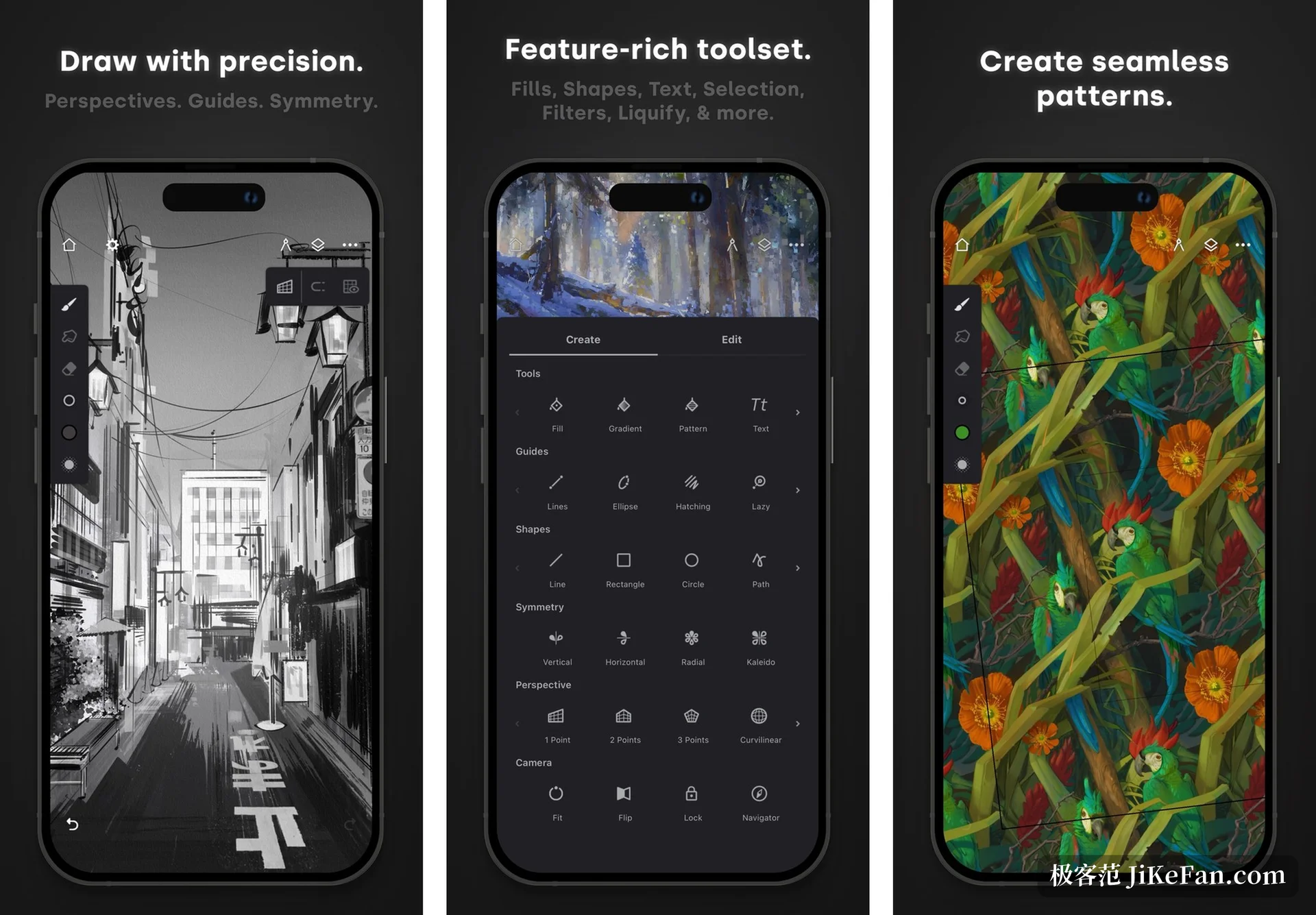
Guides cover a few recurring needs: radial or kaleidoscope symmetry for regular patterns, reference lines and shapes working with smart shape recognition so a stroke turns into an editable shape when the pen stops, and a perspective section offering five sets of perspective guides for building 3D city linework, plus isometric perspective for game art. The whole process can be recorded as a time lapse, which makes it easy to see how a picture grew step by step.
Capability | Official description |
|---|---|
Brushes | Hundreds built in, over 100 customisable settings |
Input | For pressure pens, full pressure and tilt |
Layers | 30 blend modes, masks on layers and groups |
Perspective | Five sets of guides, plus isometric |
Export | JPG / PNG / WEBP / ZIP / layered PSD |
How it hands the work over
Among the export formats, the layered PSD matters most: passing a picture on with its layer structure intact leaves far more room than a flattened image, and later changes do not start from zero. JPG, PNG and WEBP are also available, as is a ZIP package or the project file kept in the app's own format. Import is equally open, with material coming from photos, the camera, the clipboard, or picked directly in an image search the page describes as holding more than a million images for commercial use.
One thing needs saying about licensing: the app is free to obtain and the full capability unlocks through in app purchase, so it is worth knowing what the free state covers before starting. It also assumes a stylus centred habit; without a pressure sensitive pen, much of the value of the brush system thins out.
Whether you can go back and change something at any moment decides if creating on mobile is doodling or actually working at a desk.
How to use it well: pin the brushes and brush groups used most to the main surface so settings do not have to be reopened; build the habit of painting in layers, since a layered export is easier to hand on; and use canvas flip and greyscale preview to check proportion and value relationships.