
QuillBot rewrites and polishes your text, 125 words per run for free
Summary
A writing tool built around rewriting: paste a passage and it says the same thing differently, keeping the meaning. The free plan allows 125 words per run and two modes; Premium opens nine modes, removes the word cap and adds a monthly plagiarism allowance.
Recommend- Name
- QuillBot
- Version
- 20260917
- Open source
- Proprietary
- Operating system
- WebWindowsmacOSiOSAndroid
- Website
- https://quillbot.com/
- Updated
- 2026-10-06 00:40
Rewriting is the whole point
QuillBot is a writing tool built around one operation: take a passage, put it another way without changing what it means. In practice that means splitting a long sentence into two, pulling spoken phrasing towards something more formal, or squeezing out repetition. For people who do not write English natively and still have to hand in English copy regularly, that need to say the same thing differently comes up far more often than one expects.
The free plan: 125 words at a time, two modes
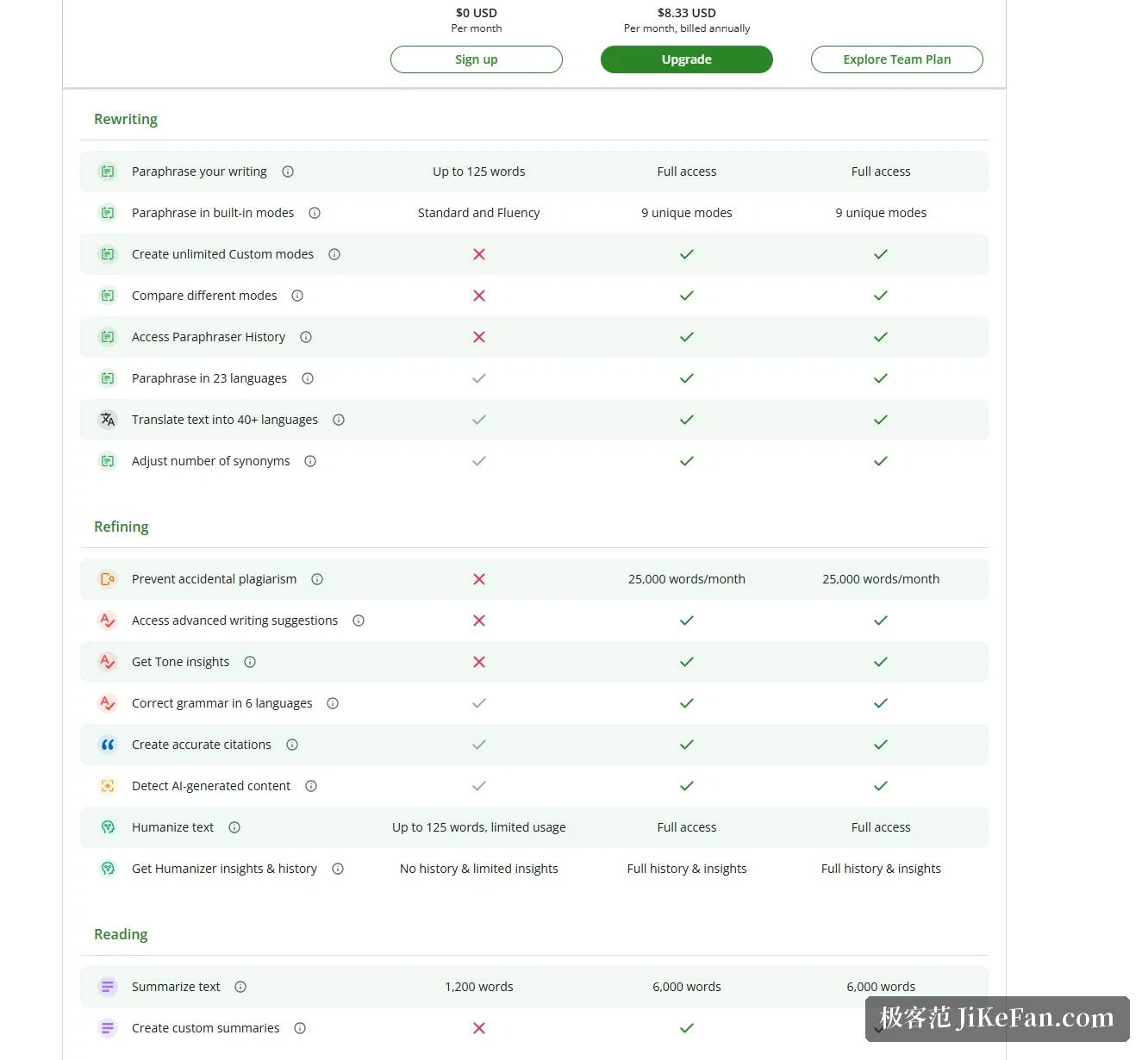
The official help centre is precise about the allowance. The free plan rewrites up to 125 words per run and unlocks only the Standard and Fluency modes. Premium has no word cap, opens all 9 modes, lets you define a mode of your own, and puts the output of several modes side by side for comparison. The rewrite history, capped at 50 entries a month, and the full version of the synonym slider are Premium features too.
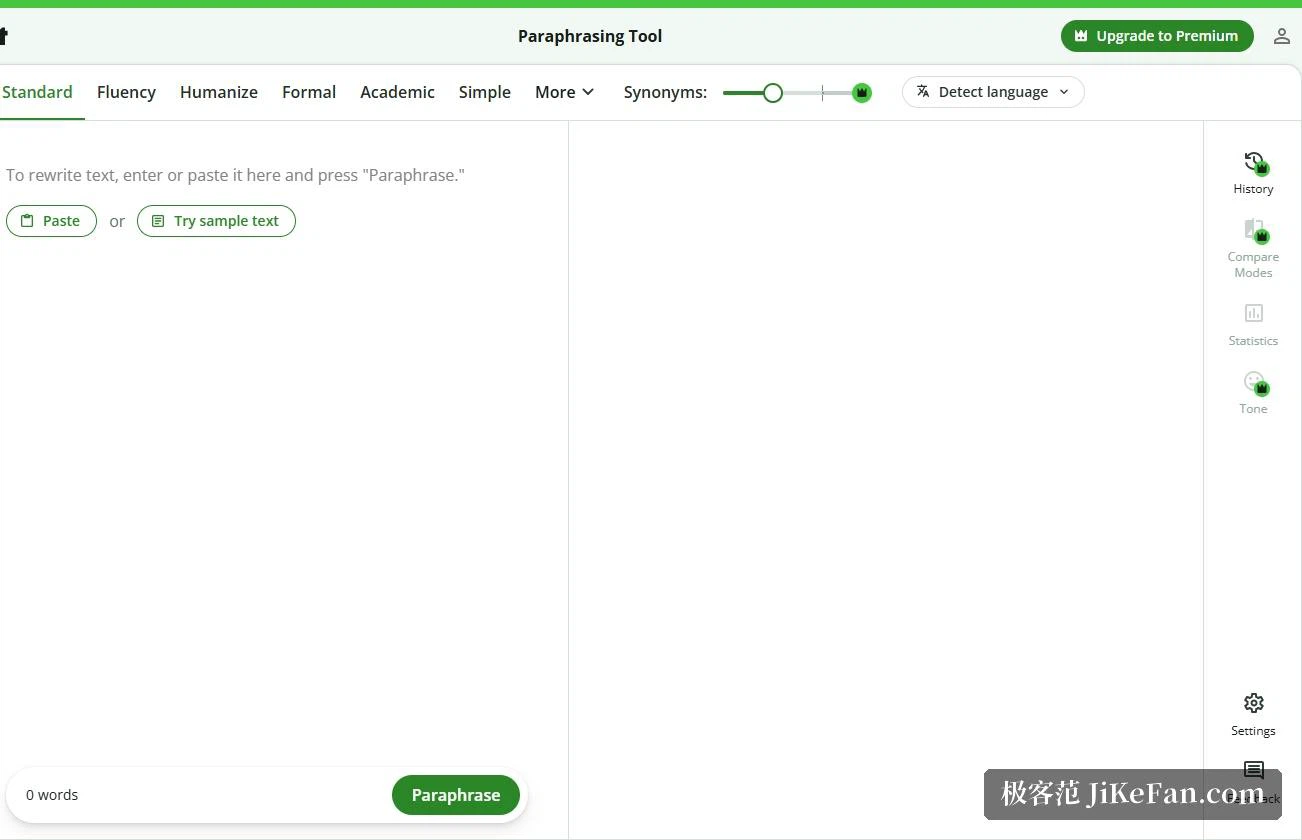
On languages, the official comparison page states that rewriting covers 23 languages and translation covers more than 40. So the tool is usable for rewriting beyond English as well; the 125-word ceiling on the free plan means long texts have to be fed through in pieces, which is the wall people hit first.
More than rewriting: grammar, summaries, translation, plagiarism and AI detection
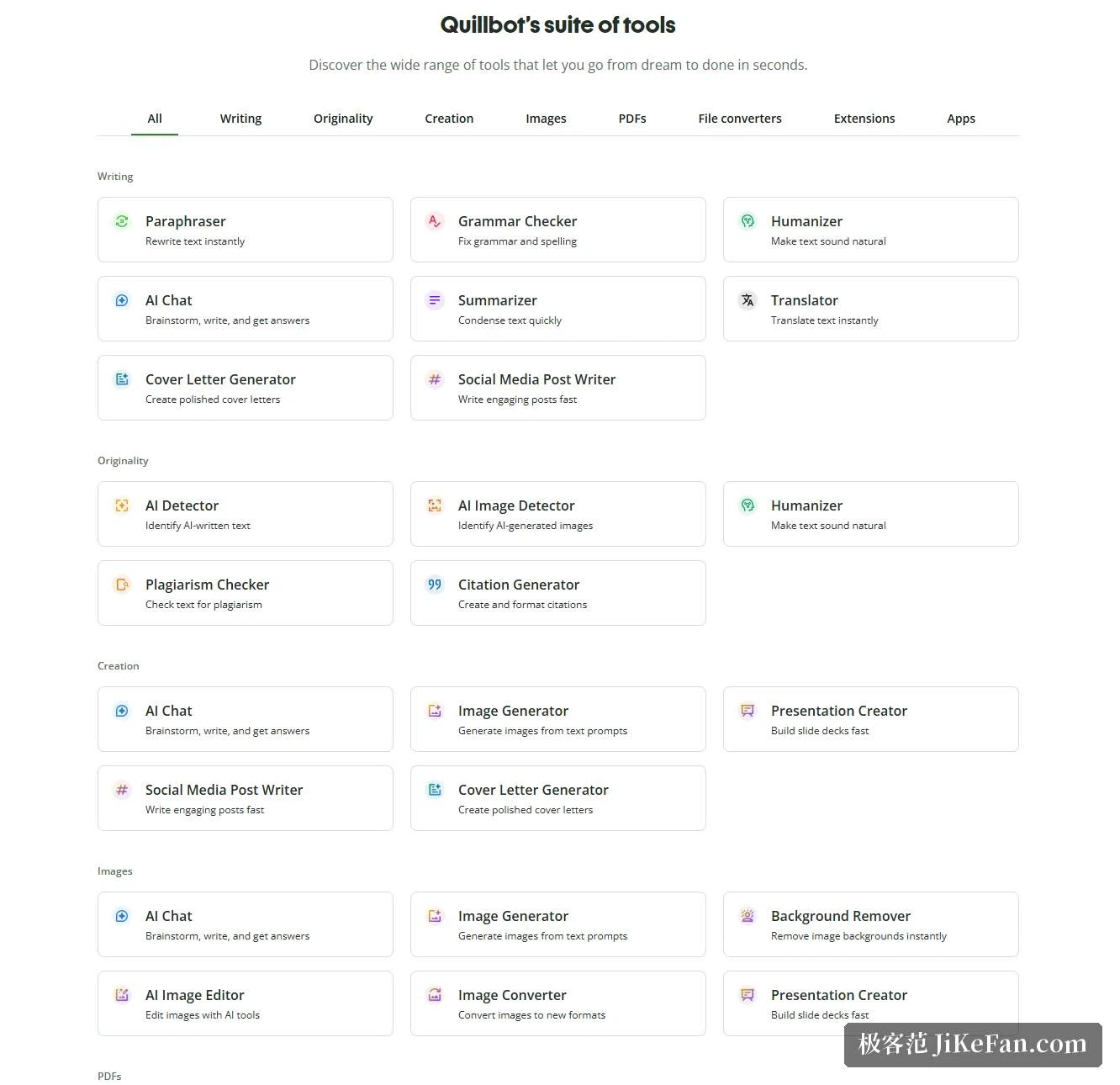
The home page groups the tools into writing, originality, creation, images, PDF and file conversion. The writing group holds, besides the paraphraser, a grammar checker, a Humanizer that makes text read more naturally, an AI chat, a summariser, translation, a cover letter generator and a social media caption writer. The originality group holds the plagiarism check, an AI content detector, an AI image detector and a citation generator.
A few limits are worth memorising early. Summaries accept up to 1,200 words on the free plan and 6,000 on Premium, with a customisable length. The plagiarism check is a Premium capability with 25,000 words a month. The AI detector gives 10 runs a day on the free plan, at most 1,200 words each.
What the free plan really does, and what Premium adds
The free plan is not a demo. Grammar checking, basic summaries, a limited number of AI chat turns (20 a day), AI detection and the Humanizer all work, and so does rewriting, within the 125-word and two-mode limits. Document storage is 10 MB on the free plan, and image generation is 3 images a day.
Premium removes exactly those ceilings: no word limit, 9 rewriting modes plus custom modes, advanced grammar suggestions, tone insights, unlimited Humanizer and AI detection, custom summaries, and 25,000 words of plagiarism checking a month. Document storage rises to 100 MB and processing is faster. On price, the official Premium page lists the free plan at 0 dollars a month and, billed annually, 8 dollars and 33 cents a month, though the figure shown varies by region and currency, so the page itself is the reference. Teams have a separate plan with usage metrics, a user management panel and consolidated billing, and the official note is that five people or more qualify for a discount.
Where it runs
There are more ways in than one expects: the web app is the fullest version, and beside it sit browser extensions for Chrome, Edge and Safari, an add-in for Word, and apps for Windows, macOS, iOS and Android. With the extension installed, English typed into any field on a web page gets suggestions on the spot, with no tab switching.
On scale, the home page states that more than 35 million writers use it, across more than 180 countries, in partnership with more than 140 institutions, and the browser extension sits between 4 and 5 in the store rating.
Data and privacy: one point needs saying plainly
This is where it differs most from comparable tools, so it deserves its own section. The official trust page states that user input and usage data are used to provide the service and also to train and improve the service overall, and to personalise it for you. The extension offers two switches: one turns off storage of text input, available to all users, and the other turns off training models on text input, available to account holders. The same page notes that storage of text input is on by default and has to be switched off in the settings.
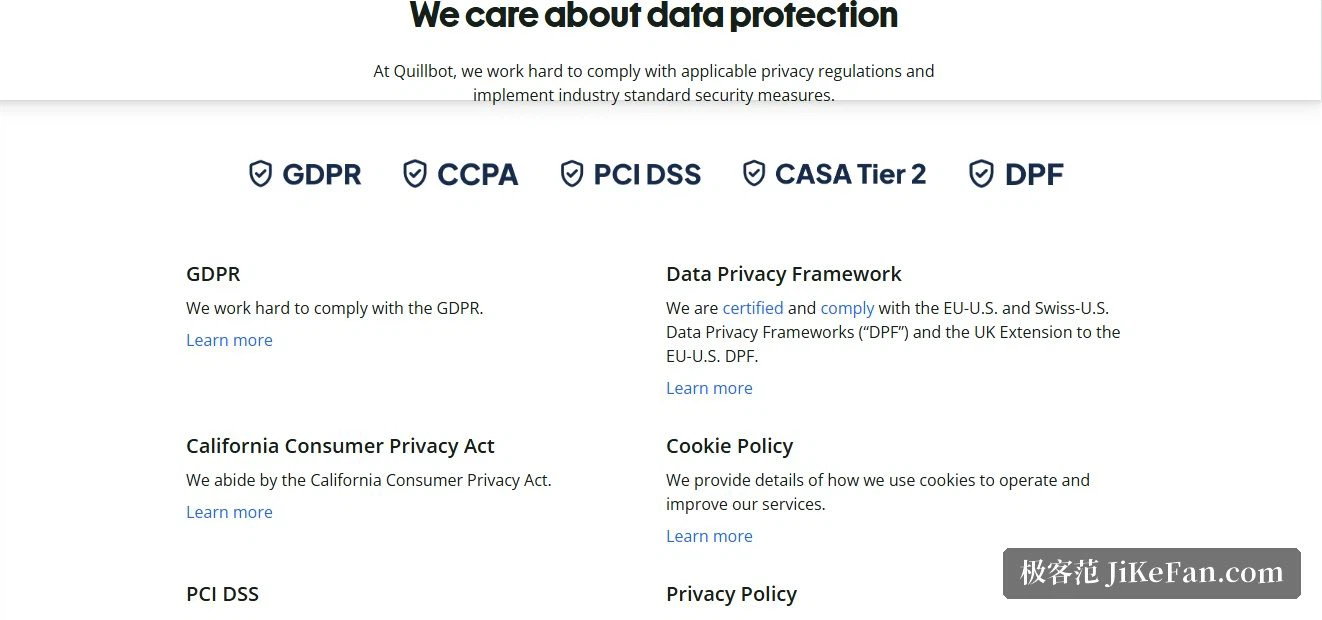
One rule is more reassuring: for team plan users, text input is not used to train language models, and that default needs no action from an administrator or a member. The page also states that user data is not sold, and that third-party service providers are explicitly forbidden from training their own AI models on it. On compliance it lists the EU-US and Swiss-US Data Privacy Framework certification including the UK extension, GDPR, CCPA, PCI DSS and CASA Tier 2, and explains that it does not read text inside sensitive fields such as passwords and card numbers, collecting input only when the service is actually used.
Who it suits, and one warning that has to be given
Writers working in a second language, publishers producing copy in volume, and anyone who regularly has to render the same passage several ways will feel the gain most clearly. In the other direction, if you only want a few typos caught now and then, the free grammar checker is enough and there is no hurry to subscribe.
What has to be said is this: a rewriting tool solves expression, not originality. It can put someone else's sentence another way, but another way of saying it is not the same as an idea of your own, and the citations that should be marked and the terms and figures that should be verified in a paper are still your job. Schools and journals differ in what they allow for AI-assisted writing, so check their rules before submitting, and do not treat a detection score as a verdict. Using it as an assistant that helps you write more smoothly, rather than as a way around the rules, is what makes it last.
The real value of a rewriting tool is that it helps you express what you have already worked out. It cannot do the working out for you, and it cannot take responsibility for the words you sign.