
Notion AI lives inside your notes and databases, from search to meeting minutes
Summary
An assistant built into Notion rather than bolted on beside it. It searches your workspace, drafts and edits pages, fills database properties and turns meeting recordings into summaries. It ships with the Business plan; other plans get a limited trial.
Recommend- Name
- Notion AI
- Version
- 20260917
- Open source
- Proprietary
- Operating system
- WebWindowsmacOSiOSAndroid
- Updated
- 2026-10-06 23:04
What sets it apart is the address, not the model
Notion AI is an assistant built into Notion. What makes it unusual is not the strength of the underlying model but where it sits: not in another chat window, but on your pages, in your databases and beside your task lists. You can ask it to turn a page of meeting notes into a list of action items, or to classify a few hundred rows in a table, and the result lands where the work already lives, with no copying back and forth.
The official description calls it a teammate inside Notion and stresses that it works from the context of your workspace and the apps you have connected. In other words it sees more than an isolated piece of text: it sees the pages, documents, tasks and databases your team has accumulated. That is what makes it good at work that has history behind it, and less suited to a conversation starting from nothing.
Platform coverage matches Notion itself: the web app, desktop clients for Windows and Mac, and the iOS and Android apps. The AI follows the account, so nothing has to be configured again on a new device.
The capability list, from agents to minutes
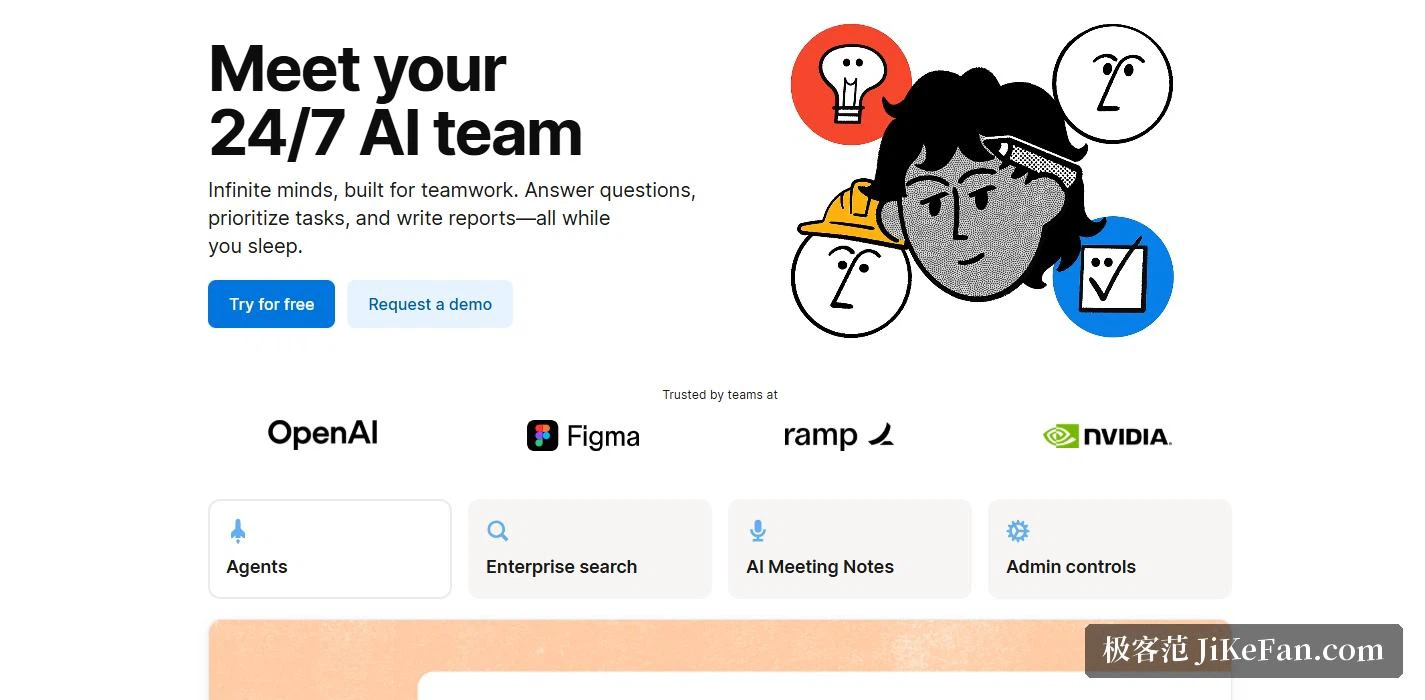
The official material groups the features a few ways. Notion Agent handles conversation, drafting and editing pages, filling databases and translation; Custom Agents hand repetitive work to automation; AI Meeting Notes takes the minutes; Enterprise Search searches across connected apps; Research Mode uses deeper reasoning to produce a report; and AI blocks sit directly in a page for rewriting and drafting. Databases can also be built with AI, filled through automatic property completion, and extended with AI-written formulas.
Two kinds of agent: one works for you, one for the team
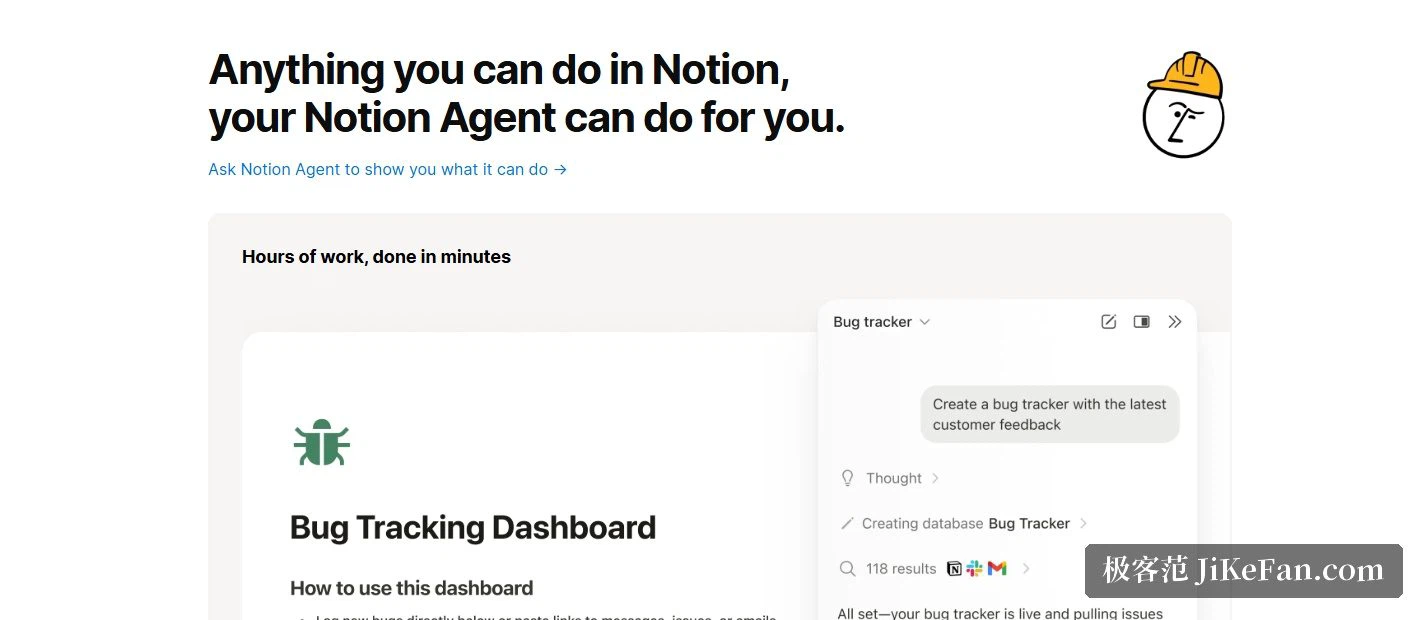
Notion Agent is closer to an assistant you hand tasks to. The official description says it can carry out complex multi-step work, drawing on Notion, connected apps and the web to create and edit pages and databases. You ask for the outcome; it strings the intermediate steps together itself. Custom Agents are aimed at teams. You set one up once, on a trigger or a schedule, and it runs unattended, for example summarising project progress at a fixed hour or routing newly submitted feedback to the right owner.
Both consume credits. Custom Agents can be tried for free at first, after which billing runs at 10 dollars per 1,000 Notion credits, with actual credit consumption starting on 4 May 2026; administrators can watch usage on a credit dashboard. Before rolling automation out across a team, spending some time learning what each kind of automation costs is the safer order.
Meeting notes without a bot in the room
AI Meeting Notes transcribes a meeting, generates a summary and pulls out the key points, and the official material makes a point of saying that no bot has to be invited into the call. The record lands in the workspace, so the follow-up tasks and the follow-up conversation happen in the same place. For companies, an administrator can also set a custom schedule for deleting transcripts automatically, to match internal retention rules.
Searching across apps is the other practical capability. Enterprise Search looks for answers in connected applications, and the official list includes Slack, Google Drive and GitHub; the pricing page notes that some of those connectors are still in testing. In other words the maturity and reach of this part move with the product, and it is worth confirming that the apps you use most are formally supported before choosing on that basis.
Pricing: the AI travels with the Business plan
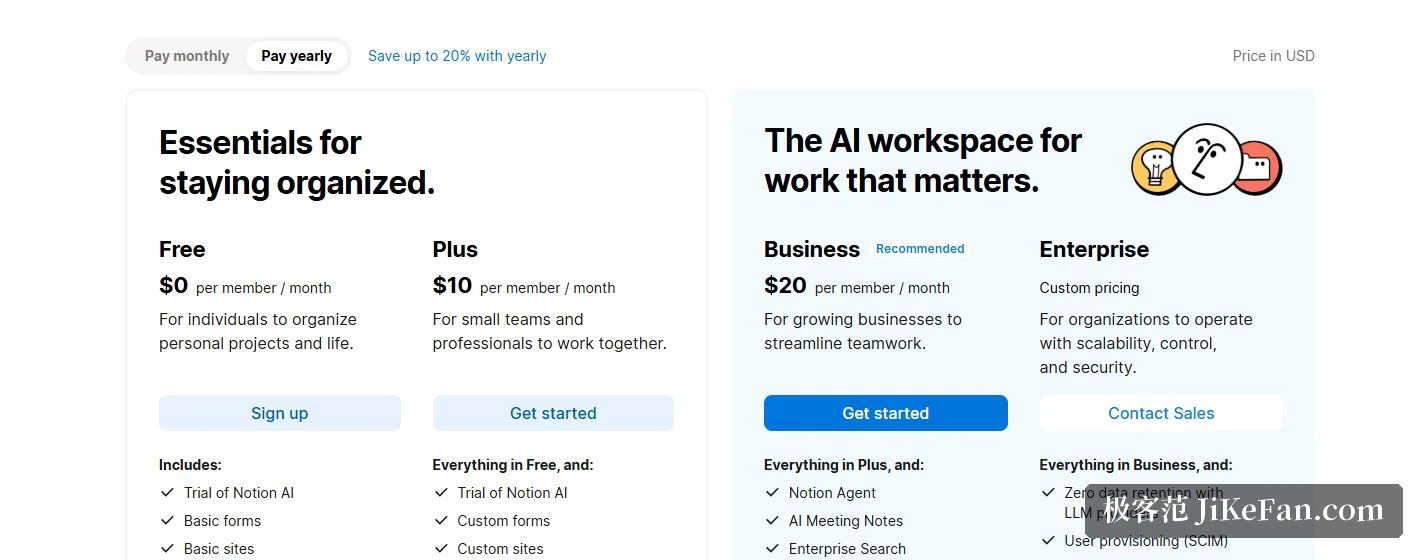
The pricing page lists four tiers. Free costs 0 dollars per person per month, Plus 10 dollars, Business 20 dollars, and Enterprise is a custom quote; paying annually saves up to 20%. The important part is where the AI sits. Notion AI comes with the Business and Enterprise plans, and the other plans get a limited trial allowance. The feature comparison shows the same thing: agents, meeting notes, enterprise search and research mode are all marked as limited trial in the Free and Plus columns.
Data and security
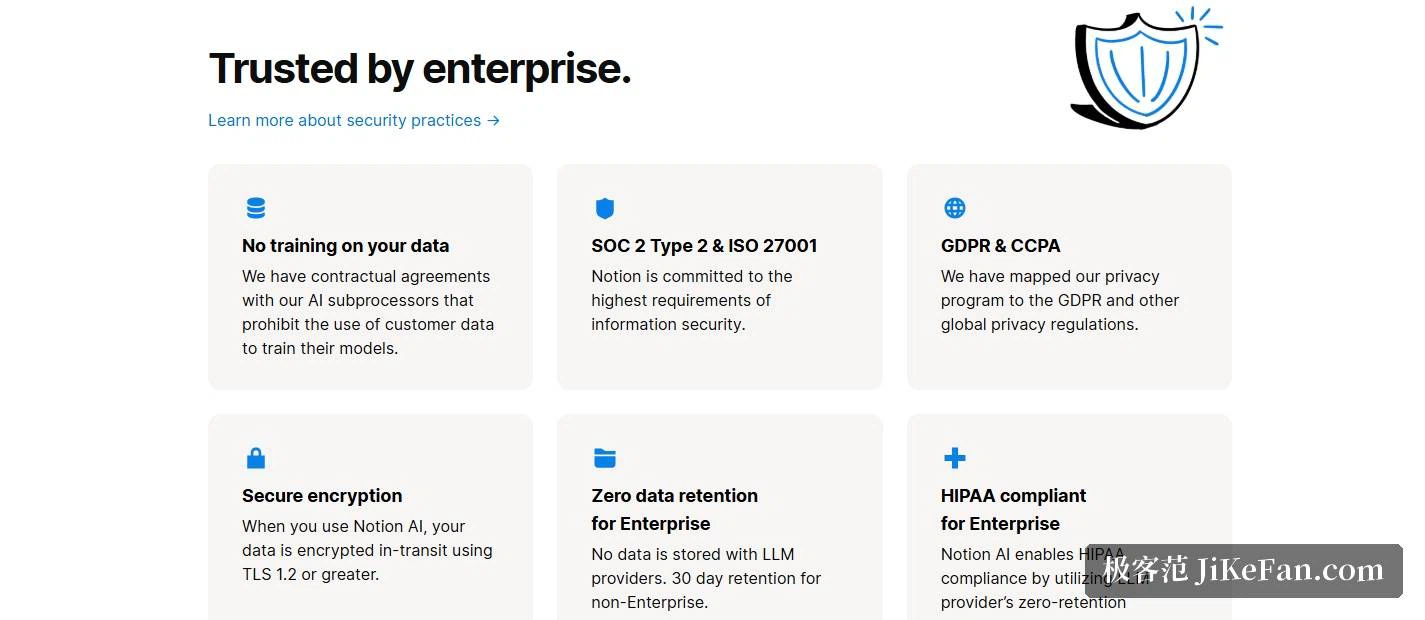
Handing your working material to an AI makes one question the first to ask: where does the data go. The official documentation states that there are contractual terms with AI subprocessors forbidding the use of customer data to train their models, and that Notion AI does not train its own models on user data unless the user chooses to share it. On encryption, the documentation says data is protected in transit with TLS.
Retention differs by plan: Enterprise workspaces get zero data retention with the large model providers, and other plans keep data for 30 days. On compliance the official list is SOC 2 Type 2, ISO 27001, GDPR and CCPA, with HIPAA support available on the Enterprise plan. The company also emphasises that it is model-agnostic, so you can switch between models and providers without losing context, rather than binding a workflow to a single model.
Who benefits most
Teams already using Notion to run projects, write documents and keep notes gain the most directly: the AI sits inside the workflow they already have, with no migration and no shuffling of content between tools. The reverse also holds. If your documents mostly live somewhere else, moving to Notion purely for the AI is unlikely to pay off, because this is a workspace first and the AI is a capability inside it rather than a tool you can use on its own.
One more thing worth knowing: the official documentation says the allowance for AI features is adjusted dynamically with usage and is tightened temporarily once it runs out, in order to protect overall performance and fair use. Treating it as a long-term tool whose consumption you watch, rather than a switch set once and forgotten, is closer to how it behaves.
The value of a tool often lies less in what it can do than in where it stands. When an assistant moves into the workspace you were going to open anyway, you are far more likely to actually hand it the work.