
AiPPT builds a deck from one sentence, with 1000 credits free at signup
Summary
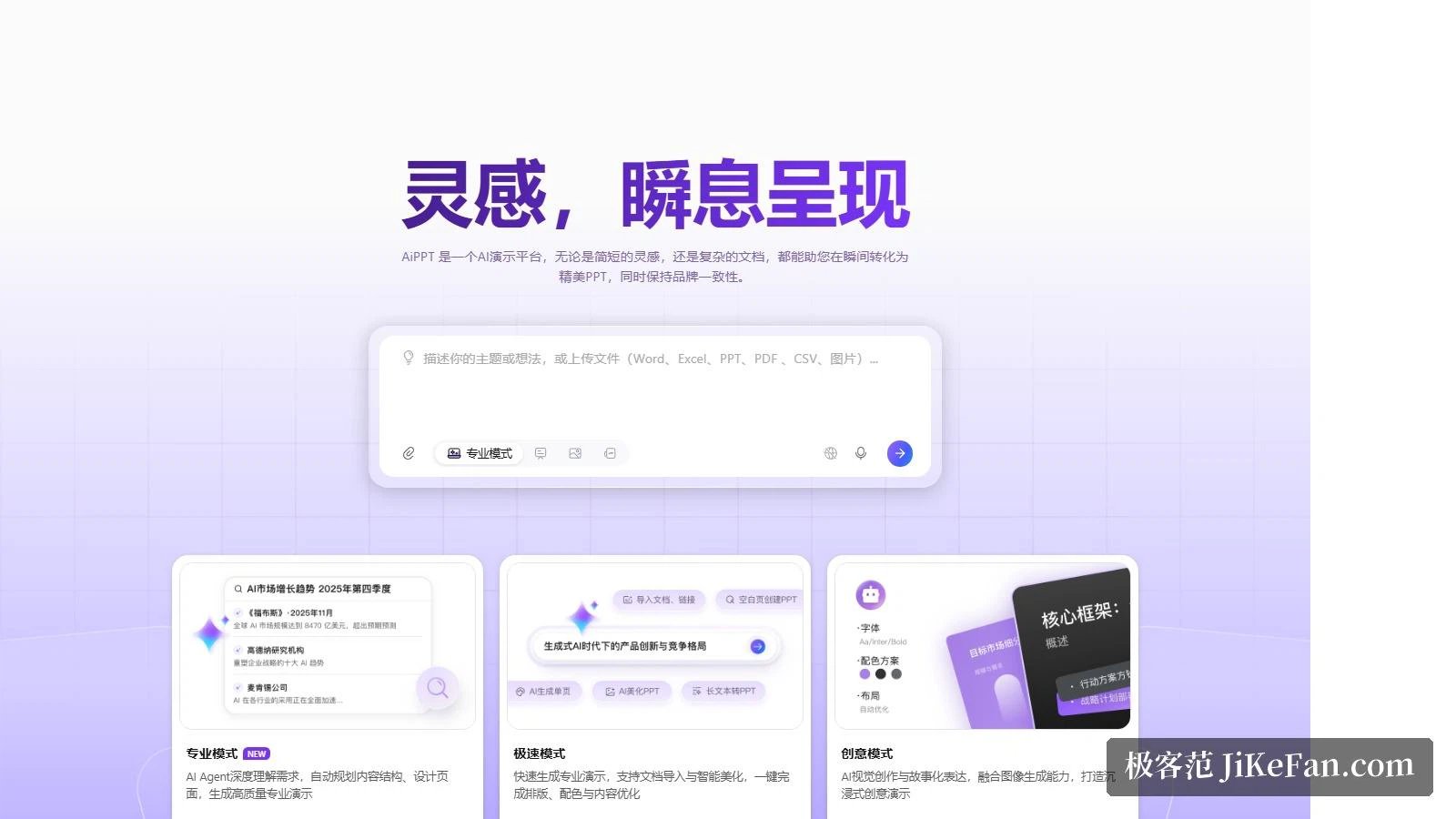
Three speeds of generation — a thorough mode where an agent plans the structure, a fast mode that turns an imported file into slides, and a visual mode built on story. Over 20 AI models and more than 200,000 designer templates sit behind it.
Recommend- Name
- AiPPT
- Version
- 20260917
- Open source
- Proprietary
- Operating system
- WebWindowsiOSAndroid
- Website
- https://www.aippt.cn/
- Updated
- 2026-10-06 23:01
The hard part of making a deck was never the software. It was the stretch of hours between the idea and the finished file. AiPPT hands that stretch to an AI: the platform describes itself as an AI presentation platform, and its front page promises that a short spark or a heavy document turns into presentable slides almost immediately, brand included.
Three speeds of generation
The homepage splits generation into three modes. The professional mode has an agent read the requirement properly, plan the content structure and design the pages before producing a polished deck. The fast mode is about speed: import a file, let the system tidy it, and layout, colour and wording are handled in one pass. The creative mode goes for visual storytelling, with image generation folded in for immersive results.
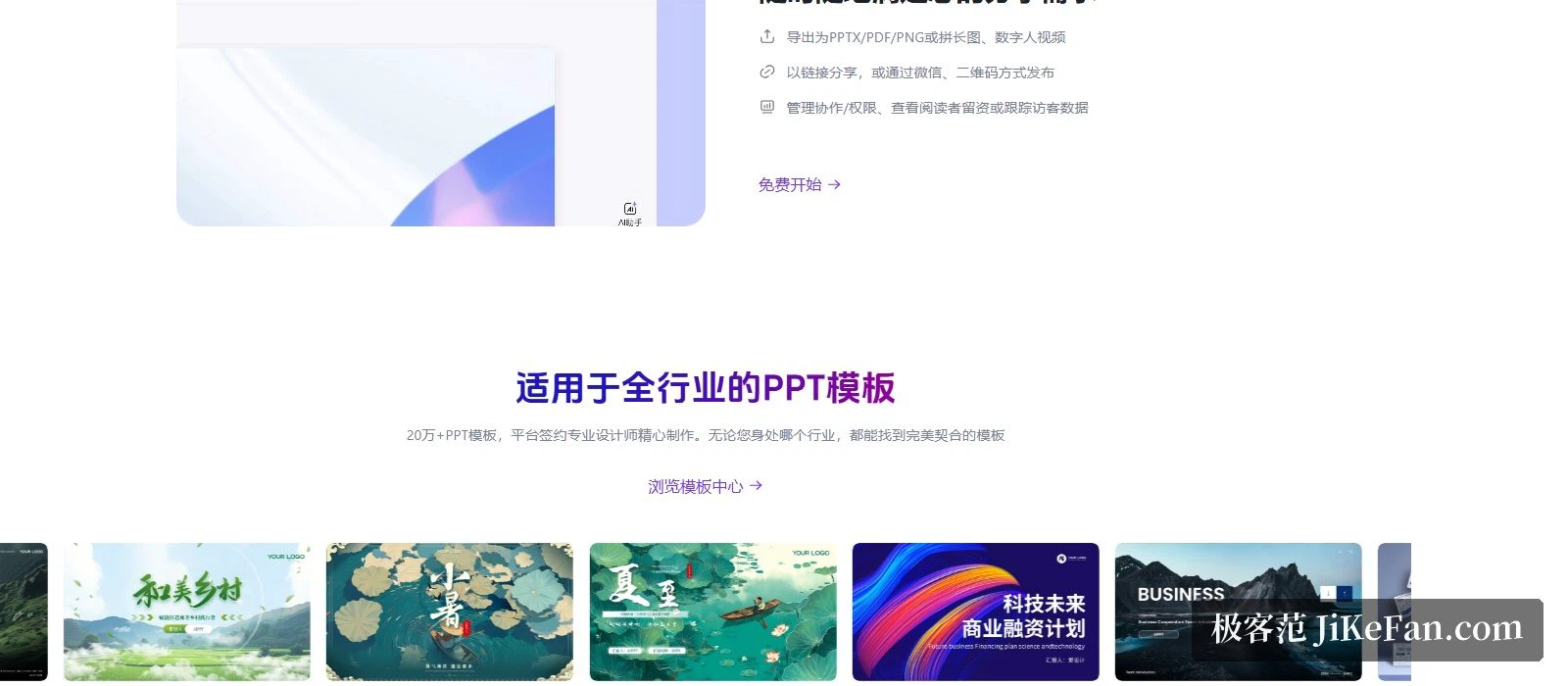
Where the draft starts is just as flexible. The headline promises one sentence and one minute; on top of that you can import a file, convert a long article into slides, or generate a single page on its own. Underneath, the official wording credits more than 20 AI models and agents for the output quality, and more than 200,000 templates made by designers under contract with the platform — filing cabinets of them, sorted for reporting, marketing, education and public-sector work.
The work after the draft stays inside
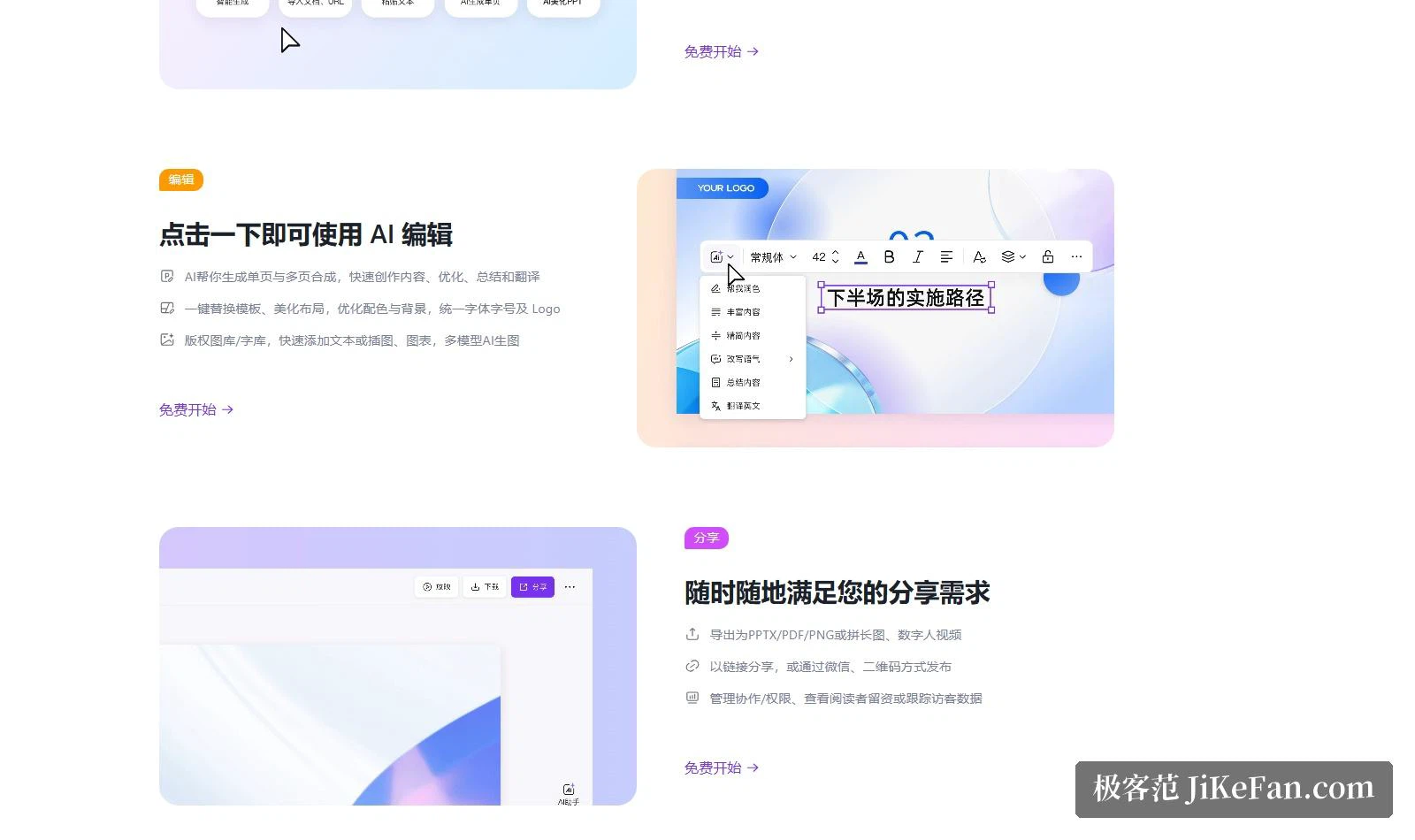
Editing is not an afterthought. Officially, the AI composes single pages and stitches multi-page sequences, writes and optimises and summarises and translates, swaps the template and tidies the layout, unifies fonts, sizes and logo placement, and pulls text, illustrations and charts from a licensed image and type library. Image generation sits alongside it, with several models to choose from.
Sharing closes the loop. Finished work exports as PPTX, PDF or PNG, as a stitched long image, or as a digital-human video; it can be sent as a link, scanned from a QR code or pushed through a messaging channel. Permissions are manageable, and the owner can see who left contact details and what visitors did.
Not just a generator
The template centre is organised by industry, and the platform claims a fit for whichever sector you work in. Alongside it sits a small toolkit: an image tool with custom styles, inspiration gathering and one-tap reuse of an existing look; a writing tool for outlines, continuations, copy and proposals; and a reading tool that opens pdf, docx and txt files to summarise, polish and conclude. Every step from raw material to finished page has something pointed at it.
From free to enterprise
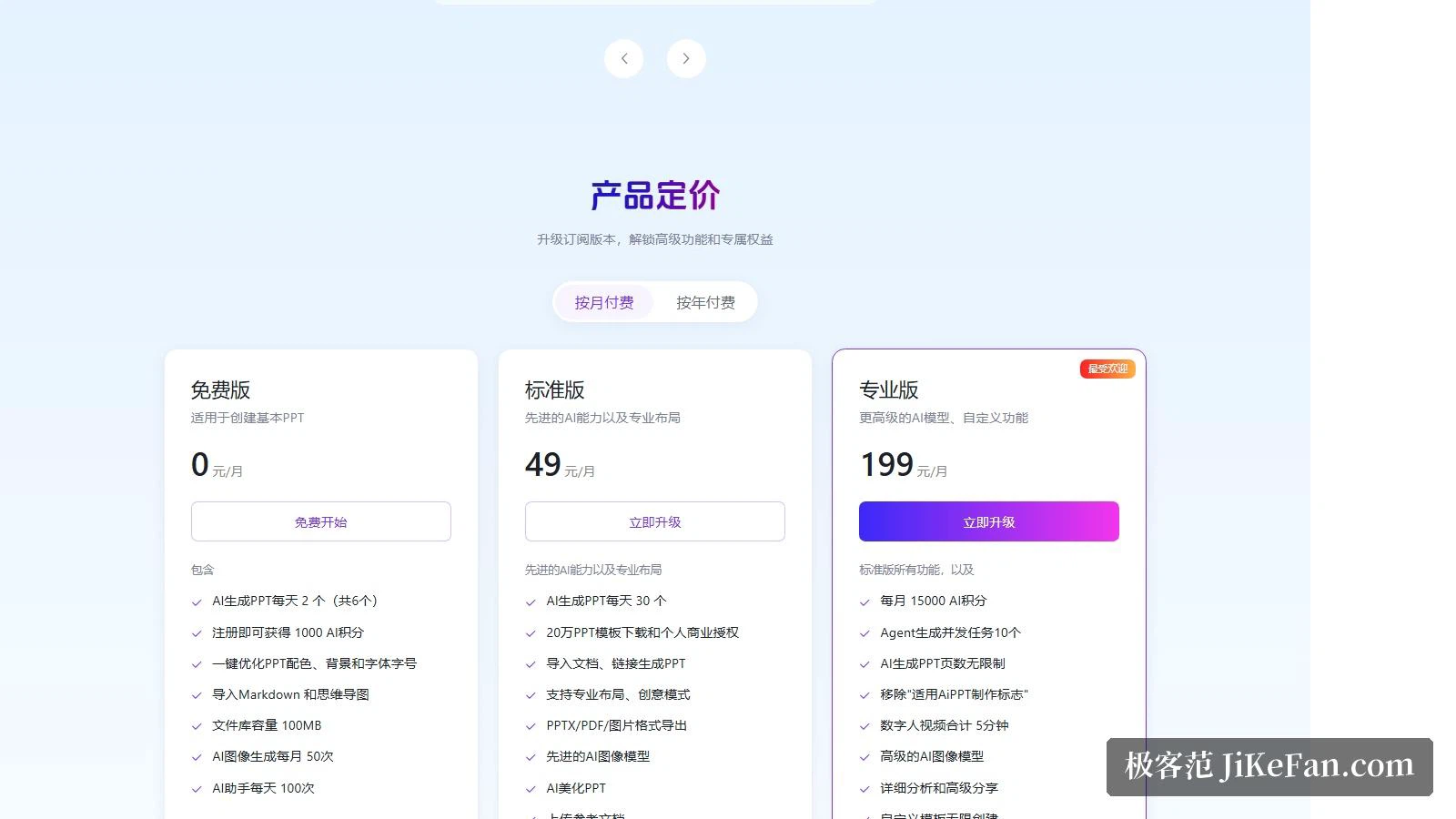
The official pricing page sets the free tier at 0 per month: 2 AI decks a day up to 6 in total, 1000 AI credits on signup, the one-step tidy-up of colour, background, font and size, imports of Markdown and mind maps, a 100MB file library, 50 AI images a month and 100 assistant calls a day.
Standard runs at 49 a month: 30 generations a day, downloads of the 200,000 templates with a personal commercial licence, decks built from imported documents and links, the professional and creative modes, PPTX, PDF and image export, a 600MB library, 150 AI images a month and 1000 assistant calls a day. Professional runs at 199 a month: everything in Standard plus 15000 AI credits a month, agent concurrency of 10 tasks, no page limit on generated decks, removal of the made-with badge, 5 minutes of digital-human video in total and unlimited custom templates.
Enterprise adds API integration, private deployment, an admin console for company clouds, a licensed asset library, a standalone offline build, SSO and the option of a customised model.
The avatar video and who runs it
The digital-human output is the distinctive exit: hand over the deck and, per the official description, a narrated video file comes back within a minute. The outlet is listed as one of the finished formats in the export panel.
On ownership, the user agreement says a Beijing software company operates and owns AiPPT, serving it through the site, a desktop client, mobile apps and a mini program, with a partner company authorised to run and maintain the AiPPT applications. The footer carries its own line: let the world understand your idea.
Who it fits
The customer stories sketch three people: a product director who needs pre-meeting material in a hurry, a marketer with no design background rescued by automatic layout, and a student using it to organise a thesis argument for a defence. What they share is the wish that the page stop holding up the thinking.
Two honest notes. First, 2 decks a day up to 6 in total is a trial allowance rather than a working one; before relying on it, work through the credit and quota table on the pricing page. Second, a generated first draft still needs a human pass over the logic, and while the template catalogue is enormous, matching a brand's visual identity really leans on the custom-template capability of the professional tier. It takes layout and structure off your hands; the judgement a presentation has to carry stays with the person speaking.
Once AI compresses deck-making into a minute, the dividing line becomes a different question: how long did you actually think about what you want to say?