
PhotoCraft: an open source image editor rewritten in pure Rust that opens layered PSD files
Summary
An image editor rewritten from scratch in pure Rust: layers, masks and adjustment layers are all there, layered PSD files open directly, and a command line plus an MCP server hand the work to scripts.
Recommend- Name
- PhotoCraft
- Version
- 0.6
- Pricing
- Free
- Open source
- Open source
- Operating system
- macOSWindowsLinuxWeb
- Updated
- 2026-10-10 11:15
An open source image editor written from scratch in pure Rust, with layers, masks and adjustment layers in place, and layered PSD files that open directly.
Working with pictures has leaned harder on the network every year. Subscribe first, log in next, upload the material to someone's cloud, and watch the file format lock tighter. When the day comes to change tools, the hard part is rarely learning a new interface. It is that the layered files accumulated over the years will not move: once the layer structure falls apart, a project from a few years ago is one flattened image.
PhotoCraft takes the other road. It is an image editor open sourced by the ArtCraft team, implemented from scratch in pure Rust, with the code on GitHub under a dual MIT or Apache 2.0 licence. Once installed it works offline, needs no account, and sends nothing out.
Written from scratch, not a web page in a shell
Plenty of desktop image tools today are a web page wrapped in a frame: slow to start, hungry for memory, with a layer of lag between you and the work. PhotoCraft does not do that. It is a native desktop program, the whole engine is split into twenty four crates, and beneath the interface sit a pure data document model and a command engine.
Canvas rendering goes through a GPU compositor built on wgpu, with backends covering Metal, Vulkan, DirectX 12 and WebGPU. The project also keeps a CPU compositor as a reference, and the two rendering results are tested against each other. Beneath that, pixels are organised in copy on write tiles, so undo barely waits and a large canvas does not swallow tens of gigabytes of memory at once. The official figure: a gaussian blur with radius 180 on a 3.6 megapixel image finishes in under a second using multiple cores in parallel.
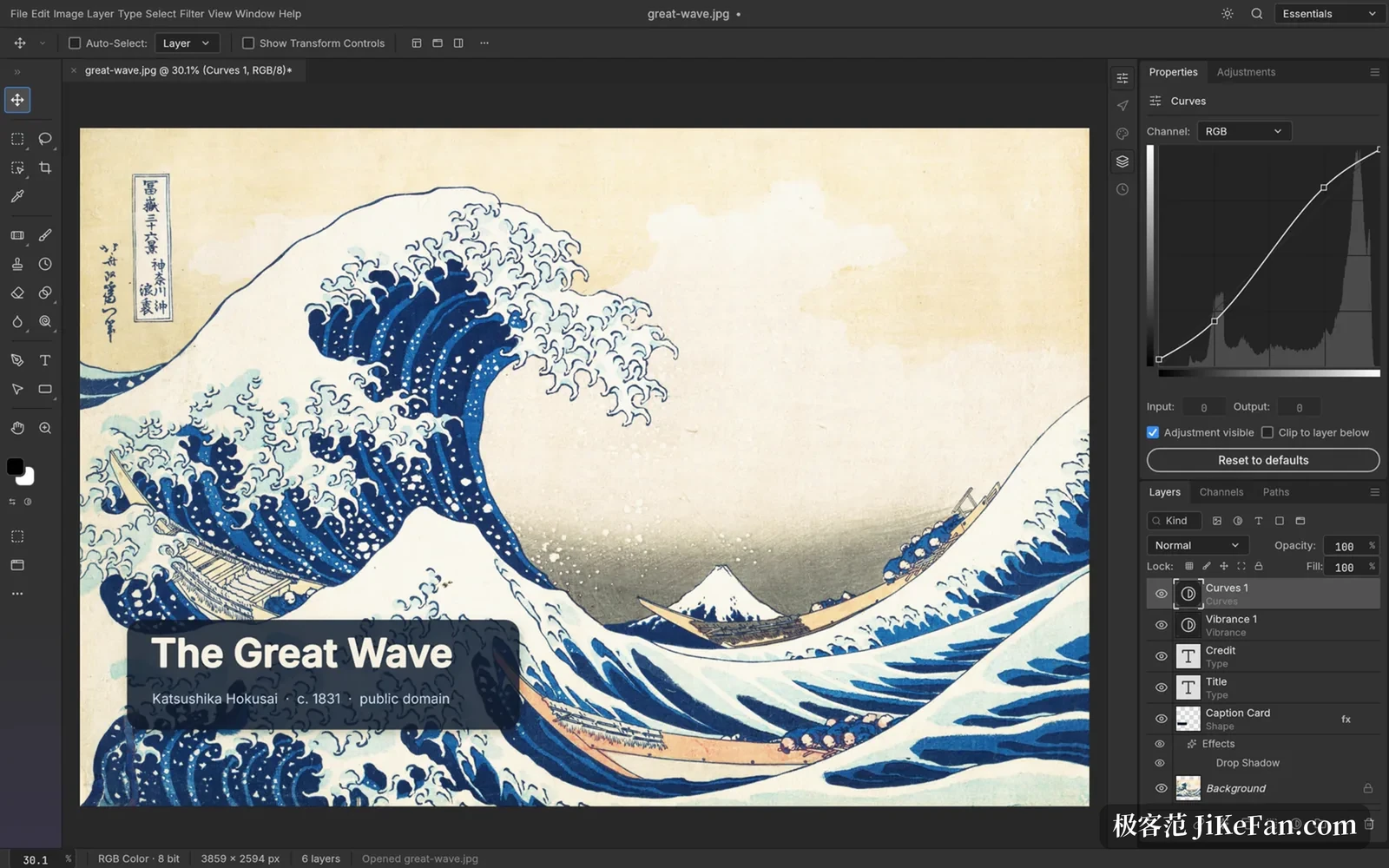
Open a PSD and the layers are still there
For people who do design work, PSD is the practical barrier. PhotoCraft's PSD support is a separate module, with a parser implemented from scratch against the public specification and no commercial code called in.
The official numbers look like this: across the 309 test files from psd-tools, 307 render identically after being saved again, and in another mixed set, 169 of 170. Data blocks that are not modelled yet are not thrown away but carried across as they are. One thing to be clear about: the saved file is not byte identical to the original, since image resources, layer records and composite results change, and fidelity lives at the level of looking the same. Beyond PSD, the large document PSB format opens and saves too.
The old habits that still work
The toolbox is laid out the way everyone expects: marquee, lasso, magic wand, quick selection, object selection, brush, pencil, mixer brush, clone stamp, healing brush, dodge, burn and sponge, all in familiar places. Anyone who has used this class of software needs no second lesson.
On the layer side there are groups, clipping masks, pixel masks, vector masks, fill layers, smart objects and smart filters, twenty seven blend modes, and opacity separate from fill. There are sixteen kinds of adjustment layer, curves adjustable per channel, levels with a live histogram, and black and white, channel mixer, gradient map, photo filter and colour lookup all present. They all take masks, switch off, or reorder at any time, and the original pixels stay untouched.
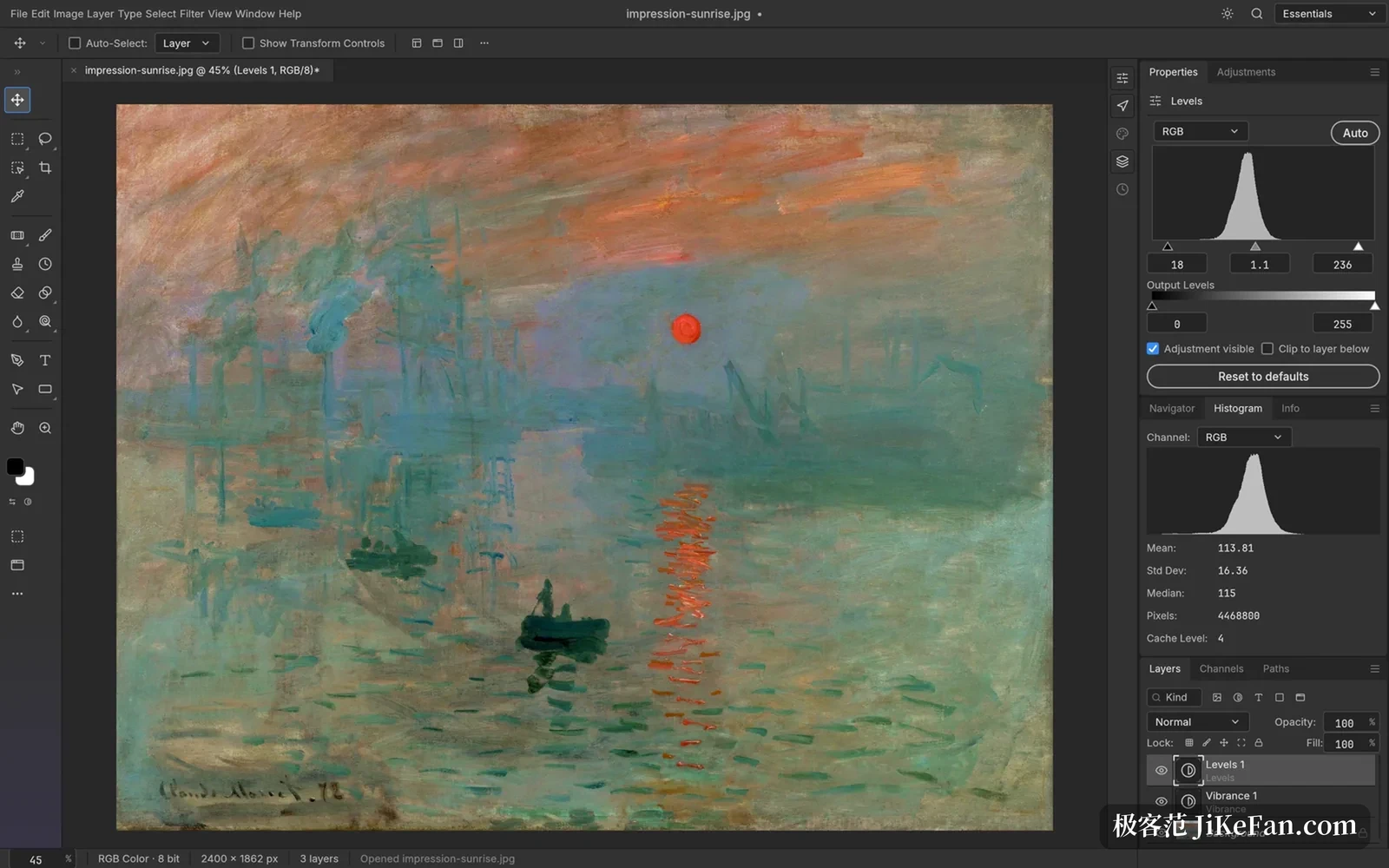
Colour is well covered: RGB, greyscale, CMYK and Lab modes, documents at 8, 16 or 32 bits, with bit depth and colour mode as runtime data so every tool works at every depth. The built in ICC colour management is also written in Rust, with embedded profiles, rendering intent, black point compensation, soft proofing and gamut warning all accounted for.
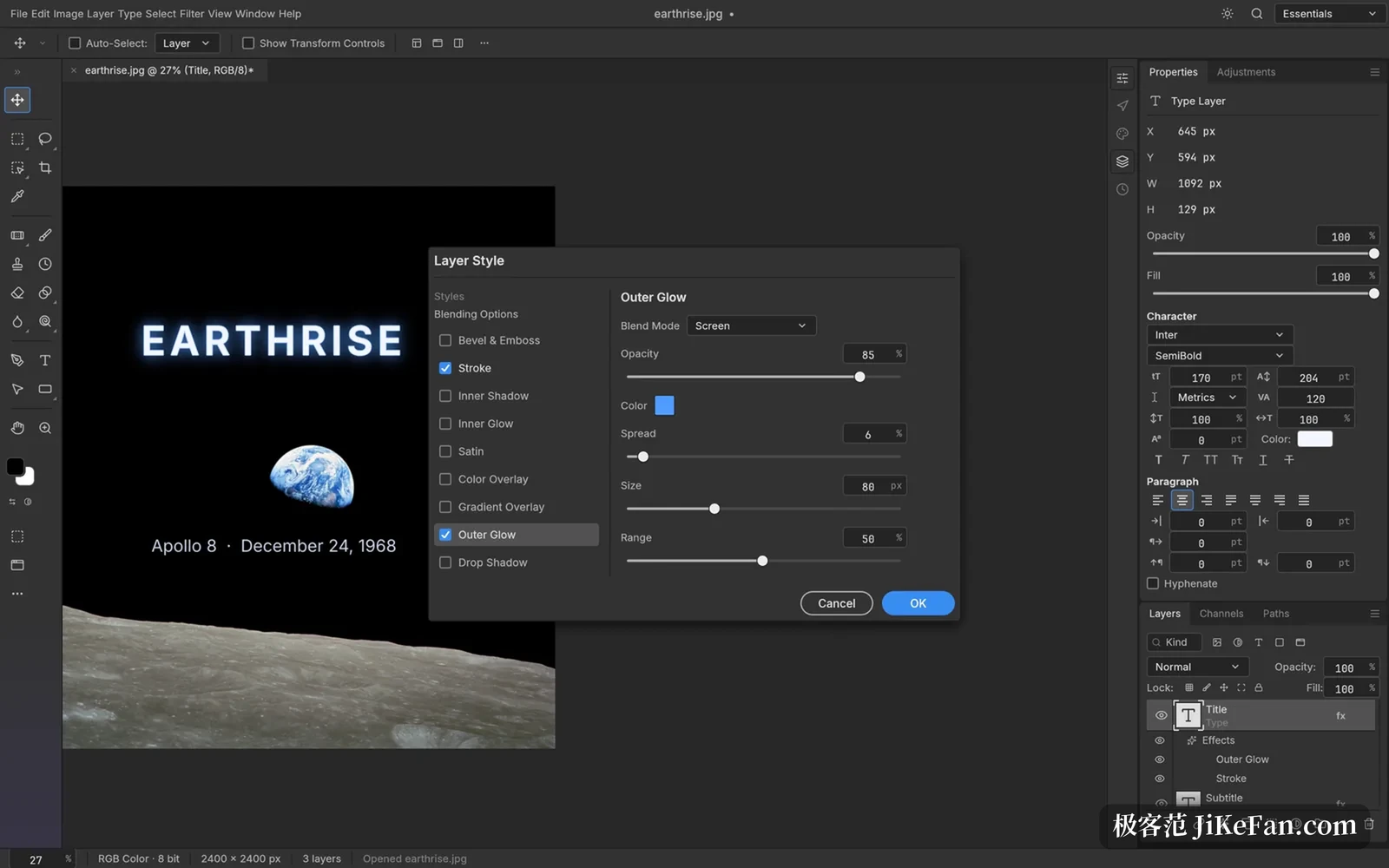
Among the selection tools, besides the manual marquee and lasso, there are automatic options such as quick selection, object selection and subject selection, all running locally with no network and no account. A selection converts directly into a layer mask, a vector path or a shape layer.
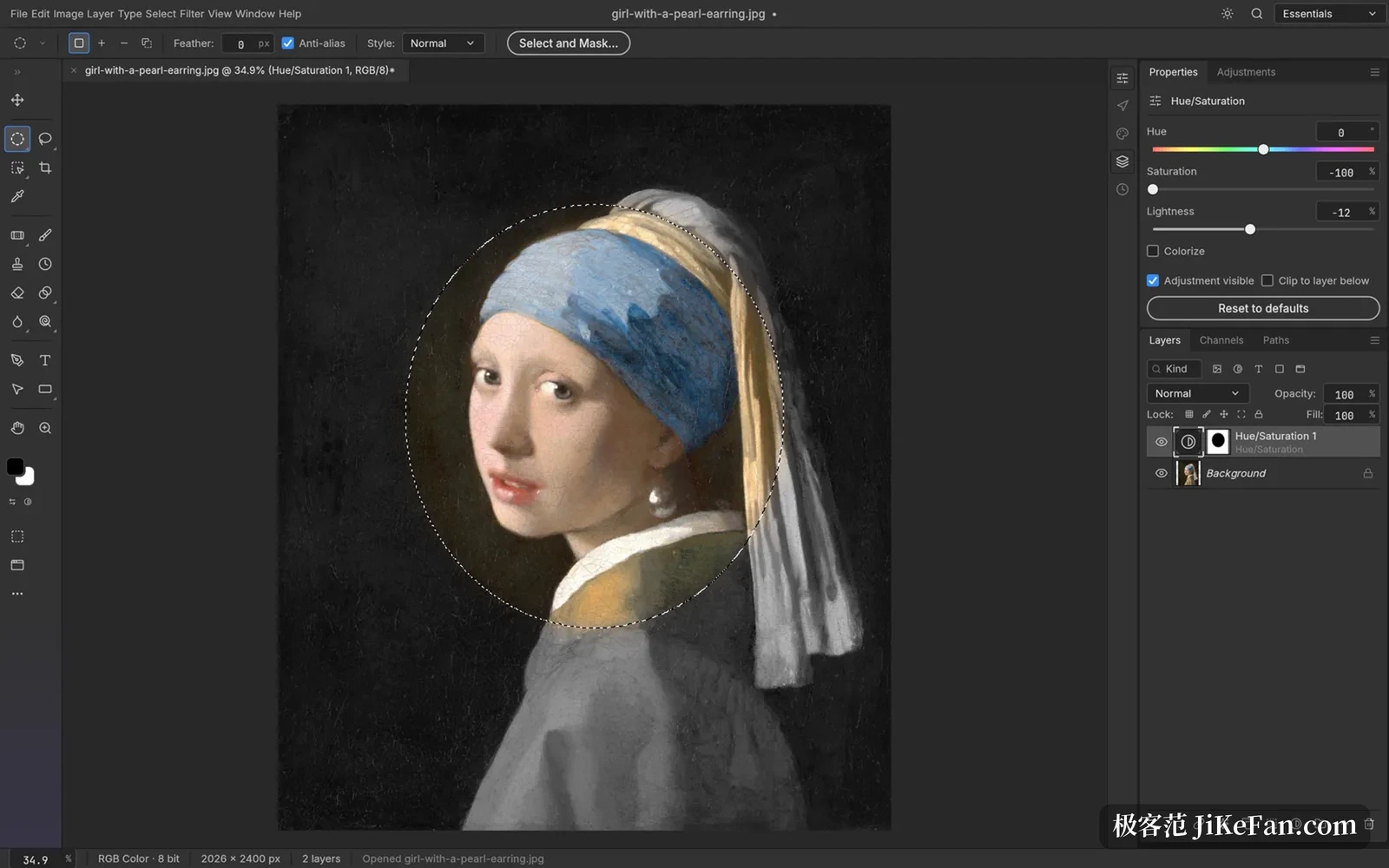
Every action is a command
PhotoCraft has an unusual design decision: every menu item, tool and dialogue in the interface is a command registered in one unified command table, more than five hundred of them in total. In other words, anything you can click, a script or an AI can also call.
A command line tool ships with it and can process files without opening a window: read a PSD, apply a sequence of commands and parameters, export a PNG, or apply one set of actions to a whole folder. There is also a JSON control channel that listens only on the local loopback address, and an MCP server, the protocol AI agents commonly use to call external tools. Every screenshot on the official site was rendered offscreen through that control channel.
On platforms, it natively supports macOS, Windows, Linux and FreeBSD, and the whole engine compiles to WebAssembly to run in a browser. Offline use, no account and no telemetry are handled thoroughly: no online check anywhere in the flow, and no update daemon quietly installed in the background.
What it can do right now
The candid part: as of October 2026 PhotoCraft is still in an early alpha, with the version number just reaching 0.6. The official roadmap says it plainly. Against mature commercial image software, real completeness is not halfway; for a professional, the share of daily work it can replace is roughly a quarter to a third, and several months of work remain.
What is clearly missing today includes generative AI features, about twenty tools not yet implemented, depth in layout and print workflows, and compatibility with third party plugins. The team chose a sandboxed WebAssembly plugin runtime instead of loading platform specific binaries. Text layers can be edited directly on the canvas and survive a round trip through PSD, but fine typographic control is not yet at the level of mature software.
If you only handle pictures now and then, do not want to keep paying for a feature you rarely use, or need batch retouching wired into your own scripts and automation, PhotoCraft is worth a download. Replacing your main tool with it outright is something the official material itself says is not yet time.