
x360ce: an open source tool that maps a controller to a standard gamepad, with mapping formulas in 4.24
Summary
A long-running controller mapping tool that presents wheels, joysticks and other gamepads to the system as a standard gamepad, so old games that accept only one kind of input can see them. This release hands rumble to the real controller and allows formulas in mapping rows.
Recommend- Name
- x360ce
- Version
- 4.24.60
- Pricing
- Free
- Open source
- Open source
- Operating system
- Windows
- Website
- https://github.com/x360ce/x360ce
- Updated
- 2026-10-12 10:58
The controller is not always what fails; often the game only recognises one kind of input.
Giving an input device another identity
x360ce is an open source controller mapping tool. The first line of the repository explains the approach: it makes controllers such as gamepads, joysticks and steering wheels work in the system as a standard gamepad. That solves a compatibility problem in older games, which were built with one input device in mind and simply do not respond to anything else; after mapping, the game always sees the shape of input it expects.
Getting started is not hard, but the author cares a great deal about provenance. The project states that every digitally signed build is published on its release page, and the documentation asks users to take only signed files. The current 4.x release is a signed application paired with a virtual gamepad emulation bus, aimed at Windows 10 and newer.
That emphasis is not decoration. A tool of this kind sits between the game and the device driver, so a build from an unknown source reaches into the system as deeply as the game itself. Checking the signature takes a second and is the whole difference between using the tool and handing a stranger the machine.
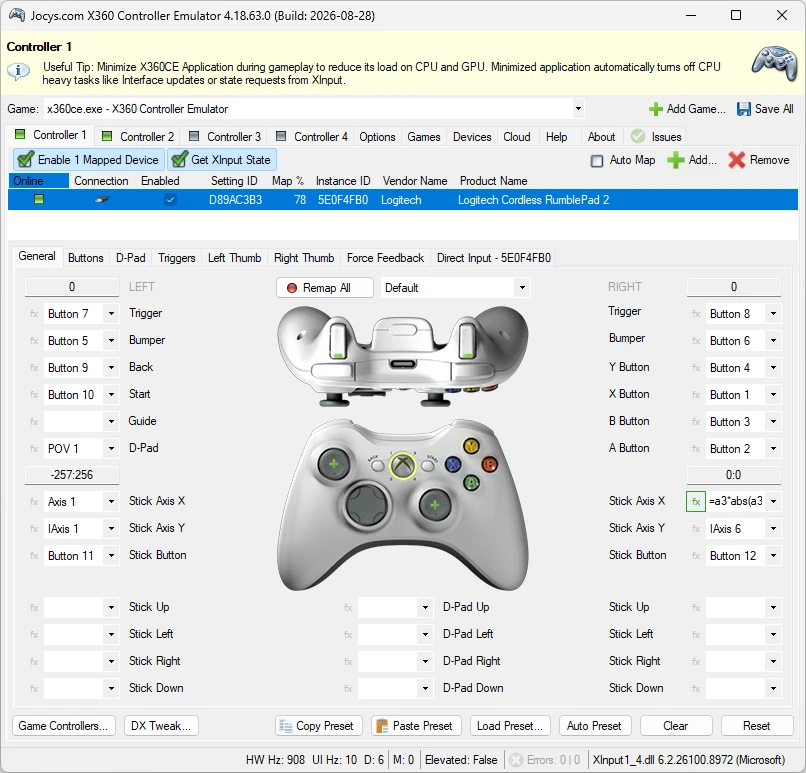
Rumble, ordering and formulas
Force feedback passthrough is one of the more discussed parts of the 4.x line. The project says that when it is enabled on its tab, the rumble is handed to the real controller instead of being left to the virtual device. For a wheel or a gamepad with motors, this decides whether impacts and road surface can be felt at all.
Multiple controllers have their own handling. The project says the devices page can move a gamepad into another position, which suits games that only read the first controller, in effect handing control of recognition order back to the user. Further still are mapping formulas: a mapping row can hold a formula rather than a single button binding, and the documented examples include expanding trigger travel and slowing movement near the centre of a stick, which buys finer control.
The formula part is where the tool stops being a single switch and becomes something to learn. A curve that helps in a racing game can be wrong in a platformer, and the only way to know is to change one row, play a round, and change it back. Keeping the default configuration saved somewhere makes that experimenting cheap.
Ability | Official notes |
|---|---|
Mapping | gamepads, joysticks and wheels presented as a standard gamepad |
Force feedback | rumble handed over to the real controller |
Ordering | move a gamepad to another slot for games reading only the first |
Advanced | mapping rows accept formulas |
Distribution | digitally signed builds, published on the release page |
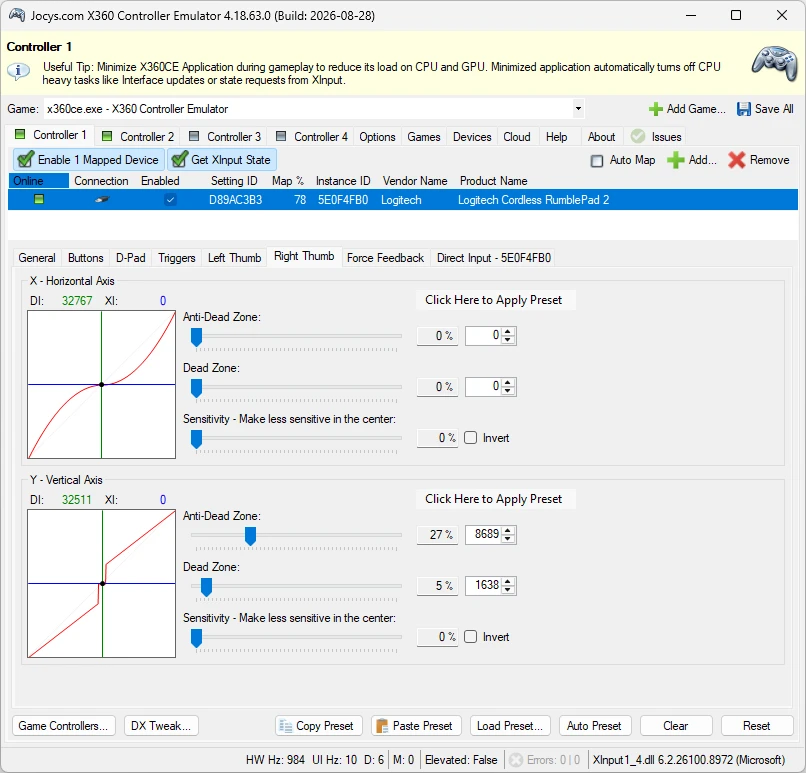
Requirements and licensing
Two things about the environment are worth noting. The stated requirements are Windows 10 or newer, with two dependencies listed: the DirectX end user runtime from June 2010 and the Visual C++ v14 redistributable. New versions install and link the latest redistributable, and these two are the precondition for the program working at all.
The source is published under the GNU Lesser General Public License version 3 or later, so the code can be obtained and built; the ready-made edition for ordinary users is the signed release the project provides, and the two paths coexist. The latest version number is 4.24.60.0, and the notes contain fixes as well as additions, such as supporting several controllers from a single device. For an old project that is still maintained, that rhythm says it is still adjusting to new systems and new games.
Turning complicated input into something a game recognises is the plainest possible answer to compatibility.
A few suggestions. Take the signed build from the official release page rather than a mirror of unknown origin. Play one round with the default mapping first, and only adjust item by item once the game recognises the device. Wheel users should open the force feedback tab and switch passthrough on, or the rumble will be noticeably weaker.