
Trae hands the whole pipeline to an AI and opens a door for non-coders
Summary
One product with two entrances: an AI-native IDE where a solo agent can drive a project end to end, and a workbench for people who produce documents and data rather than code.
Recommend- Name
- Trae
- Version
- 2
- Open source
- Proprietary
- Operating system
- WindowsmacOSWeb
- Website
- https://www.trae.ai
- Updated
- 2026-10-29 22:00
Trae hands both the code and the documents to an AI: a developer can keep full control, or say one sentence and let the agent run the whole build.
Most AI coding tools look after developers only, yet a product passes through a product manager writing requirements, a designer producing mockups and a marketer assembling a report before and after launch, and all of that used to mean switching tools. Trae, from ByteDance, tries to wrap that chain up: an AI-native IDE called TraeCode for developers, and a workbench called TraeWork for a wider set of roles, with both entrances sharing one account, one set of skills and one project workspace. This describes the international edition; the edition for the home market is a separate entrance.
Trae ships as a desktop application for macOS and Windows, a web version and a mobile app, plus a command line tool and extensions for common editors, so nobody has to change where they work. One account can be signed in on up to three devices at a time, and the web version does not count against that.
Two ways to develop: IDE mode and SOLO mode
TraeCode turns on two paradigms that can be switched whenever you like. IDE mode keeps the familiar editor and lets AI assist your existing process as an agent, which suits work needing fine control. SOLO mode hands the whole development process to the AI: you describe the requirement, and it plans the workflow, calls tools, generates code and keeps going until there is a running version to deploy.
In the official phrasing, SOLO is a fully autonomous coding agent that drives the entire development process from the starting point. What matters is that you can watch it throughout: the interface shows in real time what it has planned and which files it changed, so control does not disappear just because automation increased.
In practice SOLO usually produces a task plan first and waits for confirmation before touching anything. That think-first rhythm pulls the resulting code structure and dependencies closer to ordinary engineering, rather than one blob of a script crammed into a single file.
Assembling your own team of agents
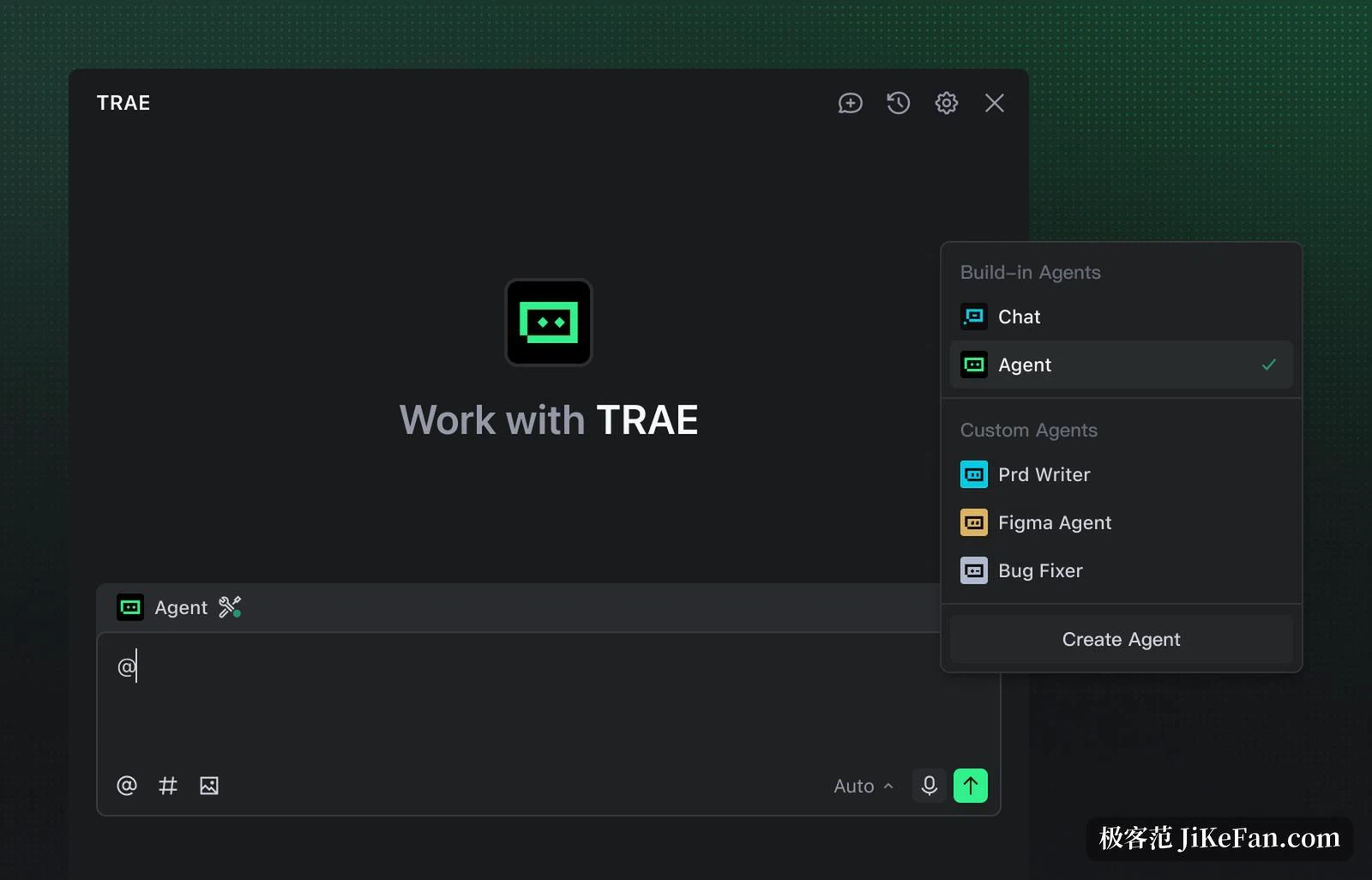
A set of agents with different strengths comes built in, and custom agents can be created to match your own workflow by defining their tools, skills and logic until they become specialists in some domain. They can work alone, or be called as sub-agents by another agent to tackle a complicated problem as a group. An agent ecosystem is open as well, where agents built by the community can be shared and discovered.
Tool access runs through MCP, the Model Context Protocol, so an agent connects to whatever it needs on demand. One detail is genuinely nice: the built-in preview panel turns the browser into a development tool, letting the agent manipulate page elements, read console logs and debug live, which spares you the window-switching loop of tweak and look while adjusting front-end styling.
CUE: press Tab and jump to the next change
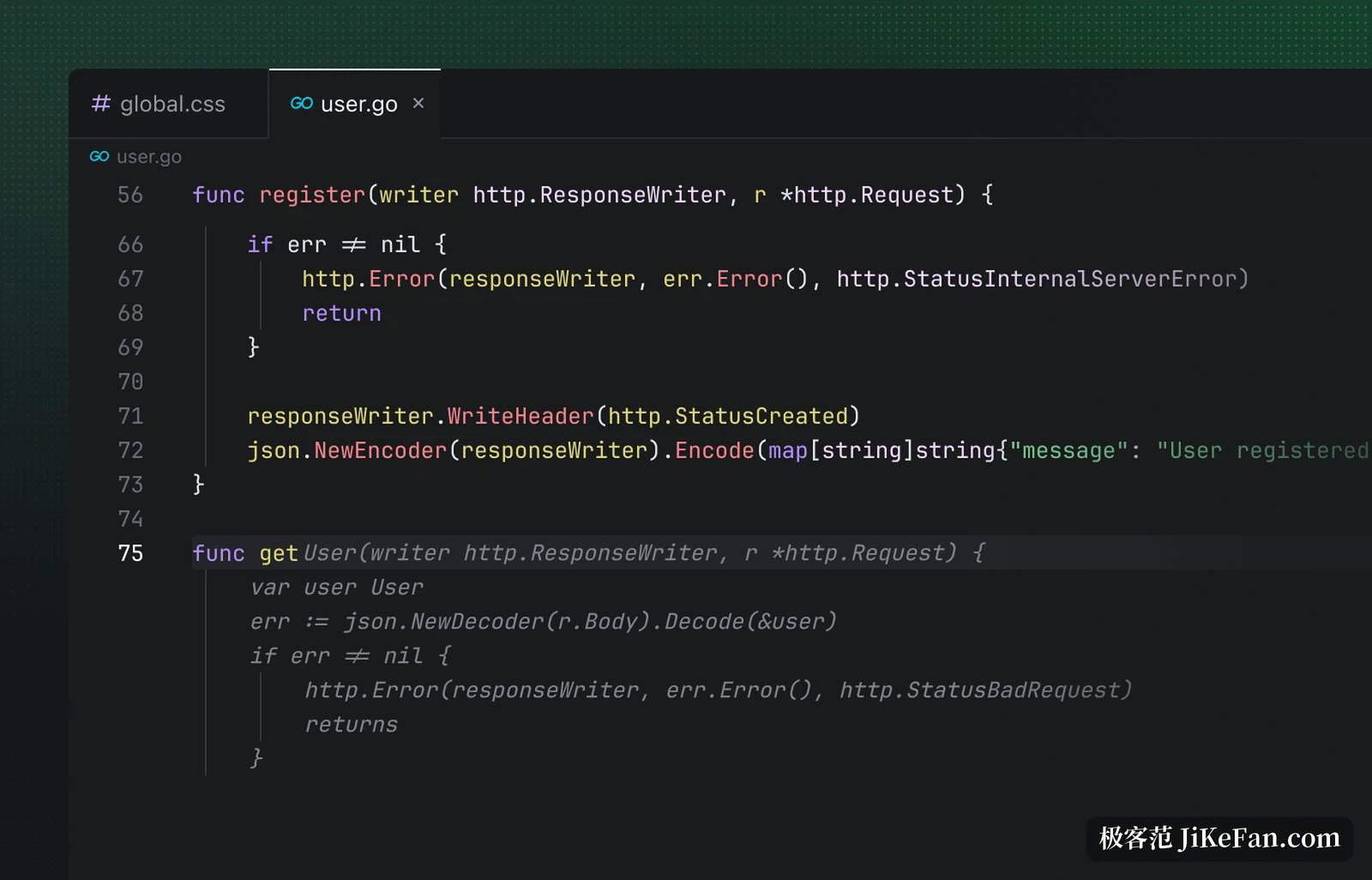
The completion engine is called CUE and does more than finish a line. It reads intent and predicts where you will edit next: press Tab to jump to the next place needing a change, or apply a suggestion across several lines at once. Write a comment above a method and it suggests the related fields and methods; change one piece of linked code and it reminds you where else to keep in step.
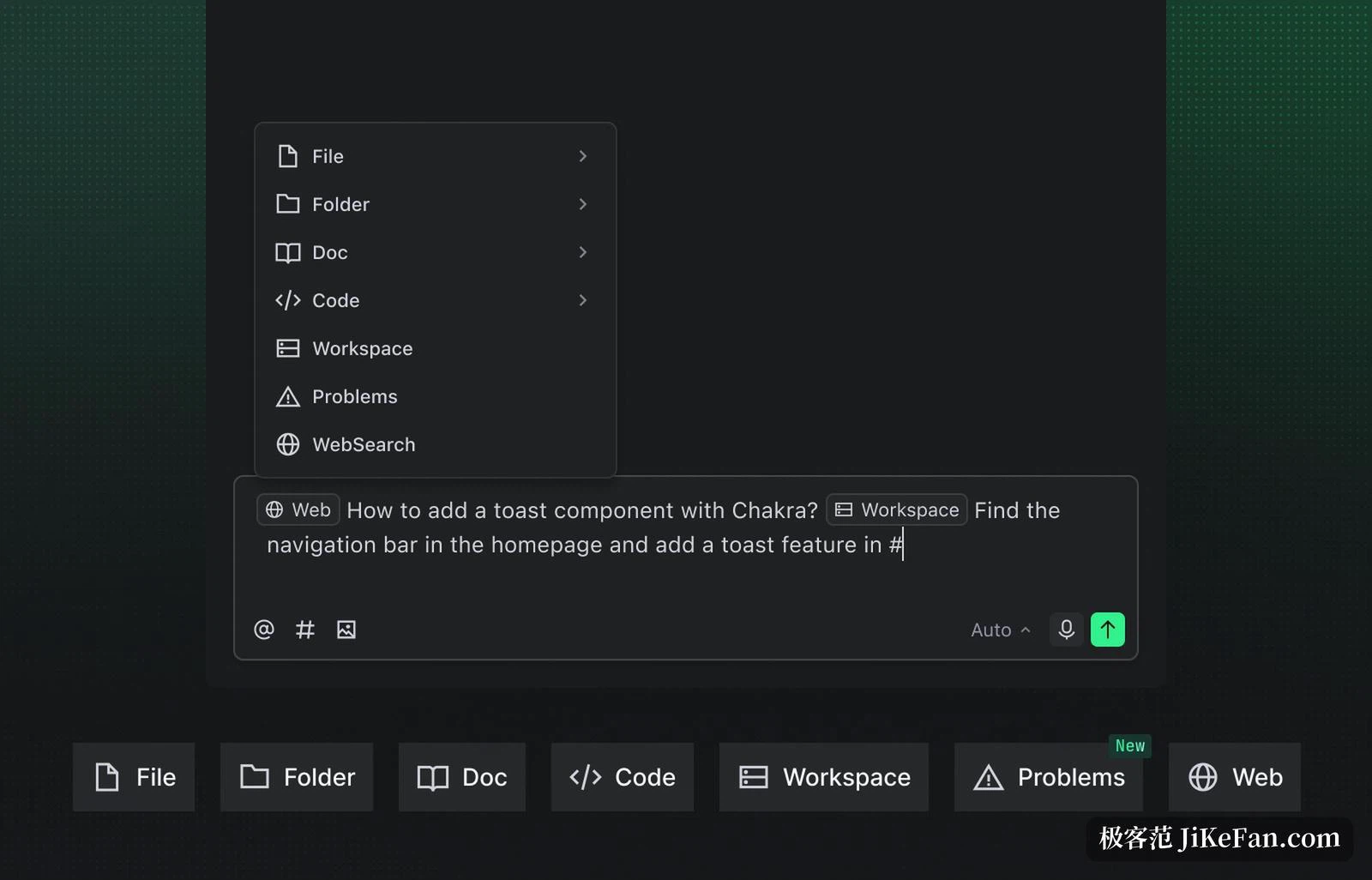
On context, Trae reads the repository inside the IDE, combines that with online search and documents you upload, and can constrain the AI precisely through rules files, so team coding standards get fixed in place instead of being repeated out loud every time.
TraeWork: usable by people who do not write code
TraeWork is an AI-native workbench in three shapes, web, desktop and mobile, with Work and Code modes inside. Work mode serves roles outside engineering, handling documents, data and slide decks; Code mode serves engineers, focused on coding, debugging and git workflows. All three share one account and one set of task data, so a task dispatched from a phone can be picked up again on a computer.
The SOLO capability is widened here into something general: it produces documents, analyses datasets, writes reports, builds presentations and researches competitors. Drop a file in, describe what is wanted, and a structured result comes back. For a role that never writes code, this is roughly swapping an AI development partner for an AI colleague.
Privacy mode: code files stay on the device
Code security is an unavoidable worry, and there are two layers of commitment. First, whether or not privacy mode is on, your repository files are never used for data analysis, product improvement or model training, and the files stay on your local device; to build a code index the service temporarily uploads files to compute vectors, and once that finishes the plaintext code is permanently deleted, leaving only vectors and metadata. Second, with privacy mode on, your conversation content including code snippets and AI output is not used for analysis or training, and telemetry collection can be limited at the same time.
Two caveats. Privacy mode only applies while signed in, and stops working when you sign out. And sensitive files can be added to an ignore list so they never enter the context at all.
Pricing: the free tier is enough to get moving
The free tier is permanent, just queued and limited: five thousand automatic completions a month and two concurrent cloud tasks, which is plenty to walk the workflow end to end. Lite costs three dollars a month for unlimited completions and SOLO mode. Pro costs ten, with a seven day trial and ten concurrent cloud tasks. Pro+ costs thirty for roughly three and a half times the usage of Pro and fifteen concurrent tasks. Ultra costs a hundred for roughly twenty times the usage of Pro and early access to models.
The difference between paid tiers is mostly base volume and the number of concurrent cloud tasks, so anyone wanting to throw work at the cloud in parallel will find Pro the practical watershed. Team and enterprise access runs through BytePlus and adds support for large repositories plus administrative and security controls. One more thing worth knowing: Trae can deploy a project to a mainstream hosting service in one step, so a finished build can be seen live without configuring an environment yourself.
Trae's ambition is not sharper completion but letting an AI take over the whole chain from requirement to launch, with a separate entrance for developers and for everyone else. The free tier runs the full workflow, so trying SOLO's planning on a small project before paying is the steadier path.