
opencode: a coding agent that lives in the terminal and shows its source
Summary
An open source coding agent that runs in the terminal, a desktop window or an editor sidebar, works with dozens of model providers including local ones, lets you sign in with a paid subscription you already have, and states that it stores none of your code.
Recommend- Name
- opencode
- Version
- 1.18.32
- Pricing
- Free
- Open source
- Open source
- Operating system
- WindowsmacOSLinux
- Updated
- 2026-10-06 03:48
Using an AI assistant to write code has stopped being remarkable. What has not stopped is the hesitation, and it comes in three forms. The subscription costs more each year. Changing to a different model means registering somewhere new and paying twice. And the source code – the thing the whole company is built on – goes to somebody's servers, where the only guarantee about what happens to it is a sentence in a policy document.
The last point is the one that actually stops adoption in serious places, and it is also where most tools of this kind are weakest: they are closed source, so there is no way to see what the program does on your machine beyond choosing to believe the description.
opencode addresses all three at once. It is an open source coding agent, one of the most popular of its kind on the major hosting platforms – around two hundred thousand stars, more than nine hundred contributors, and by the project's own count sixteen million developers a month. It runs in the terminal, as a desktop application, and as an editor extension.
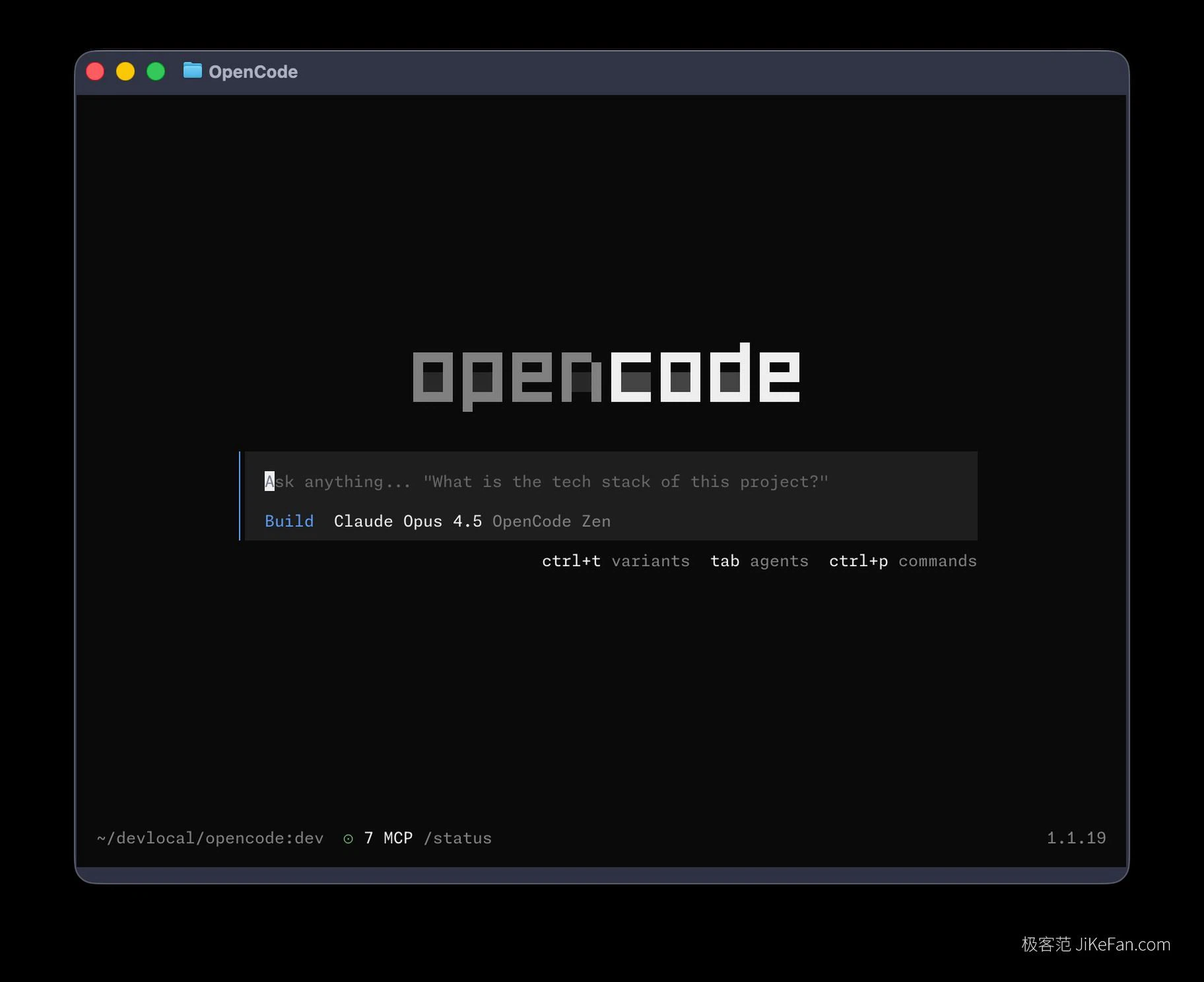
Terminal first, and that is a feature
The primary form is a terminal interface, and it is a real interface rather than a text prompt: responsive, themeable, with a status line showing the current model, token usage and the key bindings. Typing a request loads the relevant language server, parses the project structure, plans the task and carries it out. Escape interrupts, a shortcut switches model, another switches agent, another opens a command palette – the logic is close to a modern editor, which is the point.
Living in the terminal means it fits inside an existing workflow instead of demanding a new one. It can sit in a split pane, run over a remote shell, or execute in non-interactive mode inside a build pipeline. Nothing new has to be installed to accommodate it, which is the opposite of how the category usually behaves.
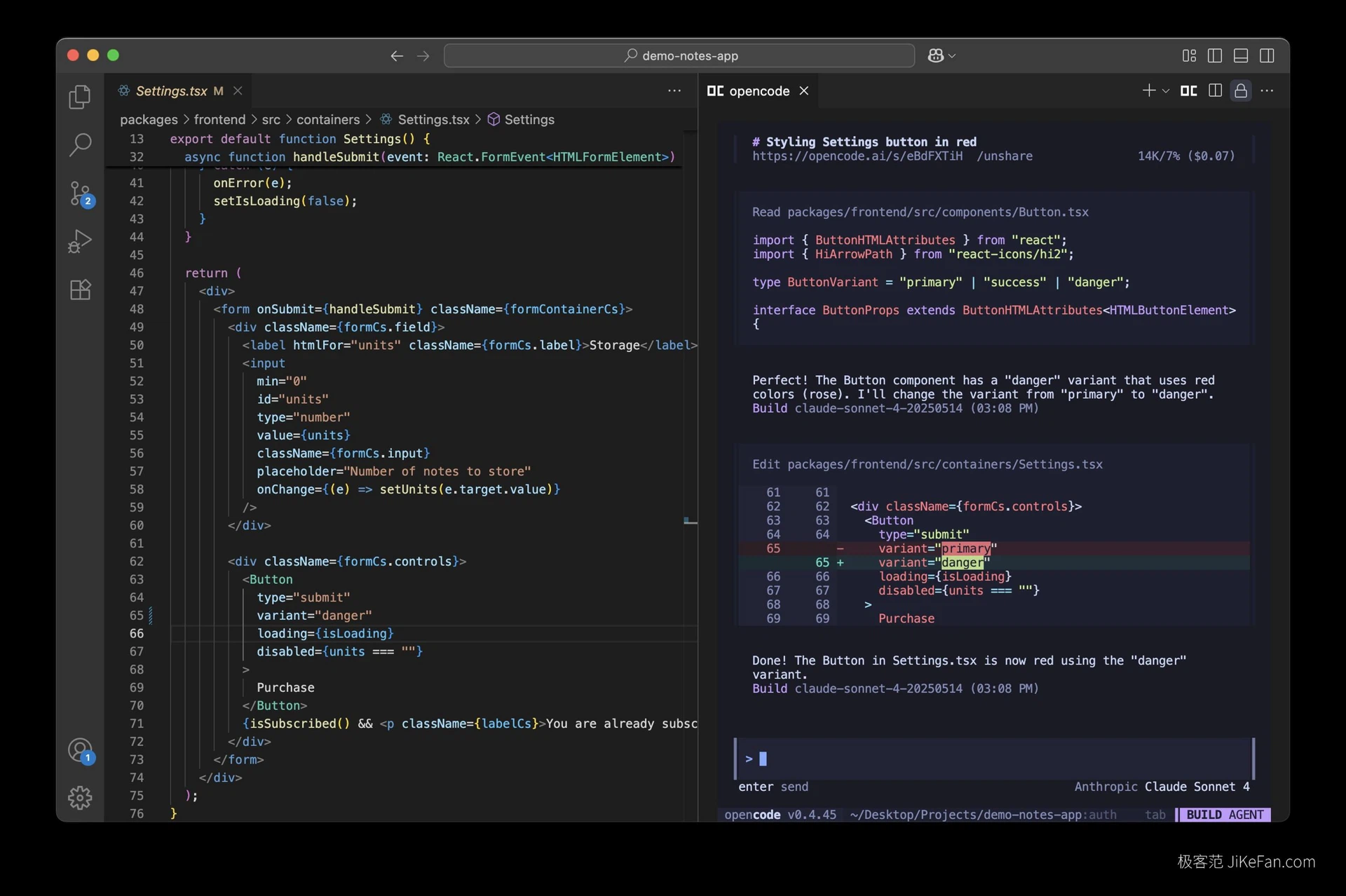
Models are a choice, and paid subscriptions are not wasted
The model layer is deliberately open. Dozens of providers are supported through a public model directory, covering most of the well known commercial models as well as open models running locally on your own machine. Some free models are built in, so the tool can be tried at no cost and switched to a paid model only when the work justifies it.
The detail that matters most to individuals is subscription reuse. Sign in with the account that already pays for a commercial coding subscription, and that subscription works inside this tool. Nobody has to buy a second membership for the privilege of a different window. For anyone already paying, it amounts to an additional client at no extra charge.
Beyond the terminal there are desktop applications for the three main platforms and extensions for several widely used editors, so the same agent can be a full-screen session or a sidebar panel beside the code it is changing.
Privacy as an architectural claim
The project states that it stores none of your code or context, which is the claim that makes it usable on company projects and sensitive repositories. The important difference from a competitor making the same claim is auditability: the entire source is public, so the statement is not something to be trusted but something to be checked. For a security review that is not a small distinction.
The built-in model service
There is also an official model service, providing a set of coding models that have been tested and benchmarked specifically for this work, which avoids the trial and error of shopping between providers. For anyone who does not want to manage API keys and does want a model known to be tuned for the job, it is the path of least resistance.
Who it is for
Developers who already live in a terminal, teams whose code cannot leave the building, people with a subscription they would rather not duplicate, and anyone who wants to read the program before letting it edit their repository. That is a specific audience, and it is a large one.