
MSI Afterburner: Monitoring and Tuning a Card That Is Not MSI
Summary
MSI Afterburner is a free graphics card utility from MSI that works with cards from almost every brand. It reads temperature, usage, clocks, power and frame rate, draws them as curves, and adds fan curves, clock offsets and profile slots for tuning.
Recommend- Name
- MSI Afterburner
- Version
- 4.6.6
- Pricing
- Free
- Open source
- Proprietary
- Operating system
- Windows
- Updated
- 2026-10-06 16:08
Built by one vendor, used on almost any card
MSI Afterburner is a graphics card utility released by MSI and given away for free. The name carries the vendor, but the tool is not limited to the vendor's own cards: the official position is that it works with graphics cards from nearly every brand, and what differs between models is which adjustments a particular card, its firmware and its power design will actually expose. The gap between an option being present and a card accepting it is the first thing to understand about the program, because it explains why two people running the same version see different sliders.
It is also why the tool ends up installed on so many machines after a build. Nothing about it requires an interest in overclocking. The readings are useful on their own, and the fan control is useful to anyone who finds a card too loud at stock settings.
Monitoring is the everyday half
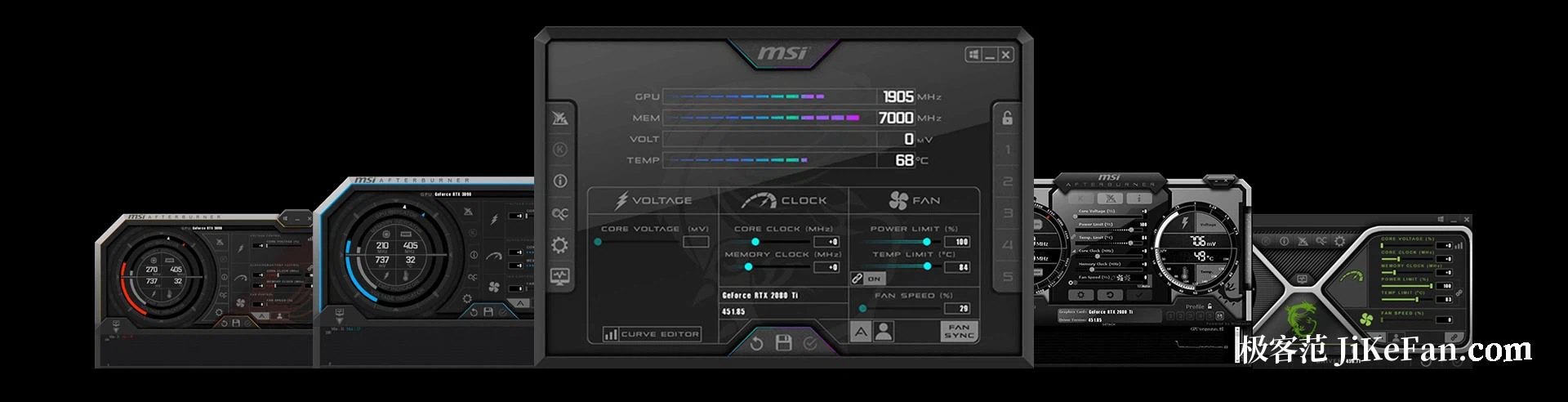
Even if the clock and voltage controls are never touched, this is a competent monitoring panel. Temperature, GPU usage, core and memory clocks, power draw, fan speed, memory usage, and inside games the frame rate and frame time are all visible in real time and drawn as curves over time. Those readings answer a specific set of questions: whether a stutter belongs to the card or to something else, whether the cooling is actually holding, whether the card runs at the clock it is supposed to run at. Overlaying the same data on the game itself requires a second monitoring component that is usually installed alongside.
A curve says more than a number. A temperature taken at a random moment tells almost nothing; the same reading plotted across twenty minutes of play shows whether the cooler is saturating, whether the fan is hunting up and down, and whether performance is being pulled back as heat accumulates.
Fans and tuning
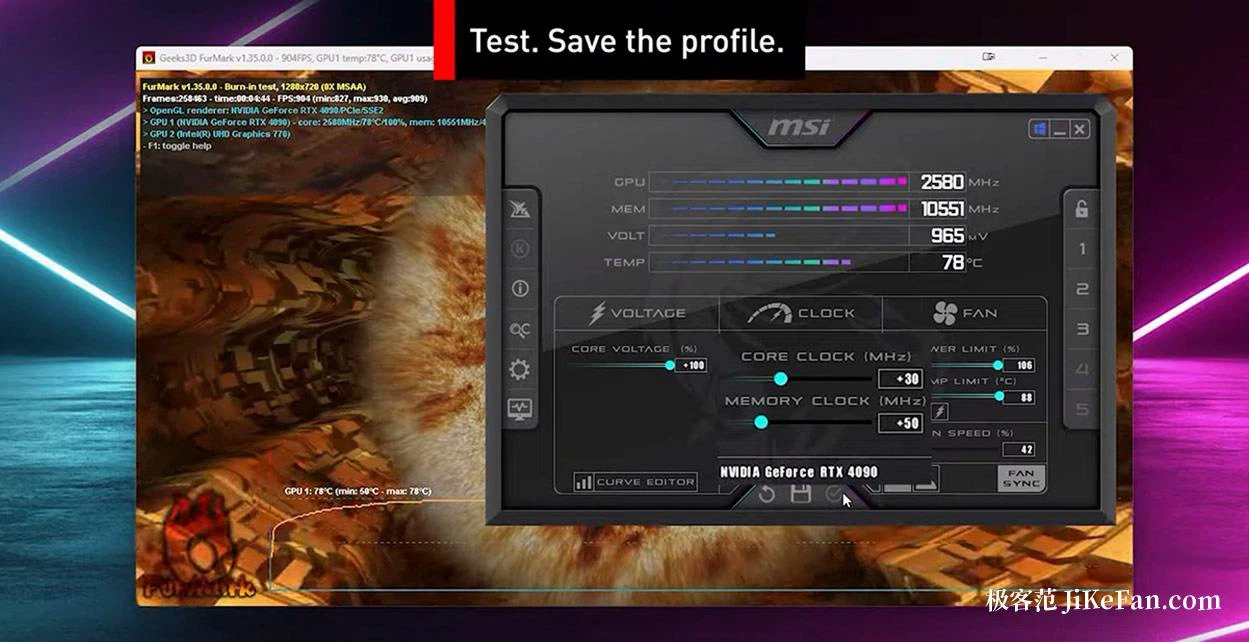
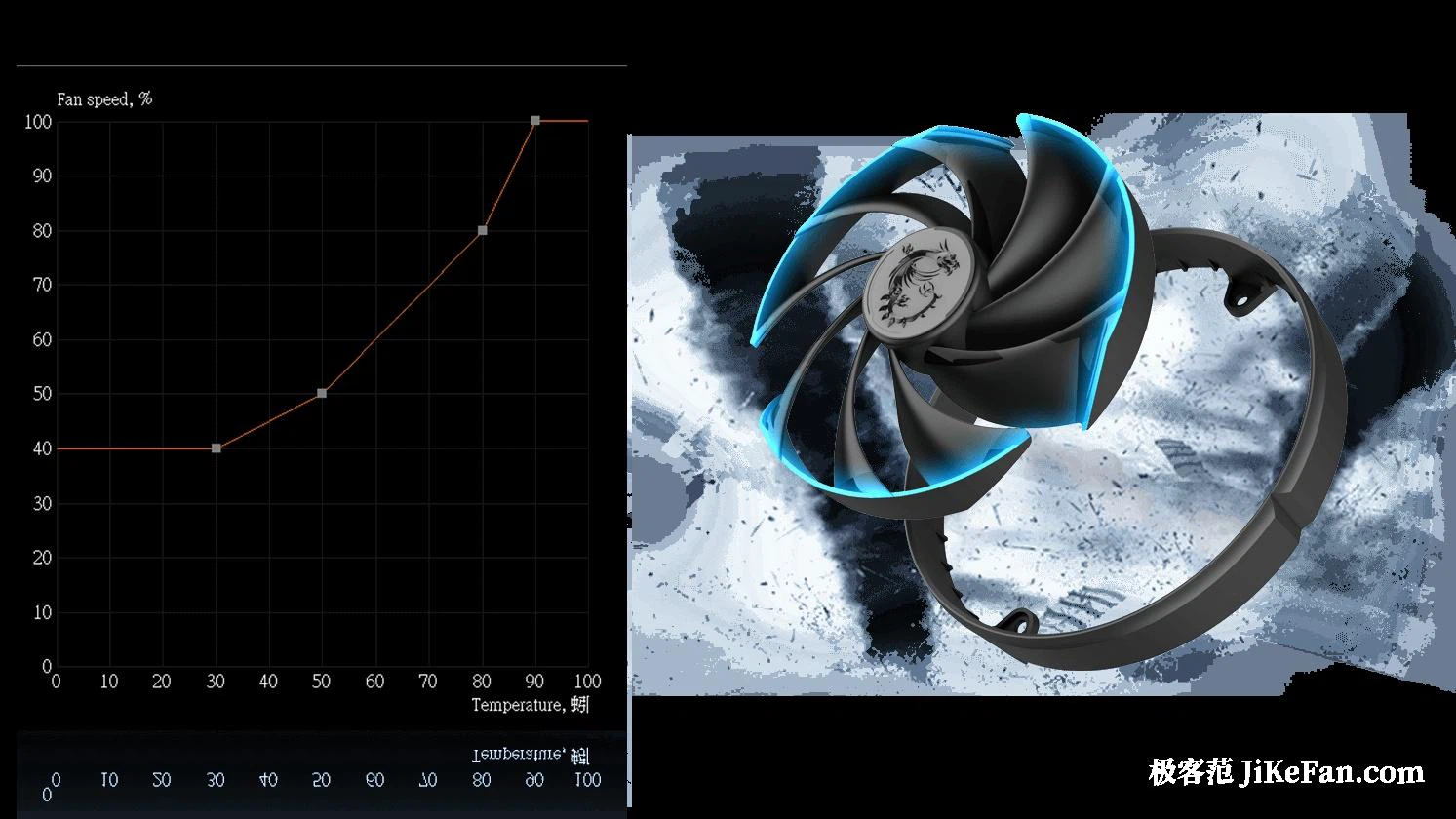
The fan section can hold a fixed speed or follow a curve drawn against temperature, which is how most people settle the trade between temperature and noise. Above that sit overclocking and undervolting: raising the core or memory clock offset to buy performance, or going the other way and lowering voltage to cut power and heat. Several profile slots are provided, so a default, a quiet and a gaming set can be stored separately and switched between at will. Some models additionally support an automatic scan that proposes a starting point for tuning.
Undervolting deserves a note of its own, because it is the less obvious of the two directions. Dropping voltage at the same clock reduces power and heat, and on a card limited by temperature rather than by its clock ceiling it can return performance instead of costing it. It is also the change most likely to look stable for ten minutes and fail in the fortieth.
Versions and caution
On versions: the release offered through the official channel is 4.6.6, and a separate test channel exists with a higher build number and more frequent updates. Anyone who wants stability should take the release build. Downloads should come from the vendor site or an authorised distribution page and nowhere else. The warning that matters is about the tuning itself: overclocking and undervolting both carry a risk of instability, so record a baseline set of readings at stock settings before touching anything, change one item at a time, run a stability test after each change, and only save the profile once it has held.
Whether or not overclocking is on the agenda, this one is worth installing: the live temperature and frame rate readings justify it alone, and a fan curve can make a machine noticeably quieter. If the clocks and the voltage are going to be touched, keep a copy of the default profile first, and change one thing per test.