
GNU Emacs: an Editor That Grew Into a Platform
Summary
GNU Emacs is a text editor maintained by the Free Software Foundation, with a history reaching back to the 1970s. A C core and Emacs Lisp extensions let editing, browsing, mail, scheduling and terminal work live in one program, and a built-in tutorial handles the steep start.
Recommend- Name
- GNU Emacs
- Version
- 30.2
- Pricing
- Free
- Open source
- Open source
- Operating system
- WindowsmacOSLinux
- Updated
- 2026-10-06 09:22
The elder of the family
GNU Emacs is a text editor maintained by the Free Software Foundation, and its history reaches back to the 1970s. It is one of the early results of the GNU project, and it is released under the GPL. The implementation explains the rest: a core written in C, extensions written in Emacs Lisp. That split decides the character of the program. The editor itself supplies a skeleton, and the abilities people actually use - editing, reading, mail, scheduling, a terminal - are stacked on that skeleton in Lisp, layer by layer, most of them shipped with it and the rest added by whoever wants them.
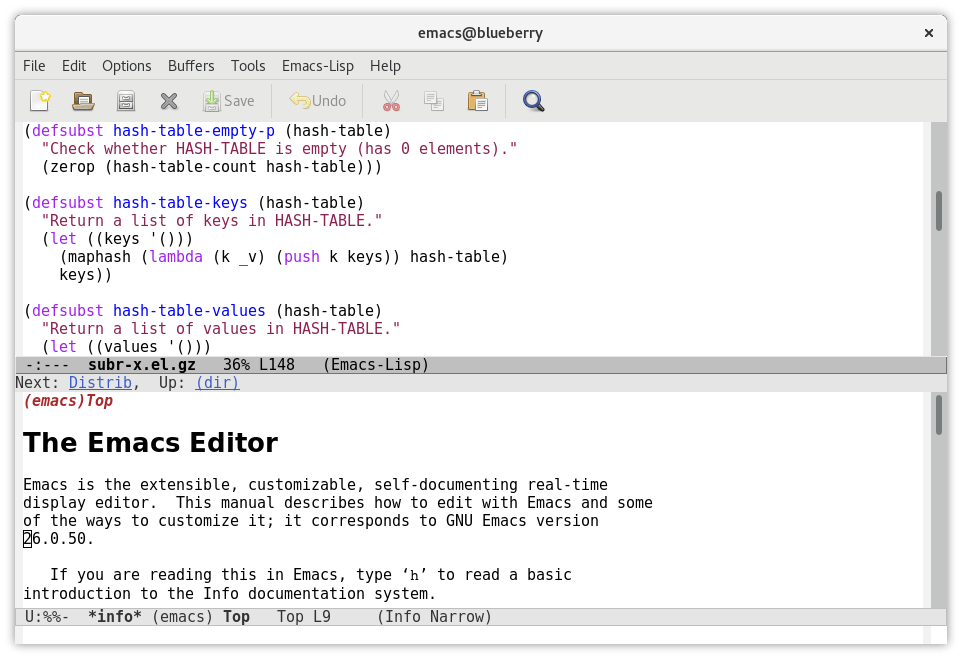
Almost anything can be put inside
The extension ecosystem is the part nobody manages to leave out. Notes and scheduling can be written in a plain-text organisation mode and exported into several other formats. Version control has a full interactive interface inside the editor rather than beside it. File management, a terminal, mail and newsgroup reading each have their own mode. A package manager turns installing an extension into a few commands, and the repositories the community maintains hold a large number of ready-made solutions. The reverse of that statement is equally true: whatever kind of editor someone wants, it can probably be configured into existence here.
That is also where the honest description of this program parts company with a feature list. Adding a capability in most editors means waiting for the vendor, or installing a separate program with its own window, its own settings and its own idea of key bindings. Here the addition arrives inside the same process, reads the same configuration file, and can call the same functions the built-in commands call. The boundary between the editor and the thing built on top of it stops being visible.
The matter of getting started
The threshold is real. The default key bindings differ from what most editors use, a great many operations are chords rather than single presses, and there are more concepts in play than the familiar open a file, edit it, save it. What softens it is documentation: a complete tutorial is built in and a new user can follow it as a guided walk from the first screen, and the reference material is just as complete, so the description of any function, any variable and any key can be looked up from inside the editor while working.
People willing to spend a few days adapting usually find the return in bulk editing and text processing, which is where the design pays off. Changing ten thousand lines by a rule rather than by hand is the kind of task this program was shaped by, and it is also the kind of task that a menu-driven editor makes tedious.
Versions
On the release cadence: the 30 series is the current mainline, and 30.2 is a maintenance update within it, published in February 2026. A pre-release of the 31 series appeared in August 2026, with the final release not yet out. Official builds are provided for Windows, macOS and Linux, and most distributions carry the editor in their own repositories as well, which means installation can be handed to the system package tooling.
What the platform framing really costs
Calling an editor a platform is usually a compliment with a bill attached. The benefit is that the program grows with the person using it, and that the growth is written in a language the program itself runs. The bill is that nothing arrives finished: a configuration suited to one person's work is a project, not a setting, and the first weeks go into building rather than writing. Both halves are true at once, which is why the recommendation depends entirely on what the machine is for. Somebody who wants to write a few lines of code and close the window is not the audience, and there is no shame in that.
Anyone who wants an editor that can grow into any shape they can imagine still has very few options, and this remains one of them. The price is a steep curve and configuration that takes time. To write a few lines of code with something handy, a lighter tool will be less work.