
Money Lover: free bookkeeping and budgets that turn entries into reports
Summary
Money Lover is a personal bookkeeping app from the Vietnamese team Finsify. It sorts daily income and spending into wallets, sets budgets with a warning as a limit approaches, and lets a wallet be shared with family. The free version includes one cash wallet.
Recommend- Name
- Money Lover
- Version
- 8.90
- Open source
- Proprietary
- Operating system
- WindowsiOSAndroidWeb
- Website
- https://moneylover.me/
- Updated
- 2026-10-16 22:59
The hard part of bookkeeping was never the writing down, it was keeping at it. Money Lover takes the approach of compressing the act of recording to a few seconds, then using budgets and reports to turn the numbers into something readable.
Putting the money in separate places first
Money Lover splits funds across wallets. The free plan gives one cash wallet for money in hand; after upgrading, wallets can be created without limit, filed separately for personal spending, household costs, work expenses, savings and credit cards. The official documentation sorts wallets into four kinds, namely basic, goal, linked and credit card, with the goal wallet used to track progress toward a savings target.
The advantage of keeping them apart is that the accounts stay independent. Mix everyday spending with shared household costs in one ledger and after a while it becomes impossible to say what a given category actually cost; with separate wallets, each has its own balance and entries, and they are combined only when you want the whole picture.
Seconds per transaction
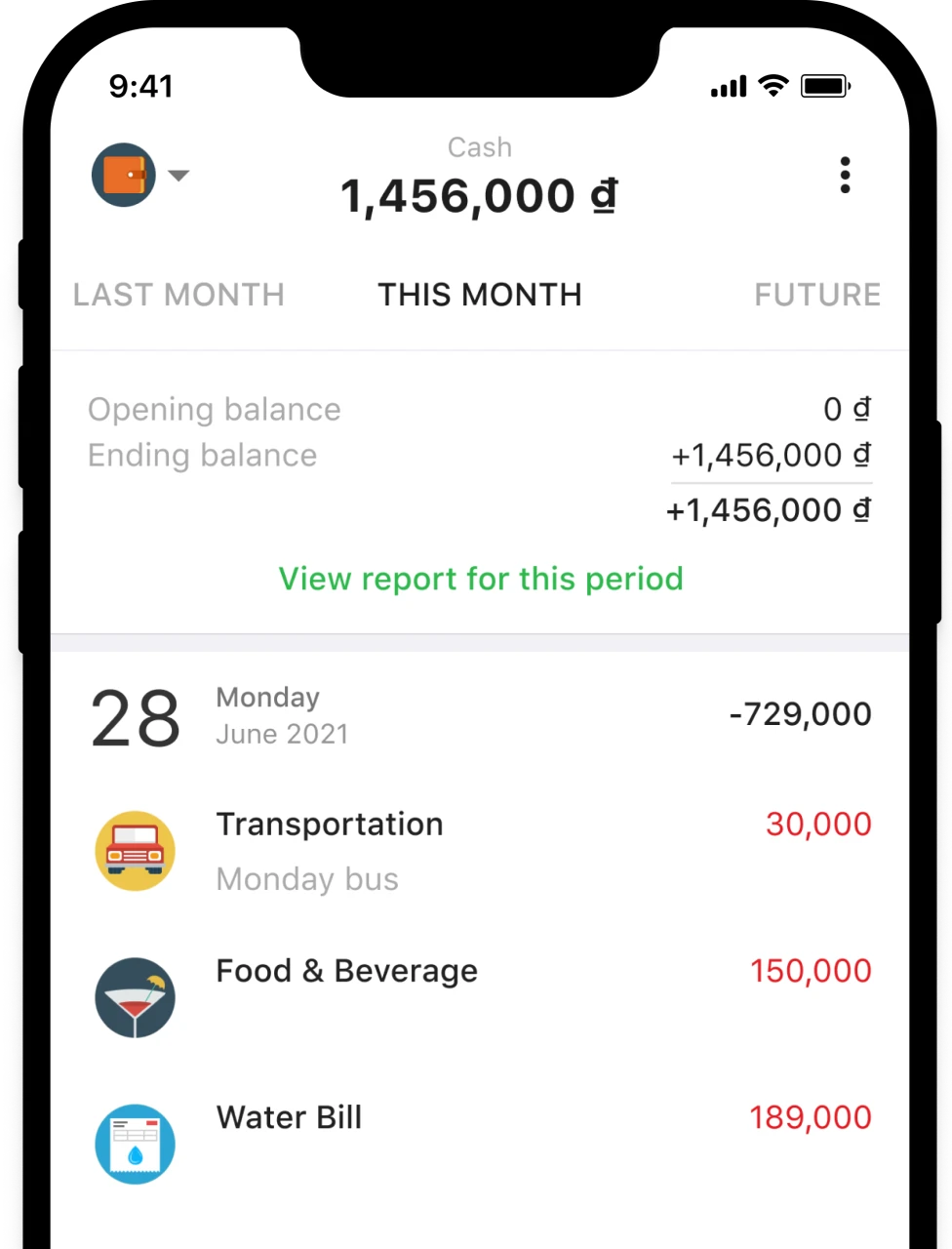
Recording a transaction compresses to two steps, entering the amount and picking a category. Ready made categories such as transport and meals are provided, and new ones can be created to match your own habits; income and spending share one category system, so incoming items such as salary or a gift can be classified too. For anyone who would rather not type entries by hand there is another route, namely connecting a bank account so it syncs automatically.
Budgets, and a warning at the right moment
Budgets are set per spending category. Once a limit is set for a category and applied, the app gives separate notices when the limit is nearly reached, when it has been passed, and while there is still room. The documentation says the paid plan allows several sets of budgets per category.
Recurring transactions sit alongside the budgeting. Fixed costs such as rent or a subscription can be entered as repeating items and a reminder arrives before the due date, so that forgetting does not create an unplanned expense.
Reading the numbers as a picture
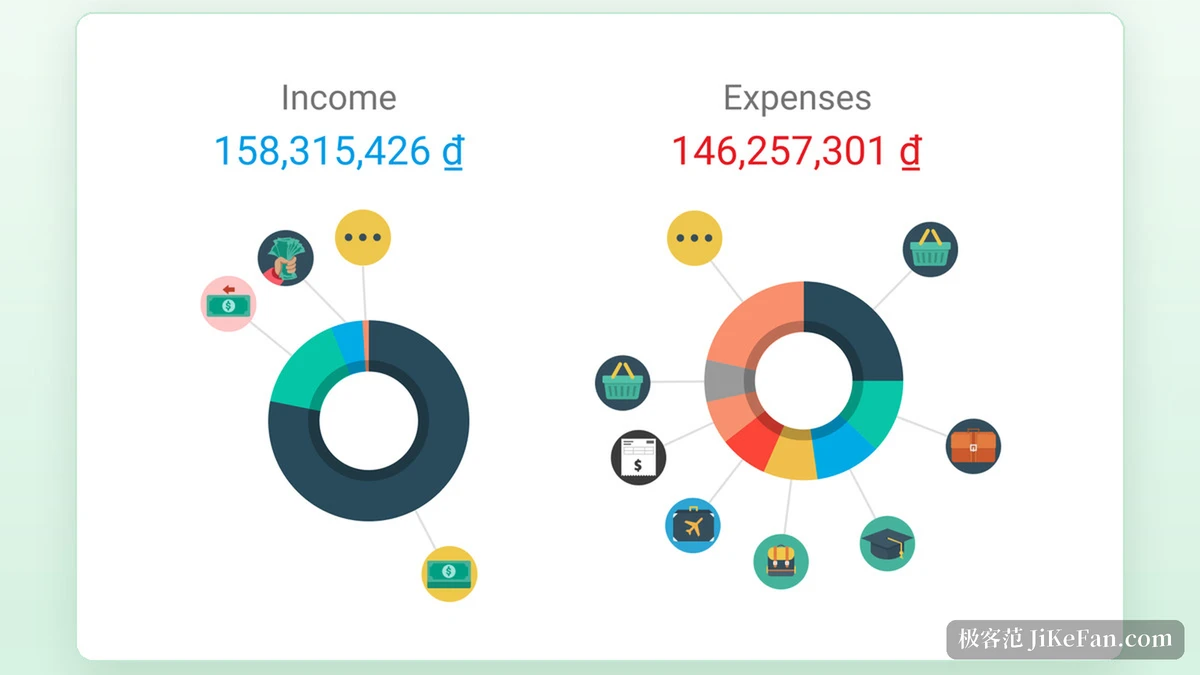
The report page gathers income and spending for a period in one place: opening balance, closing balance and net income each take a row, and a category report splits income and spending by category with a trend against the three month average. To see whether a category is quietly climbing, this chart is enough.
Sharing a ledger
Shared wallets are meant for two or more people keeping books together. The owner selects a wallet on the account page and adds a member by entering the email of the other account and sending an invitation; once the other side confirms on their own account page, the wallet appears in their list.
The permissions are drawn clearly: only the owner can add, edit or delete a group, and deleting a wallet or removing a member is likewise the owner job; a member can leave at any time. Two boundaries are spelled out as well, in that money in a shared wallet does not count toward a member own total, and budgets are not shared between members.
Sync, currencies and platforms
Syncing across devices is a basic capability, and the documentation says the process uses bank level security. Travel mode handles several currencies, converted at the current rate, which suits people who spend across regions often.
Linked wallets are a separate service: connect a bank account and the entries update on their own, usually refreshing every six to eight hours. That service is billed monthly and sits on a different product line from the paid plan; the connection is read only, the app has no authority to move money, and data is stored encrypted with RSA-2048.
Who it suits
Someone just starting work can use it to separate fixed costs from flexible ones and watch the monthly surplus; a couple can share one wallet, each recording their own spending, and look at the total together; anyone who still uses cash can keep small outlays straight with the cash wallet. Who can see the data is set by the user, public or not as they prefer.
Item | Official information |
|---|---|
What it is | Personal bookkeeping and budget management |
Developer | Finsify, based in Hanoi, Vietnam |
Platforms | Android, iOS, Windows and the web |
Wallet types | Basic, goal, linked and credit card |
Free plan | One basic cash wallet, with recording, budgets and reports |
Paid plan | Unlimited wallets, several budgets per category, export, no ads |
iOS version | 8.90.0 |
A bookkeeping tool was never there to solve arithmetic, it is there for the moment when nobody remembers to record anything. When recording is light enough and feedback quick enough, where the money went stops being an impression pieced together from memory.