
DigiCal Calendar spreads a week across seven different views
Summary
A third-party calendar for Android that offers seven views and six home screen widgets, syncs the calendar services the phone already supports, and can subscribe to weather and public calendars; the free tier already covers ordinary scheduling.
Recommend- Name
- DigiCal Calendar
- Version
- 20261012
- Pricing
- Free
- Open source
- Proprietary
- Operating system
- Android
- Website
- https://www.digibites.nl/digical
- Updated
- 2026-10-13 11:23
What makes an agenda tool good is not how many entries it can hold, but whether one look shows how the coming week runs.
Why a calendar is still worth choosing
The calendar that comes with a phone is usually adequate, and the reasons people switch tend to be two. One is density: a week of commitments takes several screens to read. The other is visibility: the desktop shows nothing, so the next thing only appears after opening the app. DigiCal Calendar is a third-party calendar for Android, positioned on the developer's site as clean in interface and quick to learn, which lands directly on those two complaints.
Its sync is undemanding. Add the calendar accounts already in use and the events flow into one interface. The official note says it syncs the calendar services supported on Android, which means no migration of existing schedules, and no switching back and forth between accounts.
Views, widgets and what can be subscribed
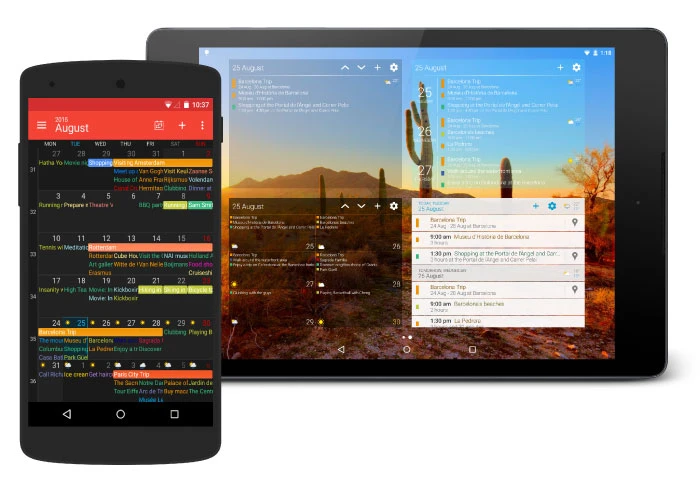
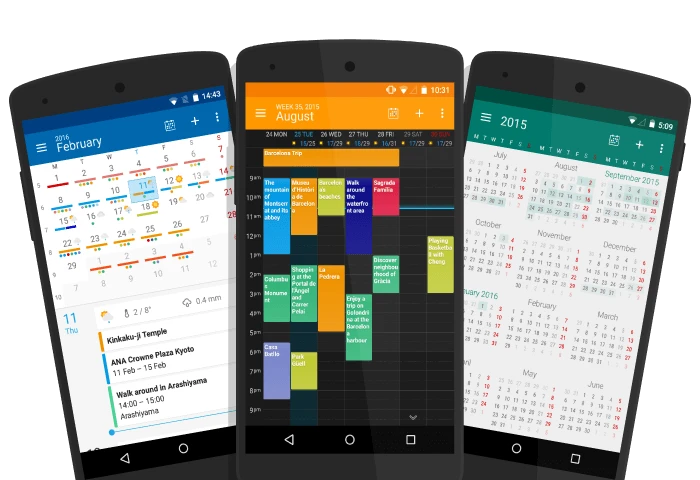
The views come generously: the official count is seven, covering day, week, agenda, month, text month, list and year. The same schedule can be read at different granularity, with the year view for long range planning and the day or list view for the next few days, and switching costs almost nothing.
Home screen widgets carry real weight too, six customisable layouts with nine preset themes. The themes are matched to the different layouts, and picking one close to the wallpaper and icon style makes the whole desktop look tidier. What widgets solve is visibility: no opening the app, just a glance at what comes next.
Two kinds of subscription are genuinely useful. One is weather. A basic forecast is already folded into the calendar and the widgets, so planning something outdoors does not require switching apps; for a longer horizon, or details such as rainfall and temperature curves, the advanced weather service adds a fourteen day forecast. The other is public calendars, which the official page puts at more than five hundred and sixty thousand entries covering holidays, sport and television listings, appearing in the schedule once subscribed. Adding an address to a new event has been smoothed as well, with autocomplete on the location field.
Where the free layer stops
The app installs free from the store, and the main body is inside that: creating events, switching views and using widgets all sit in the free range. Extended needs split into two levels, with more widgets and customisation options, and the longer weather forecast, unlocked through in-app purchase and subscription respectively. The official page puts both alongside each other, so the structure is visible before starting.
Which to pick depends on what the app is for. To pull several calendars into one view, free is enough; if the day's rhythm depends on widgets all year round, unlocking more layouts is worth considering. One thing to check: calendar sync runs on Android's calendar services, so confirm your own service is recognised by the system before adding the account.
Item | Official note |
|---|---|
Platform | Android |
Views and widgets | seven views, six customisable widgets, nine preset themes |
Sync | the calendar services supported on Android |
Weather | basic forecast built in, fourteen day forecast under the advanced subscription |
Pricing | free install, with in-app purchase and subscription alongside |
The test for a calendar is plain: the next thing should land in sight without being hunted for.
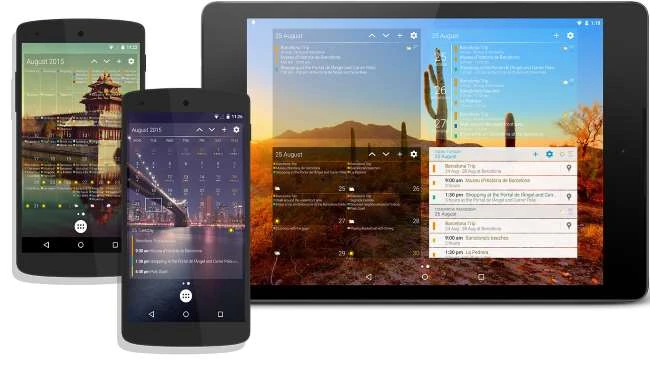
A practical order: add the accounts you actually use first and confirm events arrive, then tune widgets and themes; if the desktop is where the day gets checked, put the day or list view there; weather and public calendars are extras, worth subscribing only when they earn it.