
Monarch Money: bank and investment accounts gathered in one view
Summary
A personal finance service that pulls bank, credit card, loan and investment accounts into one picture, with flexible and category based budgeting plus net worth tracking. The core plan runs on an annual subscription, shared views and transaction rules included.
Recommend- Name
- Monarch Money
- Version
- 20261013
- Pricing
- Paid
- Open source
- Proprietary
- Operating system
- WindowsmacOSLinux
- Website
- https://www.monarch.com/
- Updated
- 2026-10-15 21:49
Each institution knows its own slice. Add the slices together and the picture gets blurrier, not clearer.
After the accounts have scattered
Money ends up in several places almost by default. Salary lands at one bank, a card runs at another, a mortgage sits with a lender, and whatever is invested lives somewhere else again. Every one of those apps shows its own corner accurately and none of them shows the whole: what the month actually cost, whether debt is up or down on the quarter, what will be left at the end of the year. Answering that usually means spreading several statements on a table.
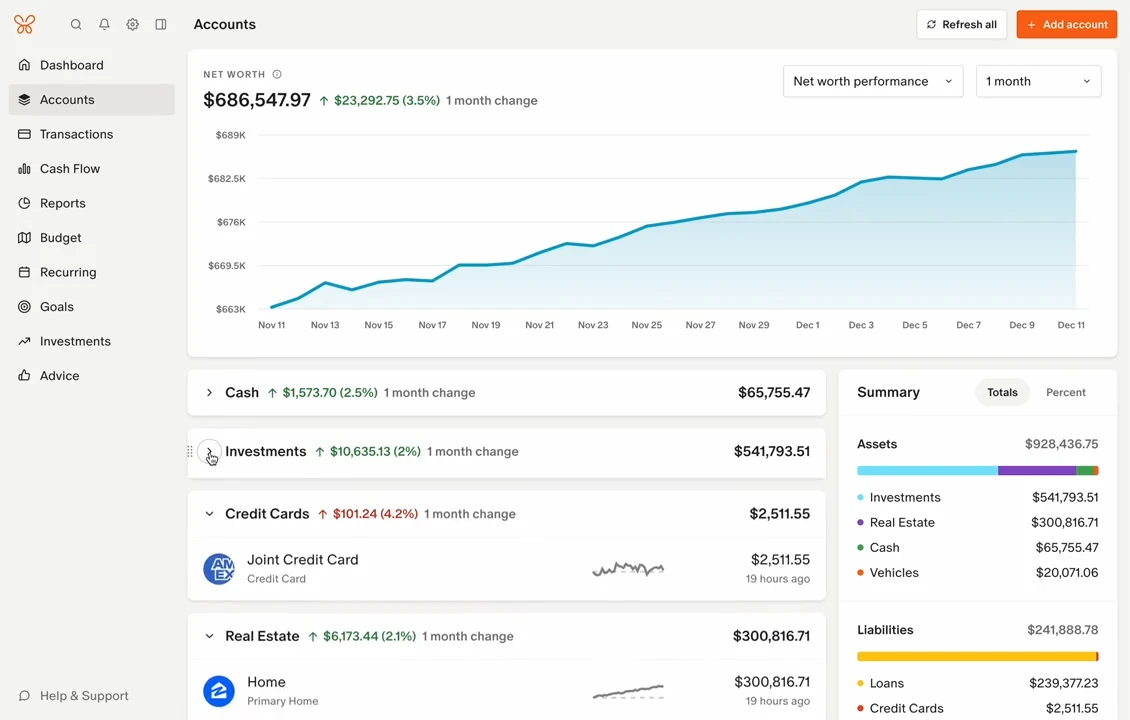
Monarch Money works on that gap. The official description frames it as tracking, budgeting, planning and managing in one place, and the method is to link the accounts first: banks, cards, loans and investments, so what appears is a full snapshot rather than one category. Balances and spending trends share a single panel, so comparing months does not mean switching windows.
The commercial shape deserves stating plainly. This is a paid subscription, with a core plan priced as an annual figure, billed monthly or yearly. It serves users in the United States and Canada, because linking depends on local financial institution interfaces; elsewhere it is not usable for now. A trial period is offered, and trying before committing is the sane order of operations.
Budgets, rules and the net worth line
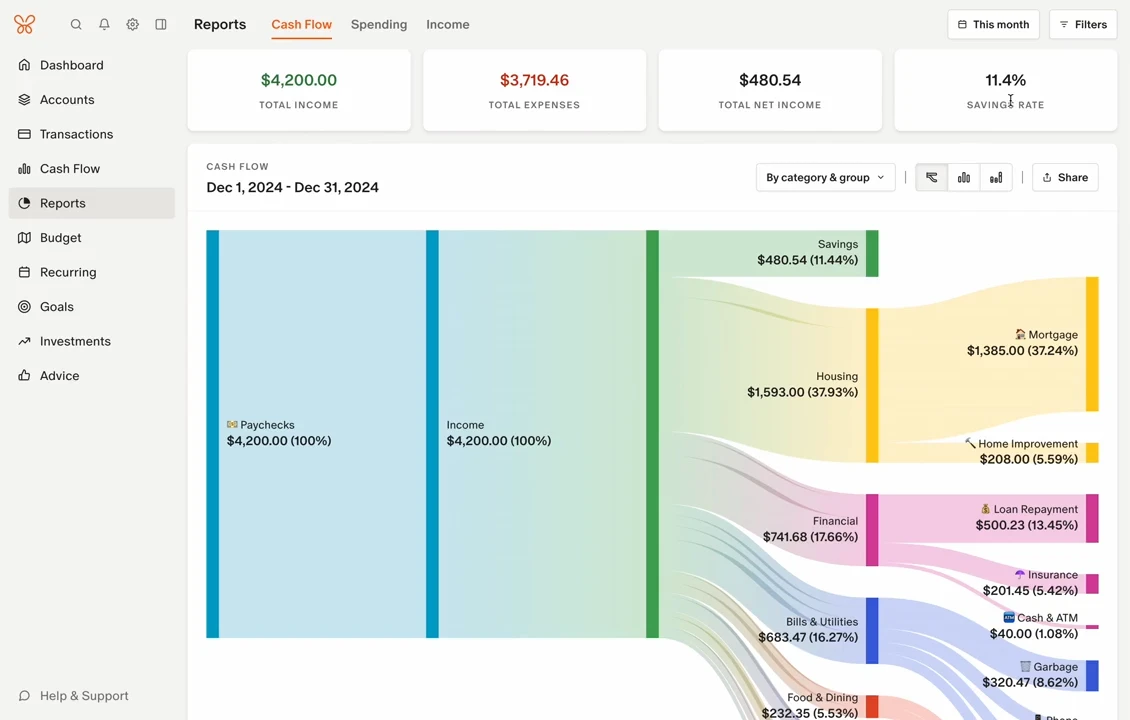
Budgeting comes in two flavours. Category budgeting assigns an amount to each category, which suits anyone who wants control item by item. Flexible budgeting sets one total and lets categories borrow from each other, which suits spending that does not repeat neatly. The choice is really a choice of habit: whether the worry is a single line going over or the sum going over.
On transactions, the service sorts entries into categories and lets rules handle the same kind of entry automatically afterwards. The value of that grows with volume, because classifying a long statement by hand is slow work, and once rules are set the counting stays consistent, which is what makes month to month comparison mean anything. The net worth view places assets and liabilities on one timeline, so the question becomes the direction of travel rather than a single month figure.
Shared living is covered too. A shared view lets a partner or family member see the accounts and budget portions they need. Plenty of people have overlapping finances without wanting every detail exposed; opening selected views is clearer than sharing one login, and it lets each person keep a boundary.
Prerequisites and points to watch
The mechanism is straightforward: link accounts, read transactions. Before starting, two things are worth deciding deliberately, namely which accounts a third party service should be allowed to read, and what happens to that data afterwards. The official pages address both, and a few minutes spent there before linking anything is time well used.
It also helps to be clear about what the tool is. It records and presents; it gathers scattered information and makes the shape of income and spending visible. It does not decide anything for the user and promises no outcome. Arrangements involving large sums still call for personal judgement and, where needed, a licensed professional.
Item
Official information
Form
Online service with web and mobile clients
Account range
Banks, credit cards, loans and investments
Budgeting
Flexible and category based
Main views
Net worth trend, balances and spending, shared view
Price
Subscription; core plan billed annually
Regions
United States and Canada
Only when several accounts sit on the same chart can anyone tell whether the year moved forward or just went round in circles.
Practical notes: link the two or three accounts used most, run it for a while, and add the rest once synchronisation proves accurate; build the automatic rules early, since monthly reconciliation gets much shorter afterwards; open shared views selectively and keep personal accounts private; and treat the whole thing as a way to understand your own structure, not as a basis for decisions.