
Kdenlive 26.08: an open source editor that covers all three desktops
Summary
Kdenlive is the non-linear video editor built by the desktop community behind the K suite, running on Windows, macOS and Linux with the same project file. Multi-track timeline with nested sequences and automatic backups, proxy editing on modest machines, multicam and three-point editing, a mixer with voiceover recording, automatic subtitle transcription, and hundreds of keyframable effects. Version 26.08.1.
Recommend- Name
- Kdenlive
- Version
- 26.08.1
- Pricing
- Free
- Open source
- Open source
- Operating system
- WindowsmacOSLinux
- Website
- https://kdenlive.org/en/
- Updated
- 2026-10-06 20:53
The standard answer for editing on any of the three systems
Ask what to use for free video editing that runs everywhere and the same name keeps coming back. It is a non-linear editor built by a volunteer community around a desktop suite, the name itself is shorthand for exactly that, and the video engine underneath is a separate framework that the same team maintains. Releases follow the suite's monthly rhythm, which means fixes arrive at a pace commercial products rarely match and features appear without a marketing campaign.
What matters practically is that the project file is portable. A cut started on one system opens on another with the same timeline, the same effects and the same missing-file dialogue, which is the real test of a cross-platform editor and the point where many of them quietly fail.
Timeline, media, and machines that are not fast
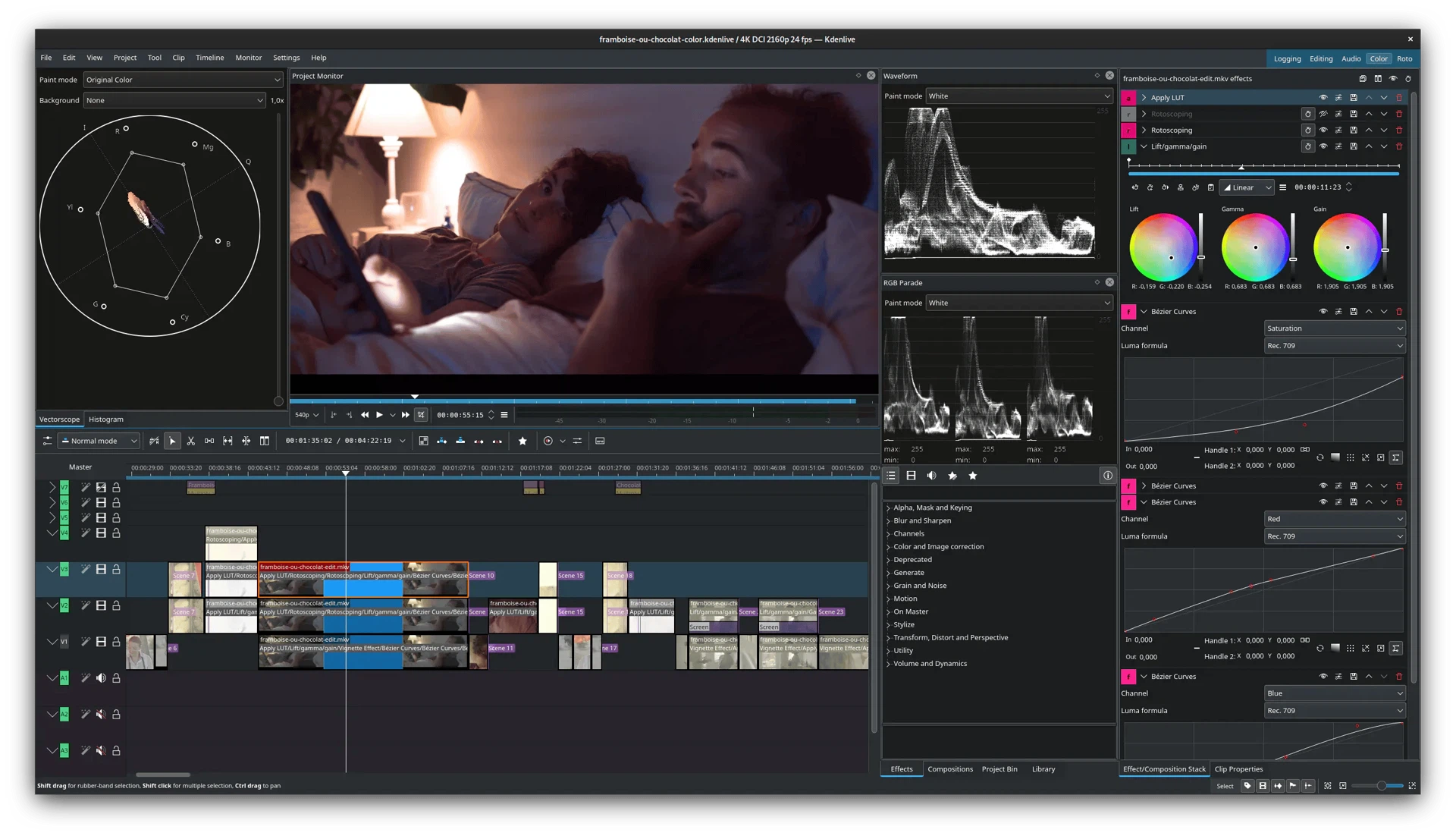
The timeline takes as many tracks as the project needs and supports nested sequences, so a title sequence or a repeated opening can be edited once and placed as a single block. Markers keep notes in place, and automatic backups mean a crash costs minutes rather than an evening.
Media management is organized around bins with tags and filters, which is what makes a shoot with several hundred clips workable at all. The feature that saves older hardware is proxy editing: the editor generates lightweight copies for playback and switches back to the originals for the final render, so a laptop that cannot decode the camera files in real time still cuts them smoothly.
Professional habits, and the audio side
Multicam editing and three-point editing are both covered, which is the line between a tool for trimming clips and a tool for assembling a scene. Multicam lets several angles of the same take be synchronized and cut by clicking between them; three-point editing sets in and out points on the source and drops the result at a chosen point on the timeline without dragging.
Audio gets more attention than in most free editors. There is a mixer with per-track levels, a voiceover recording function that captures narration while the timeline plays, and a spectrum display for finding the frequency where a hum lives. For interview work and screen recordings, that combination removes the need to leave the program for a separate audio step.
Subtitles, graphics, and colour
The subtitle tool can transcribe speech automatically and turn the result into a subtitle track, which is the single largest time saving in the whole application for anyone who publishes talking-head video. Motion graphics are handled by a companion drawing program that plugs into the editor, so animated titles can be built rather than bought.
Hundreds of audio and video effects and transitions ship with it, all of them keyframable, and the colour tools include a histogram and a vectorscope. Those two are what separate guessing from measuring: a vectorscope shows at a glance whether skin tones have drifted, which a preview window on an uncalibrated monitor will never tell you.
Version
The current release is 26.08.1, published on 11 September 2026. It is the first maintenance build of the 26.08 series and concentrates on a batch of crash fixes, which is exactly what a first maintenance release should do. The 26.08.0 before it brought track reordering, copying a timeline selection into a new sequence, snapping in the subtitle editor and rounded rectangles among other things. The project is licensed under the GPL, and packages for all three systems, including portable and sandboxed formats for Linux, are available from the official channels.
Who it suits
For a vlog, a course video or a short film, the feature set here is no longer the compromise it was a few years ago. What it lacks is the last layer of polish and the ecosystem of plug-ins and templates that commercial tools sell; what it offers instead is no watermark, no export limit, no licence server, and a community that answers questions in public. That trade is worth making for a great many people.
The progress of open source editing over the last few years is visible, and this project's completeness is enough to carry real work. Put "free, cross-platform, no watermark, active community" together and it earns a place on the shortlist.