
Ardour 9.8: keys and scales arrive, and a note that falls outside gets marked
Summary
Ardour 9.8 brings keys and scales into this open source digital audio workstation: notes outside the scale are marked in the piano roll and may be corrected per track. A crash during recording now recovers what was captured, losing at most five seconds.
Recommend- Name
- Ardour
- Version
- 9.8
- Pricing
- Free
- Open source
- Open source
- Operating system
- LinuxmacOSWindows
- Website
- https://ardour.org/
- Updated
- 2026-10-21 12:31
Recording, editing, mixing and mastering in one window, on Linux, macOS and Windows, with the source open. Ardour has held that shape for about twenty years. Version 9.8 adds something the program never had: an opinion about which notes belong to the piece.
One line from capture to export
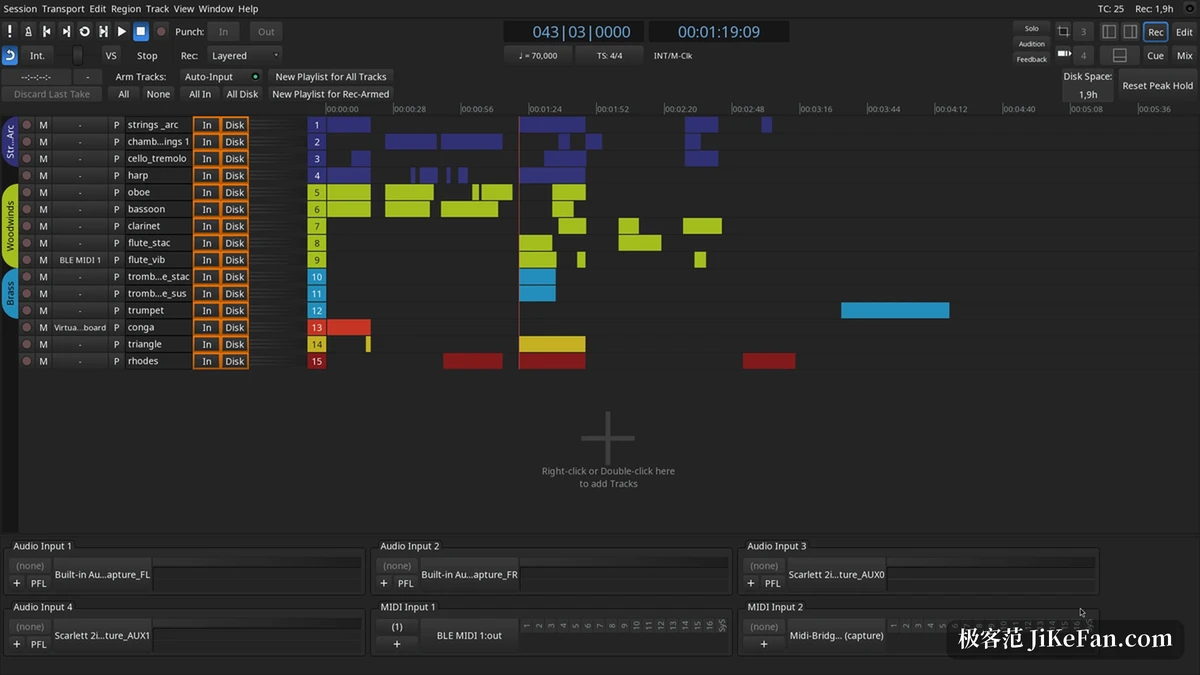
Ardour splits work into views along the stages of a session. The recording view opens several inputs at once, the editor holds audio and MIDI regions, and the mixer gathers faders, panning, plugins and sends onto one screen. All three share a single timeline, and switching between them does not interrupt playback.
Underneath, processing runs at floating point precision and nothing caps the number of tracks, buses, sends or plugins. The official wording is that the real ceiling comes from the processor, the audio interface and the disk. The documentation also offers a rule of thumb: on a modern machine, two dozen tracks with a little equalisation and compression each, plus a reverb on the bus, runs fine as long as the latency demand stays reasonable.
Five plugin formats are supported. Anyone writing effects can build them from the built in DSP functions, repeating work can go to Lua scripts, and the whole session can be driven from outside over OSC.
Keys and scales, the point of 9.8
This release appeared on 23 August 2026, and the announcement marks exactly one item as the main new feature: initial support for keys and scales.
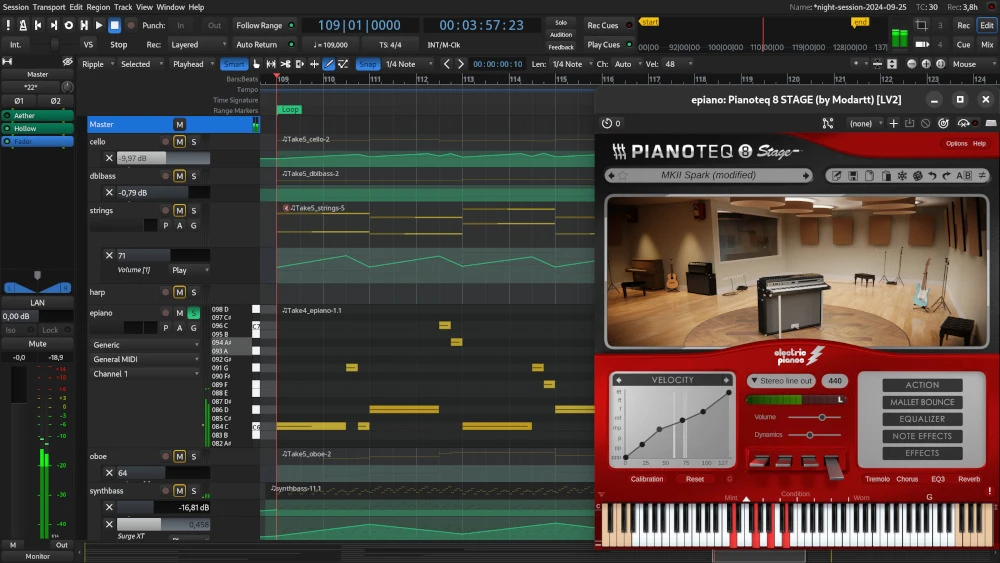
What it does is turn the question of whether a note belongs to the current key into visible information. Notes that fall outside the scale are marked in the piano roll, so a wrong step shows up while writing. Anyone who finds the marking noisy can switch it off; the vendor made both the visual hint and the correction of MIDI input options that are switched on per track.
Ownership of the key is layered. The session holds a default, and a single track may override it. The scale editor hangs off the context menu of the track header, and once a key and scale are chosen the interface draws the positions of that scale on the twelve tone circle. A table beside it enforces the choice: it can forbid drawing further notes outside the scale, or pull a performance back into the scale in one of three ways while playing a MIDI keyboard.
The vendor calls this an initial implementation and lists three things still to come: extending the tuning system beyond twelve tone equal temperament, supporting key changes along the timeline with the visualisation following, and loading SCALA files, for which the groundwork is already laid. Scala support existed on the feature page before; the microtonal line is simply continuing.
The take survives the crash
A crash in the middle of recording used to mean the take was gone. Version 9.8 made recovery solid: after a crash the recorded audio comes back correctly, at most five seconds are lost, regions land back in their places, and it works the same in loop recording and in punch recording.
Some formats cannot be read while they are still being written, FLAC and broadcast wave among them. When that happens Ardour extracts what was written into a new file and fills in the information a broadcast wave should carry. As a precaution the original half finished file stays where it is and is not deleted.
Region recording and the MIDI tools
Region recording now gives at least two bars of count in, displayed inside the region editor if that window is open. Recording starts as the count in begins, and the region start is aligned to the right place afterwards, which makes it easy to nudge the boundary by hand; holding Shift and the control key and dragging moves both boundaries together and keeps the region length.
The chord area of the MIDI tools gained an arpeggio option, which spreads a chord out instead of stacking it in one go. The whole MIDI tool page moved into a scrolling window and the editor list can shrink far down, so a narrow screen no longer squeezes the timeline out of sight.
One drawing fault is fixed as well: starting an automation curve with a straight line and then changing direction used to draw in both directions at once, and no longer does.
Scoring and sync
Video imports onto a dedicated timeline, the editor shows a frame by frame view locked to audio and MIDI regions, and the built in monitor aligns to timecode. A finished picture can have its original sound pulled out, muted or re-recorded, then exported as a dubbed version.
Linear timecode improved too: the transport dialog still reports a position when the timecode stops, the session locates to static timecode to cut the wait for sync, and recording continues after the timecode drops out for a moment. Anyone recording live against an external clock will find those points more useful than they look. Across several machines, linear timecode also lets the work be split up.
The money side: open source, paid binaries
Ardour is released under version two of the GNU General Public License, the source is public, and anyone can take the complete code. The vendor splits the ways to get it in two: a finished package that runs once installed, covering all three systems and costing money, or building the source yourself, which is free and which the vendor says outright can be quite a struggle, with no help offered for the build.
Put another way, the code is free and the convenient build is paid. That model has kept the project alive for about twenty years without subscriptions or bundling, with the first copyright line going back to 2006.
Surfaces and extensions
The built in non linear sequencer can fire regions from a Novation Launchpad or an Ableton Push 2, so a live set need not depend on a mouse. Version 9.8 adds support for the Launchkey Mk4 88, marked as not thoroughly tested, brings a MIDNAM description for the Arturia Drumbrute, fixes initialisation and reconnection on Mackie consoles, and widens the OSC thread pool while adding a method for inserting sections.
On the plugin side this release fills in LV2 and VST3 details: LV2 string parameters gained an interface, and VST3 gained the lib64 search path on Linux and the network path on macOS. These are low level changes that nobody notices day to day, and that everyone notices when something breaks.
Trade-offs to know in advance
The interface is dense and the menus are long, so a first launch easily loses people. The mixer and editor are organised through context menus and drag and drop, and anyone arriving from another program has to learn the muscle memory again. A user manual, a getting started guide and video tutorials exist, so the route is clear, it just takes time.
It also leaves the complexity with the user: no assumed workflow, no hidden options, no decisions made on your behalf. People who like that call it transparent, people who do not call it hard to learn, and both are describing the same thing.
The interest in Ardour 9.8 gathers on one point: keys and scales turned into a visible constraint, with an off key note lit up while writing and the decision to correct it left to each track. Crash recovery and region recording are the practical improvements, and scoring, plugins and controllers are routine polish. For a workstation with no track ceiling whose source can be changed, this remains one of the few options that still allows it.