
HWiNFO: Thirty Years of Reading Hardware Without Guessing
Summary
HWiNFO reads hardware rather than guessing at it: processor identifiers and microcode revisions, memory timings, power limits, disk health data, and sensor values refreshed fast enough to watch. A free tier carries the core, and a paid tier adds headless and remote work.
Recommend- Name
- HWiNFO
- Version
- 20250628
- Pricing
- Free
- Open source
- Proprietary
- Website
- https://www.hwinfo.com/
- Updated
- 2026-10-06 20:30
A reading you cannot trust is worse than no reading
Hardware monitoring looks like a solved problem until a value is wrong. A temperature reported ten degrees too low turns a thermal problem into a mystery. A power figure taken from the wrong register makes an inefficient configuration look fine. A fan speed that never changes may mean a fan that never changes or a sensor that stopped being read, and the two have nothing in common except the number on screen. This is the reason a program of this kind lives or dies on accuracy rather than on features, and the reason HWiNFO has been worth installing for nearly three decades.
The tool is a hardware analysis and monitoring program for Windows machines, maintained by a developer in Slovakia since the middle of the nineteen nineties, with a build history long enough that a version for an operating system nobody uses any more still exists for people who need it. That longevity is not nostalgia. It means the identification tables behind the readings have been corrected by three decades of machines that reported something unexpected.
Reading the machine rather than summarising it
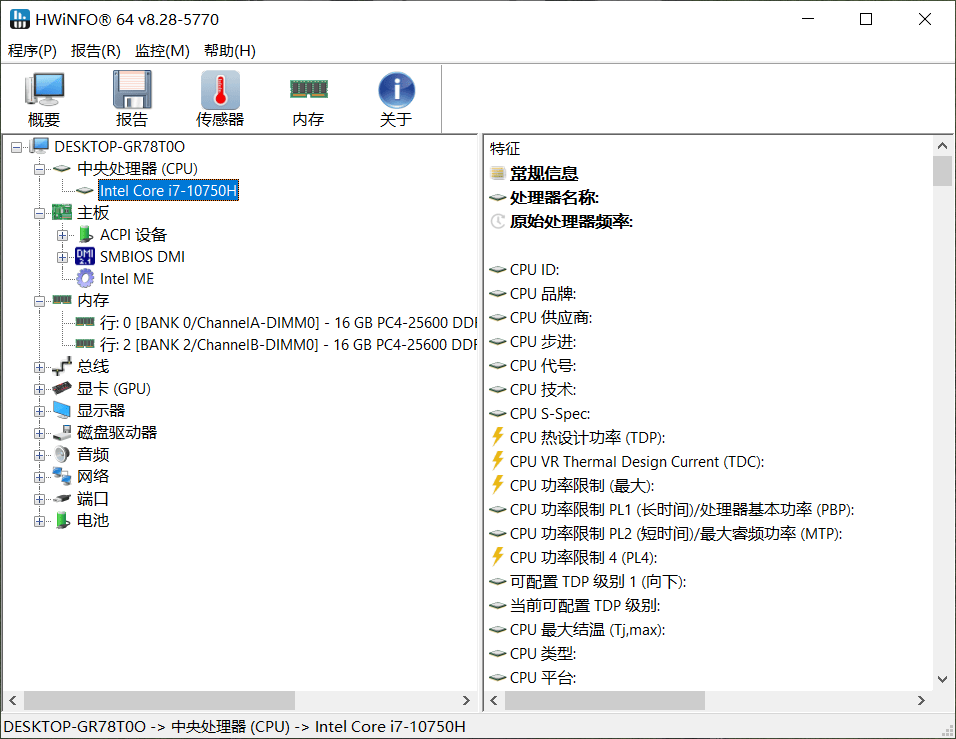
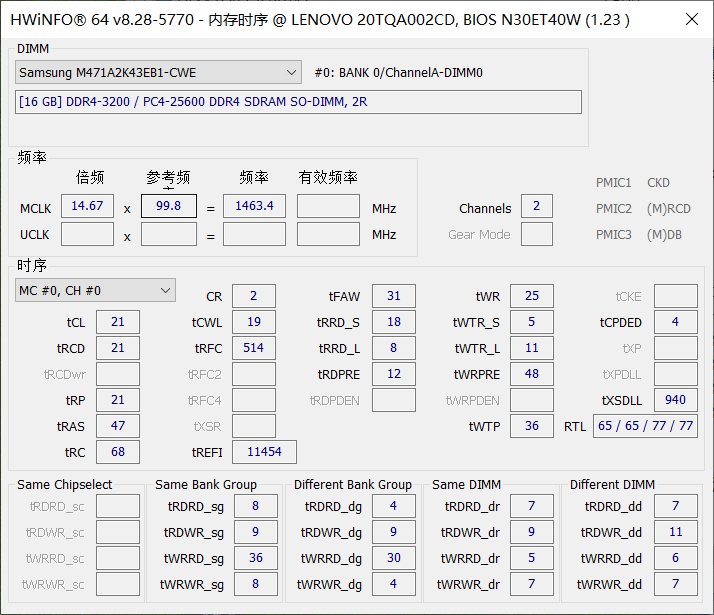
The first layer is identification, and its depth is the part that separates this kind of program from the summary panel in an operating system. It resolves the processor model and the microcode revision it is running, the memory timings actually programmed rather than the timings advertised on the packaging, the power ceiling the graphics processor will accept, and the health data the drive itself keeps about its own wear. Those are not decorative details. The microcode revision decides whether a documented erratum applies. The programmed timings explain a machine that crashes under load and passes every test when idle. The drive's own counters are the only honest warning before a failure.
Coverage is broad enough to be practical: the same program runs on current systems and on installations old enough that their owners keep them for a single instrument or a single piece of software, in both installed and portable form. A portable build matters more than it sounds, because the machine that needs diagnosing is often not the machine one is allowed to install things on.
Sensors fast enough to watch, alarms that are worth setting
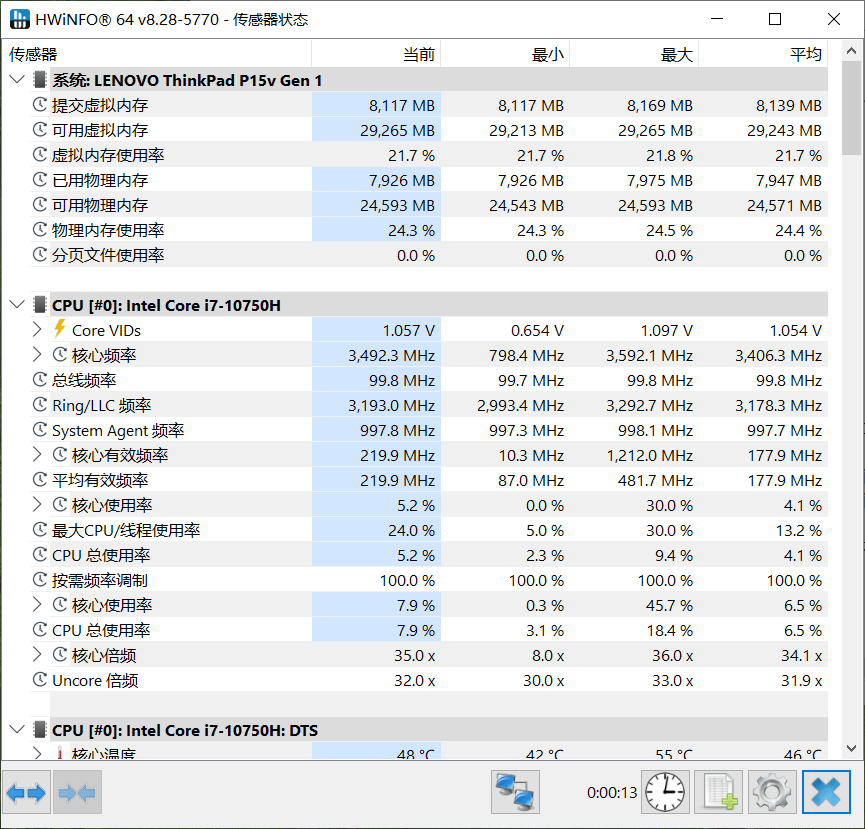
The second layer is live monitoring, and its unit of measurement is the reason people leave it running. Temperatures, voltages, fan speeds and power draw are sampled on a millisecond scale, which is fast enough that a spike caused by a burst of work is visible instead of averaged away. Averages are how a machine appears healthy right up to the moment it shuts down.
Threshold alarms turn the readings into something that works while nobody is looking. A fan that stops, a pump that fails, a temperature that crosses a line the user chose: each becomes a notification rather than a post mortem. The same data is presented three ways, because three different situations need it: a graph for understanding a trend, a tray readout for glancing at, and a screen overlay for watching a machine under load when the interesting moment lasts four seconds and the window is behind something else.
The report is the part that outlives the session
Exported inventories are the least discussed feature and the most useful one over time. A complete list of what is inside a machine, written to a file, answers questions that no screenshot can: what memory was installed before the upgrade, which drive was in the slot that has now failed, what the fan curve looked like when the machine was quiet. For anybody maintaining more than one computer, the difference between a folder of these reports and no folder at all is the difference between a maintenance history and a set of anecdotes.
For organisations the same capability becomes asset work: a fleet of machines inventoried by running one program on each, rather than by opening each case and reading labels. The paid tier adds the parts that a single desktop does not need, which are remote supervision and unattended operation, and it leaves the core readings in the free version rather than putting them behind the counter. That split is worth noting because the opposite arrangement is the more common business model.
What it is actually used for
Three kinds of work account for most installations. Overclocking and tuning come first: raising a clock and watching voltage and temperature move in response is the entire method, and it requires readings that update faster than the person can change a setting. Maintenance comes second: reading a drive's own counters to decide whether it is worth replacing before it fails, which is the cheapest form of data protection available and the one most often skipped. Asset and fleet work comes third, and it is the least glamorous and the most billable.
What the numbers do not tell you
The honesty owed to a tool like this is a warning about interpretation. A sensor reading is a measurement at a point, not a verdict about a machine. A processor that reports a high temperature under a synthetic load may be behaving exactly as designed, and one that reports a comfortable temperature may be throttling to stay there. Voltages drift with age and with the accuracy of the monitoring chip on the board, which is not a laboratory instrument. Two programs reading the same sensor through different paths can disagree, and the disagreement is usually in the path, not in the hardware.
What the program does well is remove the excuse of not knowing. Before it, the answer to the question of why a machine behaves oddly was often a guess supported by nothing. After it, the answer starts with a list of what the machine actually is, what it is doing at this moment, and what it has recorded about its own wear. That is a modest kind of progress and it is the kind that holds up, which is roughly the definition of a standard in a category full of tools that report numbers without earning them.