
GarageBand puts a full studio on a Mac, with a virtual drummer who keeps time for you
Summary
The music studio that comes with a Mac: a virtual drummer, smart controls and a sound library, recording and mixing, projects synced between machines. Version 10.4.15, free, needs macOS 15 at its sixth update or newer.
Recommend- Name
- GarageBand
- Version
- 10.4.15
- Pricing
- Free
- Open source
- Proprietary
- Operating system
- macOS
- Updated
- 2026-10-06 05:55
A studio that arrives with the system
This is the music software that comes with a Mac, and it costs nothing extra. The program is not a toy trimmed down to two buttons: the vendor calls it a complete music creation studio, and what is inside backs that up, with instruments, vocal and guitar presets and a rhythm section made of a virtual drummer and percussionists. The layout has been rebuilt for people starting out, and learning, playing, recording, writing and sharing sit in one flow rather than in five separate places. For anyone who has never opened a digital audio workstation, the distance between installing nothing and hearing something is one double click, and that distance is the whole point of the product.
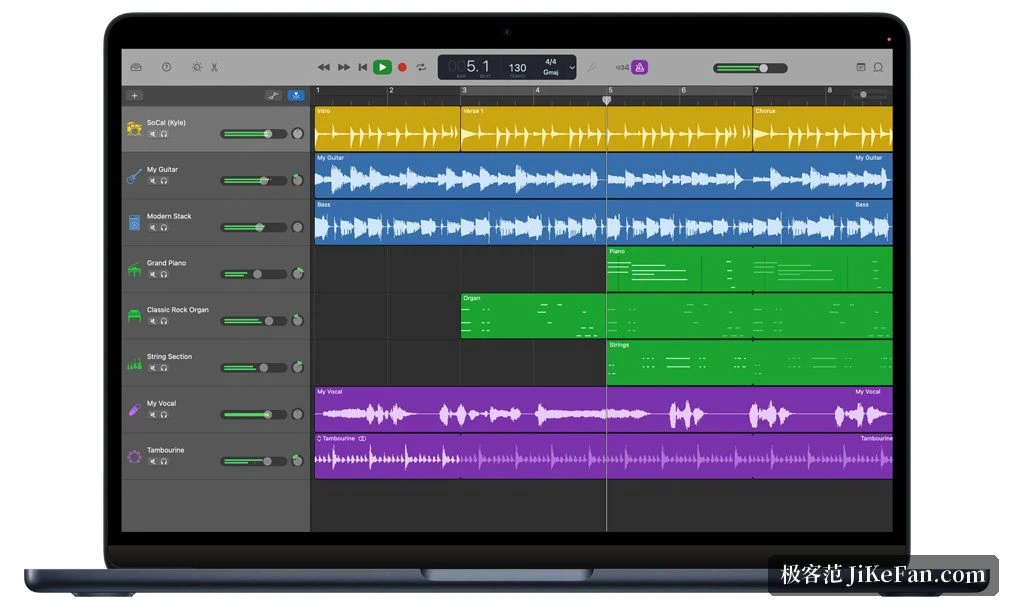
Drummer: a kit without knowing how to play one
Drummer is the feature that gives the program its face. The vendor's numbers are 28 drummers plus 3 percussionists, spread over six styles that run from electronic and hip hop through Latin, metal and blues. Each drummer arrives with a signature kit, and controls in the window switch the kick, the snare, the cymbals and the rest on or off part by part, so a pattern can be judged while it plays. Nobody has to adjust anything by hand either, since Drummer follows the song and can even read a phrase already recorded and answer it with a fitting beat. Drummer Loops add ready made acoustic and electronic figures that can be dropped into a song and then reshaped.
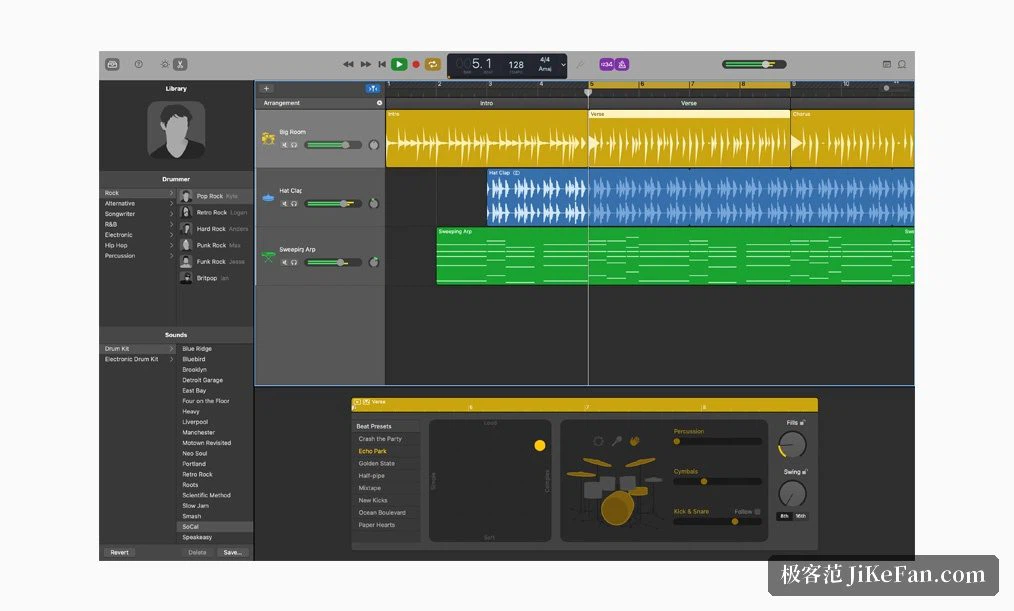
Smart controls and a library of sounds
Whenever a software instrument, an amplifier or an effect is in use, smart controls appear, presenting the knobs, buttons and faders that matter for that patch instead of the whole signal chain at once. The library covers electronic and hip hop directions, and the vendor supplies 100 synthesizer patches for them, each with a smart control pad that reshapes and fine tunes the sound while it plays; a visual equaliser on the track makes the place of a sound in the spectrum visible at a glance. All of it ships with the program. The Mac material goes on to note that loops cover the popular directions, electronic, hip hop and indie among them, running into the thousands, and dragging them onto tracks is enough to build the skeleton of an arrangement.
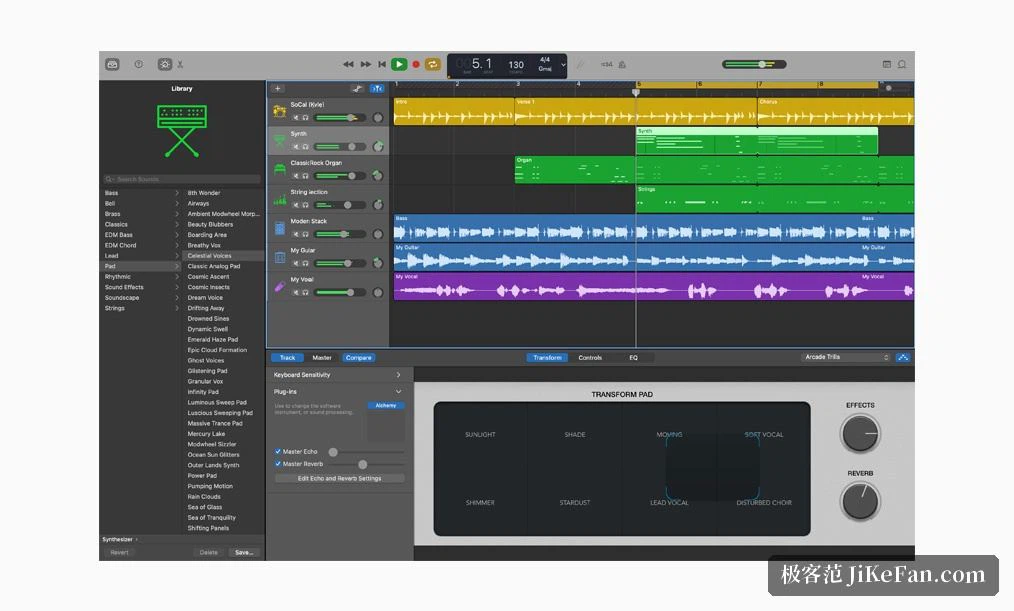
Plug in a guitar, or use a tablet as the remote
With a guitar or a microphone connected, a combination can be chosen from a long list of amplifiers, cabinets and pedal effects; bass sounds can be assembled in the same way, mixing vintage and modern amplifiers, choosing a microphone model and placing it. Sitting at a desk is not the only option either, since a tablet on the same network can drive the program wirelessly: playing software instruments, moving the smart controls, even starting and stopping a take from across the room, which turns the computer and the tablet into one bench for playing and recording at once.
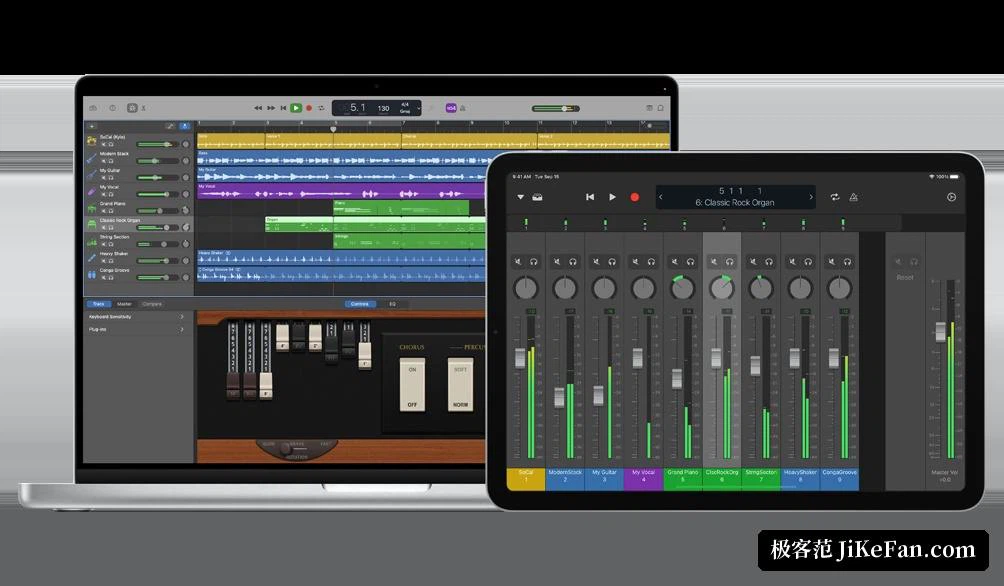
Getting somewhere without theory
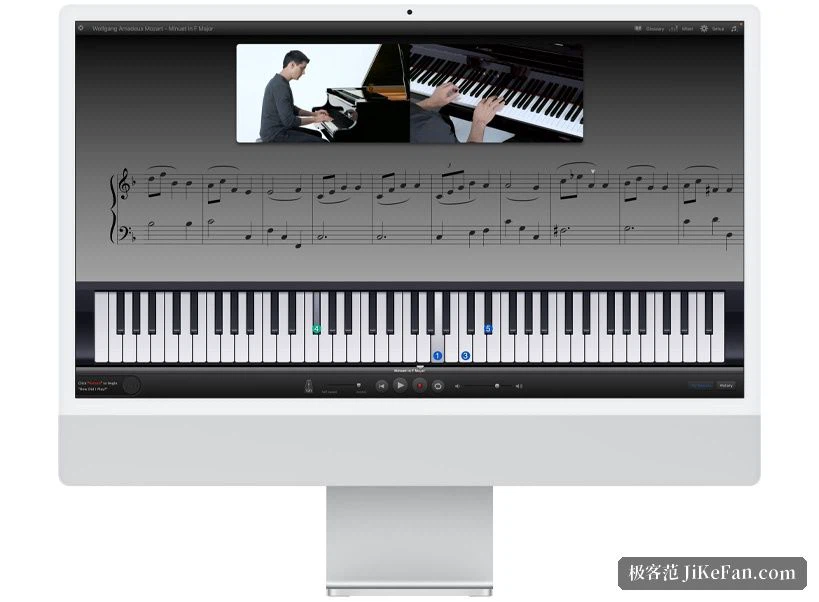
Piano and guitar lessons are built in, so the basics can be practised inside the same window, and there are further lessons in which the players behind well known songs take them apart and show how the parts go. Smart instruments fill in chords and fingerings by themselves, which lets someone with no training capture a melody first and understand the structure underneath it later. Projects sync between Macs through the cloud, and a project begun on a phone or a tablet can be brought over and carried on, so a sketch made on a train does not have to be rebuilt at home.
Version and availability
The current Mac release is 10.4.15, listed as the newest entry on the vendor's release notes, and this update mainly deals with a clip folder that could not be closed when an existing project was opened. It is offered free in the platform's own store, the package is about 732 MB, and the store entry asks for macOS 15 at its sixth update or newer. The application belongs to the Mac alone, and the cross device story only becomes complete together with the versions for phone and tablet.