
One Commander replaces the Windows file window with columns, tabs and a space bar preview
Summary
A modern two pane file manager for Windows with Miller column navigation, persistent tabs, space bar preview and XAML themes. Free for home use, stable release 3.108, with a fourth version in public testing.
Recommend- Name
- One Commander
- Version
- 3.108
- Open source
- Proprietary
- Operating system
- Windows
- Website
- https://onecommander.com/
- Updated
- 2026-10-06 17:22
Not a repainted Explorer window
The program states its purpose plainly: it gives Windows 11 and 10 a file manager built for people who work in directories all day. The layout borrows the Miller column idea and then reworks it, so that a deep path unfolds sideways one column at a time instead of forcing a walk back up the tree for every move. Tabs can be kept across sessions, which means the places browsed before are still there after the window is closed and opened again, and the two pane arrangement can be switched on or off according to the task. Rendering is done with DirectX and the program's own drawing code, which the vendor says keeps the window fluid even during long and heavy use. What that buys in practice is the difference between operating a tool and waiting for one: when a folder holds thousands of items, the moment between clicking and seeing matters more than any single feature.
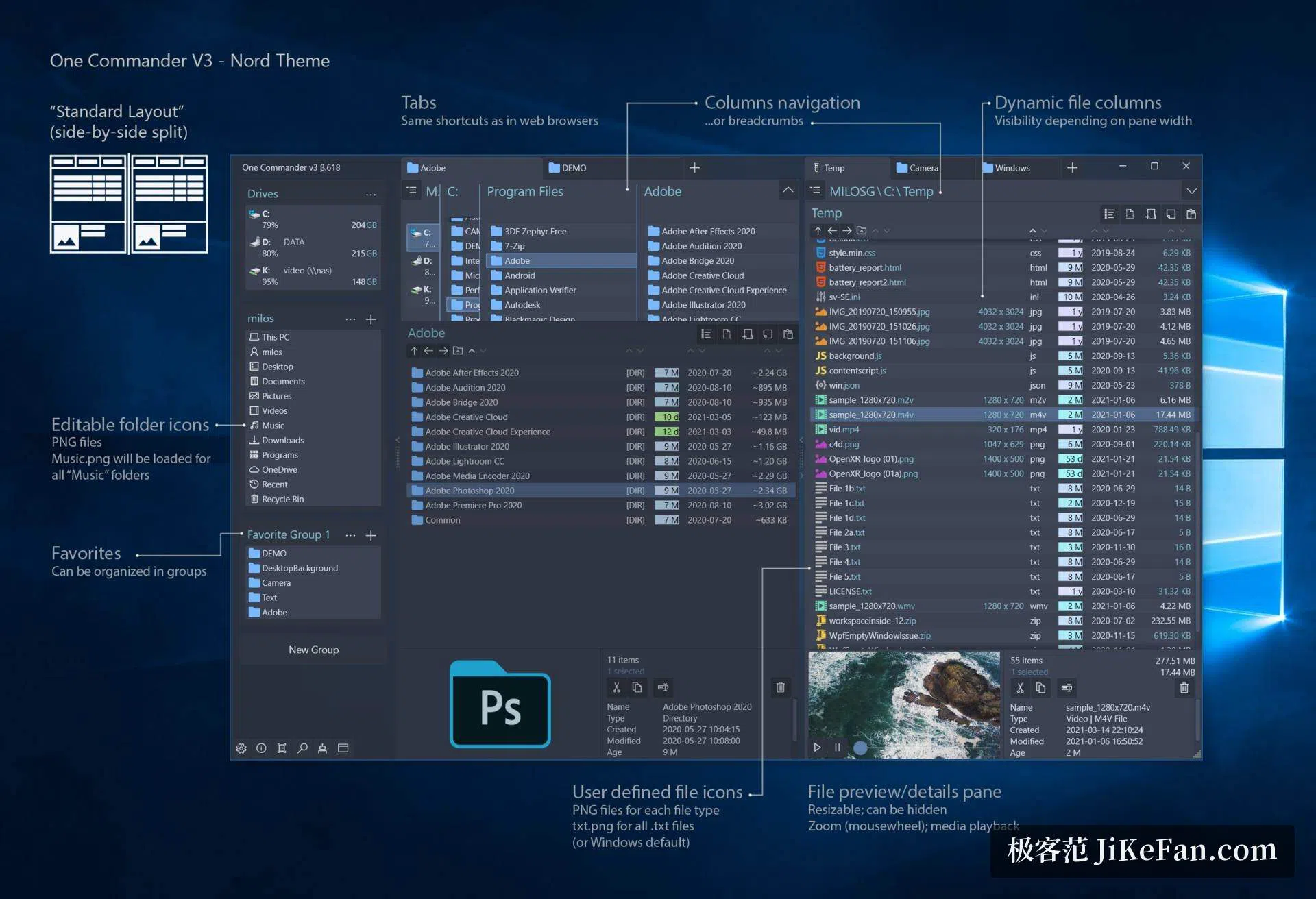
Preview on the space bar, a panel that folds away
Select a file, press the space bar and it is shown: images, text, audio and video can all be looked at without opening an application, and the vendor notes compatibility with third party preview add ons as well. The detail panel on the right can be hidden entirely or dragged to whatever width suits, images can be zoomed with the wheel and media played in place. Thumbnails, icons, folder sizes and file metadata are served from a built in smart cache, so returning to a directory does not mean reading it again from the start. A combined view is available as well, thumbnails with details side by side, which for photographs lists the resolution and the moment of capture next to each frame.
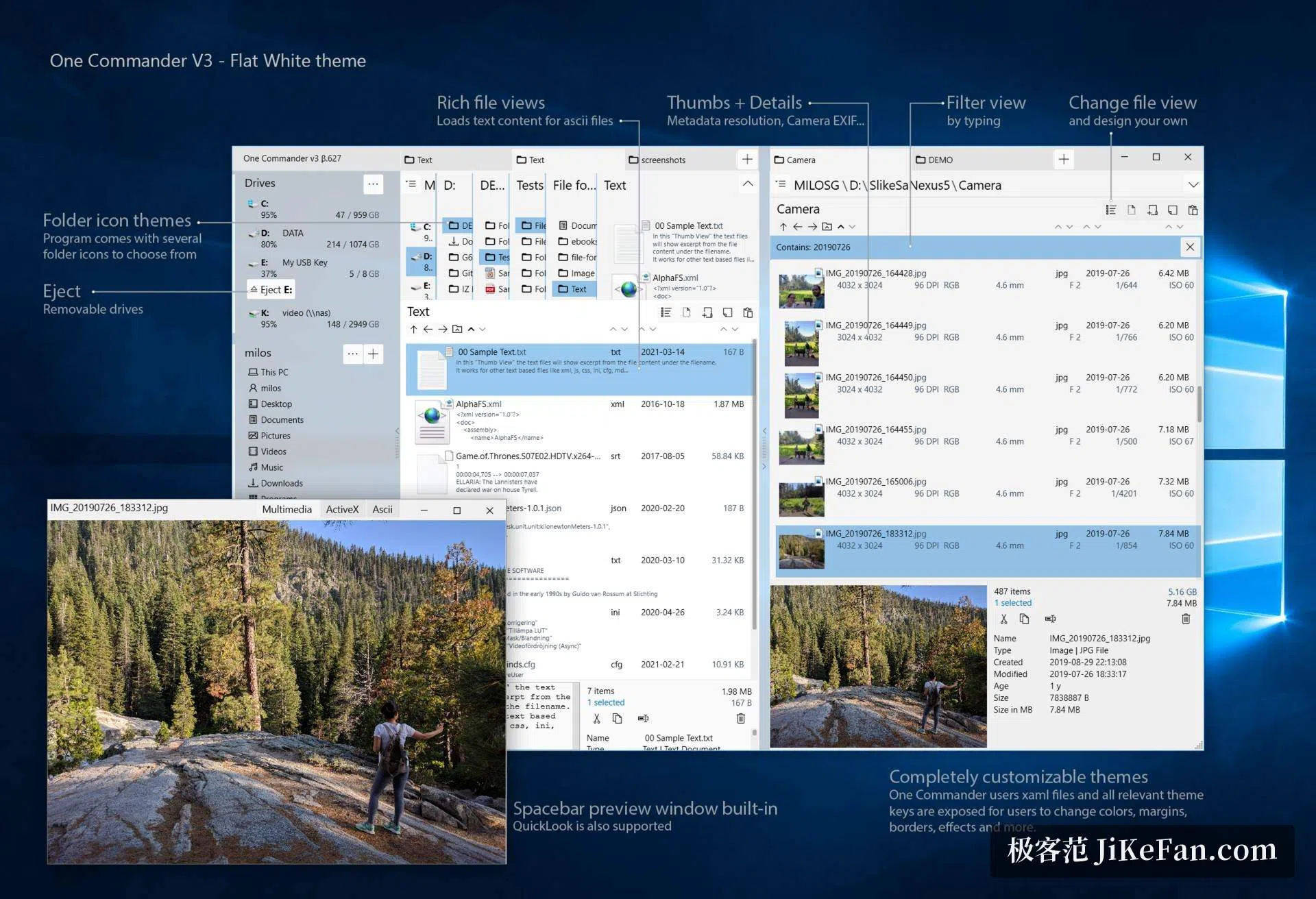
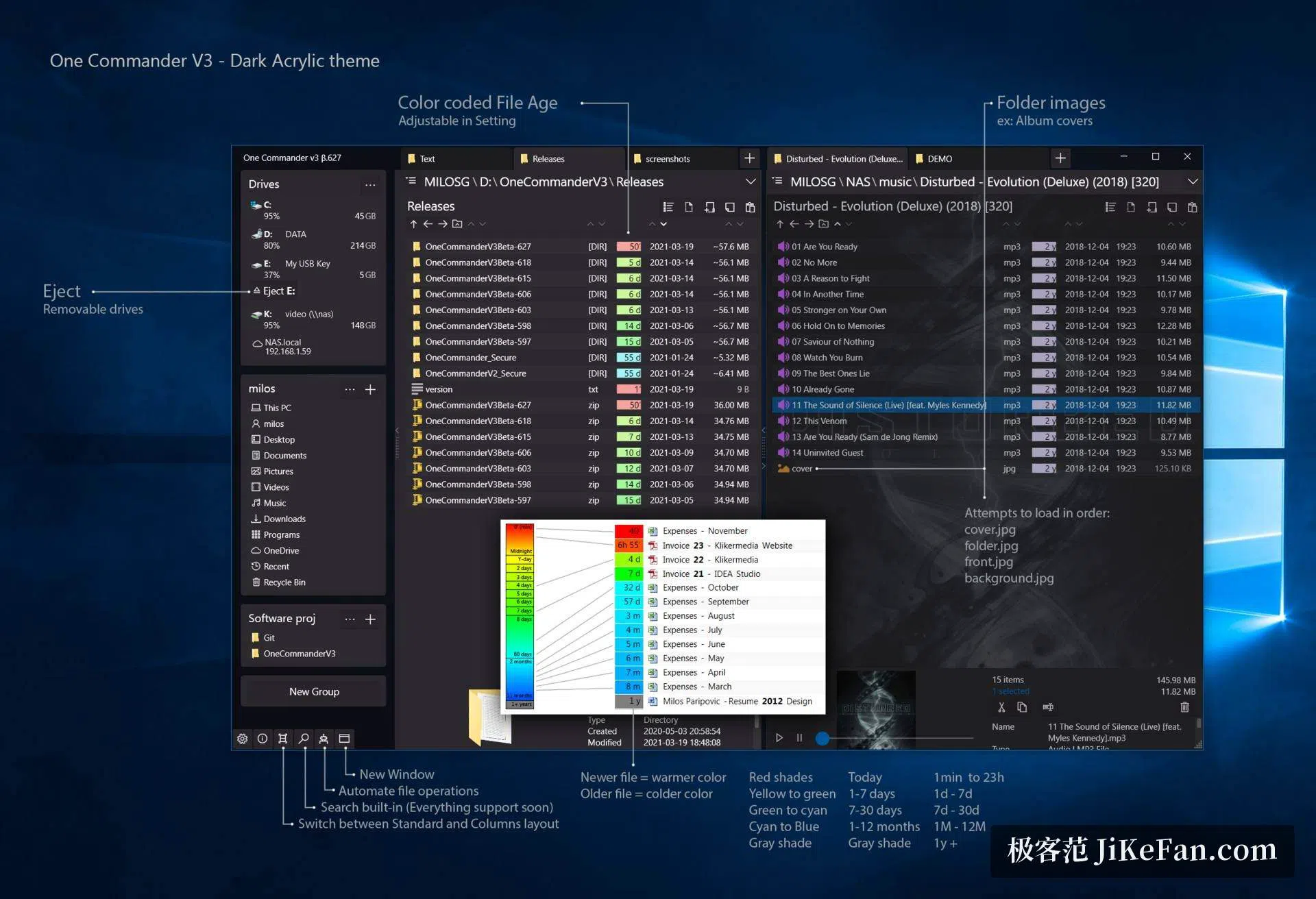
Themes, icons and colour labels are all open to change
Appearance is where the program spends a good deal of effort. Dark and light themes are built in, and several ready made colour sets sit alongside them; themes are described in XAML, which exposes colours, margins, borders and icons for editing. Folder icons can be swapped by type, and dropping one set of PNG files into a directory is enough to give a whole group of folders a matching look. File age can be expressed in colour, running from red for the newest through to grey for anything older than a year, with the intervals adjustable. Album folders that hold music can read their cover image and wear it as the folder icon, which turns a shelf of records into something recognisable at a glance.
Bulk renaming, batch conversion and a door for scripts
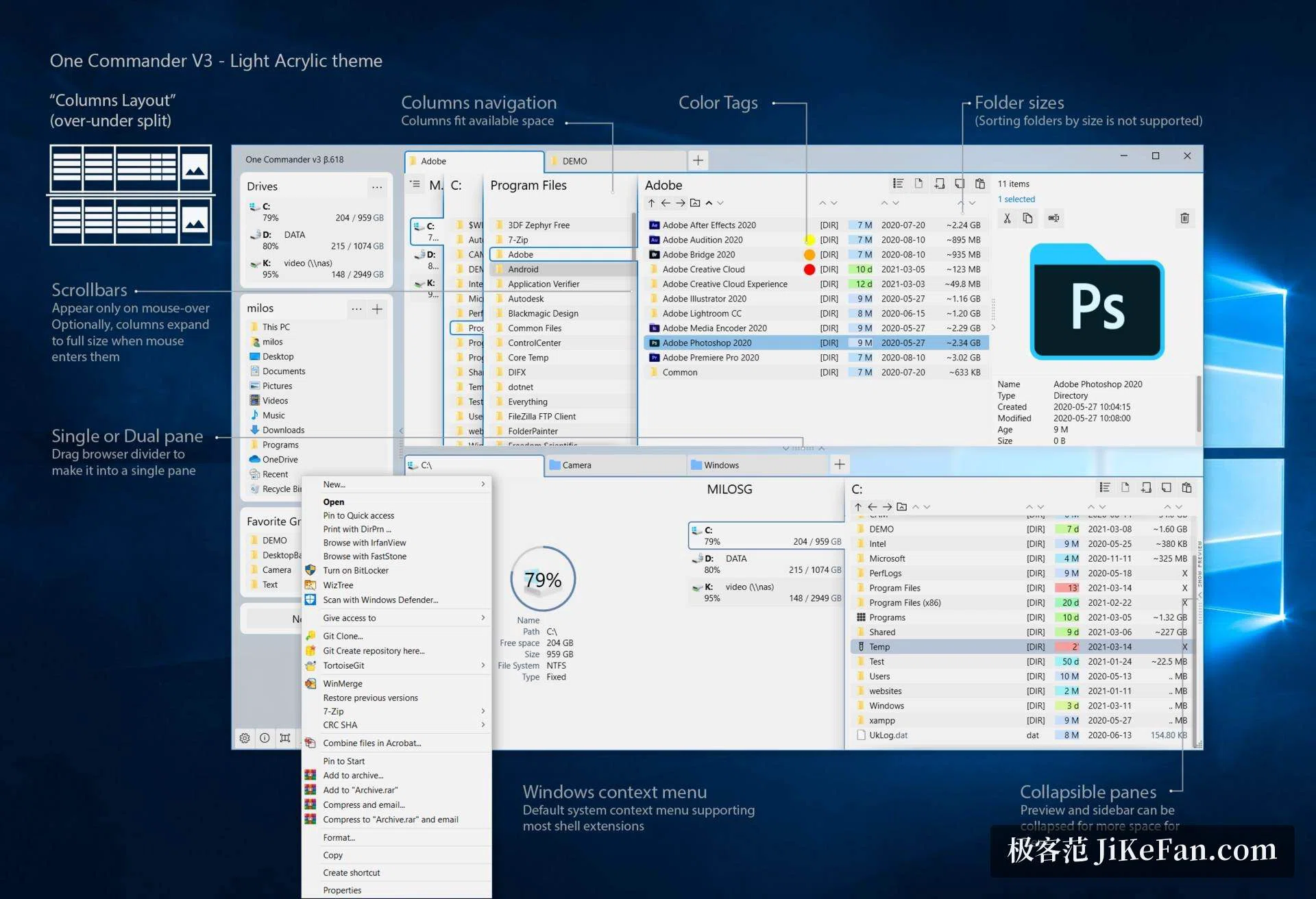
The automation tools gather regular expression renaming and batch image conversion in one place, and a renaming rule can be saved and used again later. With files selected, a script in PowerShell, a batch file or Python can be launched directly, the current selection arriving as its arguments. The vendor points out that the context menu is the system's own, so shell extensions that work in Explorer appear here too and behave the same way. Each folder can carry its own to do list and notes, which keeps project material and the next step together instead of in a separate task tool. A sidebar holds drives, frequent places, favourite groups and removable devices, with an entry for ejecting a stick when one is plugged in.
Version, licence and requirements
The stable release is 3.108, published on 6 March 2026. The installer is an MSI, a portable build is offered as well, package managers cover the rest, and the help material can be kept as an offline manual. The fourth version in public testing needs an additional NET 10 runtime. On licensing, home and personal use costs nothing, and the vendor states that no personal data is collected, stored or passed on. Commercial use requires a one time licence of 30 dollars, which includes later feature updates. The environment asked for is a 64 bit Windows 11 or 10, a display above 100 PPI is recommended, and a build for ARM64 is still being prepared.