
Flameshot: open source screen capture with arrows, blur and text in one pass
Summary
Flameshot is an open source cross platform capture tool that lets you draw arrows, blur sensitive areas and drop text on the image right after the selection is made, with a rearranged toolbar, editable hotkeys and a command line interface for scripted captures.
Recommend- Name
- Flameshot
- Version
- 14
- Pricing
- Free
- Open source
- Open source
- Operating system
- WindowsmacOSLinux
- Website
- https://flameshot.org/
- Updated
- 2026-10-11 11:03
Grabbing a screenshot takes about a second. The time actually disappears into the steps that follow: circling the part that matters, painting over something private, typing one line of explanation. If those steps require a second application, the workflow breaks right there.
Act on the image before leaving it
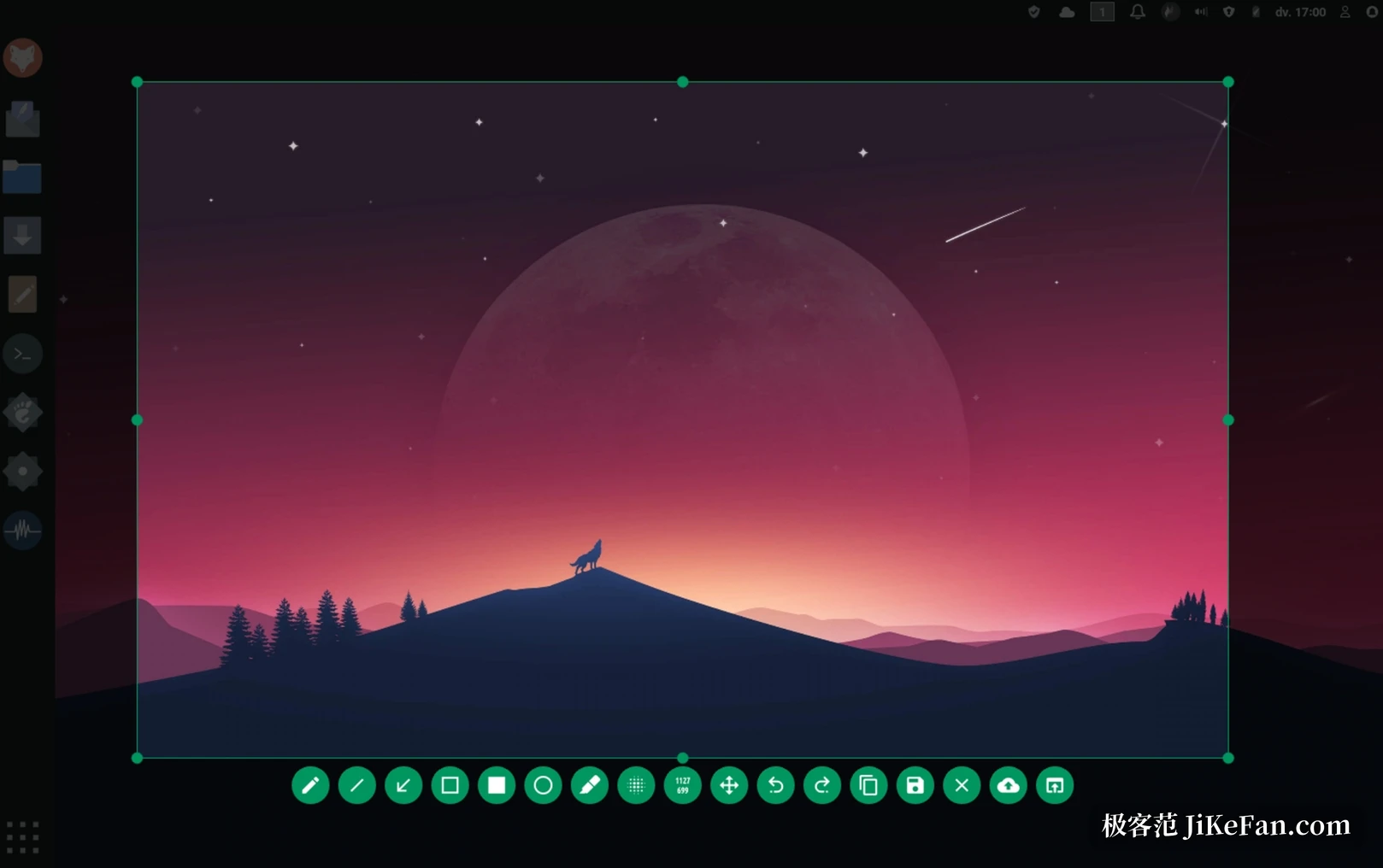
Flameshot begins the same way most capture tools do, with a dragged rectangle. What differs is what happens after the mouse button comes up. The screen freezes where it is, the toolbar docks against the edge of the selection, and everything you might want to do stays inside that frame. Draw an arrow toward the thing worth pointing at, box a region or ring it with an ellipse, blur or pixelate an account number that should not leave the machine, drop in a text note, scribble a few freehand strokes, or slap a solid block over something that needs to disappear entirely. When the order of steps matters, an incrementing counter can be stamped on the image so a reader follows one, two, three without guessing.
All of these live in a single toolbar whose buttons can be rearranged. Frequent actions move forward, the rest fold away. Because annotation and capture happen in the same place, the job shifts from save first, edit later into a single gesture. In situations where a screenshot has to be delivered while the work is still going on, the few seconds saved are the ones normally spent hopping between the desktop and an image editor.
Shaping the interface around your hands
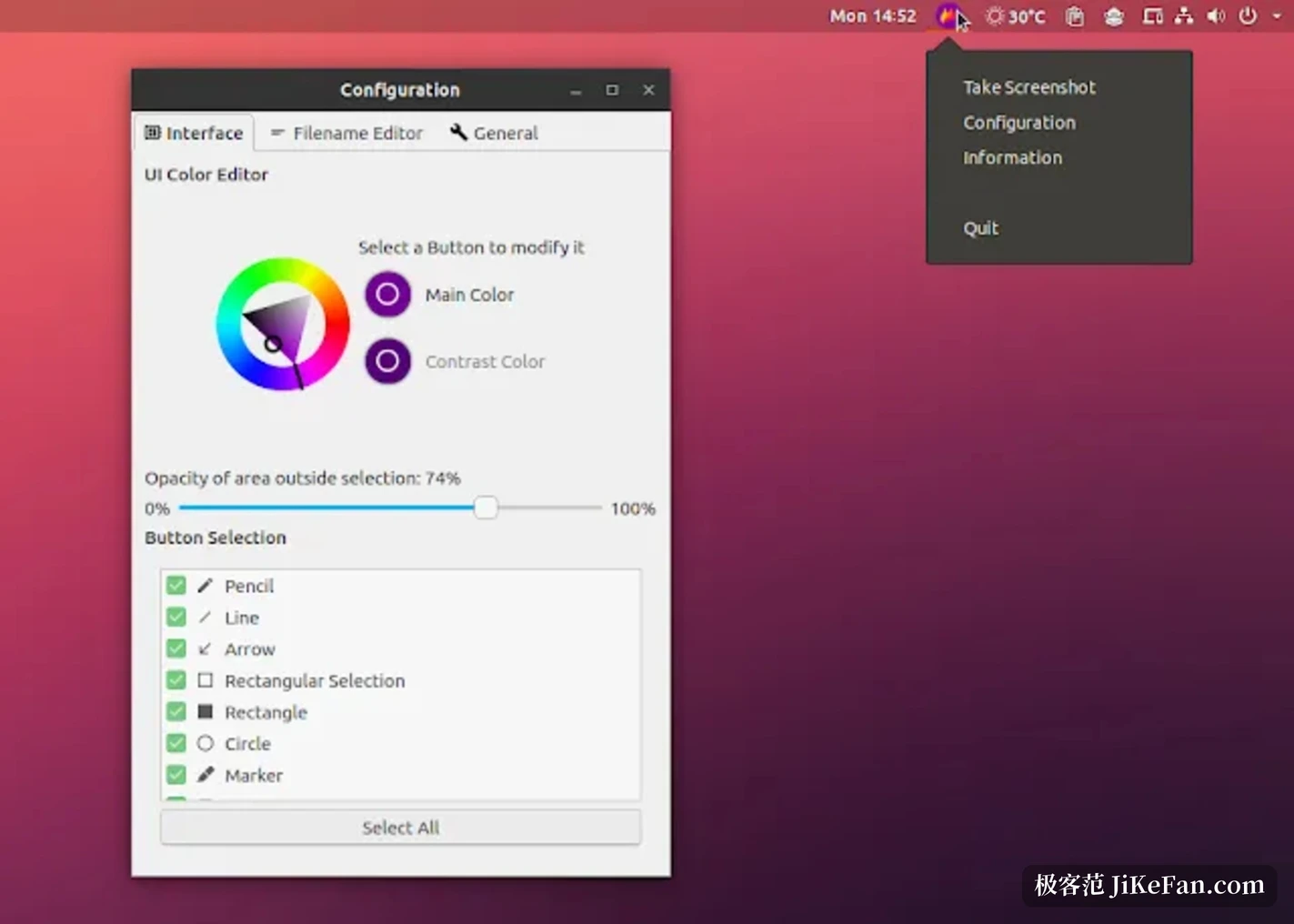
Configuration sits in one dialog rather than a scatter of text files. The interface colour scheme can be swapped, the set of visible buttons and their positions are the user's call, keyboard shortcuts can be reassigned, and even the save destination and output format are adjustable. For anyone who works in a dark room most of the day, a palette that follows the environment sounds trivial and turns out to matter more than expected once the tool is used for hours.
Beside the graphical interface there is a command line surface. A set of commands can be invoked from a terminal without launching the window, which means they can be scripted, bound to hotkeys, or triggered by window manager rules. Assigning the common capture variants to different key combinations turns a keypress into a selection frame. That style of use is especially common on Linux desktops, the platform where the project first spread before builds for the other two systems followed.
What open source and three platforms amount to
Released as an open source project, it ships builds for Windows, macOS and Linux, and all three are 64 bit only. On Windows there is an installer and a portable form; on macOS a package manager route or a disk image; Linux has the widest spread, with AppImage, distribution repositories, Snapcraft and Flathub all carrying it. That sense of one interface continuing to work after changing systems counts for more than a feature checklist when the same person moves between machines.
Platform | Architecture | Usual route |
|---|---|---|
Windows | 64 bit | Installer or portable build |
macOS | 64 bit | Package manager or disk image |
Linux | 64 bit | AppImage, repositories, Snapcraft, Flathub |
The current release is version fourteen point zero, published in June 2026. Two questions are worth settling before picking a capture tool: whether annotation has to happen inside the same screen, or a detour is acceptable, and whether captures need to feed a script or a hotkey. The first decides how the tool feels in daily use, the second decides whether it can be slotted into an existing workflow at all.
The real gap between capture tools is not whether they can take a screenshot, but whether you have to go somewhere else to finish it. The ones that let you say everything in one frame are the ones that stay installed.