
DAEMON Tools Lite mounts disc images as virtual drives, four of them for free
Summary
A virtual drive and disc image tool whose free tier already mounts ISO and other common images as virtual devices, and can turn a disc, an audio CD or a folder into an image file for the archive.
Recommend- Name
- DAEMON Tools Lite
- Version
- 12.6
- Pricing
- Free
- Open source
- Proprietary
- Operating system
- Windows
- Website
- https://www.daemon-tools.cc/
- Updated
- 2026-10-11 10:43
The optical drive was given up long ago by laptops that keep getting thinner, and the occasions that still need one are usually specific: a system install, a disc that has to be archived, or an old disc you cannot bring yourself to throw out.
Mount the image first
What DAEMON Tools Lite is used for most often is mounting. Hand it a disc image such as ISO, MDX or MDS and the program creates a virtual drive inside the system; afterwards the disc is reached exactly as a real drive, opened with a double click, and installers recognise it. The free tier simulates up to four virtual devices at once, covering the DT, SCSI and HDD types, so several install discs can be mounted without interfering with each other. Beyond images it also mounts VHD virtual hard disks and ZIP archives, treating a package as a browsable folder.
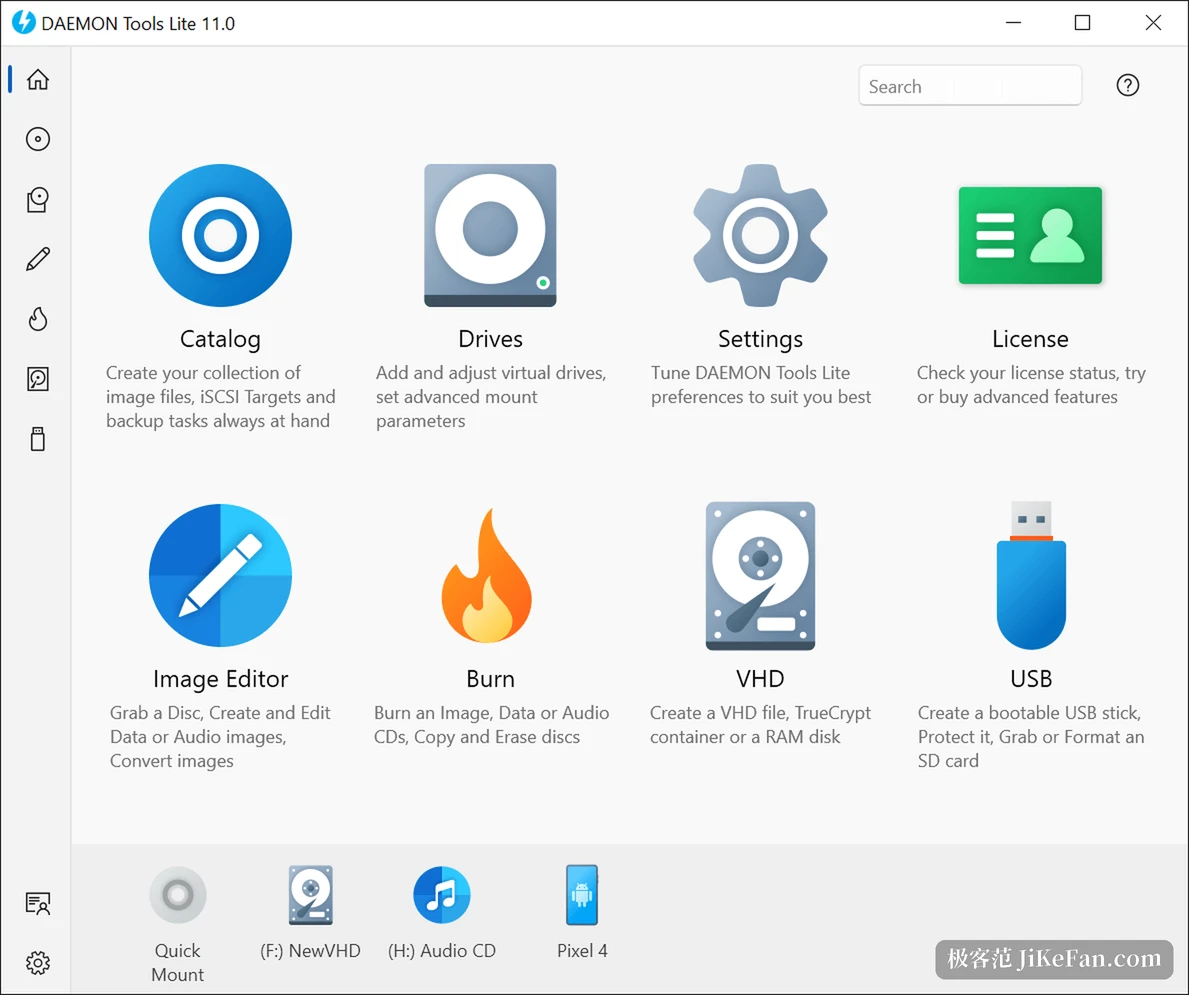
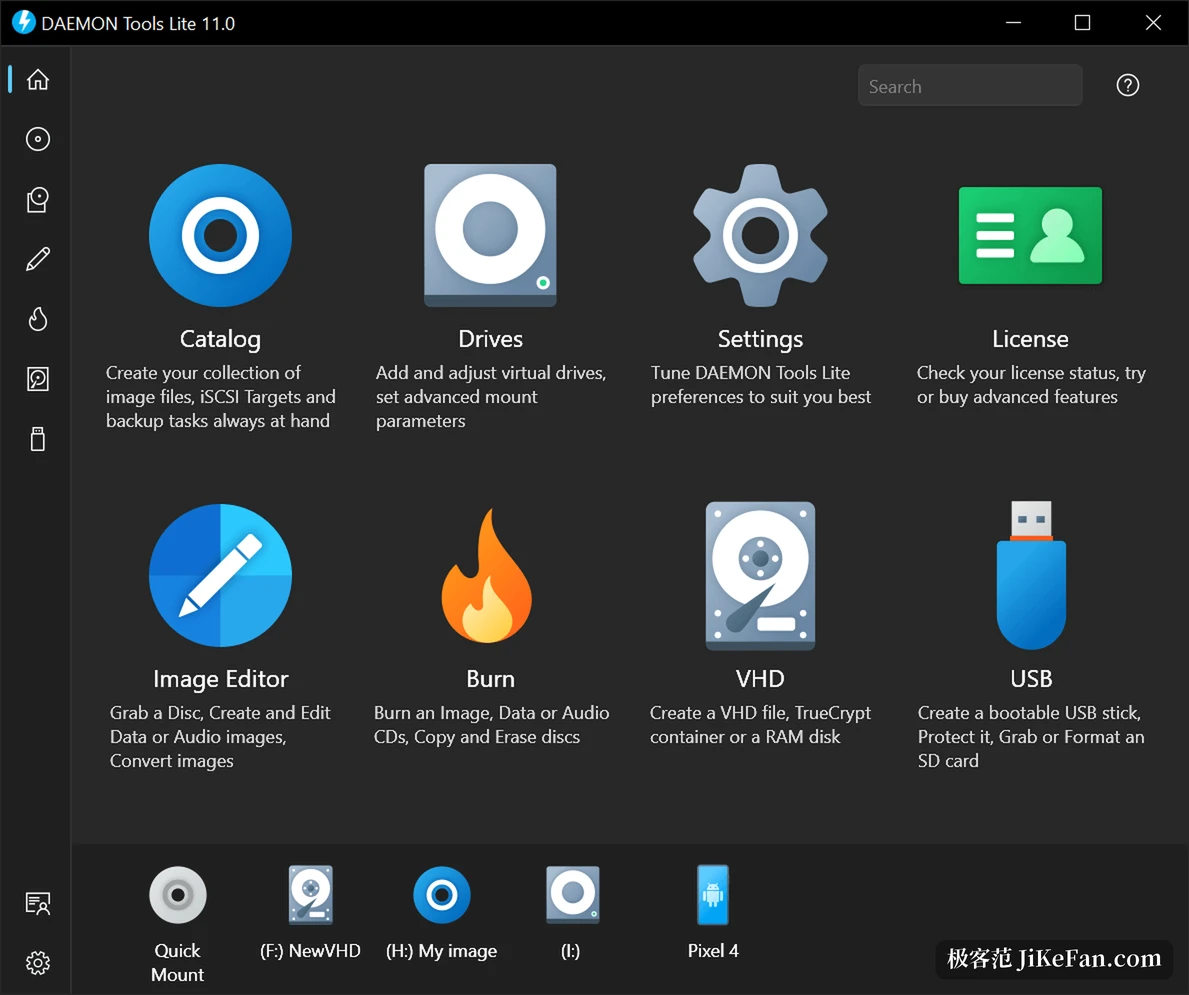
The layout is plain: commands across the top, navigation down the left, and the virtual devices with mounted images gathered in a drive column. Images that have been mounted are remembered in a catalogue, so the next use does not mean hunting for where the file sits. It also hooks into the file manager, so mounting and unmounting happen from the right click menu and the everyday path stays very short.
Turning a disc into a file
The reverse works just as fully. It can capture an image from a physical disc with advanced options during the grab, build a data image out of files and folders so material scattered across a disk ends up on one disc, make an audio CD image out of music tracks, and convert those images between MDS, MDX and ISO. Anyone holding old discs who wants them as files that keep is served by this route.
One layer further out, virtual hard disks join the same logic: a VHD file can be created, a TrueCrypt container can hold sensitive data, and a block of memory can be set aside as a virtual disk for faster reads and writes. The burning side covers writing images, data and audio to a disc, erasing rewritable media and copying a disc whole, and the memory disk with the virtual burner makes trying something before committing to real media a workable habit.
The edge of the free tier and the version
The free licence covers mounting, image creation, virtual hard disks and the basics of burning, and the installer offers optional components from partners. A personal licence removes that layer and adds lifetime updates. The package the vendor currently offers is version 12.6, supporting 32 bit and 64 bit systems from Windows 7 through Windows 11, with a separate ARM64 package, while older entries such as Windows Server 2008 and Vista sit in the historical part of the support table.
__TABLE__Its position is simple enough: it turns a disc from something needing physical hardware into a file that can be mounted and released at will. For anyone keeping old install discs, handling image files regularly, or needing to install a system on a machine with no drive, this kind of tool clears one very specific blockage in the process. Buying a licence when the budget allows is mainly about avoiding the bundled options in the installer, since the functional threshold is not high to begin with.
Turn a disc into a file, then the file into a virtual device that answers when called. Once that step runs smoothly, whether a drive sits in the case stops being a question.