
Fan Control hands case and graphics fans to a temperature curve, and V278 keeps it free
Summary
A free Windows tool that drives case and graphics fans from temperature curves, with a drag and drop curve editor, sensors mixed together, hysteresis and a calibrated dead zone to skip a rattling speed. Closed source, current build V278.
Recommend- Name
- Fan Control
- Version
- v278
- Pricing
- Free
- Open source
- Proprietary
- Operating system
- Windows
- Website
- https://www.getfancontrol.com/
- Updated
- 2026-10-05 22:32
A guided first run, then everything on one screen
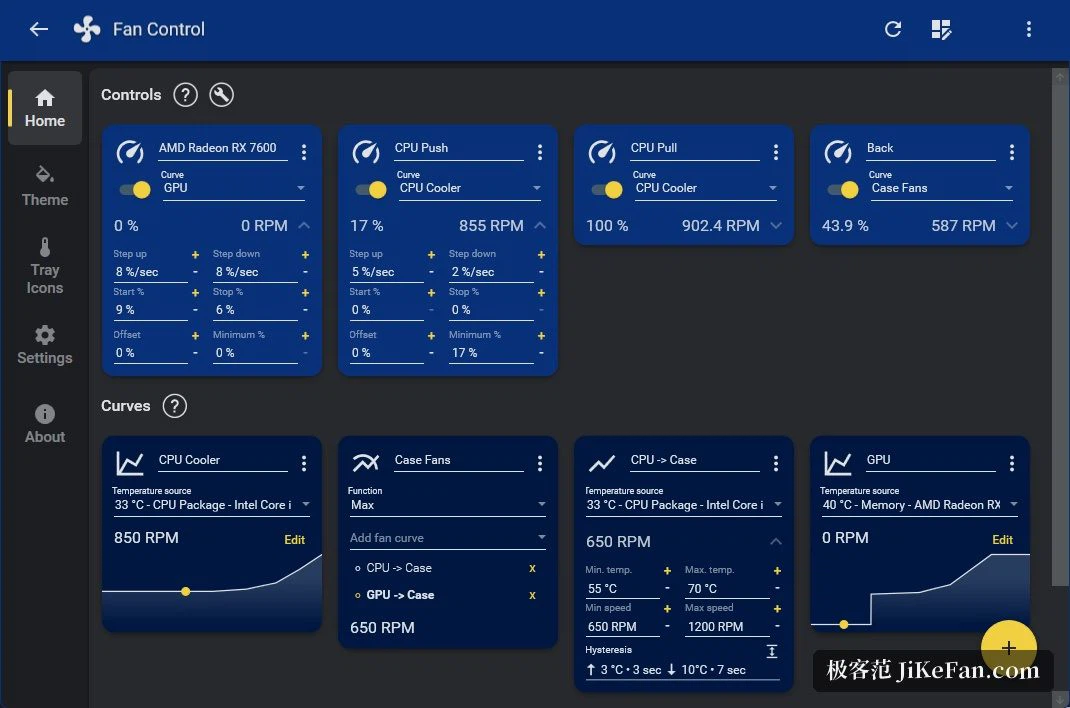
The idea behind Fan Control is simple: fans should follow temperature. On the first launch a short guided pass helps identify which headers on the board actually control something, so that a liquid cooling pump or the processor fan does not end up on the wrong channel. The main window keeps three things together. One side lists the temperatures it can read, from the processor to the graphics card, the board and the disks; the other side holds each fan with its current speed and the curve driving it. Several configurations can be saved, edited and loaded, so a performance set for daytime and a quiet set for the night are one selection apart. Themes and accent colours can be changed to match the rest of the build. Sitting in the background it uses very little, which matters when it is meant to run for months.
Curves that can be drawn, sensors that can be mixed
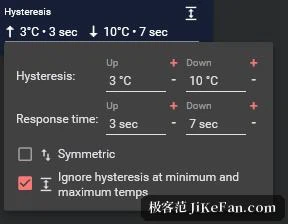
Spinning up linearly with temperature is only one option. The tool offers several curve functions plus a graph editor where points are dragged directly, so a cooling rhythm can be drawn by hand. Several curves or several sensors can be combined by taking the maximum, the minimum or the average: a case fan can watch both the processor and the graphics card and obey whichever is hotter. The finer parameters are exposed as well, including step size, start and stop speeds, response time and hysteresis, which is what stops a fan from oscillating around one temperature and producing a noise that rises and falls on its own.
A calibrated gap for speeds that rattle
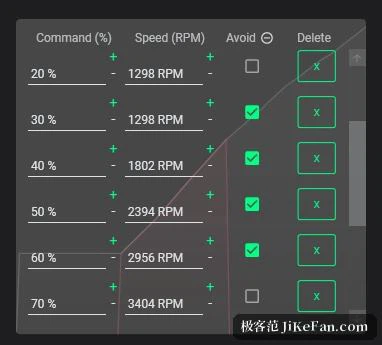
Some fans resonate at particular speeds, around 40 percent being a common complaint. The newer release adds a calibrated avoidance: a band of speed percentages can be declared off limits, and the curve steps over it. The software can also run as a Windows service and start before anyone logs in, which suits a machine that stays on for weeks. The executable, the installer and the updater are all digitally signed to reduce false alarms from security software, and since an earlier build the underlying hardware library was replaced with a newer one so that an older kernel driver which security products had flagged no longer ships.
Plugins bring more sensors in
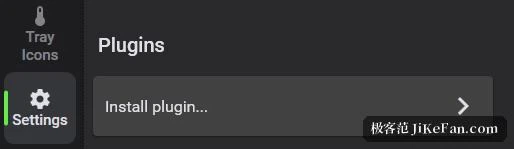
Beyond the main program there is a plugin mechanism that injects extra sensors. A few are maintained by the author, covering a graphics card family, an import from a hardware monitoring suite and one brand of prebuilt machines; community plugins reach out to peripheral and liquid cooling vendors, a home automation platform and a number of laptop brands. Once such a plugin is installed, those temperatures become available as a basis for control. Reading sensors and driving graphics fans leans on a handful of open libraries, so compatibility mostly follows those upstream projects, and the author suggests checking the compatibility notes before reporting a hardware problem.
Version, licence and installation
The current build is V278, published in 2026-09. The software is free, but the author states plainly that the source is closed, so this is a free closed source tool kept alive by donations, and it supports Windows 10 and Windows 11. Installation is flexible: unpack an archive and run it, use the installer, or install it with a single command through one of the package managers. One thing to do first: if the firmware is running its own smart fan control, turn that off and fix the speed, then hand regulation to this tool. Laptops mostly do not apply, because their fans usually expose no interface to third parties. And on the portable build, switch off the start with Windows option before removing the folder, or delete the matching entry in the task scheduler.