
DiskGenius 6.2.0: partitions, recovery and backup behind one window
Version 6.2.0.1829
Summary
DiskGenius 6.2.0 puts data recovery, partition management and backup into a single interface, updated 2026-06-08. The free edition runs straight out of the extracted archive, and registering unlocks the standard or professional tier.
Recommend- Name
- DiskGenius
- Version
- 6.2.0.1829
- Open source
- Proprietary
- Operating system
- Windows
- Website
- https://www.diskgenius.cn/
- Updated
- 2026-10-06 22:33
Trouble on a hard drive rarely arrives one item at a time. A partition table gives way exactly when a file needs to come back, and backing data up tends to involve moving partitions around. DiskGenius puts those three jobs into a single interface, and its home page states the position plainly: data recovery, partition management, backup and restore, all in one place. The same page carries the claim of twenty-seven years of development, which for a disk utility is less a slogan than a hint about how many file systems it has had to learn. The version discussed here is the 6.2.0 marked on the page, updated 2026-06-08, with 6.2.0.1829 as the full number in the changelog.
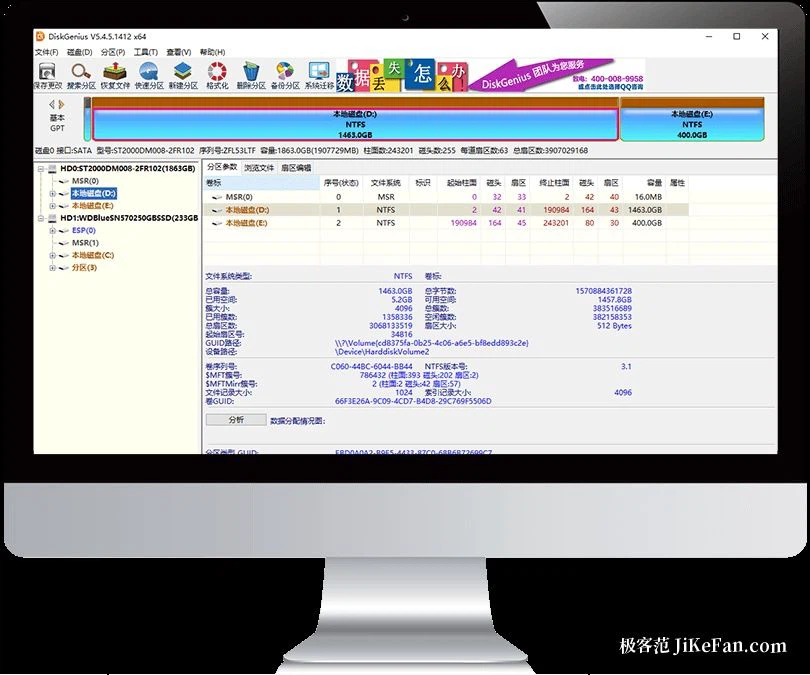
Partition work, from the basics to the advanced
Partitions are the tool's home ground. The features listed on the page start with the everyday set: creating a partition, deleting one, formatting one, hiding one, assigning a drive letter. Above that sit the advanced abilities, quick partitioning, resizing a partition without losing data, and backing up or restoring the partition table. GUID partition tables are supported, as are storage pools and the EXT4 file system. For an ordinary user the two that matter most are probably quick partitioning, which cuts a new drive into the layout you want in one pass, and lossless resizing, which redistributes space without giving anything up.
This generation also collected a set of small conveniences close to the hand. The quick partition dialogue now takes a number key to pick how many partitions should be created, the volume label can be chosen from labels the software suggests, and the format dialogue gained an optimisation option for solid state drives. None of that changes what the tool can do, but each one removes a step from an operation people perform often.
Recovery, with a look before the leap
Data recovery is the other leg. The page states support for file and partition recovery across the situations that actually happen: accidental deletion, formatting, a damaged partition, a partition that went missing entirely. Before anything is written back, files can be previewed, and double-clicking a document, an image or a video shows the contents, so the quality of the recovery is visible in advance rather than hoped for. On the file system side the supported list covers the common ones, with NTFS, FAT32, exFAT, ReFS and EXT4 among them.
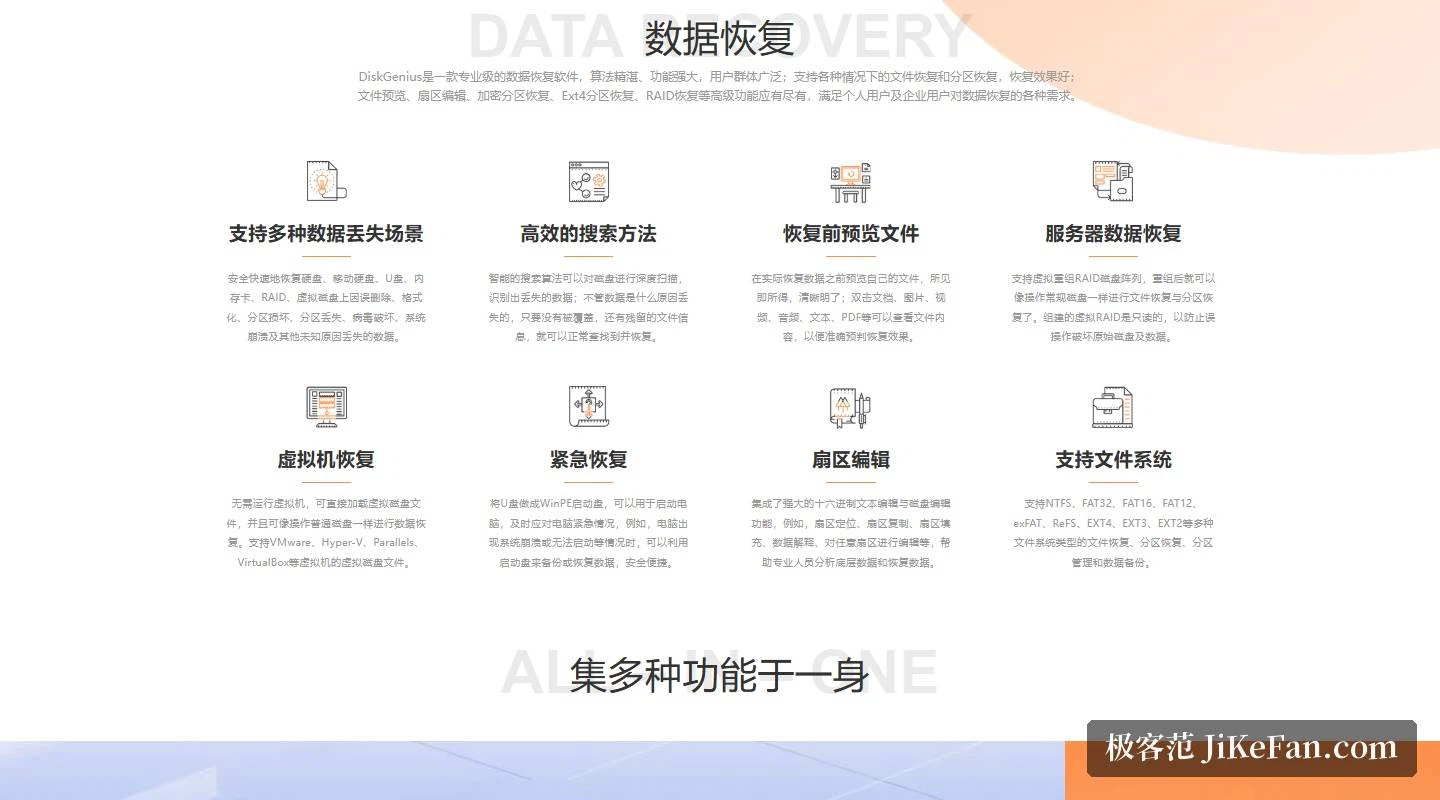
One capability that is easy to overlook is recovery from virtual machines. No virtual machine has to be started: the virtual disk files of several mainstream hypervisors can be loaded directly and treated like an ordinary disk during recovery. A virtual RAID assembled this way is read only, which keeps a mistaken click from touching the original data underneath.
What 6.2.0 added
Compared against the changelog, the additions in this release are substantial rather than cosmetic. A disk speed measurement function arrives, and the bad sector window gains a live readout of the disk's read speed. Repairing and converting Windows boot entries is new. The sector clearing function now includes the BMB21-2019 erasure standard. On the file system side, support for ReFS and EXT4 was filled out, and recovering files by type improved its handling of the newer HIF and MP4 formats.
Three editions, one package
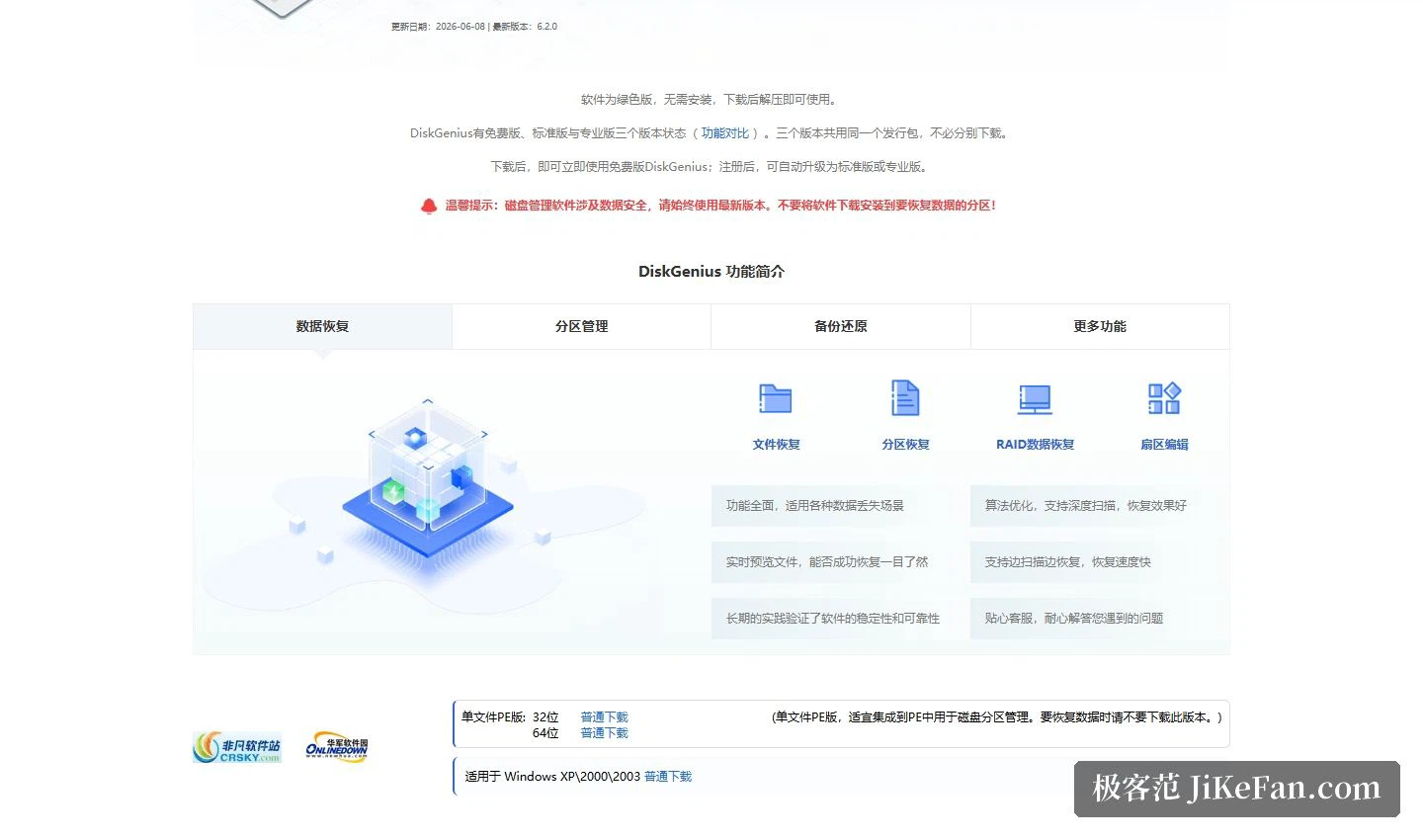
The licensing arrangement deserves a sentence of its own. DiskGenius comes in a free, a standard and a professional edition, and all three share the same distribution package, so there is nothing to choose between downloads. The download page describes the software as portable, needing no installation, usable once the archive is unpacked. Open it and the free edition runs; register and it lifts itself to the standard or the professional tier. Anyone who wants to test the water first can simply take the official package and decide later, without juggling installers.
Set out that way, the entry barrier is roughly the time it takes to extract a folder. Three jobs that normally mean three separate tools, a portable package with no installer, and a free edition that is included rather than crippled: for anyone who deals with disks regularly, that is a reasonable thing to keep within reach.
Partitions, recovery and backup threaded onto one tool, distributed as a portable archive with the free tier inside the same package: DiskGenius 6.2.0 pushes the cost of trying it down to unzip and run. For people who work with drives often, an all-rounder like this earns a place in the toolbox.