
DiskGenius 6.2: Disk Management and Data Recovery in One Window
Version 6.2
Summary
DiskGenius combines partition management with data recovery: file recovery with preview, partition recovery for lost or formatted volumes, Ext4 and encrypted volumes, RAID assembly, sector editing and a bad sector scan.
Recommend- Name
- DiskGenius
- Version
- 6.2
- Pricing
- Paid
- Open source
- Proprietary
- Website
- https://www.diskgenius.cn/
- Updated
- 2026-10-06 01:52
Two jobs in one window
DiskGenius belongs to the category of programs that are kept on hand before anything goes wrong, because the moment one of them is needed is rarely a good moment to be looking for one. It does two jobs in the same window: it manages the partitions on a disk, and it tries to get data back that the operating system can no longer see. The version described here is 6.2.
The two halves are not unrelated. A partition tool writes the descriptions of where data lives; a recovery tool tries to read those descriptions back when they have become wrong or have gone missing. Having both in one program means the second job is within reach while the first one is being done — which is exactly the situation in which a mistake has just been made and is not yet irreversible.
Getting a file back
File recovery is the reason most people arrive here. The program scans a volume and lists what it can still find, including files whose entry in the directory has been removed while the space they occupied has not yet been reused. Nothing in that process is a promise. The bytes survive only until something else is written over them, and every write to the same disk shortens the window in which the attempt can still work.
File preview is the step that keeps the result honest. A candidate can be opened and read before anything is restored, so the outcome is not a folder full of correctly named files with nothing inside them. A tool without that step leaves the discovery to the moment after the copy has finished, which is the worst possible time to learn that the recovered set was empty all along.
Partitions that are no longer there
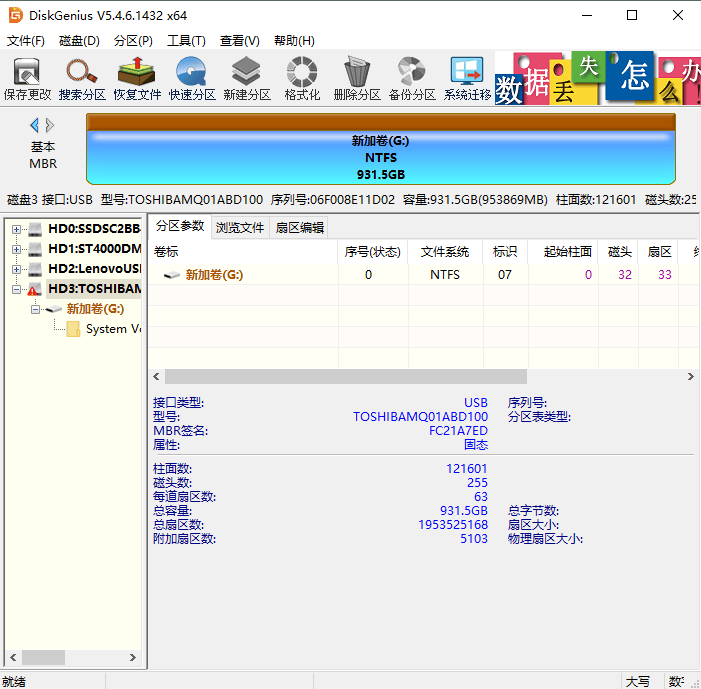
Partition recovery deals with a loss of a different shape. A partition can stop existing because the table describing it was rewritten, because a formatting command was aimed at the wrong disk, or because an operation was interrupted halfway through. The files themselves are usually still laid out where they were; what went missing is the description of where the partition begins and where it ends. Looking for that again is a search problem, not a reading problem, and it is the reason this kind of work can succeed on a disk that the system reports as empty.
Two of the recovery modes deserve to be named on their own, because they cover the cases where general-purpose software tends to stop. Ext4 partition recovery addresses volumes that were formatted for Linux: to a program built around desktop conventions, that file system is not something it can list, so the space is reported as unallocated and treated as though nothing had ever been there. Encrypted partition recovery addresses volumes whose contents were protected. Underneath the encryption the file system is an ordinary one, but nothing above it can be read until the volume is opened, and a scan that does not account for that possibility concludes that the area is unused.
Arrays instead of disks
RAID recovery is a different category again, because the object being recovered is not a disk in the usual sense. When one member of an array has failed, or when the controller that defined the array is gone while the disks themselves are intact, what is missing is the arrangement: how many members there were, in what order they sat, what the stripe size was, and which disk held which position. Recovering in that situation means assembling the array inside the program from the disks as they are, and then reading through that assembly instead of through a controller that no longer exists to describe it.
When the description itself is the damage
Sector editing exists for the cases that none of the features above can reach. It puts the raw content of a single sector on screen — hexadecimal on one side, the interpreted characters on the other — and lets it be changed by hand. This is not a feature to reach for first, and it is not one to use without a copy of the disk in front of you. It is what remains when the bookkeeping has been damaged in a way no automated scan can interpret: one wrong field in a boot record, one broken entry that makes an otherwise intact volume unreadable.
The check that comes before all of it
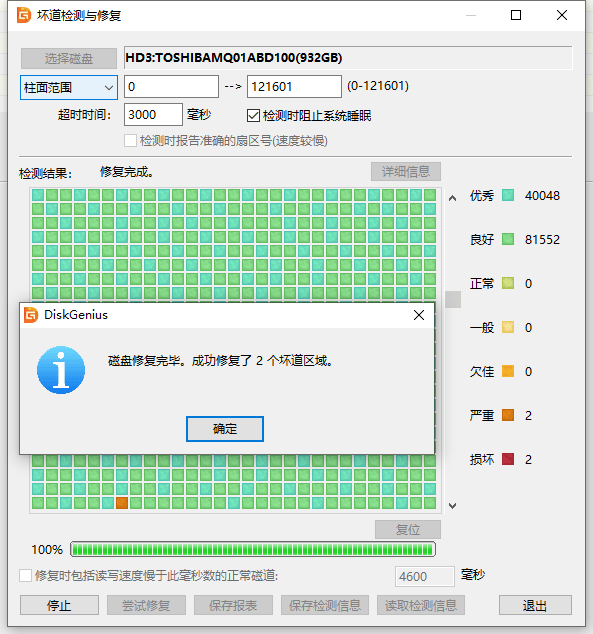
Scanning for bad sectors is the simplest feature to describe and the one worth running first. The surface of the disk is read and the areas that cannot be read reliably are reported. Where the scan finds one, the interface offers a repair attempt for it directly. That repair is not a resurrection: it asks the drive to remap the sector to a spare one, so the data that used to live there should be treated as lost. The point of doing it is to stop the file system from being asked to keep working around a spot that no longer holds anything.
One window, two directions
The convenience of having partition management and data recovery in the same place is also the thing that calls for care. The same window that can bring a partition back can create, resize, format or remove one, and no undo runs in both directions. The habit that makes the program safe is the dull one: read before writing, and when the disk matters, work from a copy and leave the original untouched until the job is finished.
DiskGenius is distributed commercially rather than as an open-source project, and the recovery features are the reason to keep it around. It is not a tool for a disk that is merely full, and it is no substitute for a backup. It is for the specific moment when a file, a partition or an array has stopped being visible and what is underneath is still worth the effort of getting back.