
CrystalDiskMark 9.0.3: a free speed test for any drive
Summary
CrystalDiskMark 9.0.3 is a free open source disk benchmark that reports sequential and random throughput in three profiles, reaches back to Windows XP, and ships under the MIT licence.
Recommend- Name
- CrystalDiskMark
- Version
- 9.0.3
- Pricing
- Free
- Open source
- Open source
- Operating system
- Windows
- Updated
- 2026-10-05 08:25
CrystalDiskMark answers a narrow question with a number. Point it at one drive, choose a profile, and inside a minute you hold sequential and random throughput figures that can stand beside another drive's figures. Version 9.0.3, published on 24 May 2026 and released under the MIT licence, is the current build, and it reads spinning platters, solid state drives and USB sticks alike.
What it actually measures
The project describes itself plainly as a simple disk benchmark, and the feature list keeps to two families of measurement, sequential and random, with mixed read and write workloads covered as well. Three profiles decide which of those you get. Peak pushes toward the ceiling the interface can theoretically sustain. Real World weights the run toward the mix a desktop actually produces. Demo exists for showing a result to somebody else rather than for record keeping. The interface is localised into several languages and offers switchable themes, and it shares that skin system with a sibling drive-health tool from the same author, so anyone who has used the other one will recognise the layout at once.
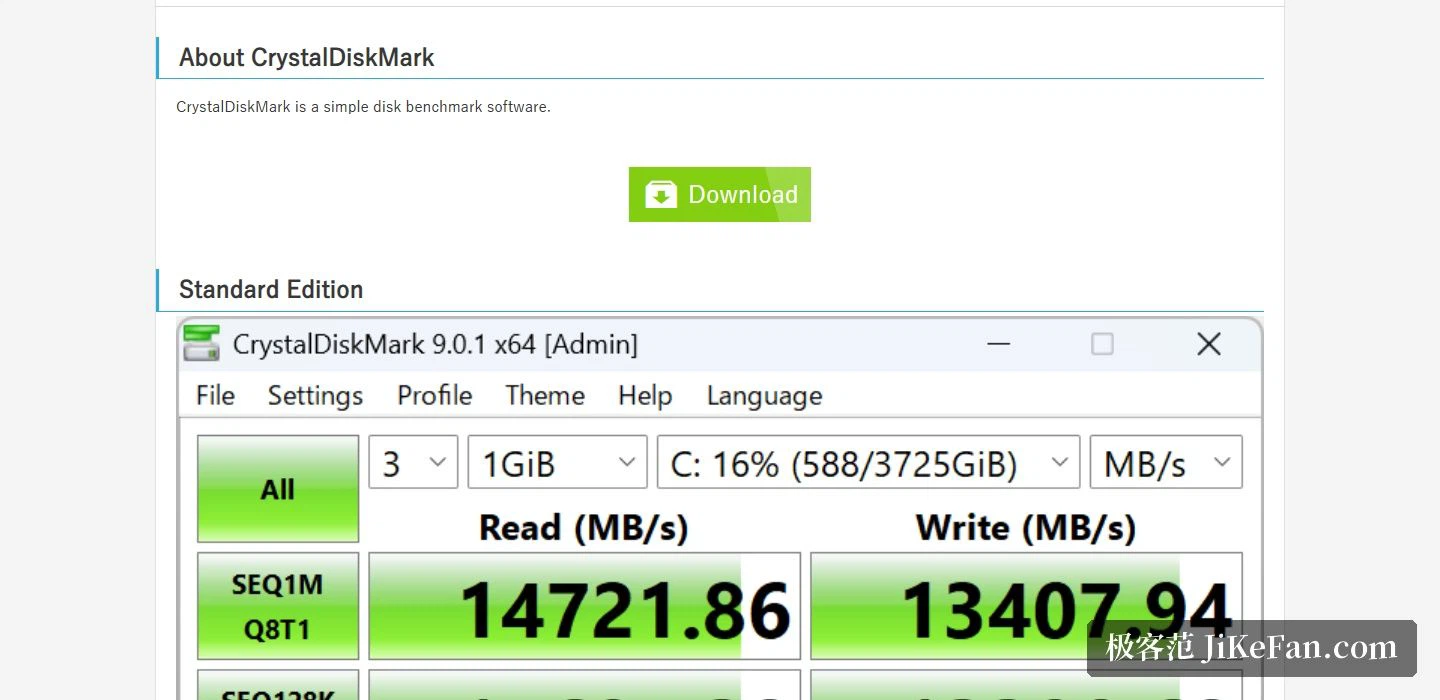
Reading the numbers honestly
Four cautions in the official notes deserve a look before the first run. The unit convention is decimal: MB/s means 1000000 bytes per second, not 1048576. Scores from different major versions are not comparable, so do not line an old result up beside a new one after an upgrade. On some solid state drives the outcome depends on the data pattern used, and random data can land noticeably away from zero-filled data. Test file size, where that file sits on the medium, partition fragmentation, the controller and the processor speed all move the figure as well. When two drives are being compared, keep version and settings identical on both sides.
One warning the documentation states outright: repeated write tests can shorten the service life of a solid state drive or a USB stick. Running the benchmark once or twice to check a new purchase is harmless. Running it every day is not.
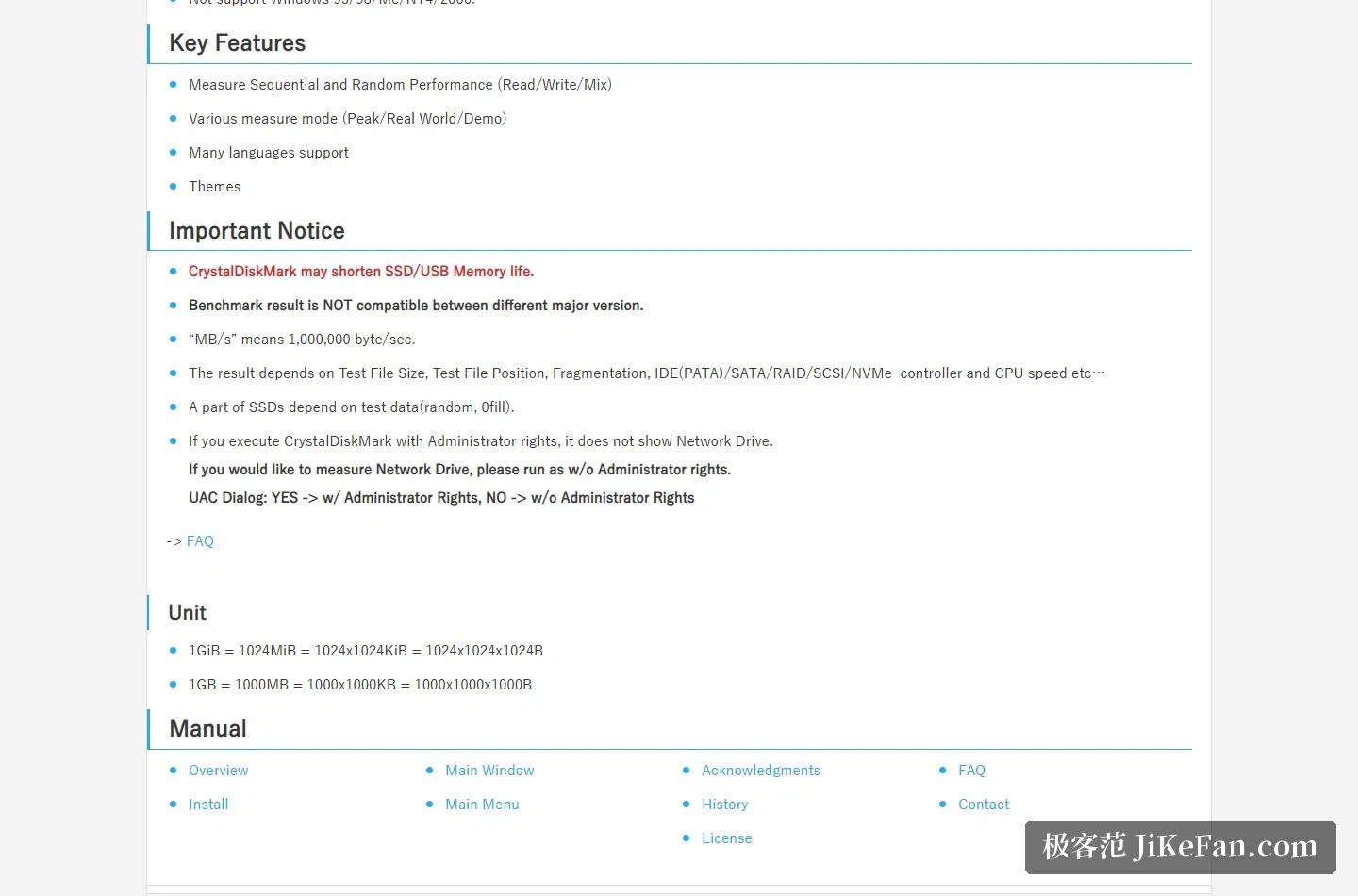
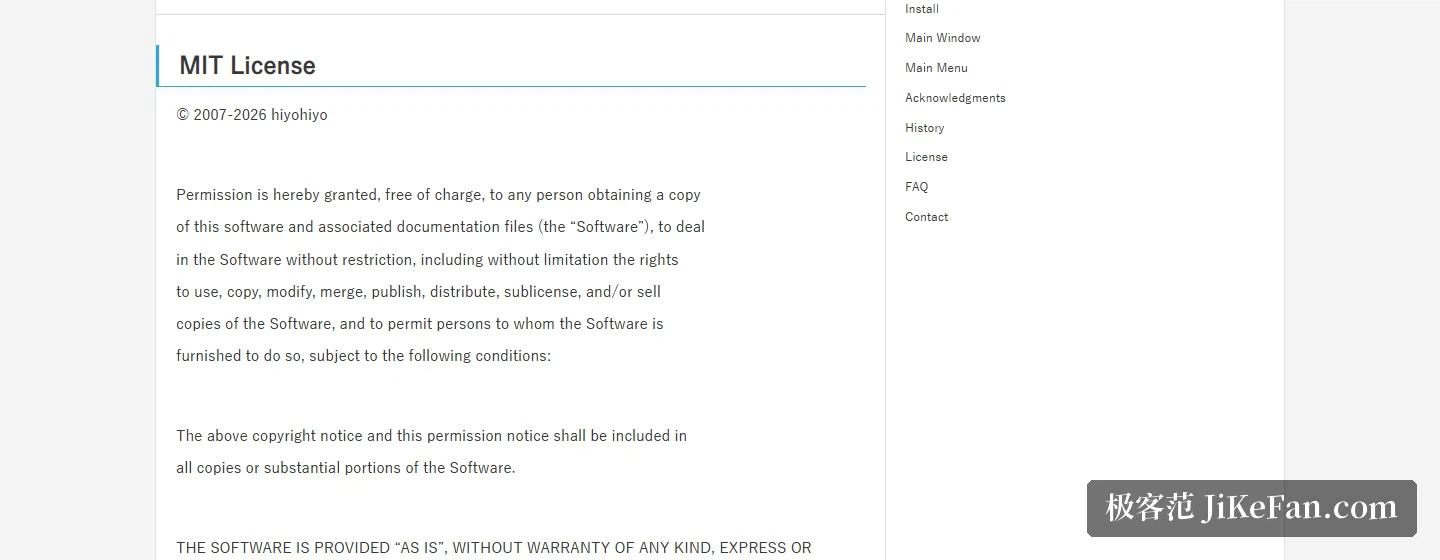
Licence and which edition
The MIT licence covers it, the copyright sits with a single holder, and the start year reaches back to 2007. That licence permits use, copying, modification, merging, publication, redistribution and even resale, on one condition: the copyright notice and the licence text stay with the code. The download page files it under open source software and ships the standard edition as an installer, as an archive and as source code, while an application store listing offers a paid build. Two themed editions sit alongside the standard one, and each of the three arrives both as installer and as archive.
Requirements and small details
Compatibility is broad: Windows XP, Vista, 7, 8, 8.1, 10 and 11 on the desktop side, plus server releases from Windows Server 2003 through 2025, across 32-bit, 64-bit and ARM64 builds. Two exclusions matter. The installer and the 64-bit build do not run on Windows XP or Server 2003, the NT5.x generation, and nothing here supports Windows 95, 98, Me, NT4 or 2000.
Permissions catch people out. Start the benchmark elevated and mapped network drives simply do not appear in the list. To measure one, decline the elevation prompt and let the tool run with ordinary rights instead. The manual covers the overview, installation, the main window and the main menu, and a FAQ handles what remains.
Acquisition is equally direct. The product page opens with a quick download block that lists the standard build and the two themed builds, each with its installer and its archive. The developer also accepts sponsorship in tiers, five of them, running from 10 dollars for a book supporter up to 1000 dollars, with with a sponsorship channel on a code hosting platform as the alternative. Before the first run it is worth opening the settings to confirm how many passes and how much test data the profile uses; the defaults suit a quick sanity check, and raising the pass count buys a steadier figure at the cost of waiting longer.
The appeal of a tool like this is that it is short and flat: choose the drive, choose the profile, and half a minute later you hold a set of comparable numbers. Being free, open source and friendly to old systems makes it good enough for checking whether a new drive underdelivers or an old one has slowed down. The two things to keep in mind are not to compare results across major versions, and not to hammer a solid state drive with it every day.