
ChatGLM on the desktop: mount a local folder and the analysis comes to you
Summary
Mount a folder and the assistant lives inside that working directory: files added, changed or dropped are noticed as they happen, several documents are compared at once, and the whole directory stays read only the entire time.
Recommend- Name
- ChatGLM
- Version
- 2.0.5
- Open source
- Proprietary
- Operating system
- WindowsmacOSAndroidiOSWeb
- Website
- https://chatglm.cn
- Updated
- 2026-10-27 22:00
The assistant moved out of the browser tab and onto the desktop. Hand it one local folder and it lives in that working directory: files added, changed or dropped are noticed as they happen, several documents are compared, summarised and reorganised together, and you read the conclusion.
The conversation side has run comfortably on the web for a long time, so what deserves separate treatment in the desktop client is the one new thing: giving it a local folder. As of September 2026 the client is on its own release line, separate from the mobile one. Basic questions and writing are free, and a membership tier covers the larger allowance.

Mounting: letting the assistant live in your working directory
Making an assistant handle local files used to follow a fixed script: select the file, upload it, wait for parsing, ask, leave. Open another conversation and the background has to be explained again. The desktop client does something else, which is mounting.
After mounting, the assistant stays inside the directory you name. Additions, edits and removals under it are picked up live, with background synchronisation running continuously, and the status bar shows the mount point and the index state so you can see at a glance whether synchronisation has finished. The action itself is light: switch to the agent tab, press the mount icon at the left of the input field, choose the target folder, confirm the scope of permission, and it is done. One-off needs do not have to change habits either, since ordinary uploading remains and works the same way as on the web.
The granularity is fine. One agent can mount several folders, split by project without interfering with each other, and the same folder can be mounted concurrently by several agents, each with separate storage and isolated memory. When it is time to stop, remove the mount, which only breaks the association and leaves the physical state of local files untouched.
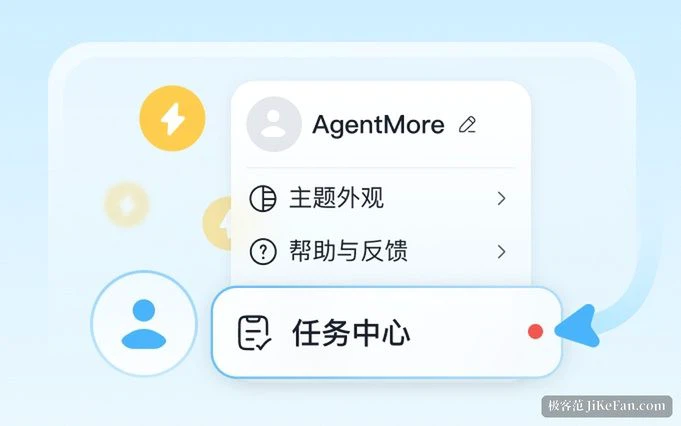
One boundary belongs up front: mounting does not open the whole disk. System directories, key and credential files, and audio and video media are screened out automatically, and a single file above two hundred megabytes does not enter the synchronisation scope. Having that default in place works better than a reminder afterwards.
Cross-file analysis: many scattered materials, one conclusion
The real value is not reading one file but reading a pile of them at the same time. Several weekly reports, two versions of a proposal, a few quarterly tables, previously assembled by hand for comparison; now the instruction can be given directly. Compare the two versions and list the core differences in a table. Or sum the quarter's figures in the directory into an executive summary, following the tone and layout of the template file also in the directory. It retrieves, cross-checks and reorganises by itself, then produces a structured conclusion for review.
The gap shows most clearly in a few situations. A table of several tens of megabytes is awkward to push through a web upload, and reading it locally removes that obstacle. Material that accumulates over time keeps its index growing alongside the new files, so something dropped in halfway is noticed within seconds and no background has to be restated. And contracts or confidentiality agreements, the kind people hesitate to upload, take a smoother path handled locally.
Read only: it can see, it cannot change
Hand a directory full of finished work to an AI and the first thought is usually what happens if it deletes something by mistake. The mounted folder is held to a read-only policy: it is read on demand during reasoning and holds no permission to modify or delete. Review, remove the mount, the association is gone and the files are intact.
Together with the screening rules above, the practical meaning is this: contracts, financial tables and internal documents can be left in a mounted directory without a manual pass to pick and delete first.
Chat and the agent mode: two ways of working in one window
The client fits both capabilities into one interface. Everyday questions, writing and thinking aloud go to chat; mounting folders and running multi-step workflows belong to the agent mode, one switch away, with no browser and no hunting between tabs. Context carries across the two: realise mid-conversation that a file has to be touched and switch over; finish an agent run and switch back to ask about the details.
The basis for that collaboration, upgraded and presented in the client as the agent mode, carries more than seventy-four thousand skills covering office work, content creation and data analysis, supports up to five agents working at once, switches between brainstorming and task assignment, and can take instructions relayed from the main messaging and collaboration platforms.

The models behind it
The current flagship, published on 14 August 2026, is positioned for complex software engineering and long-running agent tasks, with a one million token context. There is a lighter Flash tier launched on 26 August with its weights opened the same day, answering faster, selectable in the interface along with the depth of thinking. That tier carries three hundred and twenty billion total parameters, eighteen billion active, roughly a million tokens of context, and is the first natively multimodal model in the family.
What the desktop client really changes is where the assistant sits: from a page you have to go and open, to the place where your files already are. Mounting solves the repeated uploading, the read-only policy solves whether it is safe to hand over, and the two-mode switch solves doing things while talking about them. Stack the three and it looks like a workbench on the desktop rather than a conversation window you have to accommodate.