
Sider review: one sidebar, three jobs, and a cloud machine on the top tier
Summary
Chat reads what you are looking at, Hand walks across sites doing the errand, Code rewrites a page in plain language. All three live in one sidebar, and the dearer tiers throw in a small cloud machine so the errand can keep running after you close the laptop.
Recommend- Name
- Sider
- Version
- 20260918
- Open source
- Proprietary
- Operating system
- WebWindowsmacOSiOSAndroid
- Website
- https://sider.ai/
- Updated
- 2026-10-06 17:16
This browser-extension line already covered one product that gathers several models into a sidebar. Sider goes further. The same sidebar carries, alongside chat, an agent that runs tasks in a real browser and a tool that rewrites a page in plain language. The homepage calls it an AI agent for the browser, with a subtitle about one sidebar covering everything you do in the browser, and lists more than 10 million active users, more than 100,000 five-star reviews, and two marks from the browser's extension store: an editors' pick for 2026 and a most popular choice for 2025.
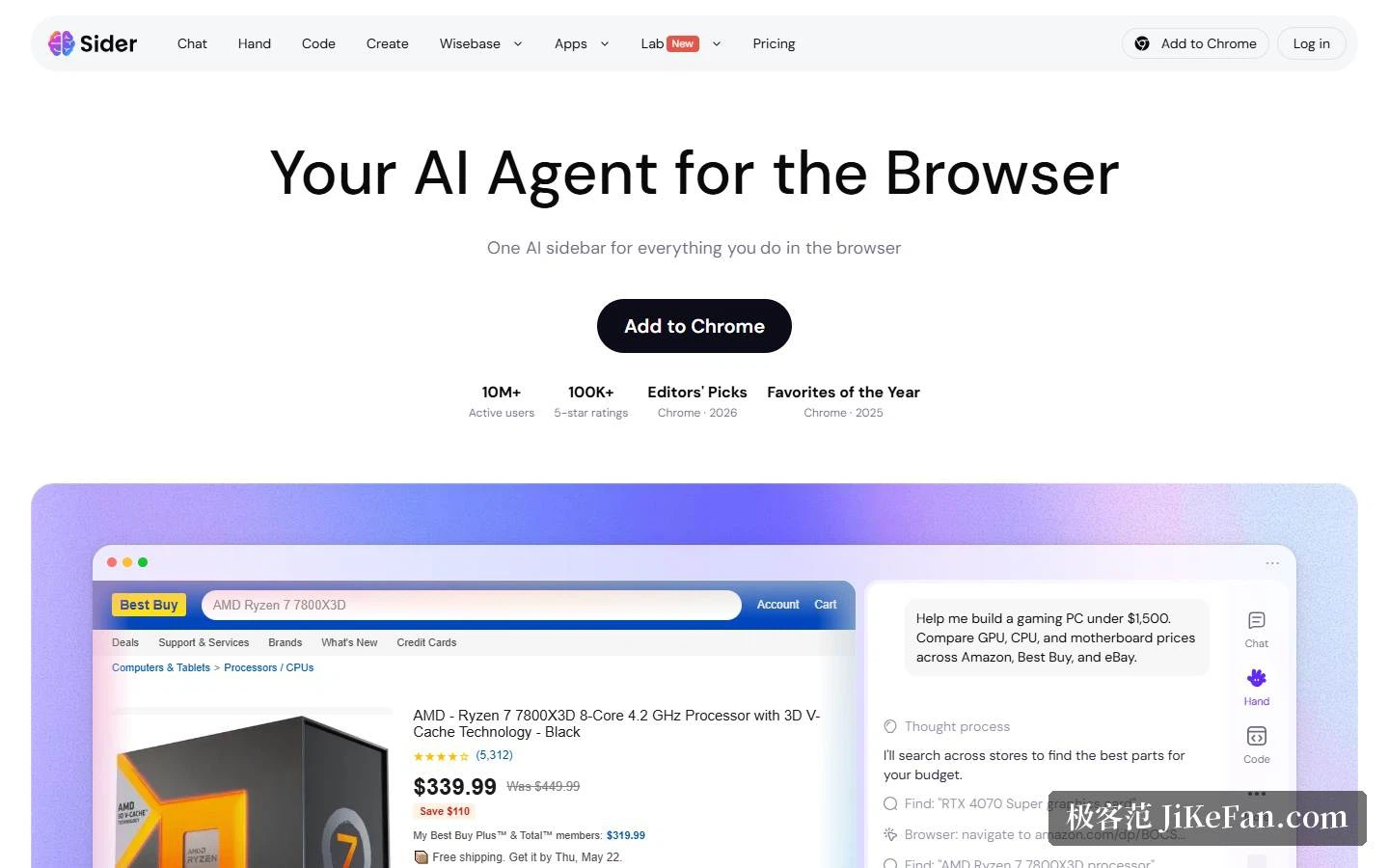
One sidebar, three capability lines
The homepage compresses the product into three verbs. Chat understands: summarising, explaining, translating, exploring pages, PDFs and video. Hand automates: researching across sites, comparing, extracting, organising. Code customises: editing, restyling, simplifying, and saving the change to any site. The chat page states the relationship more plainly, with Chat understanding content, Hand executing across sites and Code altering the page. They are three uses of one sidebar.
On the chat side specifically, several frontier models sit in one panel, switchable in a click, and the same question can be thrown at several of them at once for comparison. On top of that come the everyday moves: explain a selection in place, a bilingual side-by-side translation covering more than 50 languages, and summaries of pages and video. The design rests on a single premise: not leaving the page you are on.
Hand: running errands across sites in your own browser session
Hand is the rarer part of the package. It does not build a separate sandboxed browser; it works inside yours, using the sessions you are already signed into, which means pages that require a login are within reach. The flow has three steps: describe the task in plain language, watch it open pages and read and compare sources, then receive a table, a summary, a report or a recommendation. The company stresses that every step stays visible.
What backs the claim is a set of unedited recordings. Eight are listed with tasks and durations spelled out: a marketplace price watch at 1 minute 7 seconds, competitor search intelligence at 2 minutes 24 seconds, a hiring-signal brief at 1 minute 2 seconds, complaint clustering at 51 seconds, a forum topic sweep at 1 minute, video topic research at 53 seconds, an events intelligence table at 51 seconds and company contact collection at 1 minute 17 seconds, grouped into research, conversion, generation and operations. Each starts from one prompt and ends with a finished artefact. The demo on the homepage is just as concrete: asked to assemble a gaming PC on a 1500 dollar budget, it compares graphics card, processor and motherboard prices across several retailers and returns a build at 1499.92 dollars.
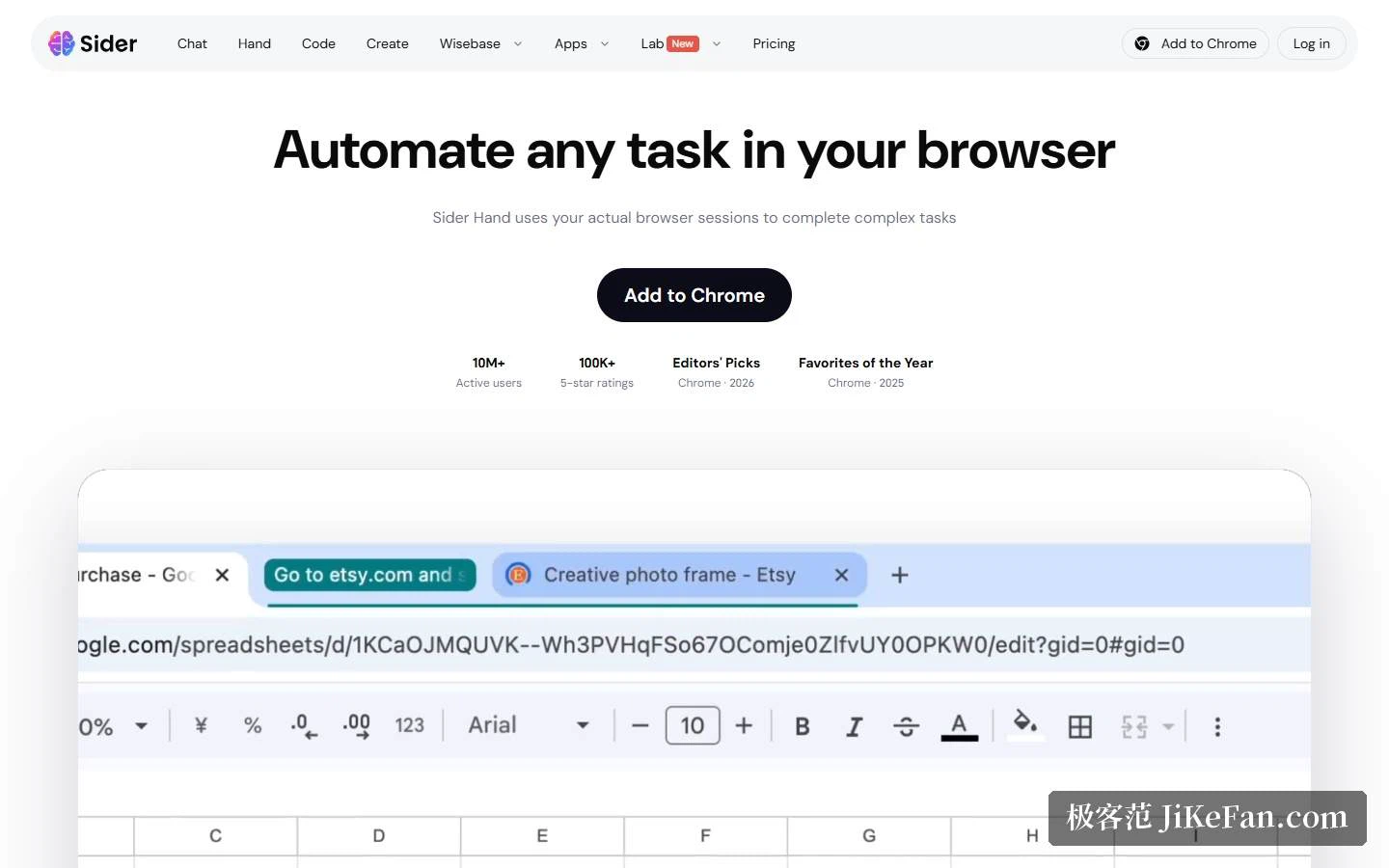
Code: rewriting a page with one sentence
Code answers a different need. Sites are designed for general use, and you want them to display the way you prefer. The flow is again three steps: describe the change, watch the page update live, and have the change saved per site so it applies automatically next time. The company is emphatic about what is not required: no inspecting the document structure, no user scripts to install, no managing extensions per site. It also goes beyond hiding elements, since it can add actions, restructure content and read the page while altering it.
The examples are specific pains. Collapse hundreds of forum comments into one overview in 10 seconds. Turn a long social post into an article with a table of contents in 15 seconds. Give an online document service a dark mode in 6 seconds. Rearrange a technology forum's comment thread into a debate view in 17 seconds. Tidy a novel site's long chapter into comfortable reading layout in 12 seconds. Remove a short-video shelf entirely in 18 seconds. All land around ten seconds, which is the tangible difference from installing a pile of scripts and configuring them yourself.
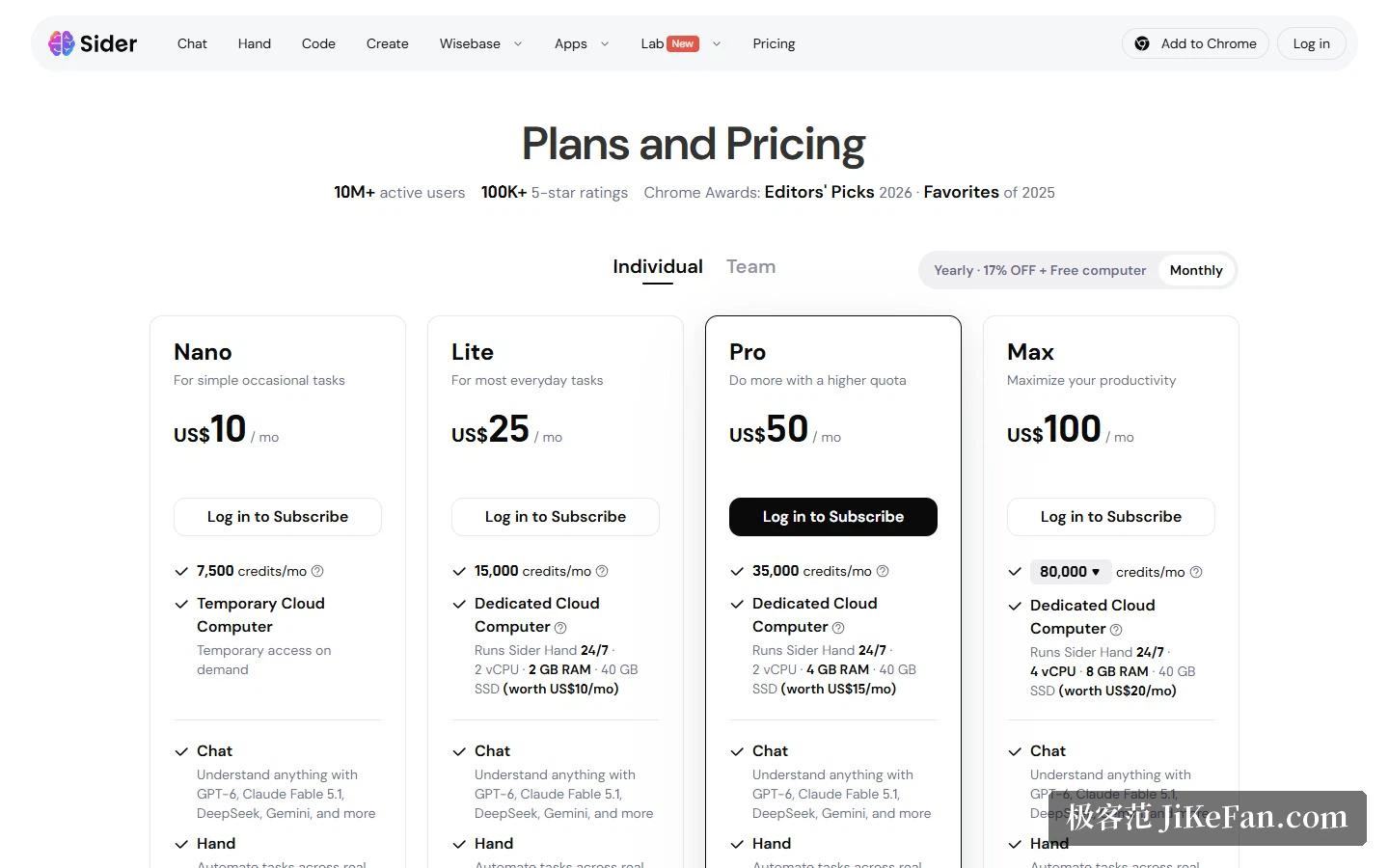
Four tiers: credits and the cloud machine are the difference
The pricing page is blunt. Every tier includes every feature, and the price gap falls only on monthly credits and cloud machine specifications. Nano is 10 dollars a month with 7500 credits and a temporary cloud machine spun up on demand. Lite is 25 dollars with 15000 credits and a dedicated machine of 2 cores, 2GB of memory and 40GB of storage, marked as worth 10 dollars a month, which lets Hand run around the clock. Pro is 50 dollars with 35000 credits and 2 cores with 4GB. Max is 100 dollars with 80000 credits and 4 cores with 8GB. The toggle also advertises 17 percent off for annual payment plus a free machine.
The shape of the product is visible in that table. It is no longer merely an extension subscription: a machine in the cloud that can run tasks on your behalf is part of the monthly fee. Credits decide how much work you can hand over, and the machine decides the specification it runs on and whether it can keep running. For bulk collection or scheduled tidy-ups, the second half is what shapes the experience.
Beyond credits: generation and a knowledge base
Outside the sidebar sit two further businesses. Generation covers images and video through several image and video models, and also produces slide decks and documents. The single-purpose tools are spread wide as well: video summaries, an AI creative studio, image generation and editing, document chat, translation of PDFs, images and pages, read-aloud, data analysis, artefacts, AI writing and audio transcription, with commercial use explicitly permitted.
The other is a knowledge base split into collect, process and output. Collecting means grabbing pages with the extension, pasting a URL, or uploading PDFs and documents. Processing means asking questions across several files and saving the essentials as notes. Output means turning notes into drafts or a FAQ, and converting them into outlines and mind maps, a feature the page marks as in development. The free allowance is specific: 30 basic credits a day, no file above 10MB, and basic file analysis and conversation.
Who it suits, and what to watch
Three groups. Anyone shuffling information across dozens of tabs a day finds Hand directly on point: cross-site price comparison, contact gathering and tabulation are exactly its errands. Anyone whose browsing experience is dictated by platform design gets Code, which reshapes familiar sites into something workable and remembers the change. And anyone reading a lot of PDFs, video and long articles finds the multi-model chat and translation sufficient, with the knowledge base gathering the material in one place afterwards.
Three cautions. Credits are the only variable, and heavy work, meaning long agent runs, video generation and deep research, draws them down, so estimate how often a month you will run something before choosing a tier rather than reading the monthly figure alone. The free tier's limits sit on files and credits, 10MB per file and 30 basic credits a day, which suits trying rather than carrying volume. And cross-site automation has to follow each site's terms: it uses the sessions you are signed into, and the stronger the capability, the more the boundary is yours to hold, so bulk collection does not belong anywhere that forbids it.
A note on stance. Sider repeats visibility as a selling point: every Hand step shows in the browser, and Code asks for confirmation on each change, the opposite instinct from agents that bury execution in a black box. For a first meeting with a browser agent, that visibility likely buys more confidence than a few extra capabilities.
The dividing line for a browser agent may not be how many tasks it can run, but whether the person can keep watching while it runs them.