
NotebookLM answers only from your own sources, then turns them into a podcast
Summary
Upload PDFs, sites, videos or audio, and every answer stays inside that material with an in-text citation you can click back to. The same sources can be reworked into a study guide, a briefing, a mind map or a two-host audio discussion.
Recommend- Name
- NotebookLM
- Version
- 20260917
- Pricing
- Free
- Open source
- Proprietary
- Operating system
- WebAndroidiOS
- Website
- https://notebooklm.google.com/
- Updated
- 2026-10-06 22:14
Reading a stack of PDFs and remembering none of it is a complaint students and researchers share. The answer built for it describes itself as an AI-powered research assistant meant to help you distil ideas and organise your thinking. One naming note: since 2026 the help centre and the store listing call it Gemini Notebook, while the help pages still carry the old heading — the rename is in transition, so this article stays with the name more people know.
What can go in
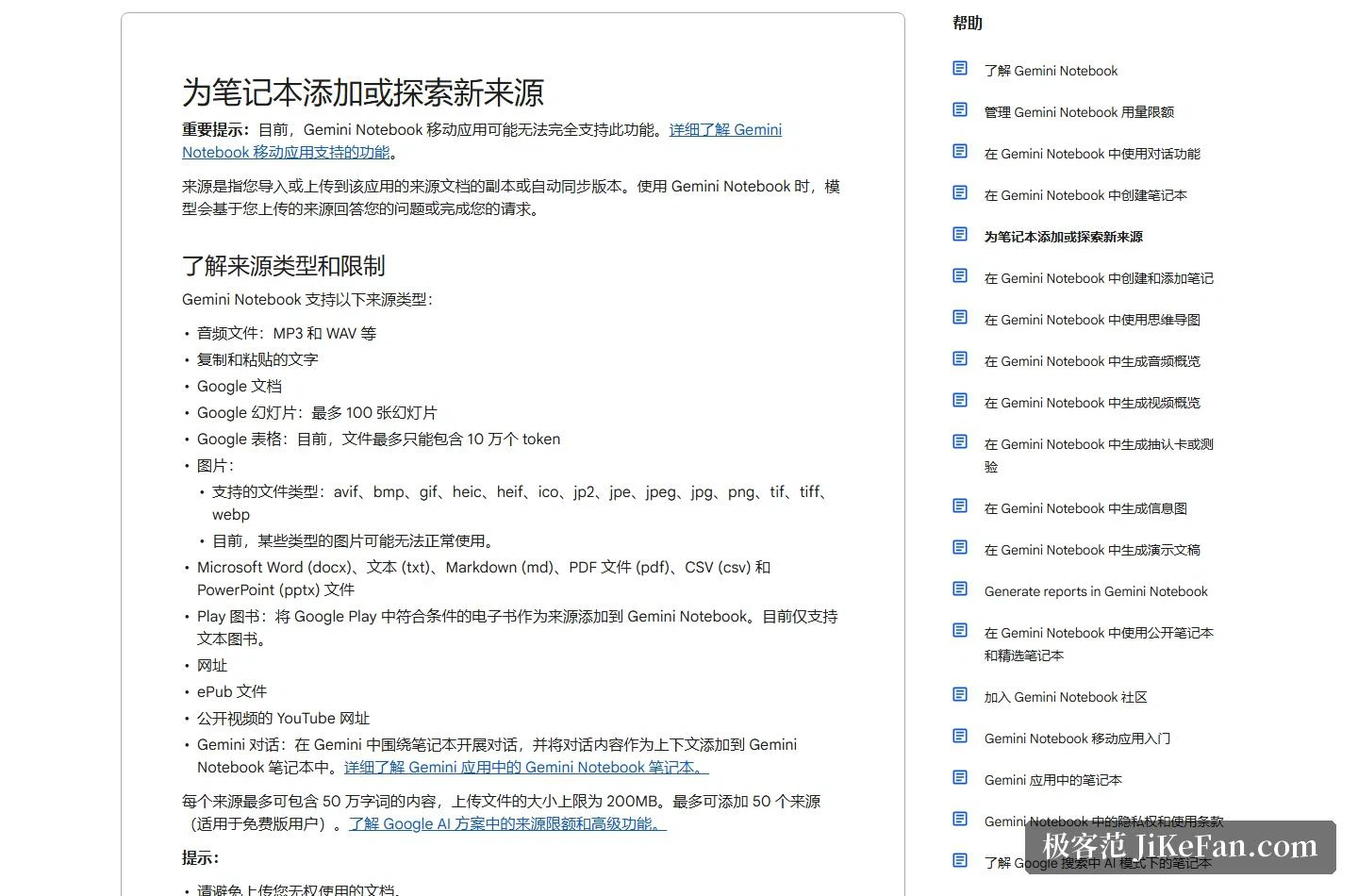
The list of supported sources is unusually wide: PDFs; Word, txt, Markdown, CSV, PPTX and ePub files; audio in formats like MP3 and WAV; images; web addresses; pasted text; documents, slides of up to 100 pages, sheets, ebooks and chats pulled from the same platform; and public videos that carry subtitles — for a video the transcript is what actually gets imported, and audio is transcribed automatically on the way in.
Limits are stated just as plainly: each source may hold up to 500,000 words, an upload may reach 200MB, and a free account can attach up to 50 sources, with the paid AI plans adding their own ceilings and features.
Answers that point back
Chatting with a notebook is officially described as getting grounded information from the sources with clear in-text citations, for accuracy, transparency and trust. In practice that means the model answers only inside your material, and every answer can be clicked back to the passage it came from.
Beyond the chat, sources convert into other shapes: a study guide, a briefing, an audio overview, a mind map. The help centre also keeps separate entries for a video overview, flashcards and quizzes, an infographic, a presentation and a report, which makes the chain from revision to reporting fairly complete.
The audio overview, which is the signature
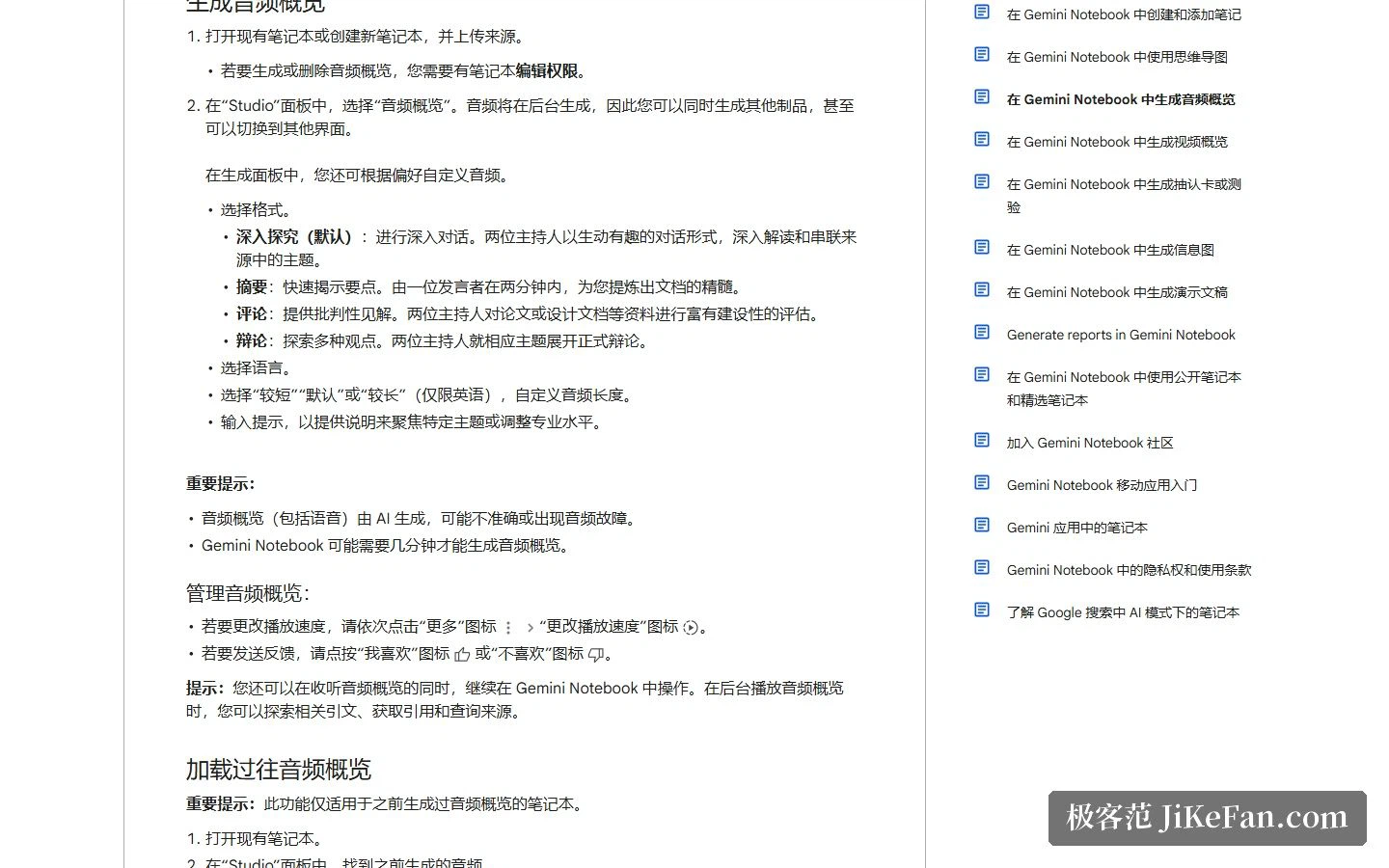
The official definition is a deep discussion between two AI hosts summarising the key themes of what you uploaded, and it comes in four formats: deep dive, the default two-person conversation; brief, where a single speaker distils the essence in two minutes; critique, a constructive review aimed at a paper or a design document; and debate, with two sides arguing formally. Generation runs in the background while you keep working in other panels.
Audio overviews can be produced in more than 80 languages, though the interactive mode is English-only for now: while listening you can join the conversation, ask for more detail, or request a different explanation.
Finding the sources happens inside too
Even the search for material sits in the notebook. Fast research pulls supported sources from the web or from cloud drive storage, returning titles, context and links, and a tick imports them. Deep research is described as an agentic feature: it browses as many as several hundred sites, sifts the material and produces a multi-page report with findings in minutes, importable whole or in part, and it is restricted to users aged 18 and over.
A crowded notebook does not have to become a mess either: from 5 sources upward, the system can label and categorise them automatically, and manual tidying is still available.
Desktop, phone, and other doors
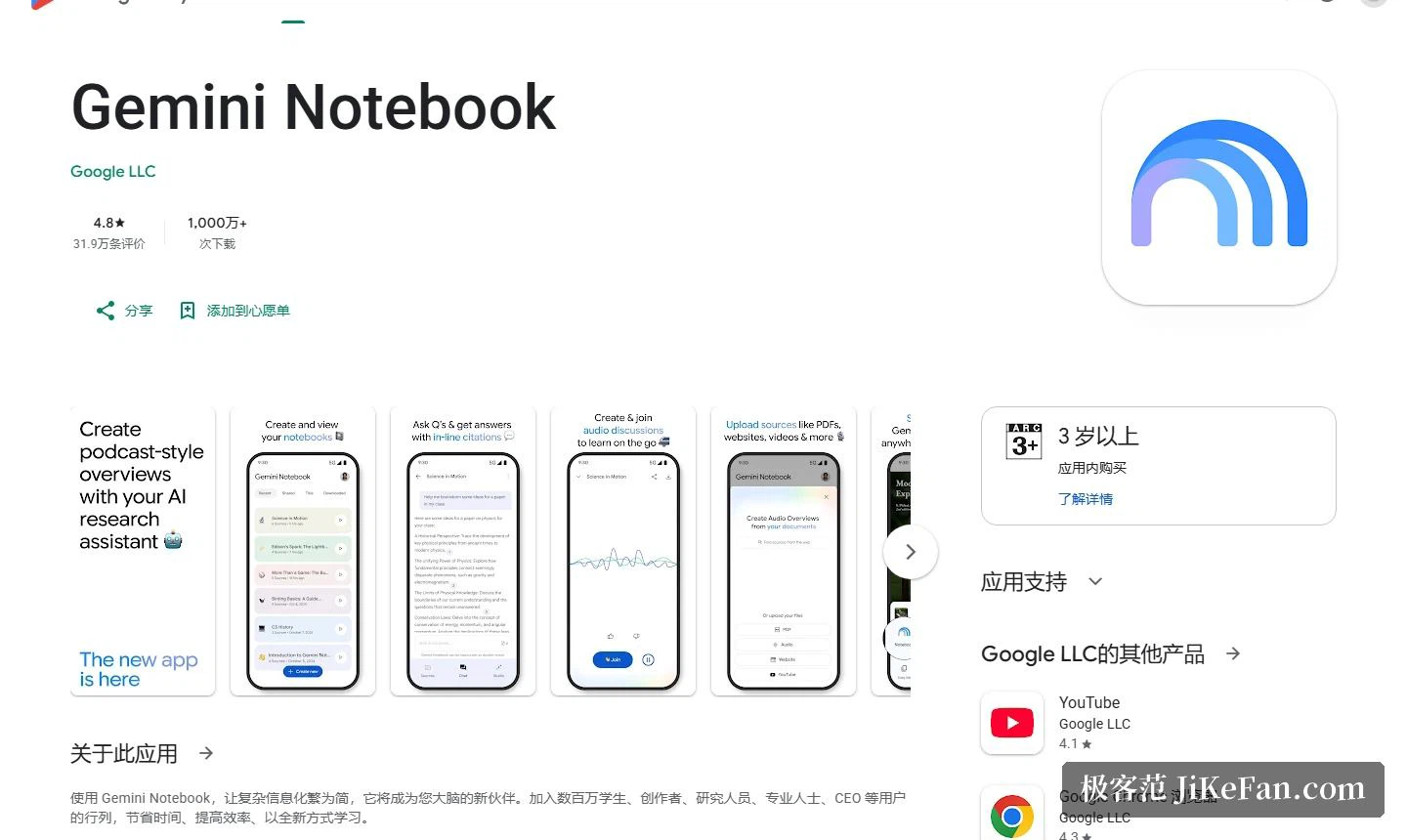
The store listing shows the app, now under the new name with the developer account of the same parent company, updated on 11 September 2026, rated 4.8 from 319,000 reviews, with more than 10 million downloads, filed under productivity and carrying in-app purchases. On mobile the described abilities are: upload a PDF, a site, a video or text into a notebook, answers with embedded citations, and podcast-style audio listened to with background playback and offline support — you can even join the episode to ask questions or steer the discussion.
Beyond web and mobile, notebooks open from the assistant app and from the AI mode of the company's search engine, so the same notebook continues across doors.
Price and privacy
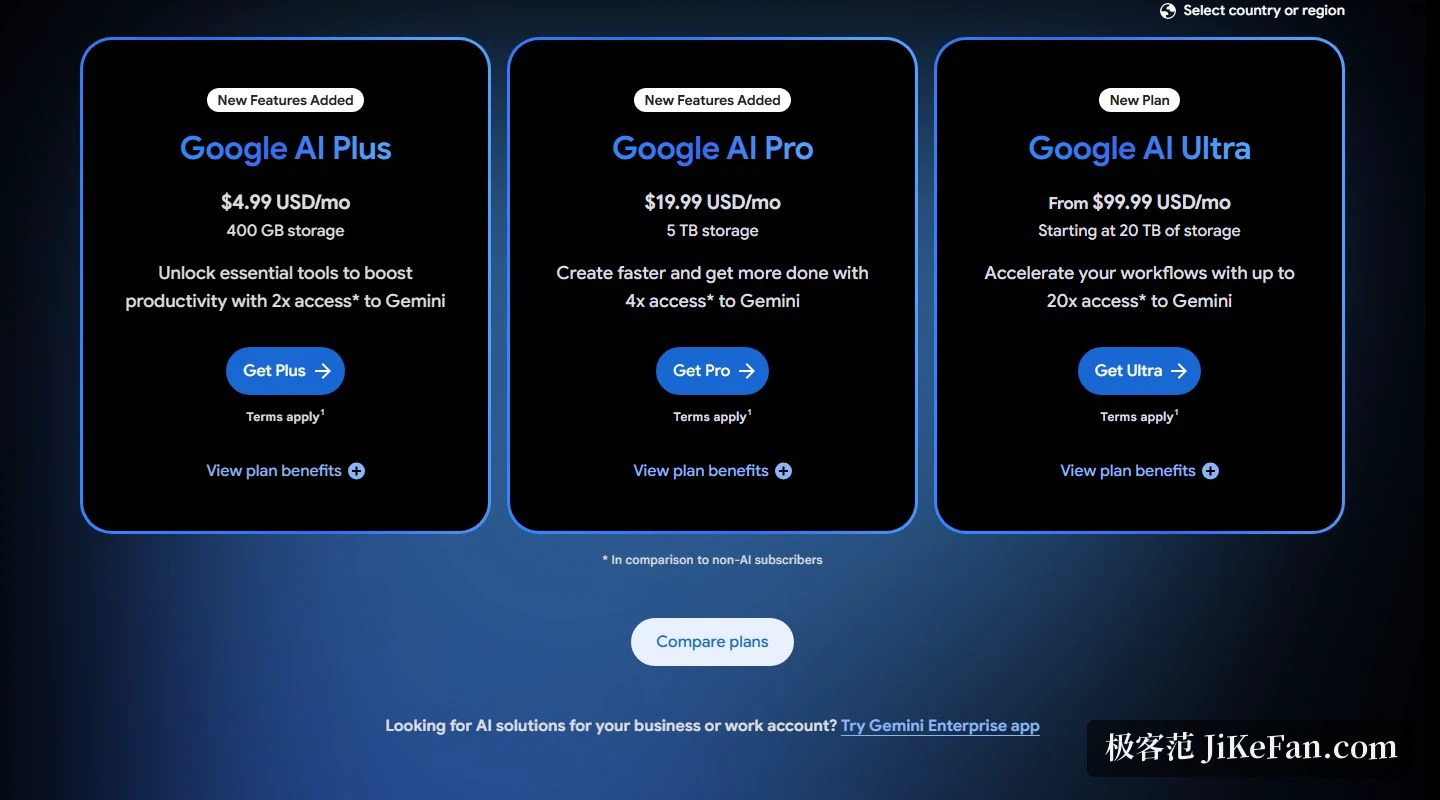
The free boundary was set out above: 50 sources, 500,000 words each. For more room and advanced features, the official plan page lists an AI Plus tier at US$4.99 a month including 400 GB of cloud storage, and an AI Pro tier with more notebook features and model access, with a discount aimed at students.
On data, the help centre states that content is protected and never used to train the notebook unless you send feedback, and that for workspace accounts the uploads, queries and model answers are neither human-reviewed nor used to train models. The store listing's data safety section adds three declarations: no data shared with third parties, data encrypted in transit, and the ability to ask the developer to delete your data.
Who it suits
The store page draws its audience as students, creators, researchers, professionals and chief executives, with the core scene being long material nobody finishes: course readings, contracts, research reports, meeting recordings. What makes it distinct is that answers are confined to your own material — one newspaper review, quoted on the store listing, called it among the most compelling demonstrations of what AI can do.
Two honest notes. First, subtitles are a precondition for importing a video, so clips with no speech, and anything set to private, stay outside. Second, the audio overview is officially positioned as a deep summary and an objective reflection of the sources that may contain inaccuracies or audio glitches, so citation-grade precision still means going back to the original text and the chat panel.
When an AI is answerable only for the material you handed it, and every answer can be traced back, research finally gets a base you can check.