
Canva turns a sentence into a layout, with twenty-five image styles built in
Summary
Generation is not a tool standing beside the editor but a step inside it: a sentence produces an image, twenty-five styles apply in one action, and the result lands on the same canvas as templates and licensed material.
Recommend- Name
- Canva
- Version
- 1.124.1
- Pricing
- Free
- Open source
- Proprietary
- Operating system
- WindowsmacOSiOSAndroid
- Website
- https://www.canva.cn/
- Updated
- 2026-10-06 17:55
Canva is best understood as a design environment with generation inside it rather than a generator with a design tool bolted on. The platform started in Australia in 2013 and entered the Chinese market in 2018; the local edition runs as a separate operation with its own accounts and plans. The published figures give a sense of the scale: one hundred and fifty million monthly active users across more than one hundred and ninety countries, over seventeen billion designs published, and two hundred designs created every second.
A sentence into a design
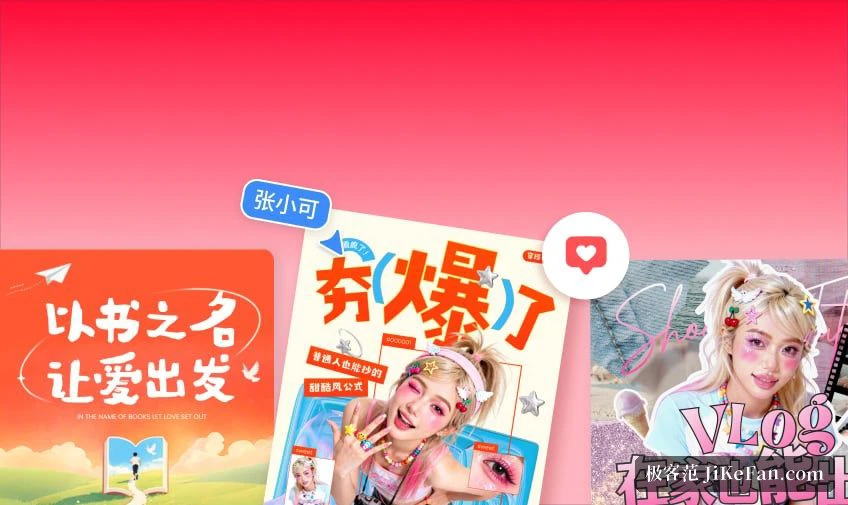
The line on the front page is that a single sentence produces a design. The description of image generation is plain: type what you have in mind, and the model produces an image, with twenty-five drawing and photographic styles that can be applied in one action. The stance is practical rather than experimental — you are not meant to be training your prompt technique. A generated picture lands on the same canvas as the templates, the text and the stock material, and continues straight into layout.
More than pictures
The AI section splits into several groups. Image handling covers object removal, background cutout, retouching, canvas extension and image generation. Generation adds characters, comic panels, avatars, faces and video effects. Content covers writing, article drafting, fiction, lyrics and a slogan generator. Around those sit a résumé builder, presentation generation, slide animation, translation, name suggestions and a prompt assistant. The comparison table on the pricing page adds automatic resizing, motion effects, image editing, an eraser, subject extraction, material effects, video cutout and a background generator for photographs. The summary is that generation is not a separate tool standing beside the editor; it is broken up and placed inside each kind of design action.

Templates and licensed material
For most people the real saving is the material. The free tier carries more than a million free images and illustrations across more than two hundred design types. The paid tier opens over seventy million images, videos, audio tracks and illustrations, plus more than a hundred thousand templates, free and paid, updated daily. The count matters less than the provenance: the company states partnerships with stock agencies and type foundries, so a team building commercial material gets a wider library without carrying the rights risk itself. For anyone producing client work, that clause outweighs the raw numbers.
From one person to a team
Four tiers are published. The free one costs nothing and is enough to start. The individual tier runs at 168 yuan a year per person and unlocks the seventy-million asset library, the hundred thousand templates, five brand kits, more than twenty AI tools, and unlimited resizing of a design. The business tier at 499 yuan a year per person adds what a team needs: brand controls, approval flows with an activity record, task and role assignment, locked brand templates, AI-written copy in the brand voice, team reports and analytics, with support listed for up to a hundred people. The enterprise tier targets larger organisations, with central management of multiple teams and brands, approval workflows across teams, access permissions for asset libraries, content controls tied to intellectual property indemnity, single sign-on and directory-based identity management.

Free for schools and non-profits
One clause is easy to miss: the pricing page states that K-12 education organisations and non-profit organisations may use the paid features at no cost. For a teacher or a small charity, that means the template and asset pool of the paid tier without a budget line, which is a different proposition from a trial.
The boundaries
Three things are worth knowing first. The Chinese edition and the international edition are separate systems; accounts and subscriptions do not transfer, so decide which side you are on before signing up rather than migrating later. AI usage is metered by plan, the allowance is pooled across all the AI tools and resets monthly, and some tools are included in the subscription without counting against the paid allowance — so work out the real volume from your own plan instead of expecting unlimited use. And prices and entitlements move, while generative output is stochastic: check the live quote and the current entitlements, and run a small batch before scaling up.
To sum up: the value is not another place to generate a picture. It is that generation, a large template and asset library cleared for commercial use, team collaboration and brand management all sit in one online editor. An individual can start on the free tier, a team adds people and permissions at 168 or 499 yuan a seat, and schools and non-profits get the paid features without paying.