
Bcut: free editing with no watermark and subtitles that type themselves
Summary
Bcut is a free editing tool from the platform it belongs to: multi track timeline, screen recording, picture in picture and automatic speech to subtitle, with a stock library and publishing without a separate export step. Free to use, no watermark, no feature locked away.
Recommend- Name
- Bcut
- Version
- 3.11.25
- Pricing
- Free
- Open source
- Proprietary
- Operating system
- WindowsmacOSAndroidiOS
- Website
- https://bcut.bilibili.cn/
- Updated
- 2026-10-06 21:56
Why a simpler editor is worth having around
A professional editing suite is complete in the way a workshop is complete: timelines, colour, plugins, and a learning curve measured in weeks before anything comes out the other end. Most people do not need that. What they need is to cut the material into something that flows, put words on the screen, and publish it. Bcut takes that route deliberately. It is the official editing tool of the platform it belongs to, it exists as a desktop program and as a phone app, and the window is calm rather than intimidating, with the everyday tools sitting in plain sight instead of behind nested menus.
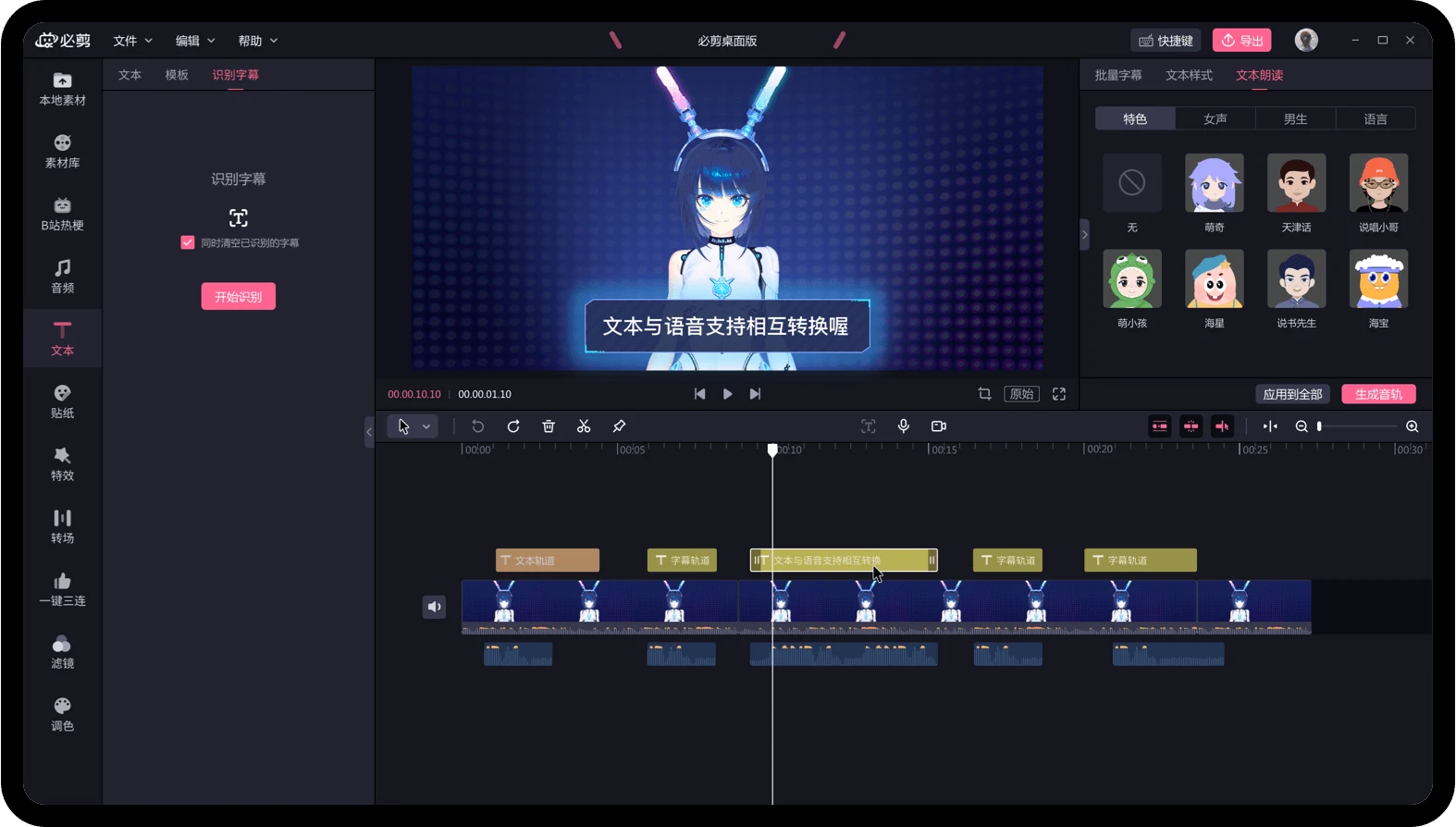
The first session is the test. Open it, follow the layout once, and you can cut something. That is a lower bar than it sounds, because most editors lose people in the first ten minutes, before any footage has been touched.
Automatic subtitles are the feature that sells it
For talking head footage and explainer pieces, typing subtitles is the most tedious part of the whole job. Here it is a single action: speech is turned into a subtitle track, accuracy on ordinary Mandarin is good enough to be useful, and the result lands on the timeline where each line can be checked and nudged. The saving against typing by hand is not ten percent, it is closer to ten times.
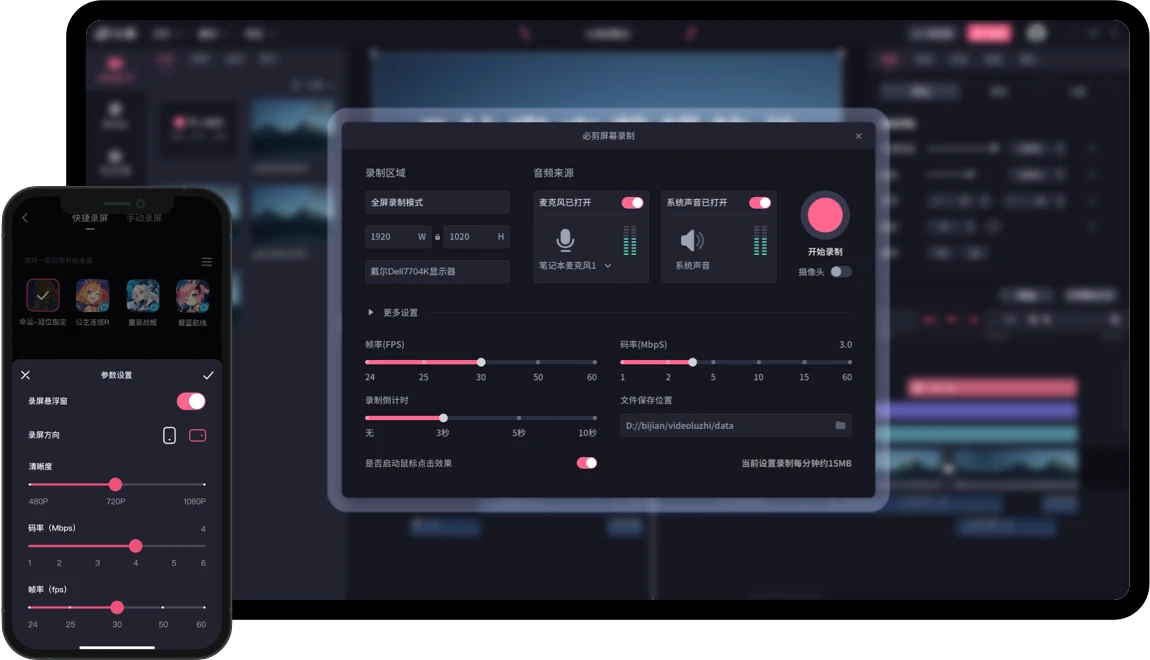
The rest of the everyday toolkit is present as well: a multi track timeline, screen recording, picture in picture, and keying out a green background. The stock library keeps adding audio clips, stickers and templates, and a beat matched video can be assembled by following a template rather than building the rhythm from scratch.
Publishing is part of the same window. When the cut is done it goes out without an export file and a separate upload, which removes one of the small frictions that stops people finishing things.
The logic here is to get you to your first finished video. Free, no watermark, no wall in front of the features, so the tool stops standing between you and the thing you wanted to say. The first step in making something is rarely technical, it is starting, and this makes starting cost nothing.
On cost there is no trick to look for: it is free, the export carries no watermark, and no function is held back. That is rare among its neighbours. The honest limit is depth. Multi camera work, serious colour grading and complex audio still want a professional suite, and the stock library and publishing route are tied fairly closely to the platform the tool comes from, so someone making content for elsewhere will find parts of it idle.
A word on how the subtitle track behaves in practice. Because each line arrives as a separate object on the timeline, fixing a misheard name or trimming a long pause takes a click instead of a re-run. For anyone who has retyped a whole script because one timestamp drifted, that is the difference between a job you finish and a job you leave open.
Screen recording is the other feature that quietly earns its place. Recording a walkthrough and laying it over a picture in picture frame is a two step job here rather than a second application and a file naming convention you have to remember.
The templates deserve a fair hearing too. Following a rhythm somebody else built is a legitimate way to learn pacing, and it produces something publishable on the first attempt rather than a folder of experiments. Skill arrives faster when there is a finished result to compare against.
As a way to start, and as a way to get an ordinary video out the door on a normal evening, it is hard to beat on value, and the official maintenance has been steady. One more detail worth noticing: because subtitles arrive as an editable track rather than a burnt in layer, a mistake costs a sentence to fix rather than a re-render, which quietly changes how willing you are to publish at all.