
GPU Tweak III: overclocking, fan curves and an overlay in game
Summary
A tuning tool that treats a graphics card as two sets of dials, one for clocks and voltage and one for the fans, with an automatic scanner, a point by point curve editor, a stop at zero rpm under light load, live monitoring, an in-game overlay and a log you can export.
Recommend- Name
- GPU Tweak III
- Version
- 2.1.8
- Pricing
- Free
- Open source
- Proprietary
- Operating system
- Windows
- Updated
- 2026-10-06 09:56
Two sets of dials, and they are the same subject
A graphics card's speed and its noise are two faces of one question: how much power goes in, and how much heat comes out. This tool splits that into two adjustable groups, one for clocks and voltage, one for the fans, and the official description calls it overclocking and monitoring software. The part worth noting is a sentence the vendor states plainly: it works with cards of any brand, not only its own series. That matters, because the useful half of a tuning tool is the monitoring, and nobody should have to buy a particular badge to watch their temperatures.
The relationship between voltage and clock is the thing to hold in mind while moving sliders. A chip can usually reach a given frequency at more than one voltage, and the extra voltage buys stability at the cost of heat, which then has to be carried away by fans that make noise. Raising the power ceiling is the blunter instrument of the two and often the safer one, since the card protects itself at the limit rather than being pushed past a point it does not like.
How the clocks and voltage are actually adjusted
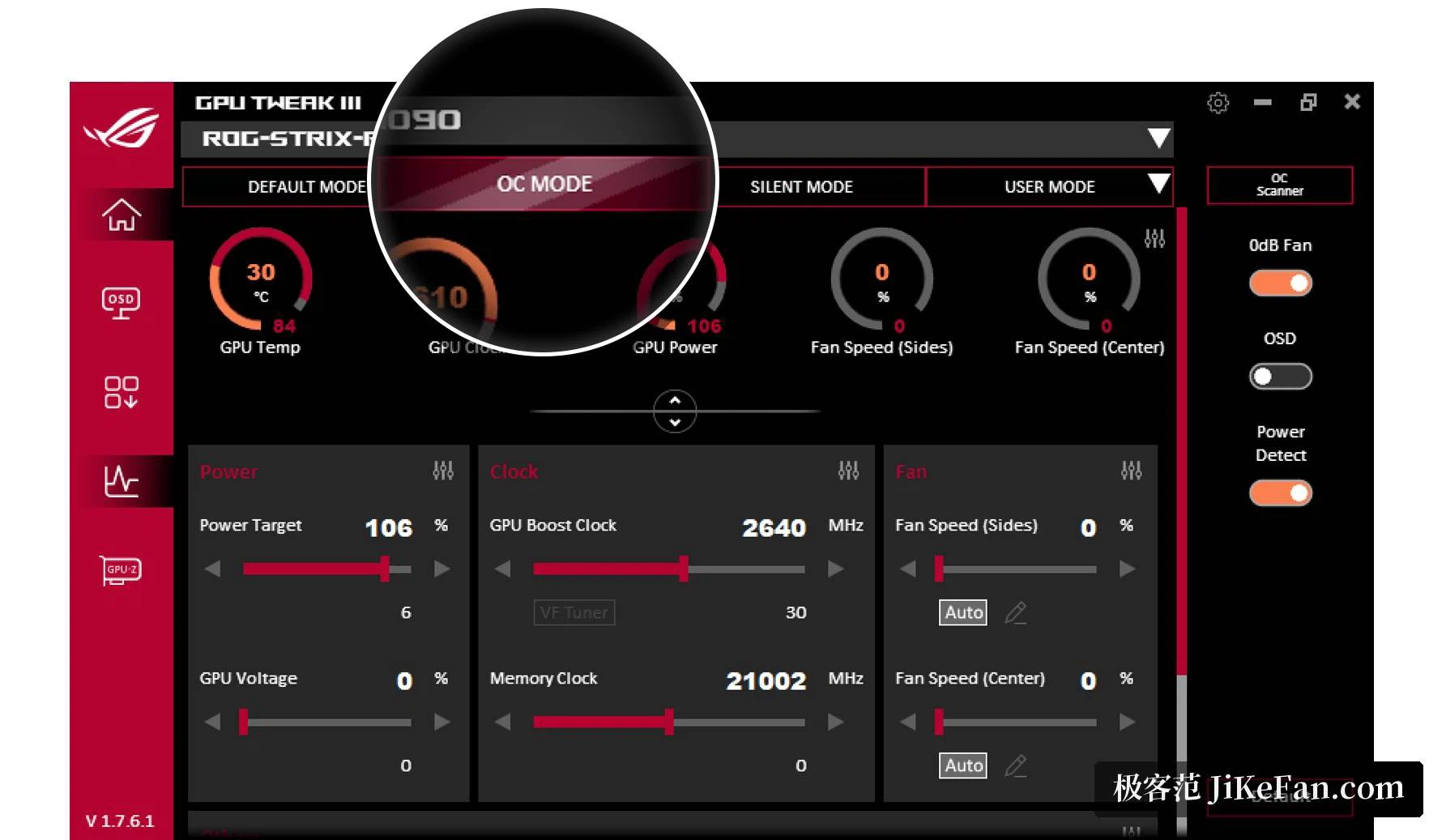
The easiest layer is the presets. One mode raises performance, a quiet mode lowers the frequency and the power ceiling in exchange for silence, and a custom mode keeps whatever you set yourself. Core clock, memory clock, power limit and GPU voltage can all be dragged by hand. Two paths exist for people who would rather not guess. An automatic scanner sweeps and stress tests on its own and reports the headroom this particular chip will take, which is exactly the question a person cannot answer by reading a review. A curve editor goes the other way and lets you move individual points on the voltage and frequency curve, and this version needs fewer clicks to do it than the one before.
Which of the two to use depends on how much time the answer is worth. The scanner gives a safe figure in a few minutes. The curve editor gives the last few percent, at the price of an evening and a certain tolerance for crashes. Most people are better served by the first, and by keeping a note of what it suggested.
Fans, which is where the noise actually comes from
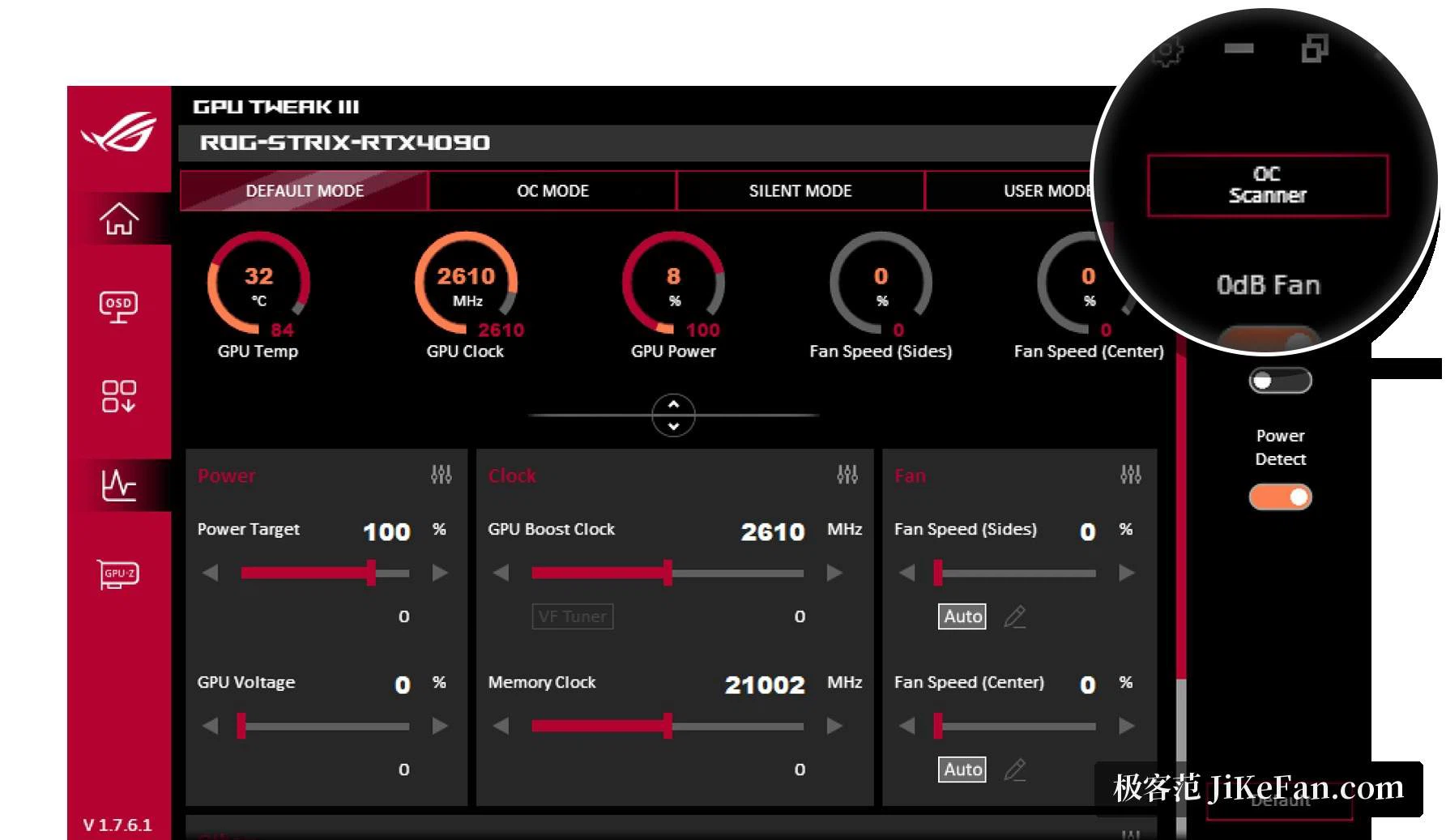
Fan behaviour can be drawn as a curve, so the relationship between temperature and speed is handed to the software instead of to a fixed table. The refresh interval for that curve and a temperature hysteresis can be set too, and the hysteresis is the detail that stops a fan from surging and fading every few seconds when the temperature sits right on a threshold. A stop-at-zero feature lets the fans halt entirely under light load, which is the single most useful item here for anyone who works at night or in a quiet room.
Models that carry an extra fan header can drive a case fan from the same place, so the intake and the card rise and fall together instead of fighting each other.
Watching, and keeping a record
The monitoring panel shows temperature, utilisation, clocks, power draw and fan speed as numbers and as curves, with a choice between a list and a bar layout. An overlay wizard offers two styles, and font, colour, transparency and position can all be changed; a block list keeps the overlay away from programs that do not need it. Logging records a stretch of time and can be exported, which is what turns "it feels hot" into a question with an answer, asked after the fact rather than in the middle of a game.
The software is free, the download is on the order of a hundred megabytes, and the platforms are Windows 10 and 11.
The value is not that every parameter is laid in front of you. It is that the amount you dial in stays reversible: settings save as profiles, profiles can follow a program automatically, and if the stress test does not go the way you hoped, default is one click away.