
Rancher Desktop: a local Kubernetes cluster on the laptop
Summary
Rancher Desktop starts a lightweight virtual machine on the desktop, runs a container engine and a Kubernetes cluster inside it, puts a graphical interface on top, and bundles recent copies of the command line tools developers would otherwise install one by one.
Recommend- Name
- Rancher Desktop
- Version
- 1.24
- Pricing
- Free
- Open source
- Open source
- Operating system
- WindowsmacOSLinux
- Website
- https://rancherdesktop.io/
- Updated
- 2026-10-06 10:20
The problem is matching the local environment to the real one
Development work regularly calls for reproducing cluster behaviour on a laptop: running an image to see what it does, checking that a manifest actually applies, trying a Kubernetes version before the upgrade lands on everyone. Rancher Desktop collects that into one desktop application. Behind the window it starts a lightweight virtual machine, runs a container engine and a Kubernetes cluster inside it, and hands the user both a graphical interface and the command line tools that talk to the same thing.
The value is not that it runs containers, which several tools do. It is that the environment becomes something you configure and reset rather than something you assemble and then nurse. Anyone who has spent an afternoon repairing a local cluster that a stray command left in a strange state knows the difference.
More choices than the alternatives usually offer
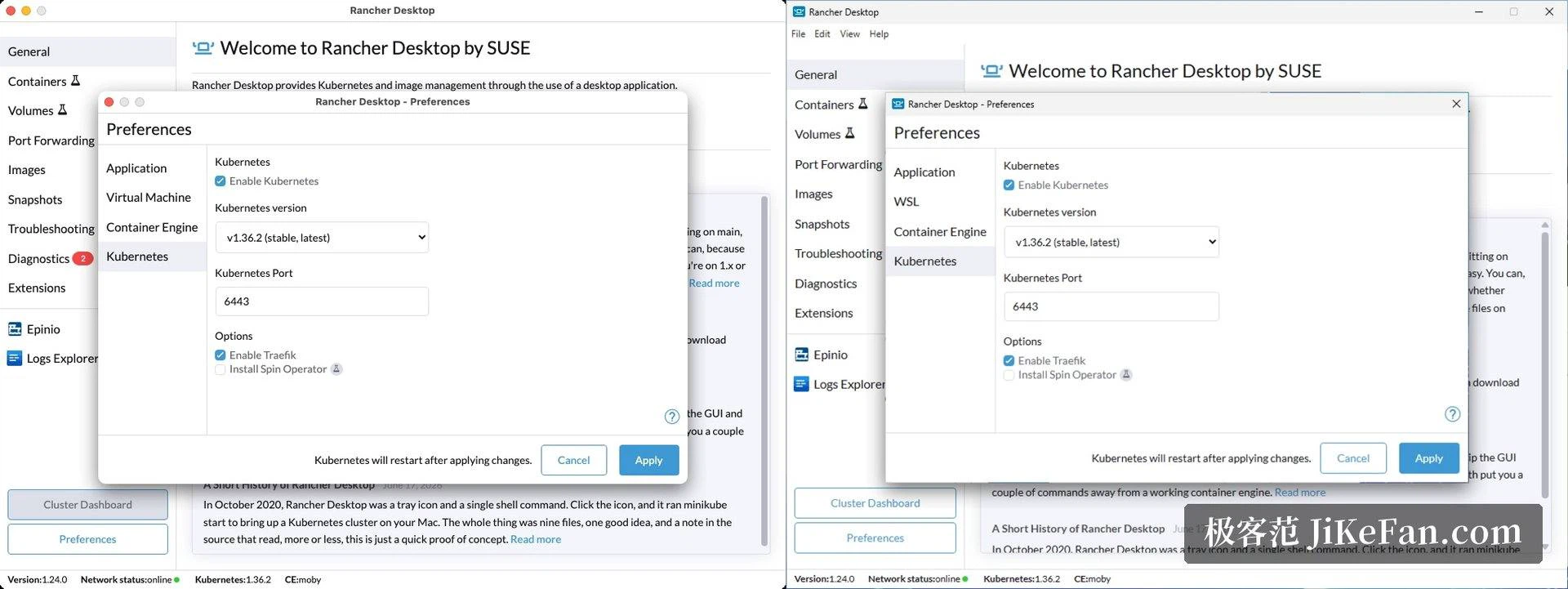
Two things that are normally decided for you are left to the user here. The container engine can be either containerd, paired with nerdctl, or dockerd, paired with the familiar docker command line. The Kubernetes version can be picked from a list and switched whenever the need arises. For anyone reproducing a production release that is pinned to a particular minor version, that second point is the one that decides whether the tool is usable at all.
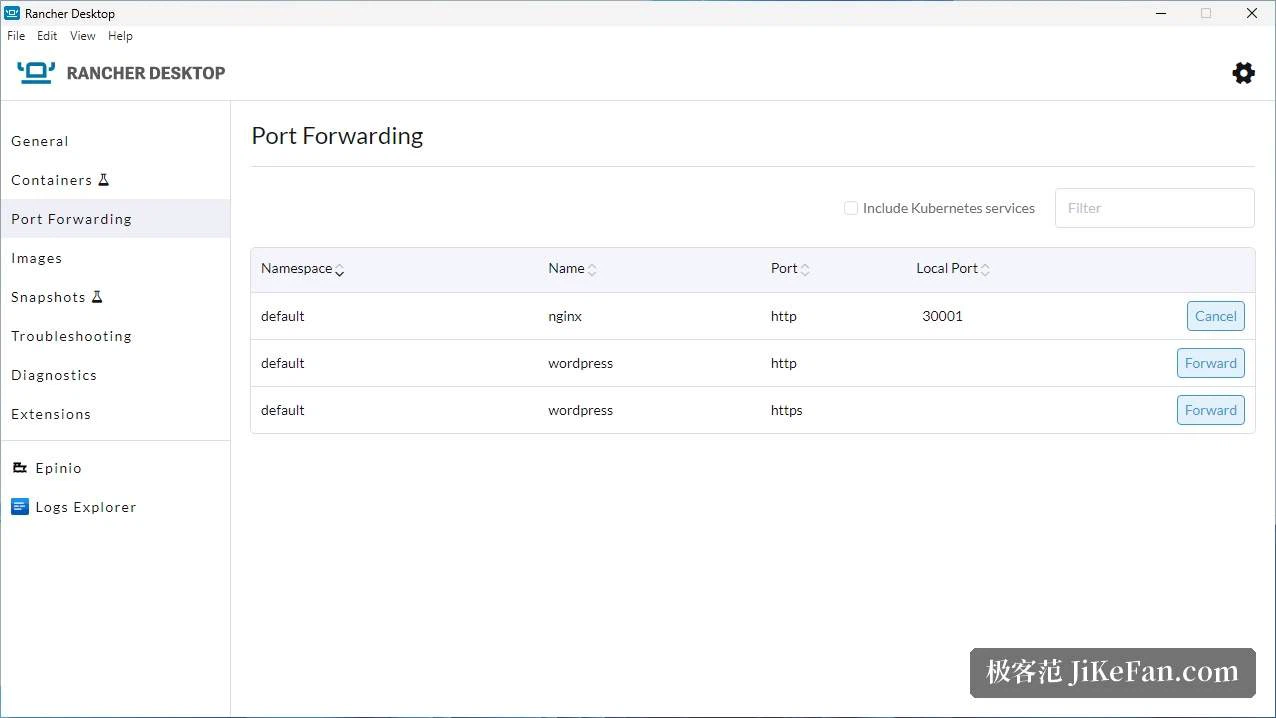
The interface manages images, containers and volumes, sets up port forwarding and shows what the cluster is doing. Images built locally are visible to the cluster without being pushed to a registry first, which removes a whole loop of tagging and pushing from the inner development cycle. Small thing, large effect on how often you bother to test something.
Tooling, and how it is built
Recent versions of the usual command line tools come bundled: docker, nerdctl, kubectl, helm. That sounds like convenience and is really about reproducibility, because a machine whose tool versions match the cluster's expectations stops producing failures that have nothing to do with the code.
Underneath, the whole thing rests on a virtual machine: on macOS and Linux it is Lima, on Windows it is the second version of the Windows subsystem for Linux. That choice explains both the benefits and the costs. A virtual machine gives a clean boundary and an environment that can be thrown away and rebuilt, at the price of disk space and memory that the host no longer has. The settings expose automatic start, resource allocation for the virtual machine, and a reset that returns everything to the initial state.
The project is open source under the Apache licence and can be used free of charge by organisations of any size, which matters more in a corporate setting than it does on a personal laptop.
Which line to run, and what to avoid
The 1.x series is the current stable line and moves fairly quickly, which is normal for a tool this close to a fast-moving ecosystem. A preview of the next major version is also in progress, and its architecture changes in an interesting way: the core work moves into a background service that owns the virtual machine, the container engine and the cluster, and that service can be called through the standard Kubernetes interfaces. The guest system changes as well, to a different open source enterprise distribution.
The project labels that preview as an early technical preview, unsuitable for production, and adds a detail worth reading twice: preview builds cannot be upgraded from one to the next, only reset and reinstalled. For daily work, stay on the stable line and watch the preview from a distance.
What the application does is turn having a container environment that matches production into something optional and controllable. The trade is plain: a little disk and a little memory in exchange for a local cluster that can be reset at any moment and whose version you choose yourself.