Armoury Crate gathers lighting, fan curves and updates for Asus ROG and TUF gear
Summary
The official control hub for Asus ROG and TUF hardware, folding Aura Sync lighting, the Aura Creator timeline editor, fan curves and a component updater into one window. Free on Windows, version 6.4.7.
Recommend- Name
- Armoury Crate
- Version
- 6.4.7
- Pricing
- Free
- Open source
- Proprietary
- Operating system
- Windows
- Updated
- 2026-10-06 02:57
One console for one Asus machine
Armoury Crate is the control hub Asus builds for its own ROG and TUF Gaming hardware, and its whole point is to pull settings out of a scattering of small utilities and into one window. Once installed it recognises whatever Asus devices are attached and lists them by category: motherboard, graphics card, power supply, keyboard, mouse, mouse pad, CPU cooler, monitor, headset, plus the laptop or desktop itself. What can be adjusted differs from one category to the next. Keyboards and mice expose key remapping and macro recording, a mouse can be calibrated for the surface it sits on, an all in one liquid cooler and the small OLED panel on some boards accept custom display content, and a laptop gives direct access to performance modes and fan speed. Because the interface is organised around devices rather than around features, moving to another machine does not mean hunting through menus again. The system requirements are 64 bit builds of Windows 10 and Windows 11, the newest release on the official support page is 6.4.7, and the paired lighting editor is a separate download that is updated on its own schedule. Neither costs anything.
Sync the lighting, or build your own show
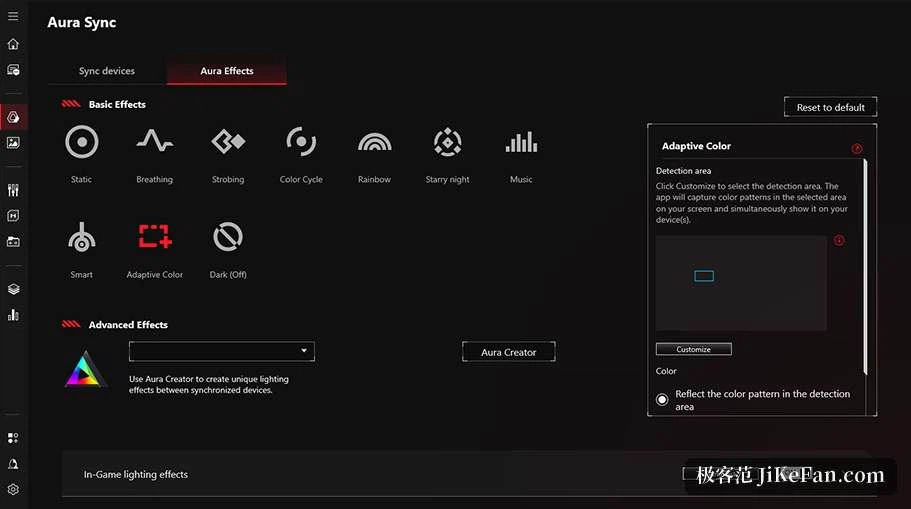
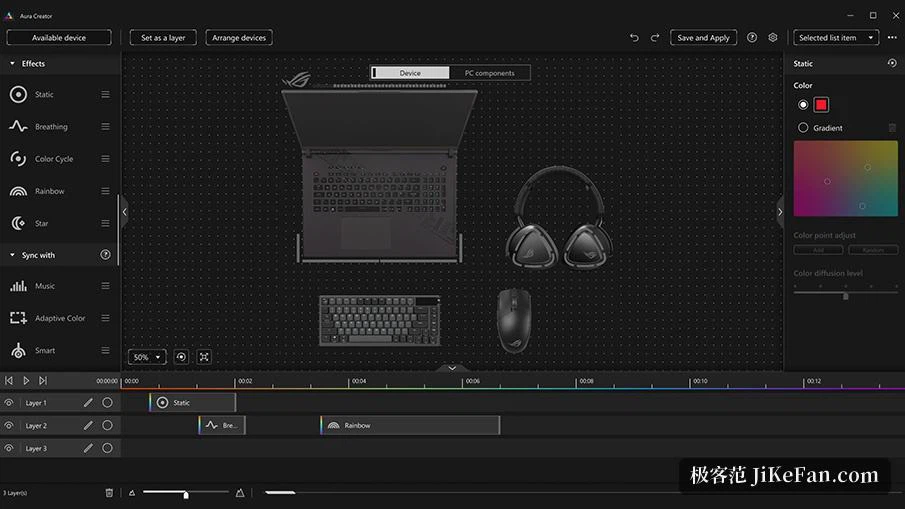
Aura Sync is the part most people open first. Every compatible device lands in one list, and ticking the boxes lets them share a single effect: static, breathing, flashing, colour cycle, or a pattern that follows the beat of whatever is playing. When the presets run out, the companion Aura Creator offers a timeline editor borrowed from video cutting. Each device becomes a clip on a track, dragging places it at its relative position in space, and layers of light stack on top with keyframes set segment by segment, which is how flowing and chasing animations get built. A finished arrangement saves as a profile, so switching game or switching theme becomes a single selection rather than a rebuild.
Scenario profiles: a different machine per application
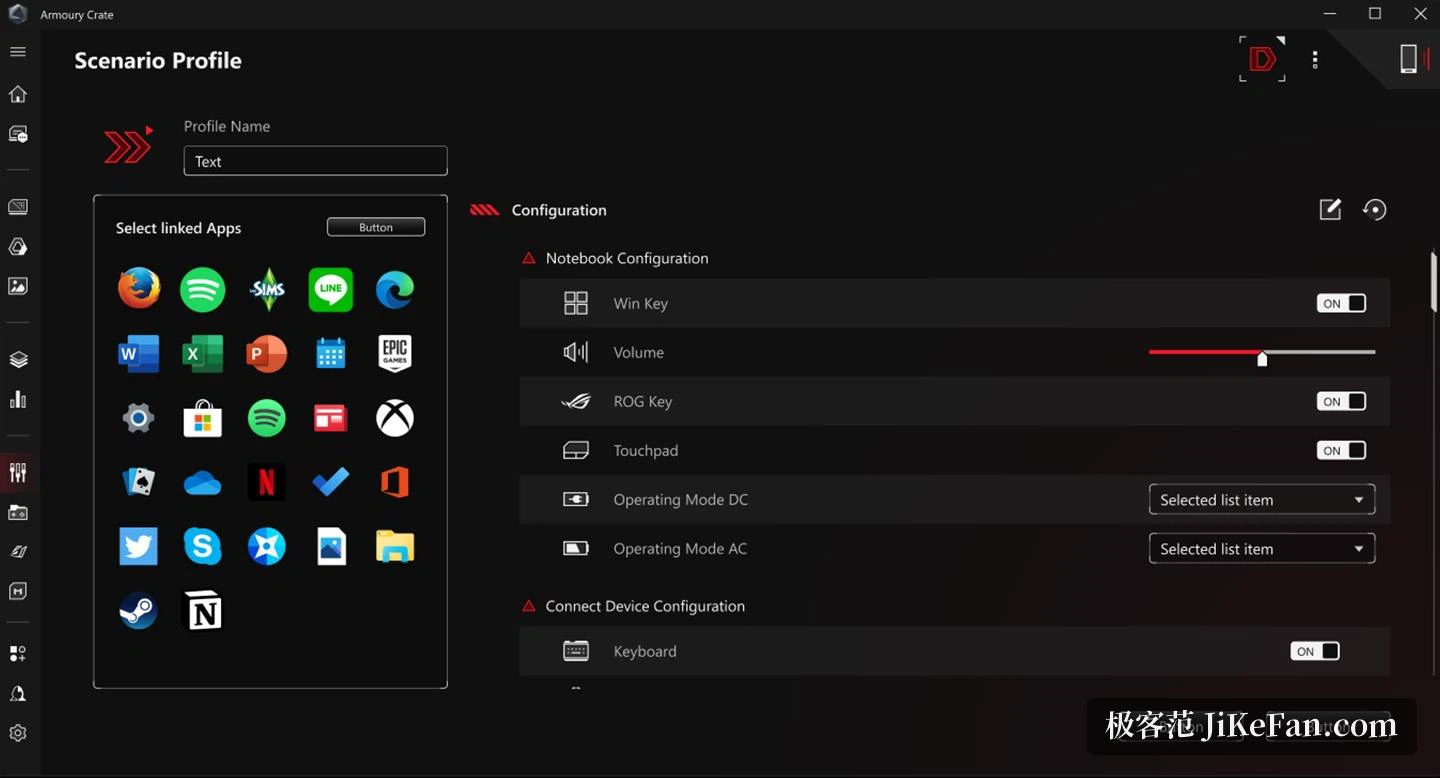
Everything performance related sits under scenario profiles. A profile binds one combination to a single application or game, covering performance mode, fan strategy, lighting and other system options; once saved, launching that program applies the whole set and closing it puts things back. On a laptop that means one set of parameters for gaming on mains power and another for office work on battery. Fans are wired into the same logic, with response curves assignable per component from the processor to the graphics card. Since the 600-series Intel boards and the X670E generation on the AMD side, the fan tuning module no longer ships separately but lives inside Armoury Crate itself.
A game shelf and an update centre
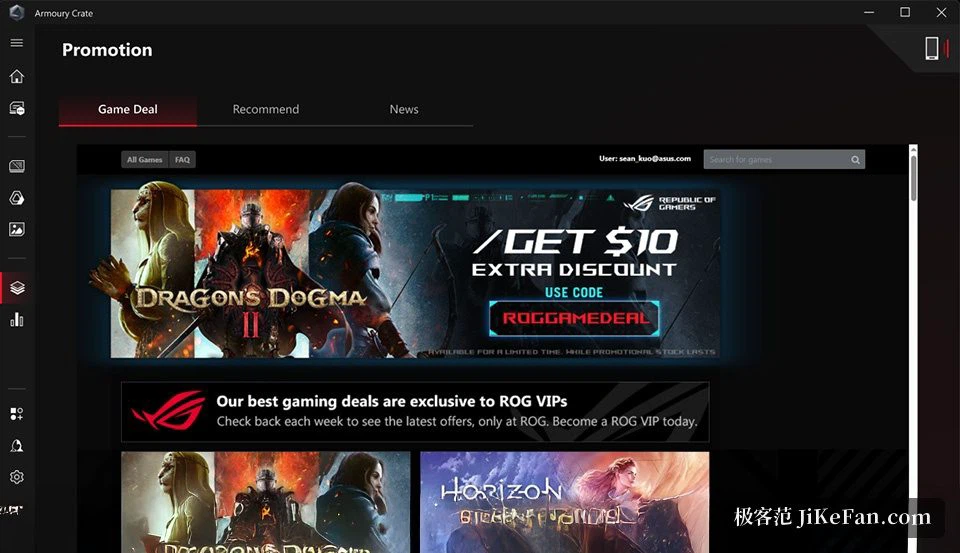
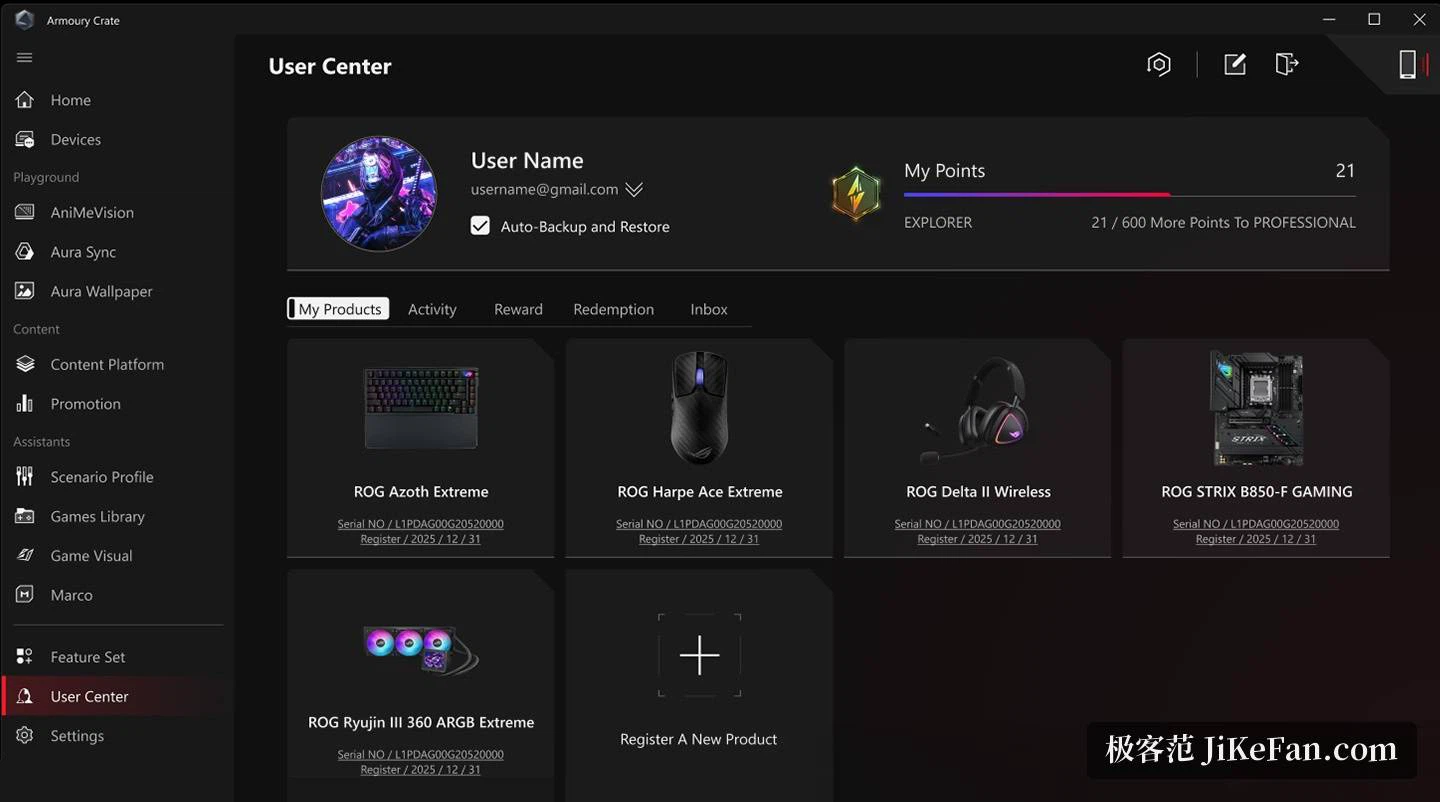
A game library lists what is installed locally so the matching profile can be applied before launch, and a deals panel next to it offers time limited discounts to registered members. The update centre handles version management for firmware and software components, from firmware itself through the hardware abstraction layer and the software kit to the interface package. Registering a product brings notifications for that exact model, and the download and install happen inside the app instead of being hunted down one item at a time on a website. The look can be changed too, with three themes carrying their own colour schemes.
Who should install it
Anyone holding an Asus or ROG motherboard, graphics card, peripheral or laptop saves the trouble of maintaining several small utilities side by side, and the two areas that benefit most are unified lighting and fan curves, where centralising genuinely removes work. Anyone who switches performance parameters by context gets fewer repeated steps out of scenario profiles. The catch is that the software leans on Asus hardware to do its job, so on a machine built from other parts the adjustable surface is narrow. The installer is also large and pulls in a number of components, and if older utilities are still sitting on the system it is worth removing them first so that background services do not end up fighting each other.