
Steam Broadcast puts live viewing a tap away for friends
Summary
A live broadcasting feature built into the Steam client, letting a friend open your game from the friends list with one tap, with no capture card or third-party streaming tool, four visibility levels, and settings that live alongside the rest of the client.
Recommend- Name
- Steam Broadcast
- Version
- 20261012
- Pricing
- Free
- Open source
- Proprietary
- Operating system
- Windows
- Updated
- 2026-10-13 11:36
Showing someone your game was never hard; the preparation in front of it always was.
The road that skips the capture card
An ordinary broadcast takes a fair amount of kit: a capture card or streaming software, a stream address and a key, and a set of parameters to tune. For someone who only wants a friend to see a run, that outlay does not match the return. Steam Broadcast exists to close that gap. It is the live viewing feature built into the Steam client, and it compresses going live into a few switches.
A few lines in the official community announcement pin down the intended cases: invite someone with one click when you want them watching, and when a friend is stuck on a level, watch and call out hints. What marks these cases is direction: they need a smooth private channel rather than public exposure. The entrance sits inside the client and the community pages, and the viewer installs nothing extra.
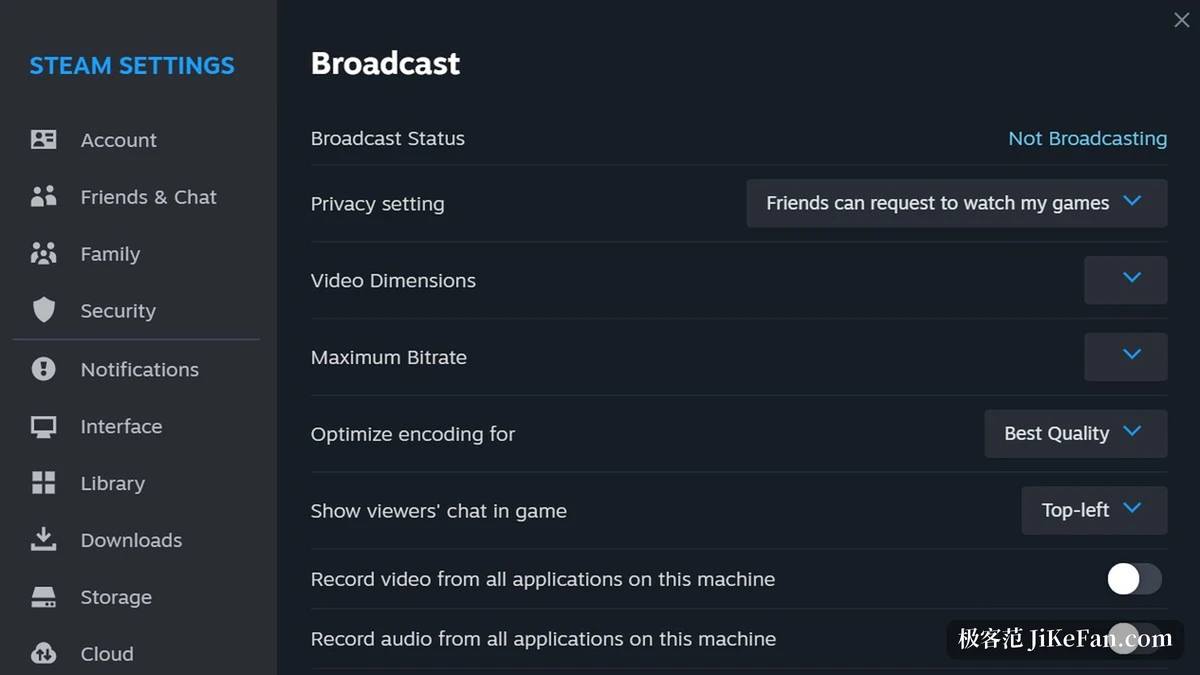
Visibility levels and broadcast parameters
The controls gather in the broadcast tab of the client settings. Visibility comes in four levels, running from off, through friends needing to ask, to friends watching directly, and on to anyone at all. The default sits on the second, which means a broadcast only starts when you say so, and loosening it is a choice for people who want friends dropping in.
Transmission settings live in the same place, including video dimensions and maximum bitrate. Bitrate decides sharpness and the upstream bandwidth consumed, so lowering it on a modest connection is more practical than complaining about stutter afterwards. Keeping these settings in the client rather than a separate web console means adjustments can be made and play resumed without leaving and coming back.
The viewing side is far looser. The official documentation says broadcasts can flow to both the client and the web store, so a device without the client can watch in a browser. That helps on a single computer: putting the picture on a second screen needs nothing more than another browser window. Broadcasts are live and leave no recording behind, so a missed run is missed.
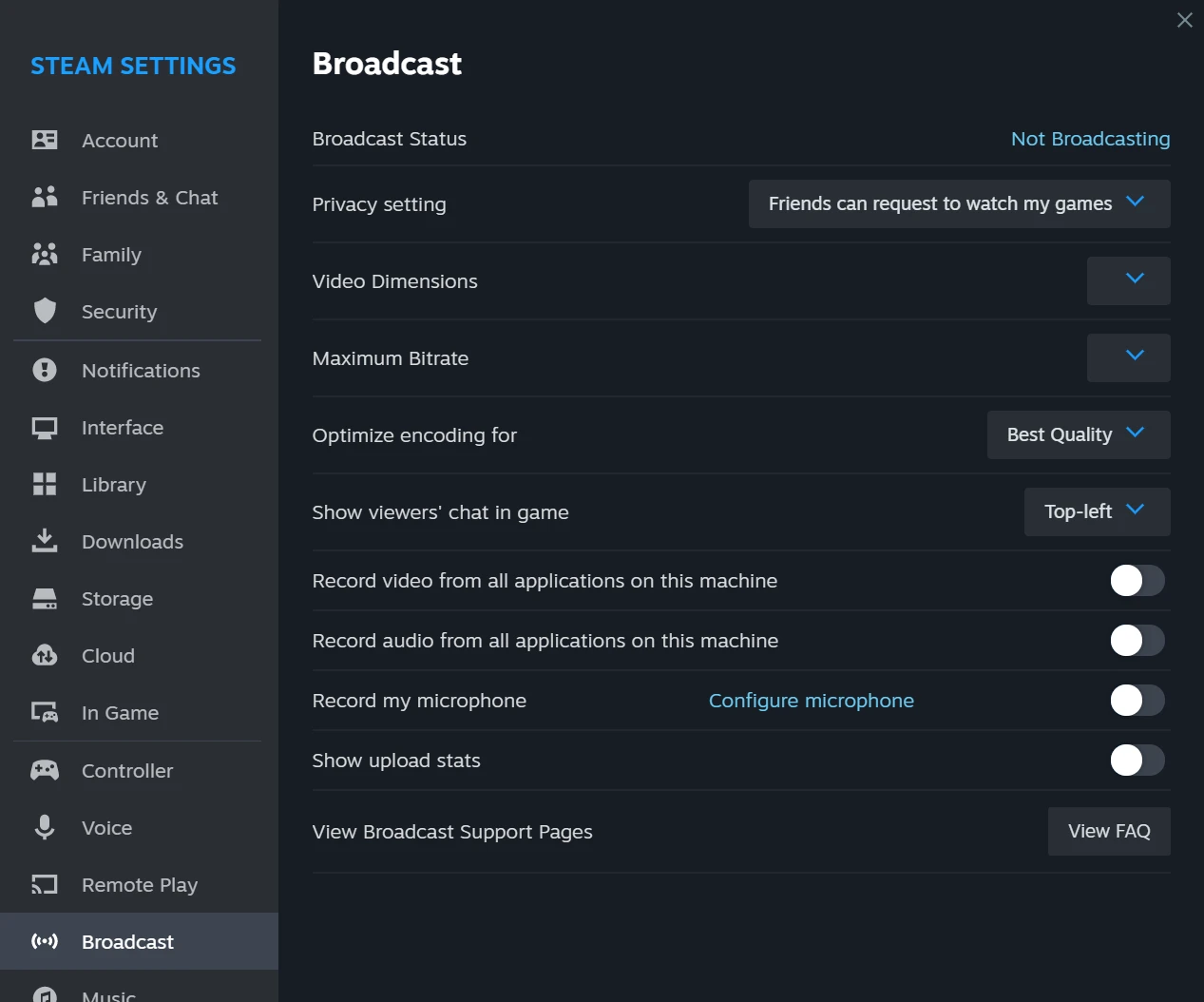
Preconditions and where it stops
The feature hangs off the account and the game state: friends can only ask to watch once you are in a game, and accounts under a community restriction usually cannot switch it on. Checking that the account is in good standing before starting saves a round of troubleshooting.
The platform edge is worth knowing in advance. The official help centre states that broadcasting through the client currently supports Windows 10 and newer, with plans for the other two desktop platforms noted on the same page. Viewing is not fussy about the device, then, but the broadcaster's end has a system requirement.
In shape it is not the same thing as standalone streaming software. There are no channel operations aimed at a large audience, and no multi-destination relays or commercial monetisation. Reading it as a channel kept for people you know is more accurate: enough for private use, while public operation needs another tool.
Item | Official note |
|---|---|
Shape | a feature built into the Steam client |
First appearance | December 2014, in beta |
Visibility | four levels, default is friends may request to watch |
Adjustable | video dimensions, maximum bitrate and similar |
Broadcaster platform | Windows 10 and newer |
It is a door left open for acquaintances, not a stage built for strangers.
A practical note: confirm the visibility level before going live, since the default is already enough for ordinary use; lower the maximum bitrate on a modest connection, where steadiness beats sharpness; and if you plan to watch in a browser, sign in there first so no password hunt is needed at the wrong moment.