
Aperty Takes Over the Retouching a Portrait Shoot Would Otherwise Eat
Summary
An AI portrait retoucher for Windows and macOS that maps more than four thousand facial points so smoothing, blemish removal and reshaping stay inside the face instead of smearing everything nearby. Batches are analysed frame by frame, and all processing happens on the local machine.
Recommend- Name
- Aperty
- Version
- 20260613
- Pricing
- Paid
- Open source
- Proprietary
- Operating system
- WindowsmacOS
- Website
- https://aperty.ai/
- Updated
- 2026-10-19 22:00
Shooting a portrait is easy, retouching it is not
Anyone who has photographed a wedding or a portrait session knows the arithmetic. Smoothing skin, removing blemishes and adjusting features takes at least ten minutes per frame, and a shoot produces several hundred. Finish the batch and there is nothing left of the evening. The second problem is subtler: the smoothing in conventional retouching software has a plastic quality, skin so even it looks like a softbox was left on the face, and clients notice immediately.
Aperty is aimed at those two problems specifically. The idea behind it is straightforward: let the machine do the repetitive work and leave the creative decisions to the person. It comes from a studio known for AI-assisted photo tools, but it is not a companion to one of those products; it is a portrait editor designed from the beginning around portraits.
Face Mesh: more than four thousand facial points
The technical foundation is a face mesh that maps over four thousand key points. What that precision buys is the difference between laying a smoothing layer over a flat image and understanding the structure underneath: where the cheekbone is, where the nasolabial fold runs, where the fine lines sit under the eye.
With that map in place, smoothing, blemish removal and reshaping stop damaging the neighbourhood. Eyebrows do not turn into smudges, lip edges do not acquire colour patches, and the boundary between hair strands and skin stays clean. Doing that by hand is possible, and it is exactly the work that consumes an evening; here it is one action.
Batching: from one frame to several hundred
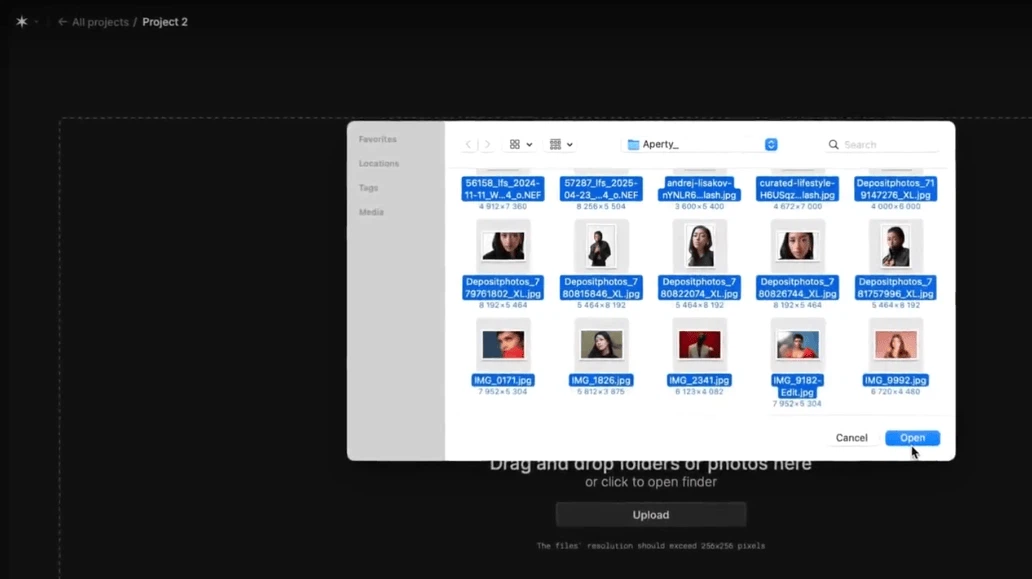
For a working photographer, batch processing is the actual requirement. Five hundred portraits from a wedding cannot be handled one at a time. What matters is that the batch is not a replay of the last set of moves: each frame is analysed on its own, and lighting, angle and skin tone are recognised separately before the adjustments are applied.
The workflow follows from that. Adjust one frame, save the settings as a preset, then apply it to the batch. The software fine-tunes each result against its own analysis, so the set stays consistent without becoming mechanical. Photographers report the practical version of that: a night's retouching compresses into an hour or two, which is the difference between delivering the next morning and delivering a week later.
Plugins, and everything stays local
It runs standalone, and it can also be called as a plugin from the mainstream photo editors, which means the existing habit does not have to change: retouch up to the portrait step in the editor you already use, hand the frame over, and continue afterwards without switching applications or exporting intermediate files.
The point that is easy to overlook matters more than any feature: all processing happens locally. Nothing is uploaded. Wedding photographs and personal portraits carry a great deal of identifying detail, and for a photographer who has promised confidentiality, local processing means the material never leaves the machine.
How it is licensed
There is no free tier. Access is sold in several periods, from monthly through annual to a one-time purchase, and a new user can try it for three days before deciding. Every option carries the same feature set: local processing, unlimited edits, updates, and plugin support. Windows and macOS are the two platforms.
It is worth being clear about what this does not do. It does not choose the crop, it does not decide how much texture a face should keep, and it does not know whether a particular client wants the freckles left alone. Those are still decisions, and they are the ones that take judgement. What it removes is the hour of brushwork that comes before any of them.
Mixed lighting is where batch retouching usually falls apart: a ceremony indoors under tungsten, portraits outside at dusk, both in the same delivery. Because tone and light are read per frame instead of inherited from the preset, the indoor set and the outdoor set can go through as one batch without one of them coming out wrong.
The value here is not in replacing a photographer's judgement. It is in taking the most repetitive part, the smoothing, the blemishes, the skin tone, and handing the hours back so they can be spent on decisions that actually need a person.