
AnythingLLM: a private AI workbench that stays on the desktop
Summary
Drag PDFs, word-processor files and tables into a workspace and you get an assistant that has read everything you own, with a citation under every answer - and the model, the vector store and the storage all live on the machine by default.
Recommend- Name
- AnythingLLM
- Version
- 1.16.1
- Pricing
- Free
- Open source
- Open source
- Operating system
- WindowsmacOSLinux
- Website
- https://anythingllm.com
- Updated
- 2026-10-06 14:15
Before pasting a contract, a paper draft or the minutes of a client call into a hosted assistant, most people pause for a second: once that text is uploaded it is no longer entirely under their control. AnythingLLM answers by moving the whole chain back onto the machine. The project is open source under the most permissive kind of licence, has passed 66,000 stars, keeps a brisk schedule of stable releases - the current one arrived in late August 2026 - and comes as a desktop client for the three main systems, or as a container a team can run on its own server.
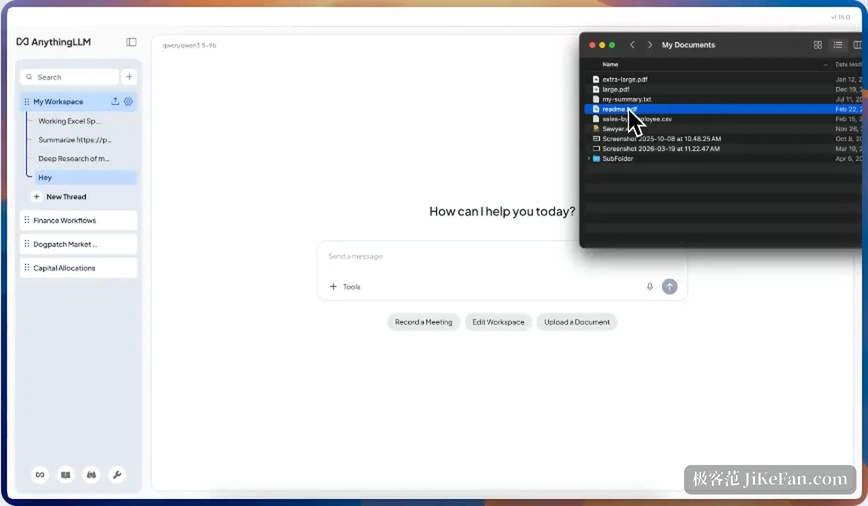
The organising idea is the workspace. Each one is a self-contained environment: its own documents, chat history, model choice and instruction settings. Client contracts in one, internal research in another, personal notes in a third; nothing leaks across, and answers stay anchored to the context at hand. Getting material in involves no ceremony at all - drag it over. PDFs, word-processor files, comma-separated tables, spreadsheets, whole code repositories and ordinary web links are accepted, and the program parses, splits and vectorises them by itself; a PDF of a dozen pages is indexed in seconds. After that it behaves like an assistant that has read everything you own: ask, follow up, have it summarise or compare two chapters, with every reply carrying citations that point at the actual passage. Whether an answer can be trusted, and where it came from, is visible at a glance.
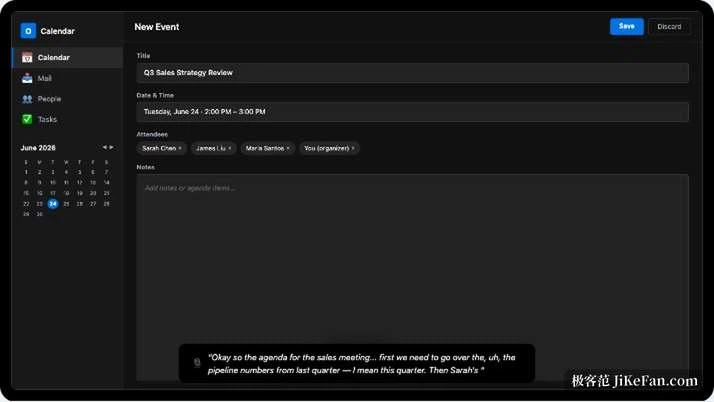
Data staying put is not a slogan here but the default architecture. On the desktop the model, the embedding model, the vector store and storage all ship with local values: models are downloaded and run from the built-in engine, retrieval goes through the built-in vector library, no account is needed and no usage measurements are produced - with the network unplugged, the conversation over your documents still works in full. The design is not sealed, though. More than 30 providers are supported, hosted services can be switched on in the settings, and different workspaces may use different models: a light local model for everyday private work, something stronger in the distance for the tasks that need it, with the boundary drawn by the user.
The ceiling is higher than document questions. Summon the built-in agent in the chat box and it will search the web, fetch a page, query a database or touch files; a visual editor strings those steps into scheduled automations by dragging blocks around; and MCP support runs both ways - external MCP tools can be mounted inside a workspace, and AnythingLLM itself can be exposed as an MCP server to other clients. A community hub keeps adding instructions, skills and flows. For developers there is a full REST API over workspaces, documents and conversations, and a chat component that can be embedded in another product.
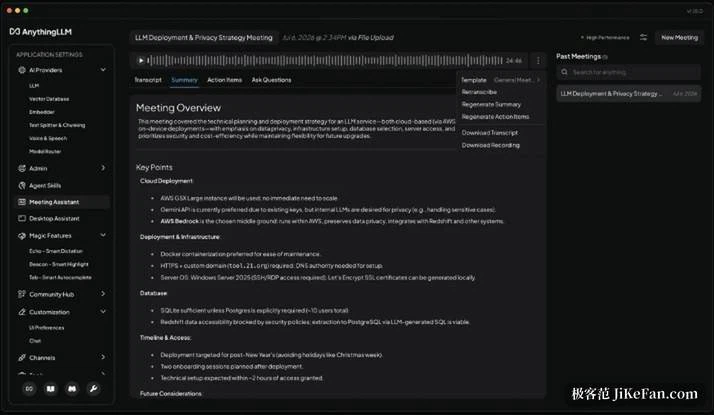
Three audiences show up for this. Anyone whose files are too sensitive to hand to a distant service; people who keep their own archive of notes and would rather question it than search it; and a small team that prefers to stand the container up on a machine in the office. None of them needs the same depth of features, and one installer serves all three.
Room for doubt remains. The desktop build rests on a web-technology shell and is not light on resources; the quality of retrieval answers depends heavily on the model behind them and on how tidy the source documents are, so a badly scanned page is still a badly scanned page; and multi-user permissions belong to the container edition, while the desktop app is single-user. Weighed against the premise of local first, though, it is one of the most complete options available: no assembling of a chat window, a vector store and an embedding model from parts - one installer puts a private workbench on the desktop, and all that is left is to drag your documents in.