AndroMoney: bookkeeping with the entry barrier taken out
Summary
Most attempts at tracking expenses fail for one reason: the tool is too heavy. AndroMoney removes the obstacles one by one, with one-screen entry, three fields, recurring transactions and reports that answer the question directly.
Recommend- Name
- AndroMoney
- Version
- 20260922
- Pricing
- Free
- Open source
- Proprietary
- Operating system
- AndroidiOSWeb
- Website
- https://web.andromoney.com/
- Updated
- 2026-10-07 20:01
Why the third week is where tracking usually dies
Almost everyone tries to track expenses at some point, and almost everyone stops. The usual explanation is discipline, and it is usually wrong. What actually happens is that the tool asks too much at the moment of use: a wait while it opens, five taps before the amount is recorded, a report at the end of the month that nobody can interpret. Each of those is small, and together they turn a ten-second habit into a chore that competes with everything else in a working day.
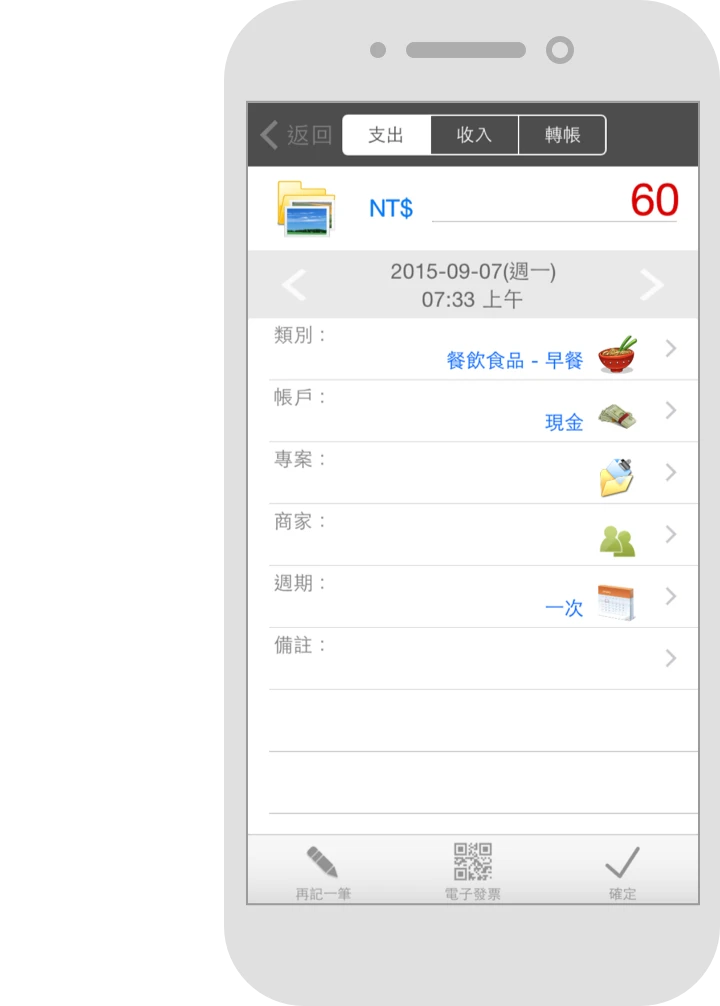
AndroMoney attacks the barriers one at a time. Entry is a single screen: the amount, the category, the account, and the record is saved. For the expenses that happen every month without variation, a recurring entry does the work on schedule, so the fixed costs that make up most of a budget never need to be typed again. Categories are hierarchical, which means dining out can be split into delivery and restaurants, and the detail is there when you want it without cluttering the list when you do not.
The reports are where the value shows up
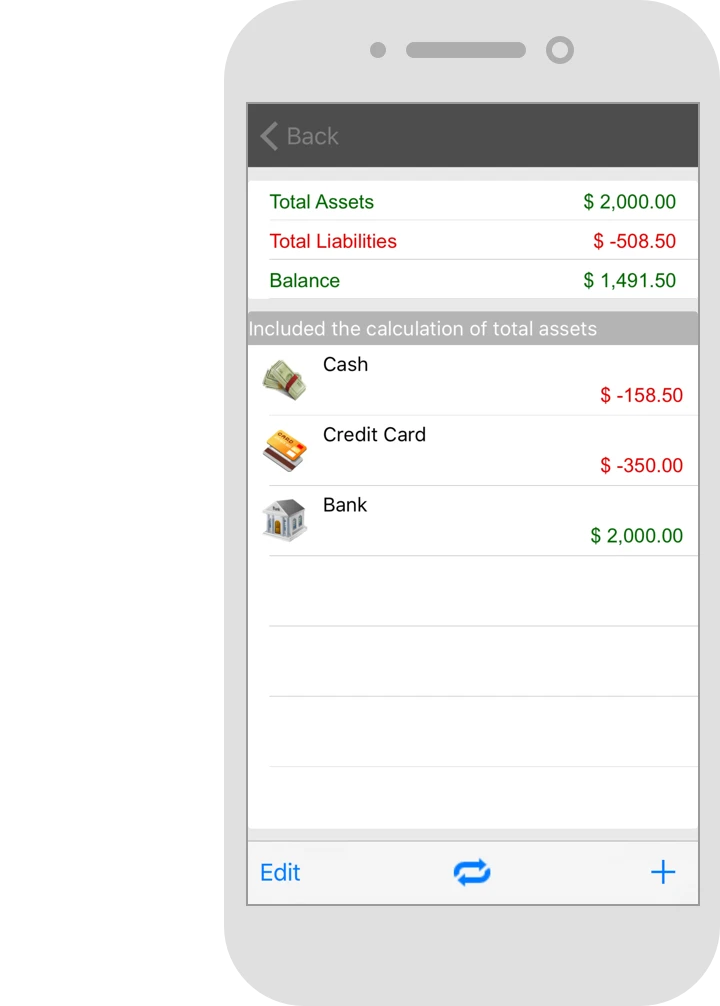
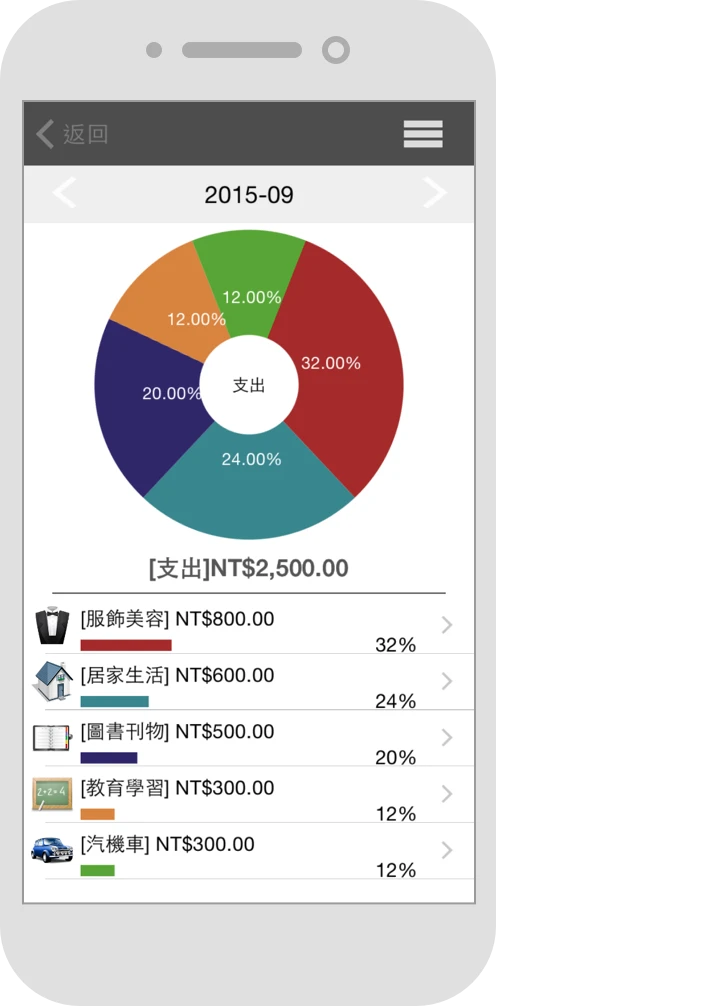
Analysis is the part that earns the phrase money management. A pie chart shows the structure of spending at a glance, a cash flow report shows the rhythm of what comes in against what goes out, and a budget with a custom period draws a line for each category so that an approaching overrun is visible before it happens rather than after. Multi-account support with transfer records lets cash, a debit card and a mobile wallet each be tracked separately while still adding up to one balance sheet on a single screen.
Data can be backed up to a cloud service and exported as a spreadsheet, which matters more than it sounds for something this personal. A ledger is the most private dataset most people own, and being able to take it out at any time is the condition for trusting it at all. The free version is complete enough to use indefinitely, and the paid tier is a one-time purchase rather than a subscription, which for a tool of this kind is the right shape: you buy it once and it keeps working.
Its restraint is exactly what makes it professional. The job of a bookkeeping tool is to make you willing to record every day, not to show off features. Three months of consistency and your financial situation becomes transparent by itself.
How to start and keep going
Build the category hierarchy around your own habits rather than accepting the defaults. The default list was written for somebody else's spending, and a category you never use is a small daily reminder that the tool does not fit. Ten minutes of customising at the start saves months of ignoring the wrong categories.
Tighten the budget gradually rather than setting an ambitious number on the first day. A budget you exceed in the first week teaches you to ignore budgets, which is worse than not having one. Start loose enough to succeed, tighten it every month, and let the constraint grow into the habit instead of the other way round.
Export a spreadsheet once a month and keep it. This is both a backup and the raw material for an annual review, and there is a quiet satisfaction in having three years of your own numbers in a folder that no company can take away. The Android app is the strongest experience, with iOS and the web version available alongside, and the free starting point is enough for long-term use.