
MSI Afterburner Review: A Dashboard for Any Graphics Card
Summary
Clock, voltage, power limit and fan curve in one panel, plus an in game overlay that shows frame rate and temperature without leaving the game. It works on any brand, and it is free.
Recommend- Name
- MSI Afterburner
- Version
- 20260923
- Pricing
- Free
- Open source
- Proprietary
- Operating system
- Windows
- Updated
- 2026-10-08 11:46
Every card deserves instruments
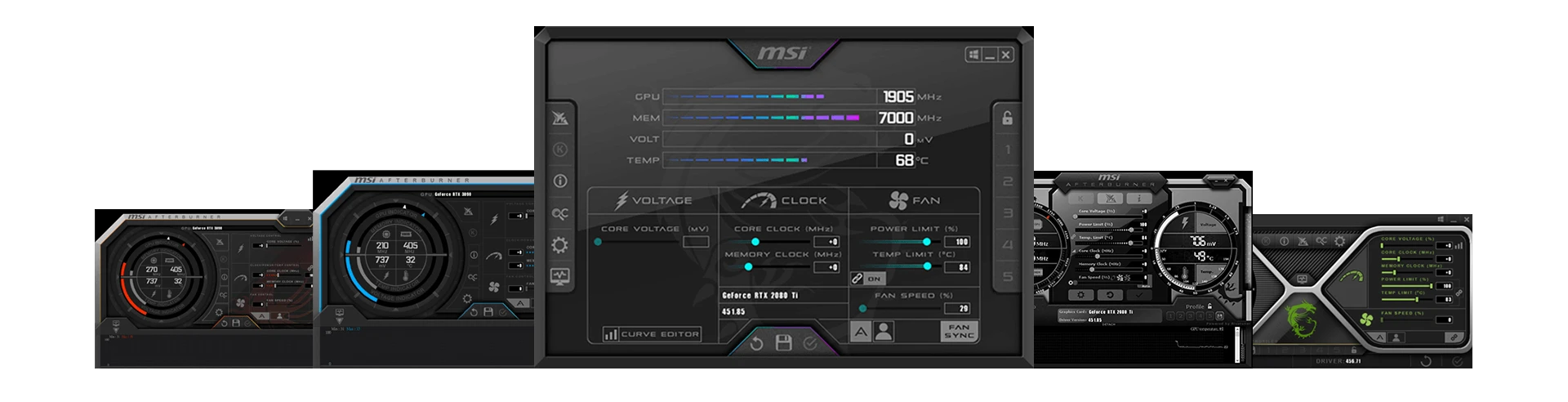
A graphics card arrives with the vendor's opinion baked in: a clock curve, a fan profile, a power ceiling chosen to be safe across every case and every climate. That is a reasonable default and a mediocre one. Afterburner opens the panel: core and memory clocks, voltage, the power limit slider, and a fan curve you can draw point by point. Five profiles can be saved and switched, so a quiet profile for work and a performance profile for games are one click apart.
The name is misleading in a useful direction. Even if you never touch a single clock, the monitoring and the fan curve justify the install. A card that idles at sixty degrees because its fan does not start until seventy is a card you can hear all day; a custom curve fixes that in ten minutes and costs nothing.
The overlay is the second product
Paired with the companion statistics component, the tool becomes the display layer for everything else: frame rate, frame time, processor and graphics load, temperatures and fan speed, drawn in a corner of the game. That overlay is how a bottleneck gets identified rather than guessed at. Turn the settings down one step and watch which number moves; if the frame rate does not budge, the limit is somewhere else. For anyone recording or streaming, it is also the honest answer to the question of whether the capture is costing frames.
The brand agnosticism is the part worth admiring. A card from any vendor is treated the same, there is no lock to a particular ecosystem, no account, no telemetry wall. Software that refuses to play favourites accumulates trust over years, and this one has been accumulating it for a long time while still shipping updates.
Its standing in the community comes from not being fussy: no brand lock, no paywall, professional capability handed out free. Generosity, in this market, turned out to be the moat.
Tuning without breaking anything
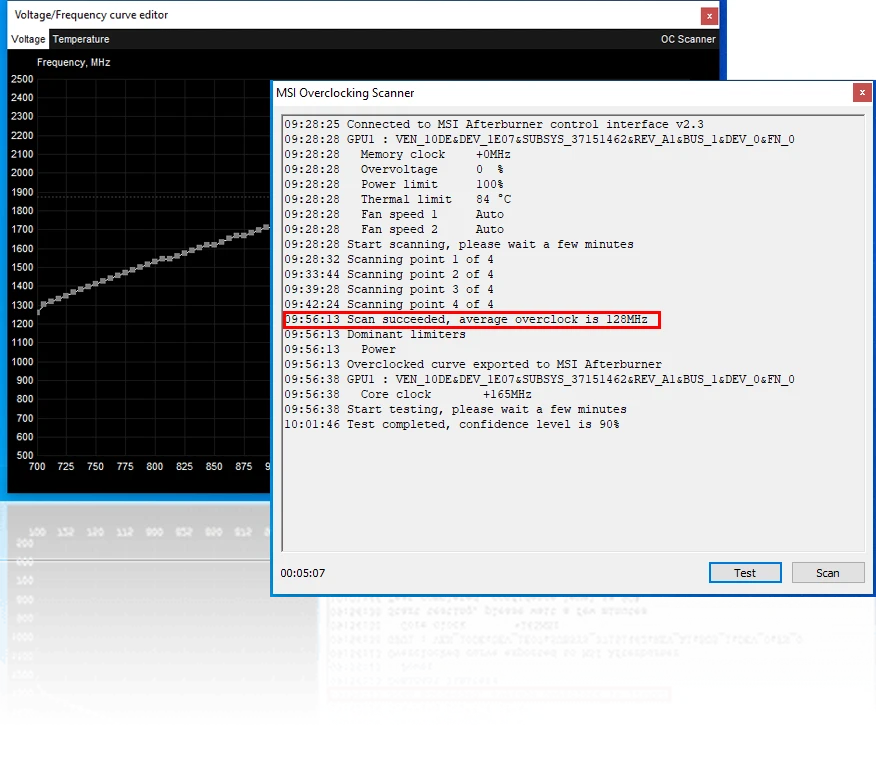
Move in small steps and test between them. Add a modest core offset, run a stress loop for twenty minutes, and only then try another step; a card that crashes an hour into a game is a card that passed a five minute test. Memory overclocking is the one to approach most slowly, because its errors are silent, showing up as artefacts rather than crashes. If artefacts appear, back off and keep the setting that was stable.
Undervolting is the better first project for most people. Reducing voltage at the same clock lowers temperature and noise, and often raises sustained performance because the card stops throttling. Do that before chasing maximum clocks. And keep the overlay modest: frame rate, frame time and temperature tell you almost everything, while twelve stacked values tell you nothing at a glance.
What it does not fix
No tuning tool compensates for a case with no airflow, and none of them makes a card suitable for a workload it was never built for. If the temperature is high at stock settings, the answer is the case, the dust, or the cooler, in that order. Use the tool to measure that honestly instead of pushing a fan curve to a hundred percent and calling the noise a hardware problem.
One last habit: save the stock profile before changing anything, and give it a name you will recognise in six months. The most common use of a tuning utility, in the end, is going back to where you started.