
Strides: Four Kinds of Tracker in One Place
Summary
Strides tracks habits and goals inside the Apple ecosystem with four tracker types - habit, target, average and project - plus a hundred-odd templates, Apple Health data, streak counts and projected completion dates. The free version caps how many goals you can create.
Recommend- Name
- Strides
- Version
- 19.12
- Pricing
- Paid
- Open source
- Proprietary
- Operating system
- iOSmacOS
- Website
- https://stridesapp.com/
- Updated
- 2026-10-06 08:52
More than a tick in a box
Strides is an application for building habits and managing goals, and it exists only inside the Apple ecosystem: iPhone, iPad and Mac. What separates it from the mass of check-in apps is the way it divides goals into types. Beyond the obvious one - did I do it today - there is a numeric target that accumulates toward a deadline, an average that is held at some rolling level, and a project broken into milestones. Those four cover persistence, accumulation, maintenance and advancement, which is most of what people actually mean when they say they have a goal.
The division matters because the failure modes are not the same. A habit fails by being skipped; a target fails by running out of time; an average fails by drifting; a project fails by stalling at a milestone. An app that only counts ticks can describe the first failure and none of the others, and describing the failure is most of what a tracker is for.
Templates and health data
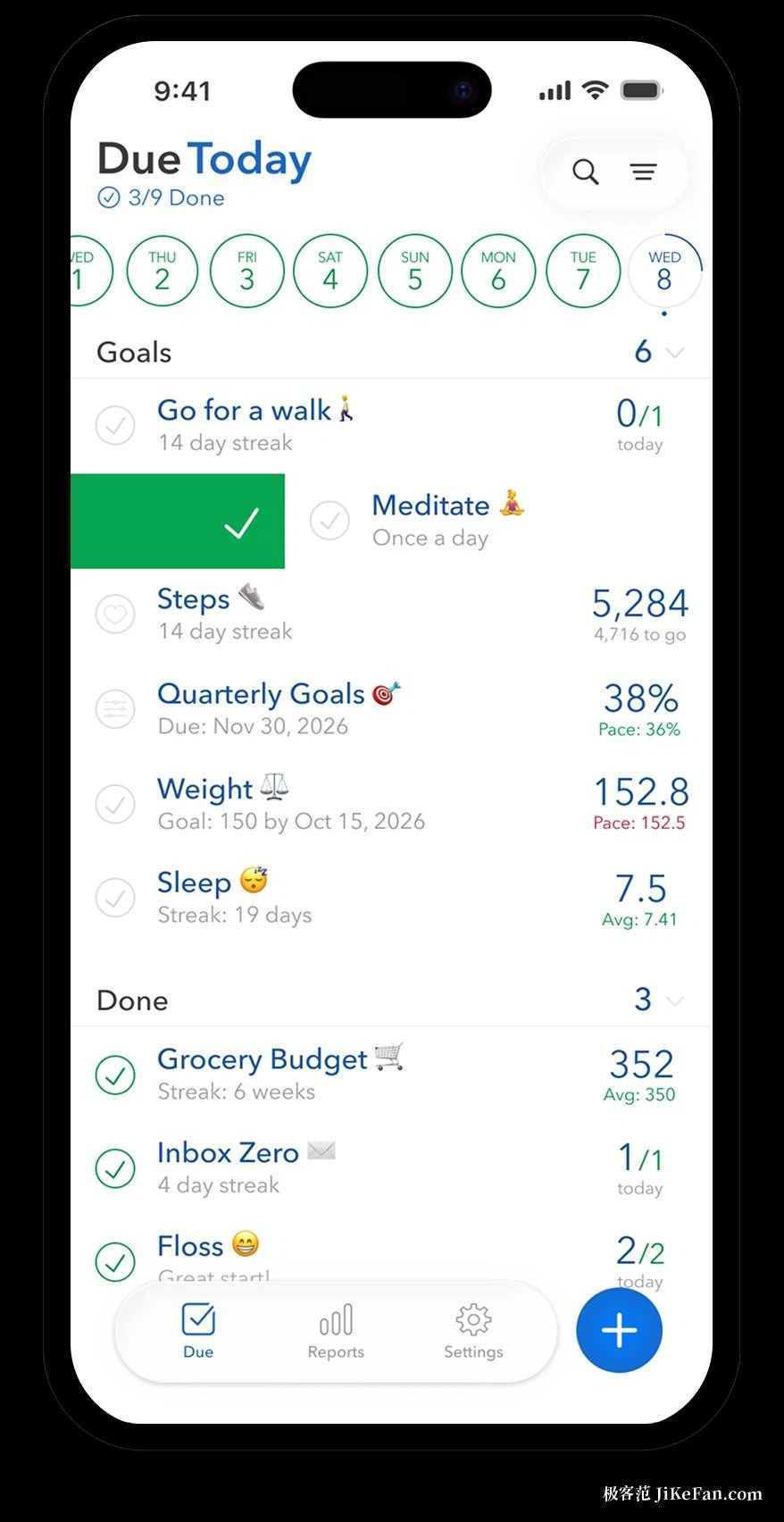
When a goal is created it can be taken from more than a hundred built-in templates, and the templates push toward specificity in the manner of the well-known goal-setting acronym: turning exercise more into how many sessions per week and how long each one runs. The app also reads from Apple Health, so figures such as step counts and hours of sleep can arrive without anyone typing them in - which removes the single most reliable reason a manual log dies in its third week.
Reminders have no limit on their number, and the time can be set separately for each goal. That sounds like a small thing until a person has eight goals with different rhythms; the alternative is one global nagging notification that gets muted within a fortnight.
Charts and statistics
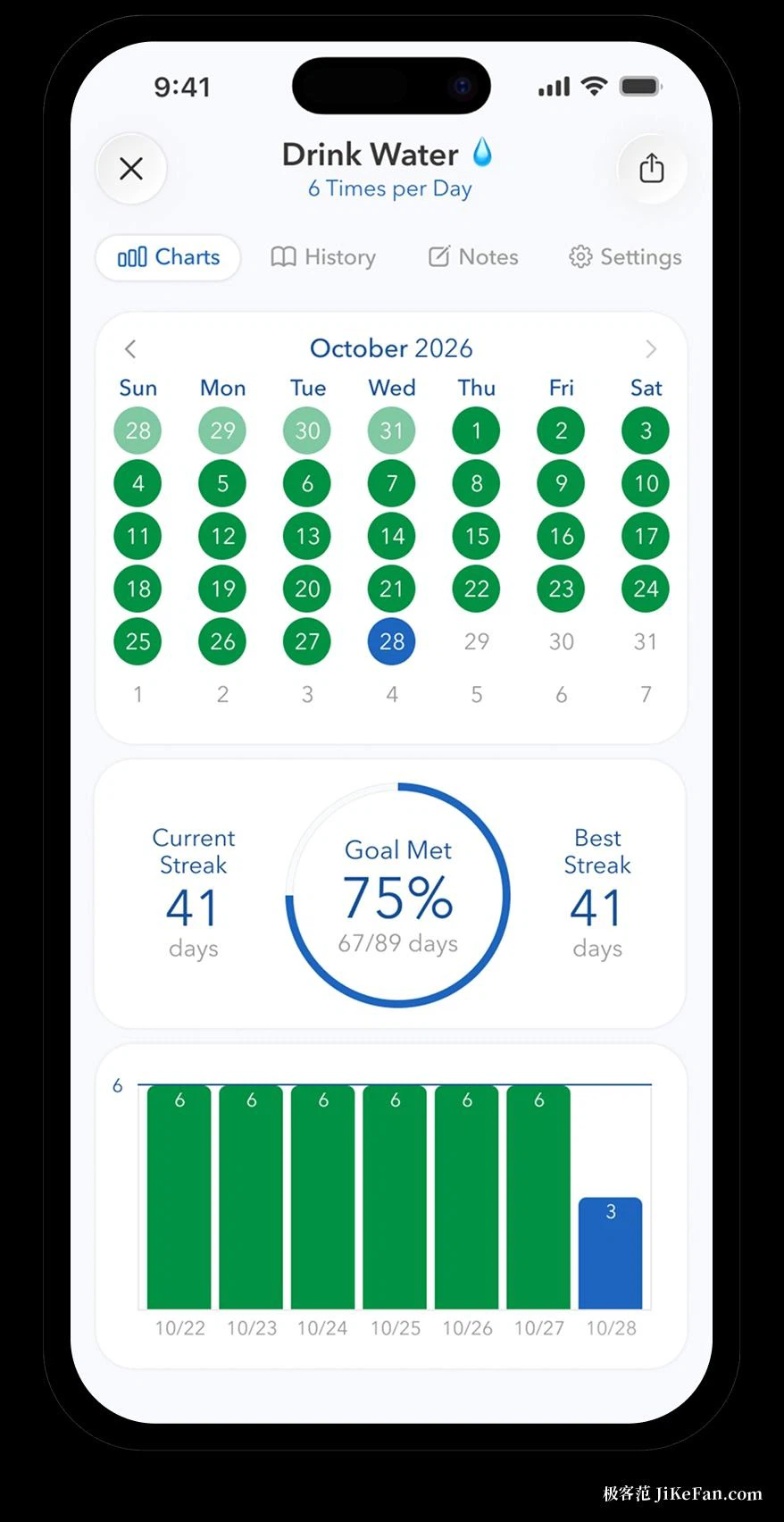
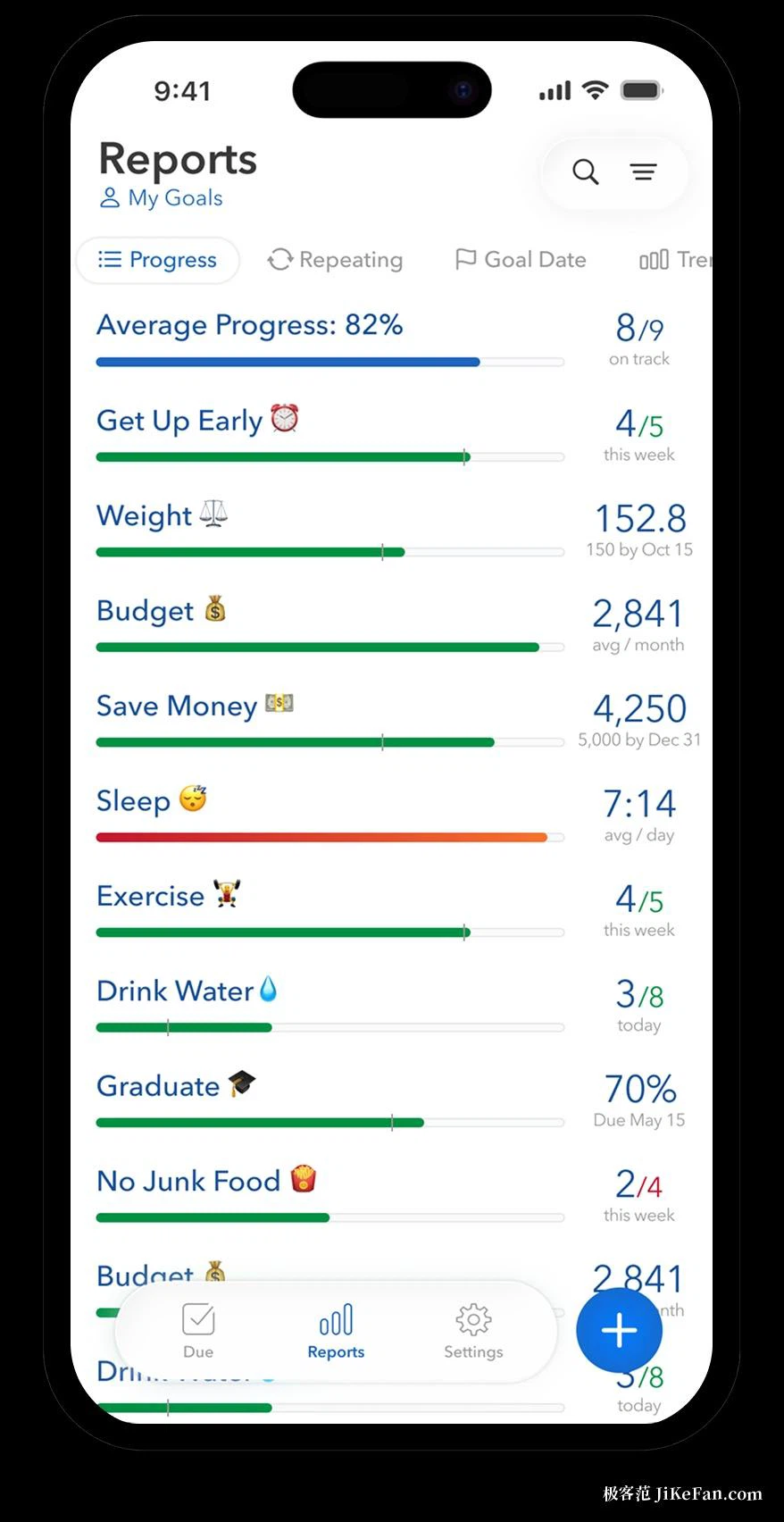
Presentation of the data is where the effort has gone. Current streak and longest streak are counted automatically, and completion rates are given as trends by week, month and year. Targets and projects get line charts with a progress line that marks the date of completion projected at the current pace, so falling behind is visible at a glance rather than discovered on the last day. There are also report views grouped by period, so several goals can be reviewed in one sitting instead of one at a time.
A projected date is a small piece of arithmetic with a large effect. It converts an abstract sense of being behind into a number of days, and a number of days can be argued with: either the pace changes or the deadline does. Most people need the argument, not the number.
Version and pricing
The free version allows only a limited number of goals, which suits someone watching two or three habits. The paid tier unlocks an unlimited number of goals, synchronisation between devices, trends and export, and it is sold as a yearly subscription with a one-time purchase offered as well. As of 2026 the iOS version series has reached 19.12, and updates come fairly often.
What the arrangement costs, beyond money
Being Apple-only is a real constraint and worth stating plainly: there is no version for the other mobile system, so a household with mixed devices cannot share the same view of the same goals. That is the price of building something that leans on the platform's own data and its own interface conventions, and the leaning is exactly why the health figures arrive without work.
The other cost is subtler. A tracker with four types and a hundred templates invites the creation of goals, and the creation of goals is easier and more pleasant than the keeping of them. The tool cannot prevent that, and a person who fills it up in the first evening should not conclude that the tool failed. The number of goals worth watching at once is small, and the free limit is, accidentally or not, good advice.
For anyone whose goals include both doing something daily and accumulating something to a number, the four-way division fits real life better than a pure check-in app, and the health data removes a lot of manual entry. The conditions are being inside the Apple ecosystem - there is no version for the other side - and accepting that the free tier allows only a few goals.