
Streamlabs Desktop builds on OBS and gets a beginner live in one click
Summary
A free streaming and recording program built on OBS, with scene templates, subscription alerts, chat management and product picks in one window, so a newcomer can go live without studying encoding parameters first.
Recommend- Name
- Streamlabs Desktop
- Version
- 20261010
- Pricing
- Free
- Open source
- Open source
- Operating system
- WindowsmacOS
- Updated
- 2026-10-10 21:41
Take the parameters of professional streaming software and put them in a drawer, leaving two steps on the desk: pick a scene, go live. That is the tool most people actually need.
Flattening the climb to going live
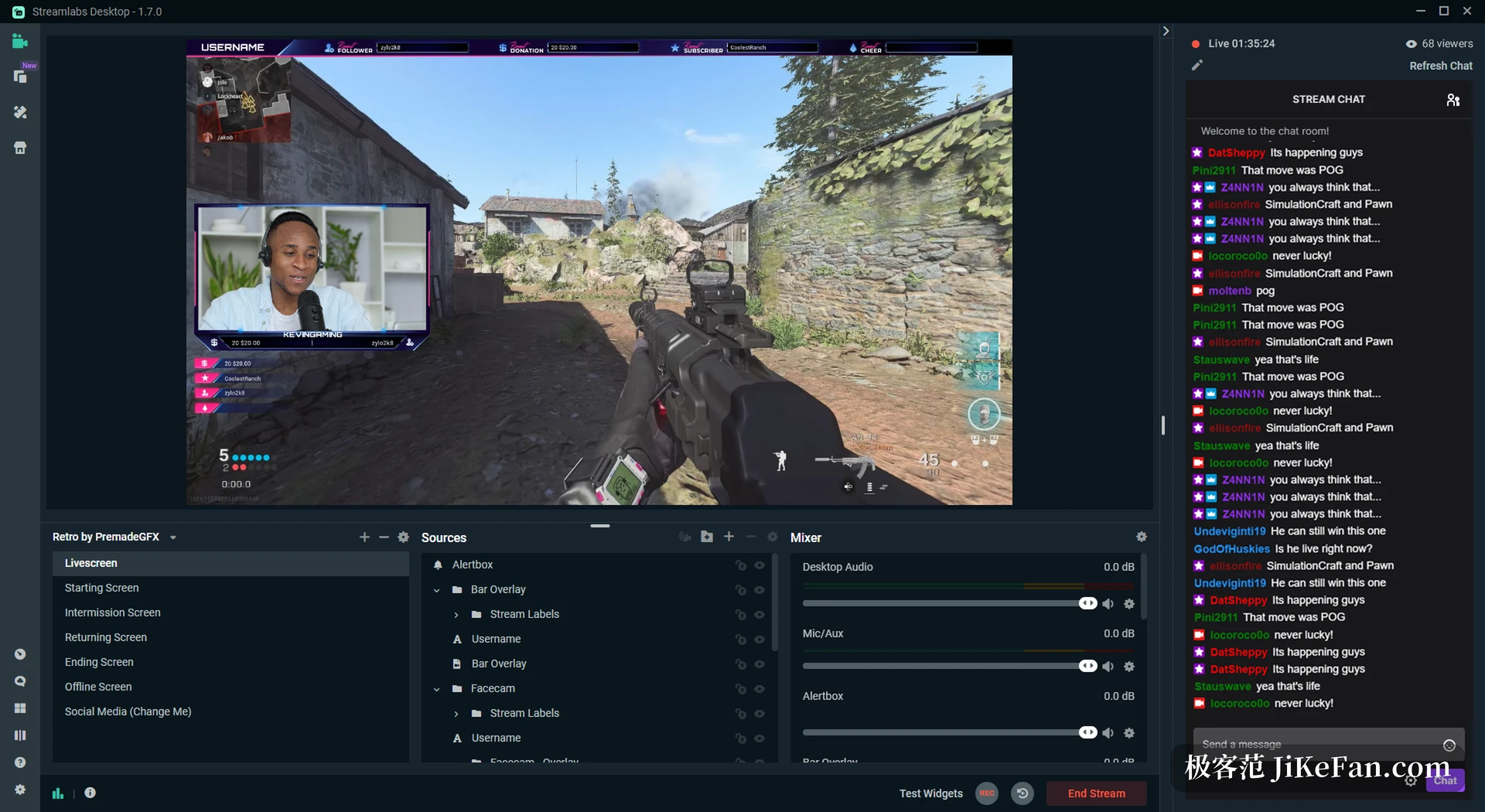
What an open source streaming engine can do is beyond argument, and the price is the screen that greets you the first time, crowded with encoding settings, bitrates and audio routing. For someone who only wants to share a game, that curve is steeper than it needs to be. This program rebuilds the layer above a proven engine instead. Scenes and sources become a plain panel, with the display, the camera and the microphone each a layer you drag into place, and built in scene templates let a newcomer skip the empty canvas: choose one, attach the sources, and the stream is ready within minutes. It can do as much as the engine underneath, it simply moved the doorway somewhere shallower.
Gathering everything around the broadcast
The experience is decided by many small pieces: whether the picture is clean, whether latency stays under control, whether interaction gets seen in time, whether the content leaves an archive behind. This program puts those pieces into one window to coordinate. Before going public you can record a local test and check lip sync and levels; during the broadcast the chat, subscription and tip alerts sit at the edge of the frame and do not fight the main picture for attention; afterwards the recording stays on the machine, ready for editing and rewatching. Below all of it is still the proven engine, so encoding and recording lose nothing, and what changed is the doorway and the way the work is arranged.
The chores beyond the stream, on the same desk
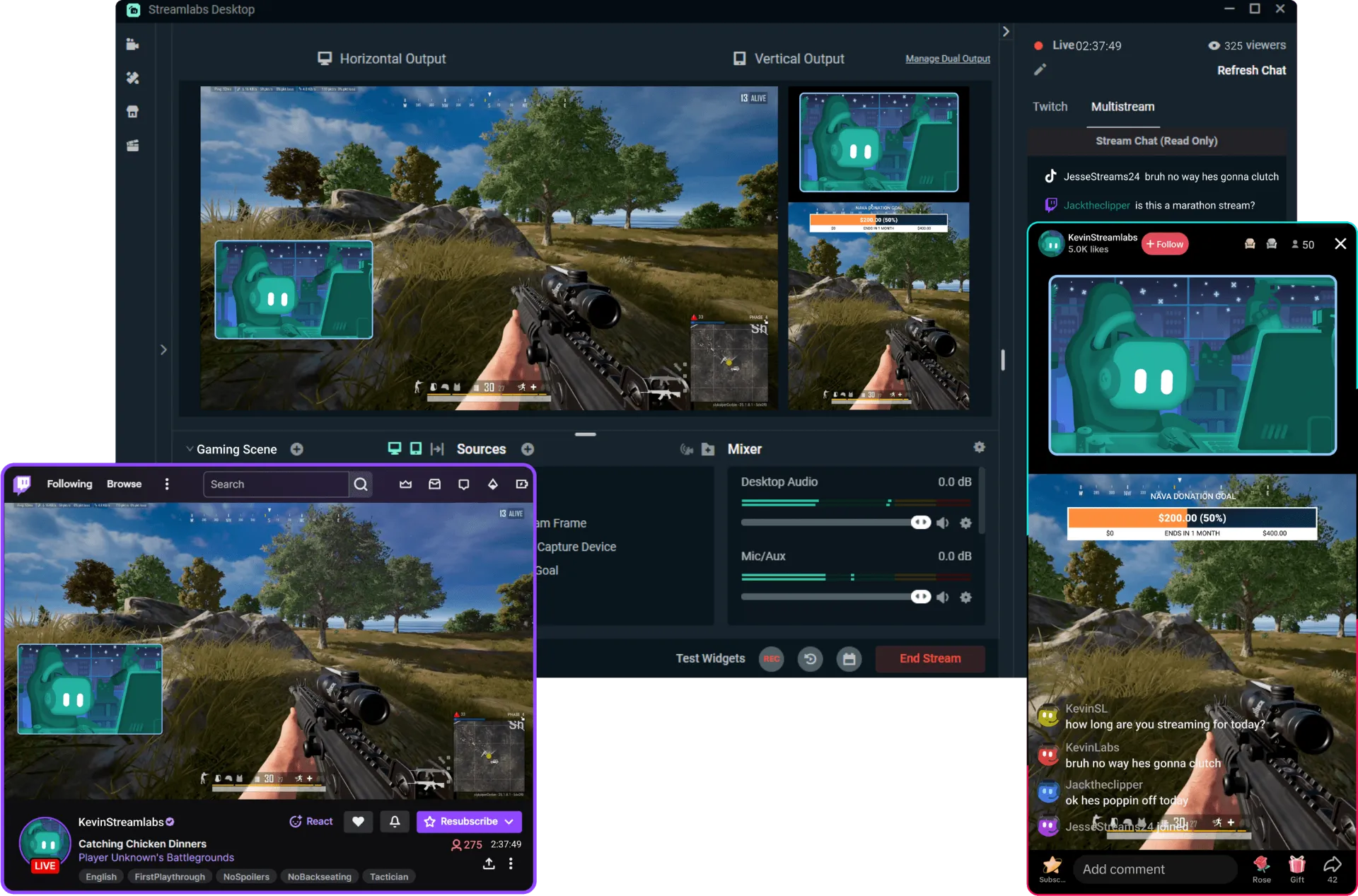
The tedious part is rarely the pushing of the stream itself. Who subscribed, who tipped, what is being said in chat, when to cut: these used to be scattered across several tools and now share one interface, with subscription and tip alerts as editable widgets, the chat panel beside the preview, playlists and product picks pinned to the frame and rotating through the broadcast, and repeated moves handed to automation rules. The project publishes its source, follows upstream engine releases, and ships for Windows and macOS. The free tier covers ordinary streaming and local recording, and paying only adds extra assets without touching going live.
For someone starting out the real obstacle is rarely equipment but not knowing which setting to touch first. Built in templates and presets turn common situations into something you can apply as it stands, pulling attention away from parameters and back to the content; once the flow feels familiar, going deeper item by item will not be blocked by how the program is built.
Its real contribution is not more features but shallower doorways. When going live no longer requires becoming an engineer first, the barrier to making something finally drops to the content itself.
A practical note: before the first broadcast, run a local recording and confirm sync and levels before pushing anywhere; keep one scene template per kind of show so switching does not mean tuning on the spot; pin chat and alerts to the edge of the frame so the game itself stays clear.