
Streaks review: six habit circles, and Apple Health closes the task for you
Summary
An iOS habit tracker with an Apple Design Award behind it: gesture input, up to 24 task slots, automatic check-ins driven by health data, watch face and widget support, one payment and no subscription.
Recommend- Name
- Streaks
- Version
- 11.3.3
- Pricing
- Paid
- Open source
- Proprietary
- Website
- https://streaks.app
- Updated
- 2026-10-06 07:11
Almost nobody fails at a habit because they do not know what to do. They fail because the chain breaks. Habit trackers exist by the thousand, and most of them quietly add a second job: maintaining the tracker. Streaks goes the other way. The whole idea fits in one line. Finish the task and the count grows by one. Miss a day and the count drops back to zero. That is close to stubborn, and the stubbornness is the point: it is what carries exercise, reading or giving up sugar through a bad week.
Streaks is a paid application built around the devices of one platform, and it carries an Apple Design Award. It is bought once, with no subscription and no in-app purchases, and the single payment covers the iPhone, the iPad, the Mac, the Apple Watch and Apple Vision Pro. As of 2026-09 it is still receiving updates, which for a one-time purchase matters more than for a monthly contribution.
Six circles, and a limit that was left on purpose
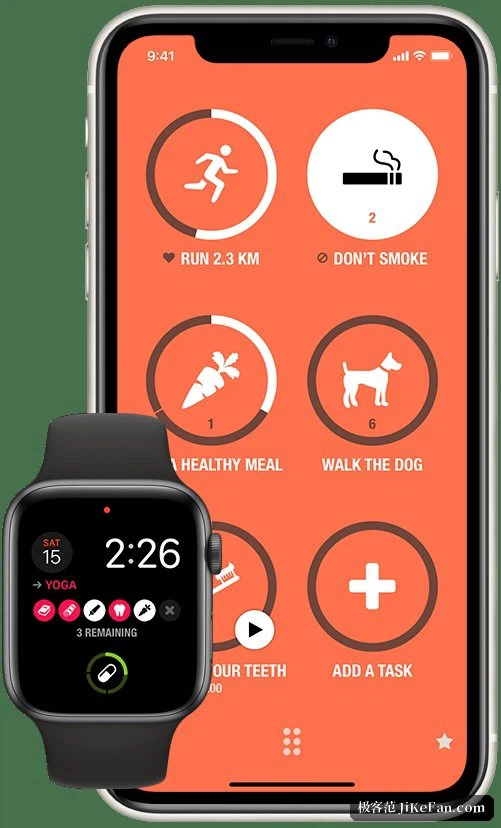
Open the app and restraint is the first thing you notice. 6 task icons sit in a circle, and every one of them is within reach of a thumb. Finishing one is a gesture, a long press or a tap, and there is nothing to learn. The grid can be enlarged if you insist, up to 24 tasks in all, but the design argues against filling it. Six habits kept for a year beat 20 abandoned in March, and the interface keeps repeating that.
Each task carries its own icon, colour and rhythm. A run can be set to weekdays only, to 3 times a week, or to Wednesdays, so that a schedule which was never daily cannot break a chain it had no chance of holding. The other half of the design is the negative task. Whatever you want to stop doing can be entered as something to avoid, and staying away from it earns the same record as doing something. For habits built on refusal, that is the only version that works at all.
When the health data does the checking
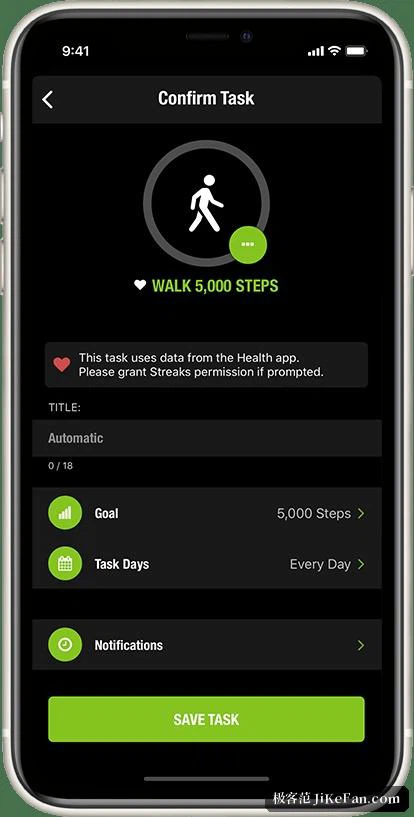
The feature people praise most is the link to health records. Attach a task to a measurement and the task closes itself the moment the measurement arrives. Walk 5000 steps and the walking task is done. Run five kilometres and the running task is done. Take a heart rate or a blood pressure reading, sit through a few minutes of mindfulness, and the same thing happens. There is never a reason to open the app and tick a box.
What makes it work is that the bookkeeping load drops to nothing, and the exercise itself is all that is left. Health access is read-only, and the app states plainly that health data is not sent to its own servers or to third parties. A tool that asks to be trusted should be explicit about that, and this one is.
Watch, widgets, shortcuts
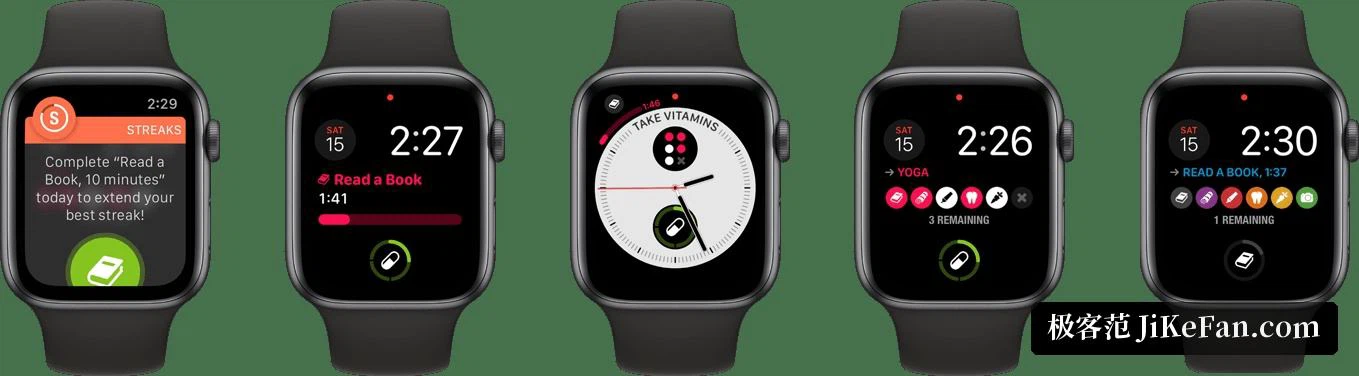
The Apple Watch app is the strongest piece of the set. Complications on the face show what is still open today, so a glance at the wrist is enough; a tap closes the task and haptic feedback confirms it. Home screen widgets come in several sizes, which means progress is visible without unlocking the phone. Siri shortcuts route the same actions into voice commands and automations, so one sentence in the morning can close the morning routine. Tasks with a duration get a timer, which suits brushing teeth or a short sit.
Records move between devices through the cloud sync that ships with the system, so a new phone continues the streak instead of restarting it from nothing.
One payment, 38 languages, and a version for children
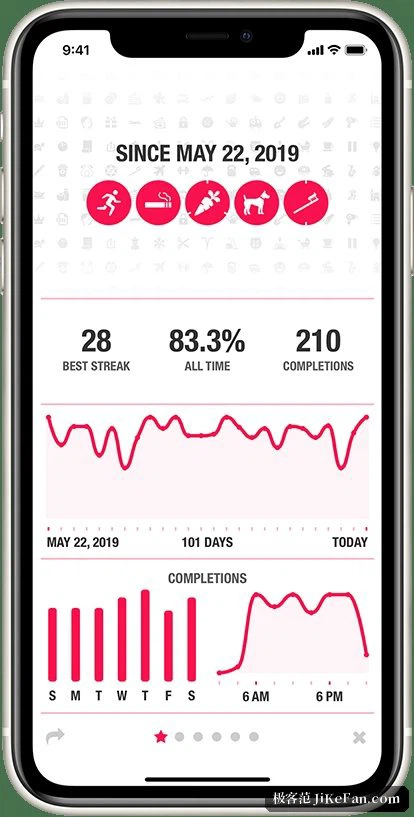
The app is localised into more than 20 languages, simplified and traditional Chinese among them, and it arrives with 78 colour themes and over 600 task icons. The statistics screen shows the current streak, the longest streak and the completion rate over the long run, which is the number that tells the truth after the novelty wears off. There is no subscription and no in-app purchase, the one payment covers every device on the account, and family sharing extends it to six people at once.
For a household where 24 slots are not enough to go around, a separate version is aimed at children, with an interface built to introduce the habit of marking a day without the pressure of an adult dashboard.
Who it suits
Four groups, roughly. People who live inside one hardware family and want a single experience across phone, watch, tablet and desktop. People who have grown tired of subscriptions and would rather pay once and stop thinking about it. People who want exercise tracking to happen without a manual step, which the health link handles. And people working on stopping something rather than starting it, where the negative task is the only mechanism that records success at all.
If a restrained, one-time-purchase habit tracker is what you are after, this one belongs near the top of the shortlist. The habit is still yours to keep. The counting, at least, is no longer your job.