
Stardock Fences: give every desktop icon a place it can stay
Summary
Stardock Fences started the whole desktop-organising category in 2008: shaded fences that hold icons by project, a double-click that hides every icon at once, folder portals with tabs, rules that sort new files, and snapshots that restore a layout after a resolution change.
Recommend- Name
- Stardock Fences
- Version
- 6.54
- Pricing
- Paid
- Open source
- Proprietary
- Operating system
- Windows
- Updated
- 2026-10-06 05:46
The category started here
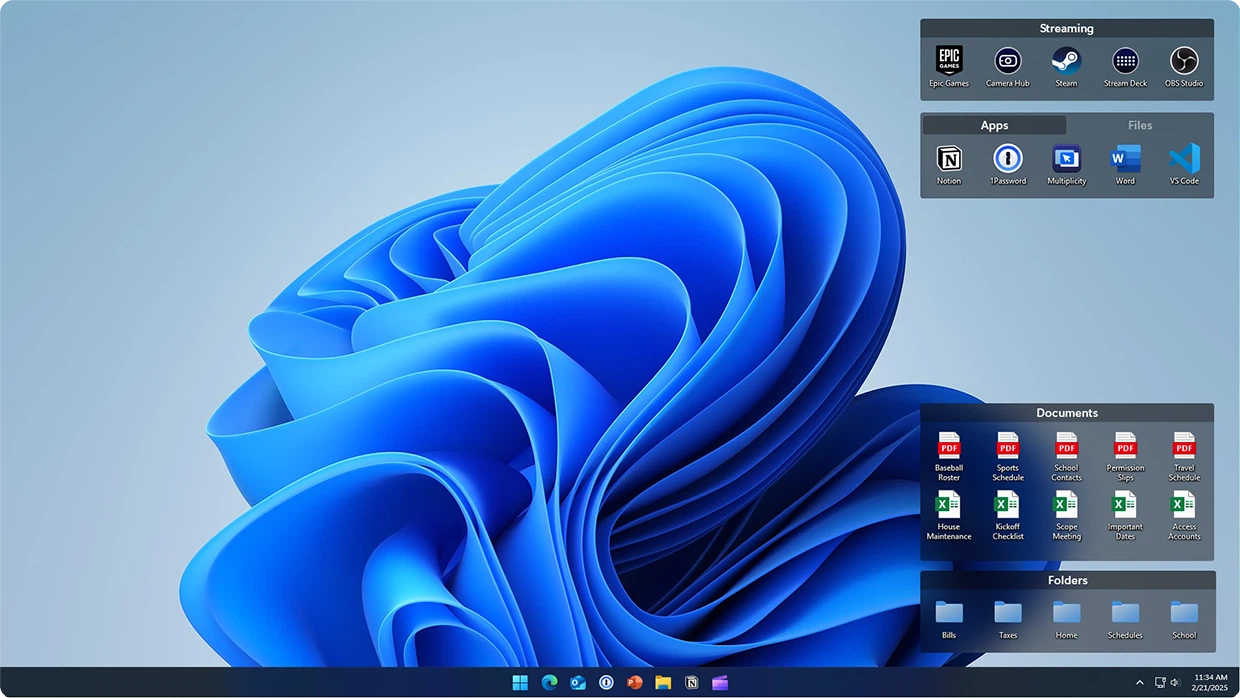
A desktop buried under icons is one of the few experiences every computer user shares. Fences appeared in 2008 with an answer that the rest of the category still copies: draw shaded regions on the desktop, call them fences, and drag icons into them by project or by purpose. A fence can be named, resized, and rolled up into its title bar so that it takes one line until you need it. The desktop stops being loose sand and becomes a row of labelled drawers, and finding something stops being a search.
The small gestures people actually remember
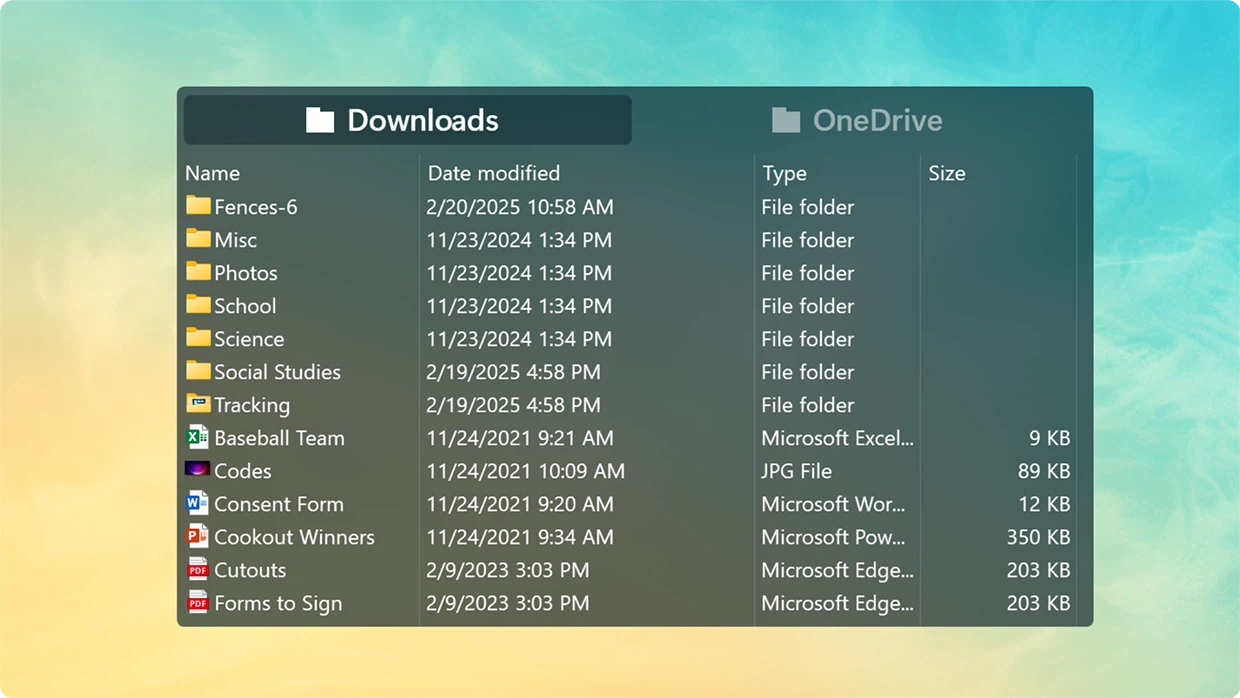
The gesture that sells it is a double-click on empty desktop space: every icon vanishes at once, and a second double-click brings them back. For a screen share, a demonstration or a recording, that is a surprisingly large improvement in how the machine looks. The folder portal is the other one. It maps the real contents of a folder onto the desktop, so a working directory gets a permanent window of its own, and the sixth generation lets one portal hold several tabs. Between them, the two gestures cover what most people actually want from a desktop: hide everything, or show one thing in detail.
Six generations of small refinements
By the sixth generation the fences themselves learned to hold pages: a single fence can carry documents, tools and temporary files on three tabs, and the icons can be tinted as a group so that a category is readable before any label is. The rules engine goes further and sorts new files into the right fence by name or by type, which is the closest thing to a desktop that maintains itself. Snapshots solve a different old complaint. Change the resolution, unplug a monitor, and the careful arrangement collapses; one restore puts the previous layout back. Anyone who works with two screens knows that pain exactly.
The version, and the honest caveats
Version 6.54 arrived in the middle of August and fixed preview and animation performance under an edge-mounted taskbar. Two things should be said plainly. First, this is commercial software: thirty days of full function, then a licence to continue, so anyone who objects to that should use the trial properly before deciding. Second, its resource use is not light by the standards of appearance tools, and an older machine deserves a look at what it does in the background before it stays. Even so, as a finished piece of desktop management, it remains the most mature thing in the category.
Why a desktop is worth arranging
The desktop is the first thing you see in the morning and the last thing at night, which makes it a strange place to leave in chaos. Setting up fences takes a few minutes once, and the rules then keep the arrangement without supervision. Compare that with the weekly five-minute tidy that never quite holds. The value is not decoration and not beauty for its own sake; it is that the surface you look at most often stops demanding attention.
Where rules stop
A rule engine sorts by name and by type, which covers the steady traffic of downloads, screenshots and exports. What it cannot do is read intent. A file called final_v3_really.pdf lands in the same fence as final_v2.pdf, because the rule only knows the extension. Anyone expecting the desktop to think on their behalf will be disappointed. Anyone willing to spend two minutes on naming gets an arrangement that holds for months, which is a fair trade and the usual one in organising software.
The two-screen situation
Laptops that travel and docks that change shape are where snapshots earn their keep. Undock at a desk and the second screen disappears, taking with it the section of desktop that lived there; dock again and the order returns at a different scale. Saving a layout before a change and restoring it afterwards takes seconds and prevents the twenty minutes of dragging that otherwise follows. This is the sort of feature that is invisible while it works and infuriating the moment it is missing.
Paying, or not paying
The thirty-day trial is generous and leaves nothing locked, so the honest advice is to spend the whole period on a real desktop rather than on a test folder. If after two weeks the fences have become part of how the machine is used, the licence is simply the price of keeping a habit. If they have not, the trial has done its job by answering the question early.
The worth of Fences is not in anything flashy. It turns tidying the desktop from a manual chore repeated every week into a rule set once and forgotten. The desktop is where the day begins and ends, and it deserves a deliberate arrangement.