
Lively Wallpaper review: an open engine for a moving desktop
Summary
Lively Wallpaper turns video, web pages, GIFs, shaders and even small game builds into a desktop background, pauses itself when a full screen app runs, and handles each monitor separately. GPLv3, no paid tier.
Recommend- Name
- Lively Wallpaper
- Version
- 2.2.1
- Pricing
- Free
- Open source
- Open source
- Operating system
- Windows
- Updated
- 2026-10-06 21:55
A moving desktop should not be a paid feature
An animated background changes the character of a workspace. A slow aurora, a loop that drifts, a scene rendered live rather than captured: the difference between that and a still photograph is the difference between a room and a poster of a room. Plenty of tools in this category charge for the privilege, which is why the position taken here is worth stating: this one is released under the GPLv3, every feature is free, there is no paywall and no reduced edition held back for later. It is led by an independent developer with community contributions, and the repository carries a star count in the tens of thousands, which is a rough proxy for how many people found it good enough to keep.
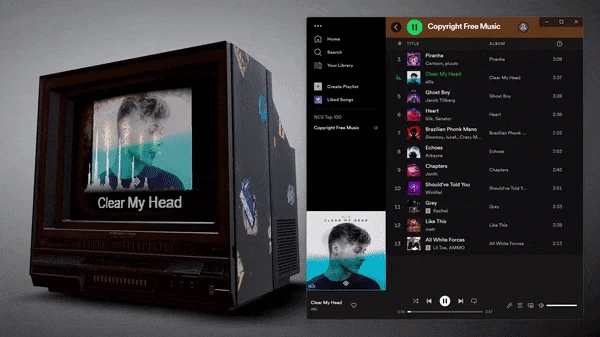
What can go on the wall is broader than expected
The range of material is the part that surprises people. A local video file works. An animated image works. A web page works, rendered through an embedded browser core that keeps up with current effects, which means the same scenes that run in a browser run on the desktop. Shader animations work, computed on the graphics processor rather than played back as frames. Even small builds made in Unity or Godot can be set as the background directly.
An open API is what turns this from a viewer into a platform. Developers have built wallpapers that read system state and respond to it, that move with the music that is playing, that react to the pointer. Running a machine learning model and putting its output on the desktop is a use people have already explored. Playback is hardware accelerated through a mature playback core, and both HDR and high frame rates are supported, so the result does not look like a slideshow pretending to be video.
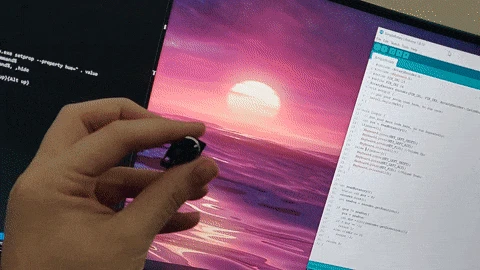
Choosing the material matters more than choosing the picture. A video loop costs whatever the decoder costs, a web page costs whatever the rendering engine costs, and a shader costs whatever the graphics processor costs, which on modern hardware is often the cheapest of the three. The practical consequence is that ambition does not have to mean a heavier desktop: a scene generated live can be lighter than a high bitrate capture of the same scene, and it will not show compression artefacts when it fills a large panel.
The licence is not decoration either. GPLv3 means the engine can be read, modified and built upon, which is why the API ecosystem exists at all: people who wanted a background that responded to their own hardware could add it instead of filing a request. A project held by one person and contributed to by many is more durable than the star count suggests, and that durability is the real argument for trusting it with something as visible as the desktop.
The most considerate detail is that it behaves itself. It pauses quietly while a game is running, resumes seamlessly when the desktop comes back, and rests on its own when a laptop is on battery. It wants to be both attractive and cheap, and it manages both.
The details that decide whether you keep it
People with more than one monitor are the loyal core of this tool, and the reason is simple: each screen can carry a different background, and a mix of an ultrawide panel with ordinary ones at different resolutions is handled correctly rather than stretched into nonsense. When a full screen application runs, the background pauses and resource use falls close to nothing. The same happens during a remote desktop session, which is the detail that separates a well made tool from one that quietly ruins a work call.
The current stable release is 2.2.1, and compatibility with new versions of the operating system is tracked continuously. On the threshold: interactive wallpapers and the API are aimed at people who can write a little code, while video and web page backgrounds require nothing at all. For anyone who wants a living desktop and would rather not pay for it, this is the answer that exists.
There is also a social argument for the way this project is run. Wallpapers are the most shareable kind of software output: a file that looks good on somebody else screen is instantly understood, no explanation required. That is why the library fills up with contributions rather than with a product roadmap, and why the tool keeps acquiring material it did not have to design itself.
One honest note about expectations. An animated background is decoration, not productivity, and a heavy scene will cost battery on a laptop despite the pause logic. Choosing a modest loop costs almost nothing and looks better than most people expect, which is the sensible way to start before experimenting with the ambitious material.