
Maccy: a clipboard keeper for macOS that remembers what you copied
Summary
Maccy turns the single slot clipboard of macOS into a searchable archive: it lives in the menu bar, opens with a hotkey, filters history as you type and pastes on enter, keeps everything on the machine, and stays free and open under an MIT licence.
Recommend- Name
- Maccy
- Version
- 2.7.1
- Pricing
- Free
- Open source
- Open source
- Operating system
- macOS
- Website
- https://maccy.app/
- Updated
- 2026-10-06 14:36
What you copied deserves a record
macOS keeps exactly one clipboard. Copy something new and the previous item is gone, with no warning and no way back. Maccy exists to turn that single slot into a proper archive. It lives in the menu bar, opens with a keyboard shortcut, filters the history as you type, and pastes with a single key, so the hands never leave the keyboard and the eye never goes hunting through menus. It is built with the native interface toolkit, which is why it starts instantly, sits at near zero load and never makes itself the centre of attention.
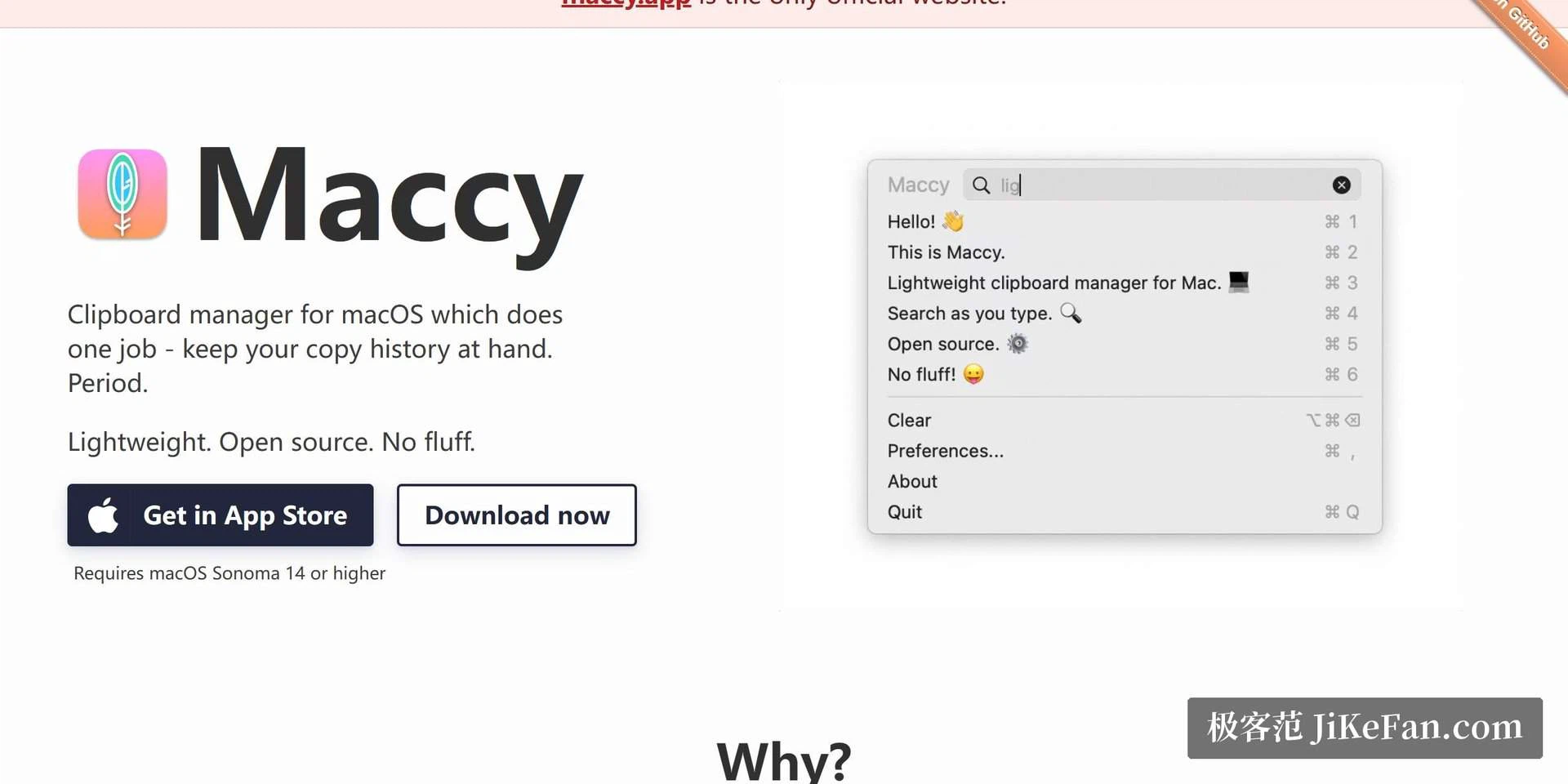
Fast, simple, private
The design does one thing: keep a history, hand it back quickly. Everything else is left out on purpose. The frequent needs still have their own shortcuts, pinning a snippet you paste all day, filtering by content type, pasting as plain text so formatting does not follow along. The privacy thinking is the part worth praising. When a password manager wipes the clipboard after use, Maccy clears the matching record too. An ignore list lets you name applications whose copies never enter the archive at all. And the whole history stays on the machine, with no cloud sync step anywhere in the chain. For a place that everything passes through, that is the right baseline.
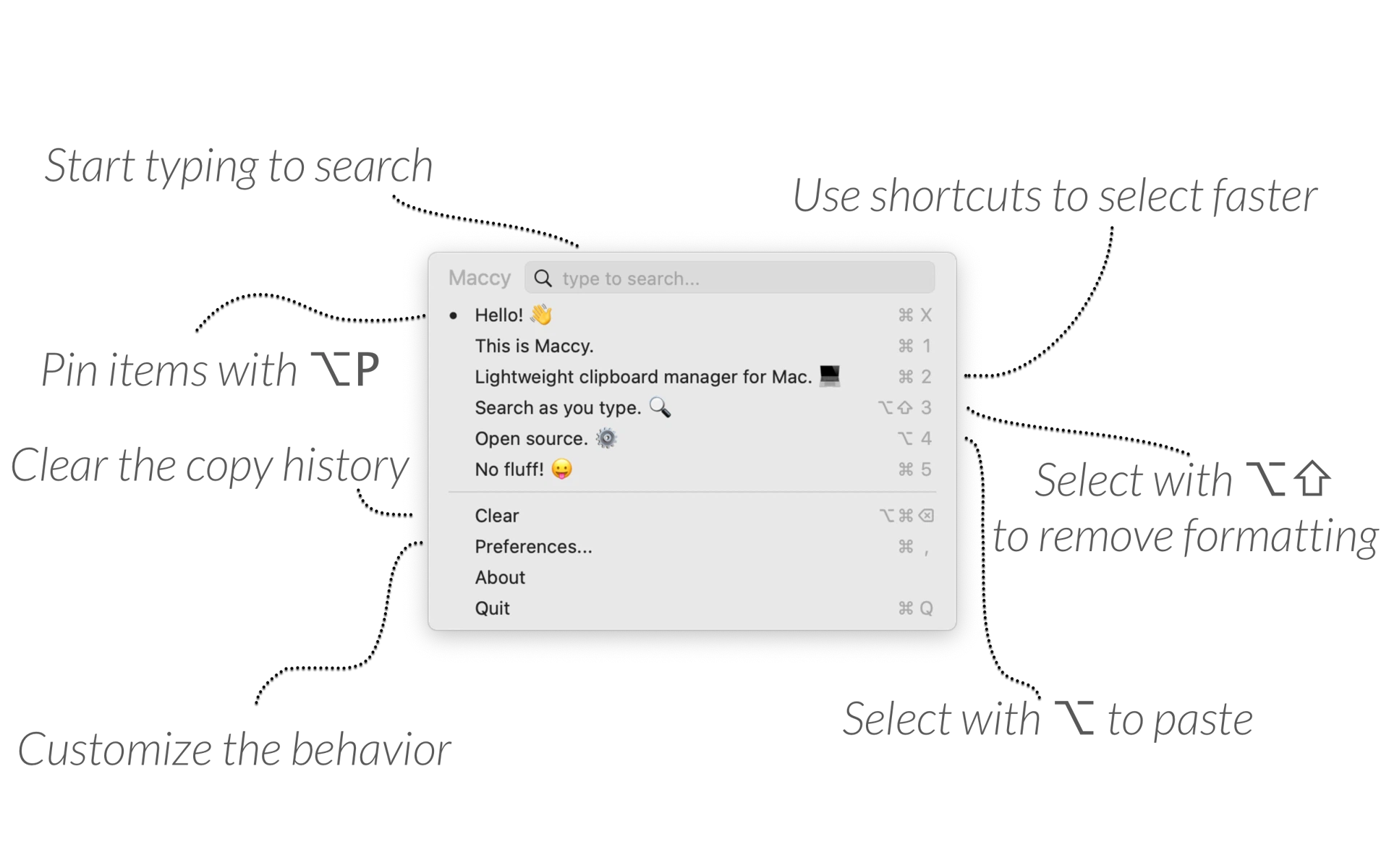
What changed in 2.7.1
The project is actively maintained. Version 2.7.1 reworked the icon and the preview experience, and the image preview panel can pull the text out of a picture directly. The requirement is macOS Sonoma 14 or newer, so an older system is the one real barrier. Installing through a code hosting platform or a package manager costs nothing, and the paid build in the application store is best read as a tip for the developer rather than a different product. Choose whichever suits your habits.
Where it stops, on purpose
It has no history groups and no snippet templates. Someone who treats the clipboard as a small library, with shelves and folders, will find it thin. That is a deliberate line. Most people do not want a library. They want the paragraph they copied four minutes ago, and they want it before the thought that needed it has moved on. Judged against that, the missing features are not missing at all.
Why native matters more than it sounds
A utility that floats above every other window has to earn its place twice: it must be useful, and it must be invisible when it is not needed. A program built with the system toolkit starts in a blink, draws in the same shapes as the rest of the desktop, and does not keep a runtime of its own idling in the background. On a laptop running from a battery that difference is not academic. A history keeper that cost a few percent of charge all day would be removed by Friday, however good the history is.
The week that decides it
The test is not the first hour. In the first hour everything is novelty: you open the list, you look at what you copied, you pin something. The week is the real test, because by then the novelty is gone and only reflexes remain. If the shortcut has become what your fingers do before you have decided to do it, the tool has moved from a program you own to a habit you have. If it has not, you will forget it exists and it will sit in the menu bar for months, quiet and unused.
That is also the honest answer to the missing features. A tool that survives the week on speed alone was right to spend nothing on libraries and templates. Depth is easy to add and hard to carry. The plainest requirement, served without friction, is the one that keeps being served.
The good of Maccy is the kind that becomes invisible within a week: every look back between copy and paste costs one shortcut, a few letters and one key. It makes no noise, and it takes the plainest of needs almost to the point of not being there.