
phpMyAdmin moves building, dumping and permissions into the browser
Summary
An open tool that moves the everyday handling of MySQL and MariaDB into a browser: creating databases, importing and exporting, setting up permissions and running statements all happen on a web page, with version 5.2.3 published under GPL-2.0.
Recommend- Name
- phpMyAdmin
- Version
- 5.2.3
- Pricing
- Free
- Open source
- Open source
- Operating system
- WindowsmacOSLinux
- Website
- https://www.phpmyadmin.net/
- Updated
- 2026-10-13 11:48
Nobody should have to memorise dozens of statements just to finish the routine upkeep of a database.
Putting the controls in a browser
Looking after a database comes down to a few recurring tasks: create one, glance at the rows in a table, change a record, export the whole thing as a backup, and give a new colleague a read-only account. All of it can be done from a command line, provided the statements and the order of their arguments stay in memory. Not remembering is survivable, since the documentation is there, but looking it up every time adds up to a good deal of hours.
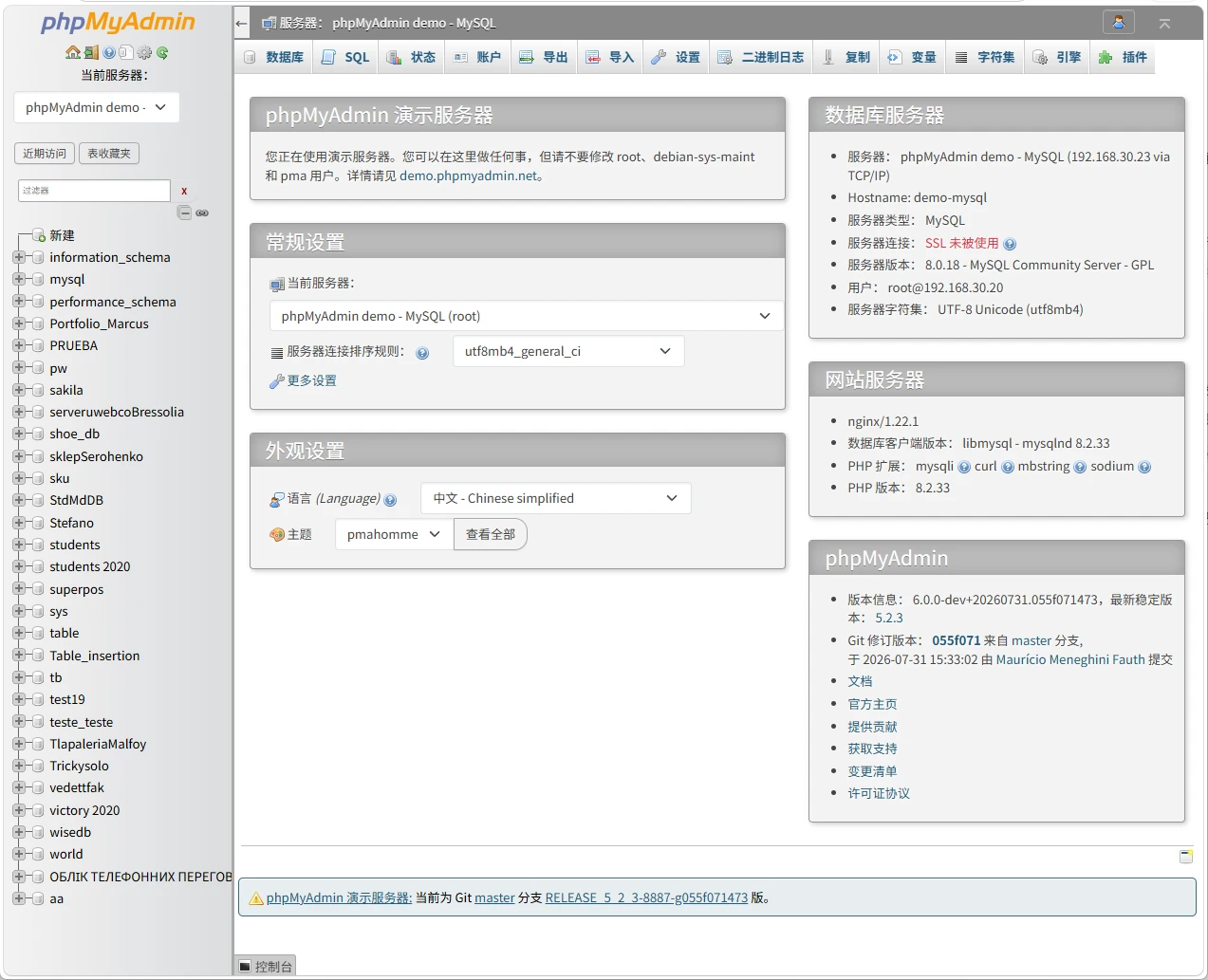
phpMyAdmin's idea is to move those tasks onto a web page. The official description is plain: a tool written in PHP that handles the management of MySQL over the web. In use it is an address opened in a browser, a login, a tree of databases and tables down the left and a workspace on the right, with creating, viewing and editing all inside that one interface. No client has to be installed on each machine.
The server needs a PHP runtime. For anyone already running a site that is rarely a problem: drop the files into the site directory and configure the connection details, and when it is no longer wanted, deleting the directory cleans up after it without leaving a service running in the system.
Which everyday operations are covered
The operations the official pages name include creating databases and tables, and viewing and editing data. These appear as forms and lists, so changing a record does not mean assembling a statement first and checking the result afterwards; a refresh confirms the change. Import and export handle a range of formats, and these two are the usual companions to a migration or a backup; an export can be fed straight back in, or opened in a spreadsheet to be read. Accounts and permissions sit in the same place, so in a shared setup the scope given to whom is a matter of ticking boxes, which is more legible than writing grant statements by hand and easier to review later.
Where the graphical side runs out, the interface keeps an entrance for running statements directly. Text can be pasted in and executed with the result right there, and both routes share one connection, so no switching between tools. That arrangement suits experienced users particularly: the common work through a few clicks, and the occasional complicated query in the statement box.
Versions and a few notes on deployment
The official download page puts the current stable version number next to its release date, and offers earlier versions and file checksums so a download can be verified. Projects maintained this long usually mark security-related changes in the same place, and reading the scope of a change before upgrading is the calmer habit. The current stable release is 5.2.3.
The project is published under GPL-2.0, which allows running, studying and redistributing the program, with modified versions keeping the same terms. Installing it on an internal server is the common arrangement, but if it is to be reachable from outside, access control and an encrypted connection are worth adding, since it holds the database credentials directly. Interface translations come from the community, and wording can differ between them, which a setting switch after installation settles.
Item | Official note |
|---|---|
Current stable | 5.2.3, 8 October 2025 |
Form | a web program running on the server and reached through a browser |
Databases | MySQL and MariaDB |
Everyday work | creating databases and tables, viewing and editing data, import and export, accounts, running statements |
Licence | GPL-2.0 |
What it saves is the burden of remembering statements; what it leaves is a management entrance that opens at any time.
A practical note: deploy it at an address reachable only from the internal network, and use a dedicated account rather than signing in with the highest privileges day after day; when giving collaborators permissions, tick the smallest scope and review it once; and before changing a structure, export the whole database as a record, so that a bad change has something to fall back on.