
Sequel Ace: an open source MySQL client for macOS, release 6.0.2
Summary
A database client for macOS that concentrates on MySQL and MariaDB, continued as a community fork of the classic Sequel Pro. It runs natively on both generations of Mac processors, is free from the App Store, and is published under an MIT style licence.
Recommend- Name
- Sequel Ace
- Version
- 6.0.2
- Pricing
- Free
- Open source
- Open source
- Operating system
- macOS
- Website
- https://sequel-ace.com/
- Updated
- 2026-10-12 11:12
When you are looking at data, a tool is good if it lets the structure be understood at a glance.
A client that does one thing
Sequel Ace is a database client for macOS. The official front page states the scope in its headline: a management tool for MySQL and MariaDB. That positioning means it does not try to speak every database dialect, and instead does the connection, query and structure browsing work for these two servers in more detail. For Mac users whose daily work stays inside the MySQL family, focus usually beats breadth.
Its history is worth a line as well. The project repository notes that it continues a community fork of the classic Sequel Pro, so the layout and the habits of use keep much of the older tool. Anyone migrating from it will find the learning cost low. The version line has moved from the early 3 series up to the 6 series, which also explains why the system requirements could follow macOS towards newer releases.
What that lineage buys in practice is muscle memory. Query tabs, the table browser and the way results appear are close enough to the predecessor that a team switching over does not need a training session. In a category where the client is opened several times an hour, that continuity is worth more than a redesigned interface.
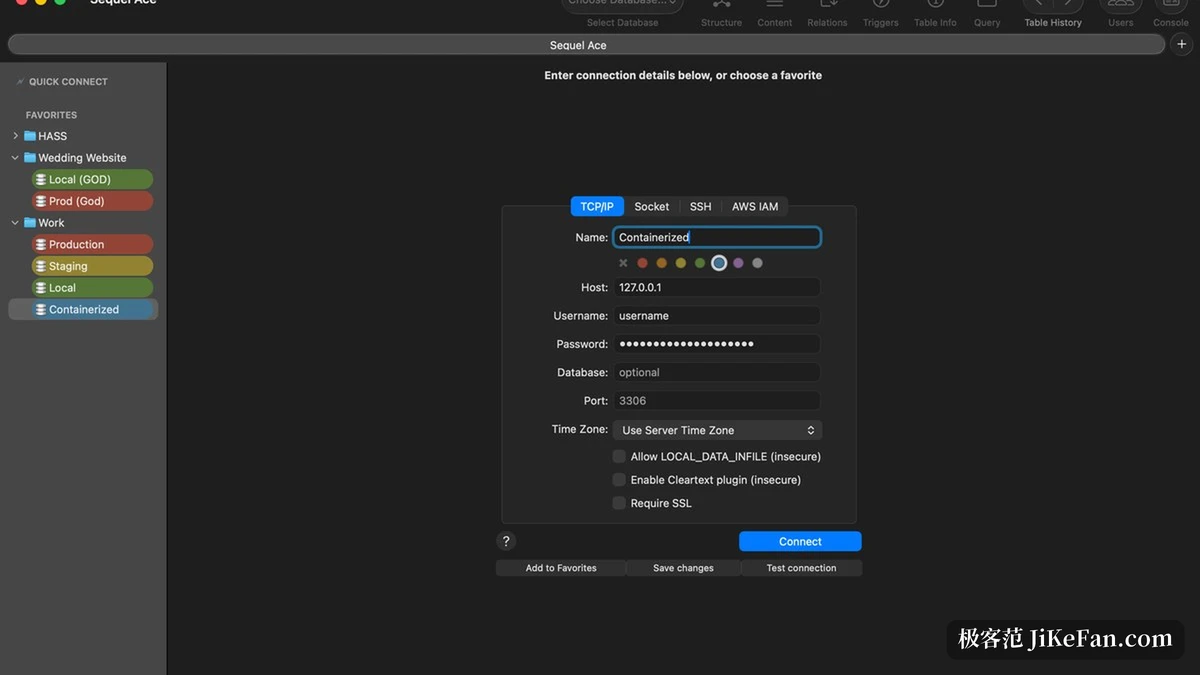
Version requirements and compatibility
The system requirements are stated clearly. The official notes list macOS 13.5 or newer, with support for both Intel and Apple Silicon processors. Both architectures run natively, which means recently bought machines and older hardware still in service can use it directly without a compatibility layer in between.
On the server side the range is equally clear: MySQL 5.7 or newer, and MariaDB 10.0 or newer. Both branches are covered, so a change of server flavour does not force a change of client. The current release is 6.0.2, build 20115, published on 4 October 2026, and the notes concentrate on two things: fixing the renaming of databases in situations involving views, routines, privileges and case sensitive naming, and improving the messages around cloud login renewal, authentication and reconnection. The first is the sort of detail that bites during real work; the second shows that connections to hosted databases were considered.
Item | Official notes |
|---|---|
Positioning | MySQL and MariaDB management tool on macOS |
System | macOS 13.5 or newer |
Processors | Intel and Apple Silicon both native |
Server range | MySQL 5.7 or newer, MariaDB 10.0 or newer |
Distribution | free from the Mac App Store |
Licence | MIT style open source licence |
Free to obtain, open in source
On distribution, the official notes say it can be obtained from the Mac App Store, and that installation through a package manager is also available. Going through the store means installation and updates are handled by the system, so nobody has to watch version numbers by hand.
At the code level the repository carries an MIT style licence text, granting use, copying, modification and distribution free of charge. A user can fetch the source, adjust it as needed, and even redistribute it. For a tool opened every day, those two points together mean no licence admin and no fear that a commercial decision will one day take it away.
There is a practical habit worth forming early. Keep read only and write accounts separate when connecting to production, and keep the credentials in a place that is not the same file as your everyday notes. Most incidents with a database client are not caused by the client; they are caused by a write statement issued from a window that was pointed at the wrong connection.
Handing a small everyday tool to an open source project leaves a route that can always be inspected and changed.
A few suggestions. Check whether the machine already runs macOS 13.5 before planning an upgrade for this alone. Configure read only and write accounts separately for production servers so a mistake has somewhere to stop. And if you are migrating from the older tool, save the queries you run most often as favourites; the gain in daily speed shows up faster than expected.