
Sublime Text: a light editor drawn by the graphics card, Build 4215
Summary
A compact editor for code, markup and prose whose interface can be drawn by the graphics card, so starting up and opening large files stay quick. The plugin host has moved to a newer language version, native builds cover the three desktop systems including ARM, and evaluation carries no enforced deadline.
Recommend- Name
- Sublime Text
- Version
- 4215
- Pricing
- Free
- Open source
- Proprietary
- Operating system
- WindowsmacOSLinux
- Website
- https://www.sublimetext.com/
- Updated
- 2026-10-12 11:10
Whether an editor feels right usually comes down to how quickly it answers after a key goes down.
Handing the drawing to the graphics card
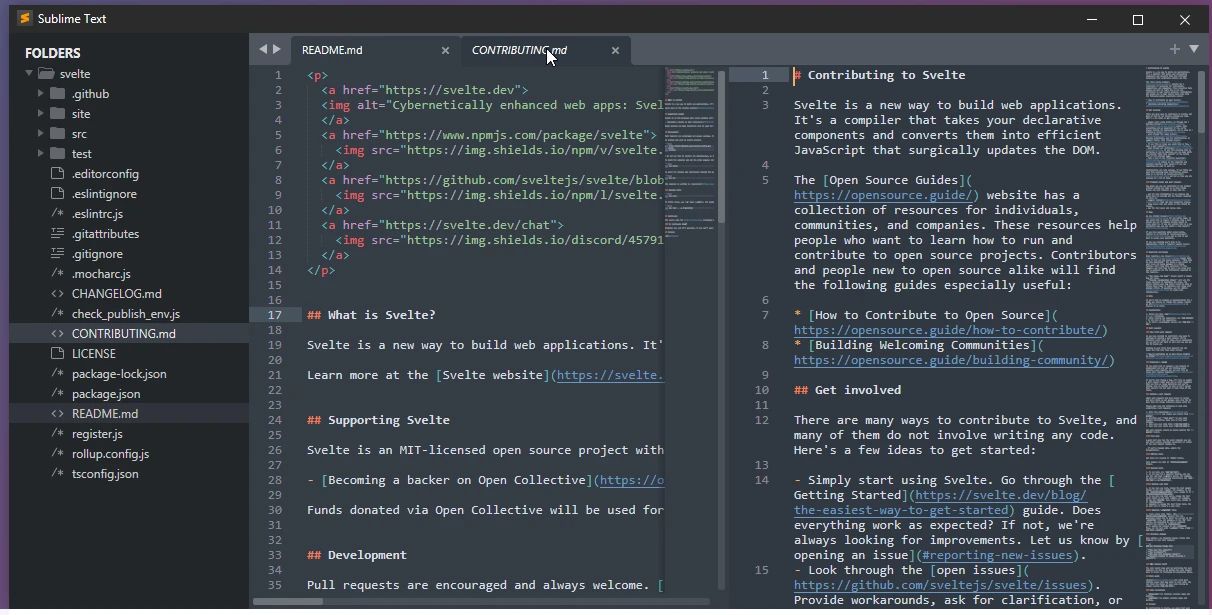
Sublime Text is an editor for code, markup languages and prose. The official description of the current major line is Sublime Text 4, and the download page splits it into stable and preview channels. Its most noticeable trait is responsiveness: the release notes state that the interface can be rendered with the graphics card, across Linux, Mac and Windows. Once drawing is handed to the GPU, scrolling and typing on a high resolution screen keep up better, and the processor carries a little less.
For anyone who keeps an editor open all day, that difference gets multiplied many times over. Starting fast and opening large files without strain is the reason it has been chosen for years, rather than the presence of any single item on a feature list.
It is worth being precise about what rendering on the graphics card does and does not mean. It does not make a slow disk faster and it does not shrink a file, so a project that is genuinely enormous will still take a moment. What it changes is the cost of the interface itself, which is the part you feel every second while typing.
Keeping pace with hardware and the language ecosystem
On the hardware side, the official notes say the Mac build supports Apple Silicon natively and that a Linux ARM64 build is available for machines such as the Raspberry Pi. Native support means the program runs directly on the new architecture without a compatibility layer, while the ARM build lets it land on low power development boards where, given its light footprint, editing a config file or making a quick change stays comfortable.
The plugin system had a change underneath. The changelog records that the plugin host moved from Python 3.8 to Python 3.14. That language is the basis for writing plugins, so after a generational jump plugins can call newer language features, while older plugins need to catch up. The same round of updates added file icon themes, so the icons in the sidebar follow a theme; in a project with deep folders and many file types, that saves a fair amount of squinting.
Item | Official notes |
|---|---|
Positioning | editor for code, markup and prose |
Current major line | Sublime Text 4 |
Interface rendering | can use the graphics card on Linux, Mac and Windows |
Hardware | native Apple Silicon support, Linux ARM64 build |
Plugin host | moved from Python 3.8 to Python 3.14 |
Build | 4215 |
How evaluation and licensing work
The licensing note is unusually clear. The official page says the editor can be downloaded and evaluated for free, that continued use requires a licence, and that no enforced time limit is placed on evaluation. In practice you can use it seriously for a stretch, decide whether it suits your hands, and only then pay, with nothing ticking in the background.
The difference from a subscription is where the cost sits. A licence is bought per user and stays valid, so no recurring charge follows; in exchange, version upgrades and the terms themselves follow the official wording. For someone who treats an editor as the main tool for years, the two models are a genuine trade off and worth a rough calculation over the period you expect to use it.
One thing that catches people out is expecting an editor to organise a project for them. This one stays close to the text and relies on plugins and on search across files to cover what an integrated environment would build in. That is a deliberate position, and it means the first week is partly spent deciding which few plugins are actually needed rather than accepting a large default set.
The best efficiency tool is the kind you stop noticing.
A few suggestions. Take the stable channel first and leave the preview channel to those willing to absorb small problems. Install plugins as the need appears instead of collecting them in one go, and after the host version moves, check whether the older ones still work. Spend half a day on multiple cursors and on jumping across the project, because those two decide how much repetition the daily work loses.