
Navicat Premium review: one window for every database you touch
Summary
Relational, document, cloud and on-site engines behind a single connection tree, with a transfer wizard and a schema comparison that turn cross-engine migration from a scripting job into a few clicks.
Recommend- Name
- Navicat Premium
- Version
- 20260923
- Pricing
- Paid
- Open source
- Proprietary
- Operating system
- WindowsmacOSLinux
- Updated
- 2026-10-08 16:57
The tax of one client per engine
A backend developer's day moves between engines without ceremony: a relational database for billing, a document store for session data, a managed instance in the cloud, a legacy server in a rack that nobody wants to touch. The usual answer is one official client per engine, which sounds tidy until you are running four windows, four sets of keyboard shortcuts and four different ways of describing the same column. The cost is not disk space. The cost is the small pause before every context switch, and the mistakes that happen when a habit from one tool lands in another.
Navicat Premium takes the opposite approach: one application, one connection tree, every engine side by side with a consistent interface. Learn the query editor once and it behaves the same whether the connection points at a relational server or a document store. That consistency pays off most during migration, when the work moves between engines rather than inside one.
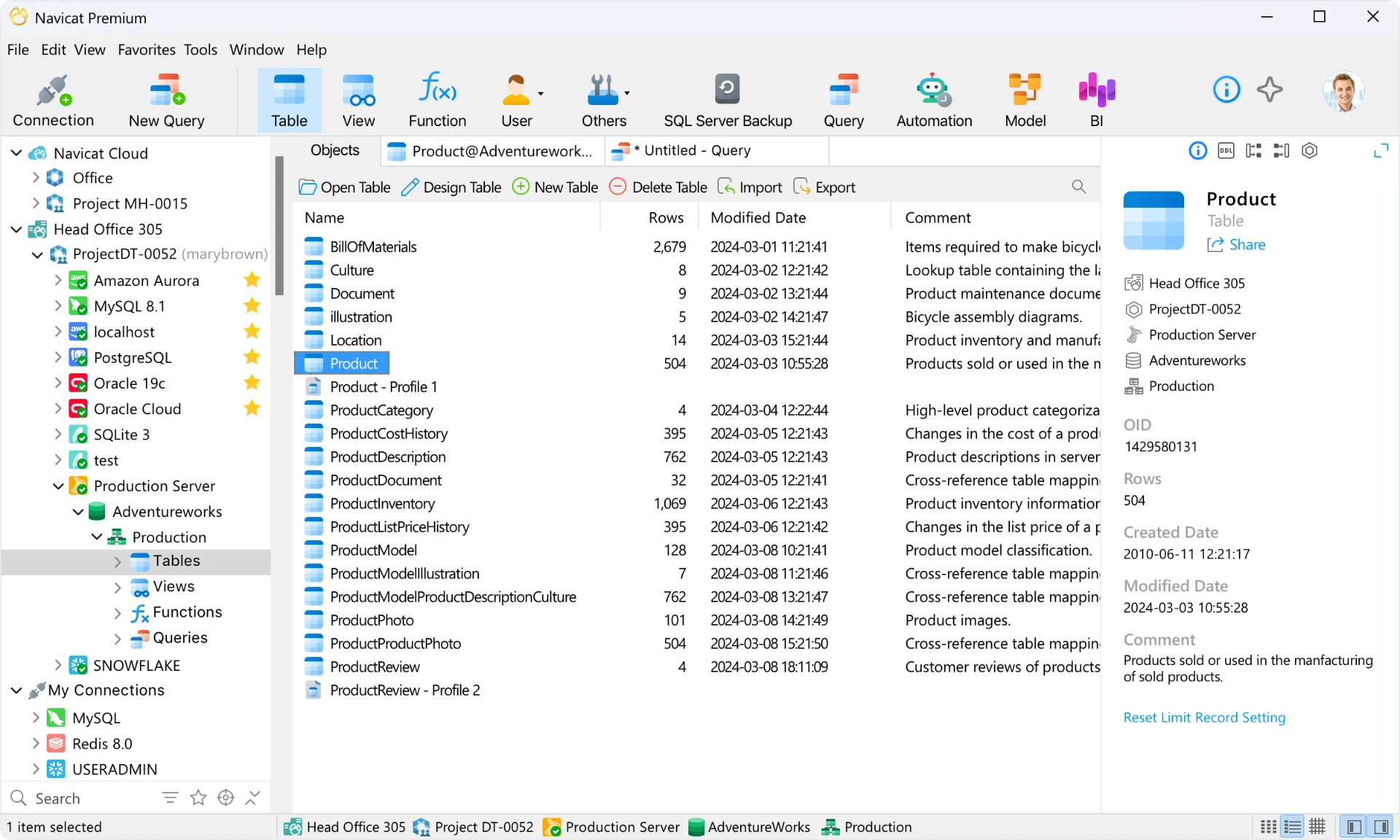
What the unified interface actually delivers
The data transfer wizard is the feature that earns its keep. Point it at a source and a target, choose the tables, and it maps types between engines, warns about the ones that will not survive the trip, and runs the copy in batches with progress you can watch. Structural differences get their own treatment: the schema comparison reads both sides, produces a list of what differs, and generates the change script for review before anything executes. Anyone who has spent an afternoon hand-writing those statements knows the difference between a tool that assists and a tool that does the work.
Around that, the depth is real rather than advertised. The query editor offers context-aware completion and a visual execution plan, so a slow statement shows where the cost sits instead of hiding behind an EXPLAIN table. The modelling view draws relationships as a diagram you can rearrange and reason about. Backup jobs run on a schedule, import and export wizards accept most file formats in circulation, and SSH tunnelling reaches internal servers without opening extra ports.
What you pay for, and whether it is worth it
This is commercial software, and the licence is not cheap. The honest framing is that it is a working tool, not a toy: for someone who spends the working day inside databases, the time saved on transfers and comparisons pays for the licence within a few months, and the trial period is long enough to decide with real work rather than a feature list. Teams get shared connection profiles and reporting that a single-user tool cannot offer.
The counterargument deserves a hearing. Free clients exist and do most of the everyday work, and for someone who lives inside a single engine, a specialised tool is often faster. The case for this one is breadth: when the job spans engines, one interface beats four good ones. That is a narrower claim than the marketing makes, and it is the one that holds up.
Commercial software survives by doing three things without compromise: unifying what is fragmented, making it visible, and never losing your data. Charge for that and people will pay; charge for a splash screen and they will not.
A few working habits. Group connections by environment and colour-code them, because production and staging look identical at two in the morning. Test cross-engine transfers on small tables first and check the type mapping before committing to the full run. And keep scheduled backups pointing at storage that is not the machine you are working on, since a backup sitting on the same disk as the database is a copy, not a backup.